P-TOOL说明书.pdf - 第68页
2-34 2 Board Explorer l Other par ts F or the other parts as BGA, inspection step is set 1.1 times bigger than the parts size (maximum margin is 0..5mm for each side) as below . X ( mm ) Y ( mm ) Other parts ( except chi…
2-33
2
Board Explorer
●
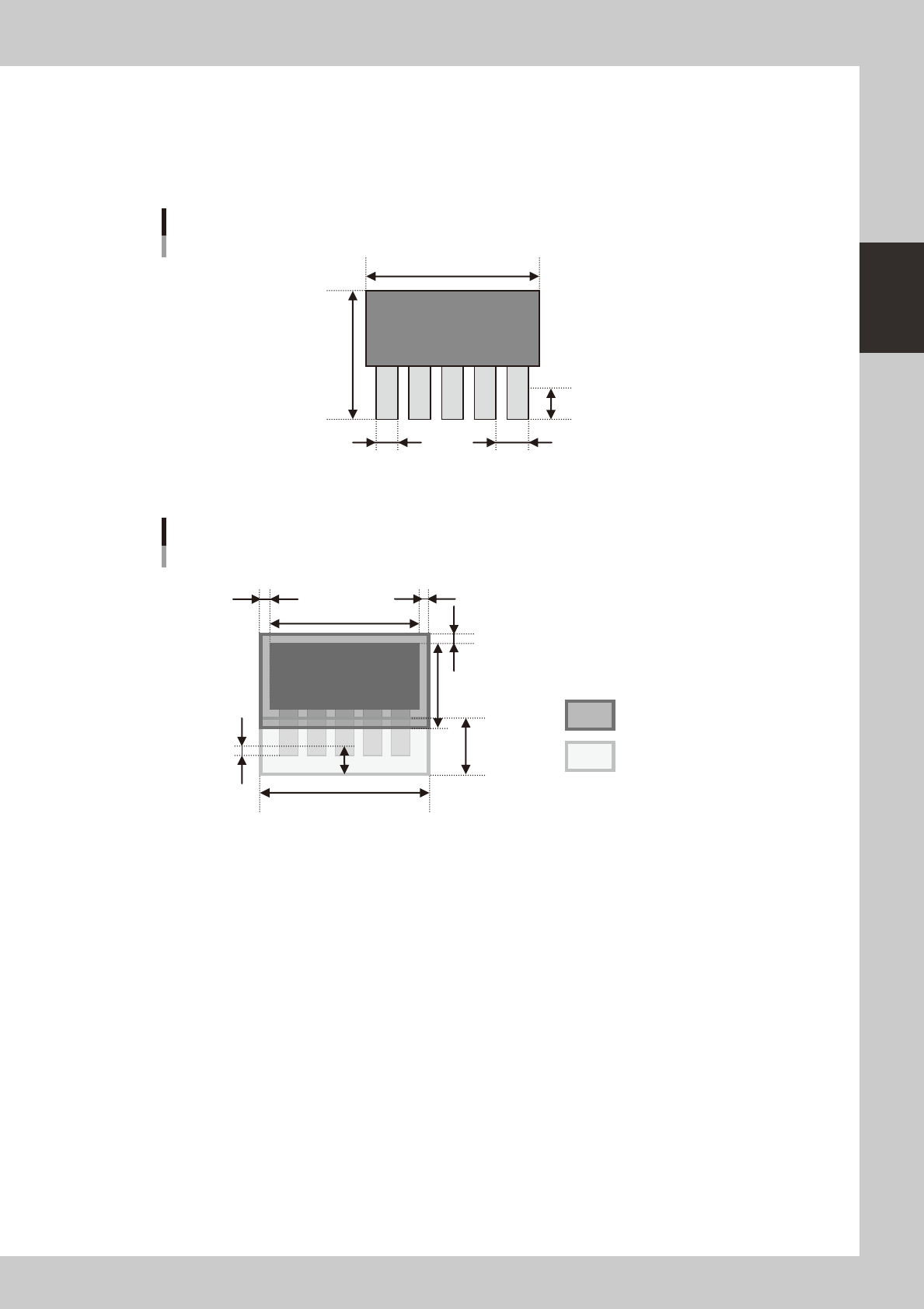
Lead parts
Whenaboarddataofmounterincludeleadpartsasbelow,theconvertedinspectiondatahas,foreachparts,1stepfor
bodyinspectionand1stepforeachleadsidetocheckleads.
Soifapartshasleadsforall4sides,theconvertedinspectiondatahas1bodyinspectionstepand4leadinspection
steps,total5steps.
Reflect lead length S mm
Lead pitch U mmLead width T mm
X (mm)
Y (mm)
Lead parts
63201-S0-00
Parts body inspection step
Lead inspection step
Y−S
S * 2.5
(V-1) * U + T + 0.2
S/2
S * 1.25
(Y−S) * 0.05
X * 0.05
X
X * 0.05
VADMIC inspection data of lead parts
63202-S0-00
Theinspectionstepsforbodyinspectionareonlysettonoleadsizeasenlargedthesize0.05times(maximum0.5mm).
But, for the special lead parts, it is set as below “Other parts”.
2-34
2
Board Explorer
l
Other parts
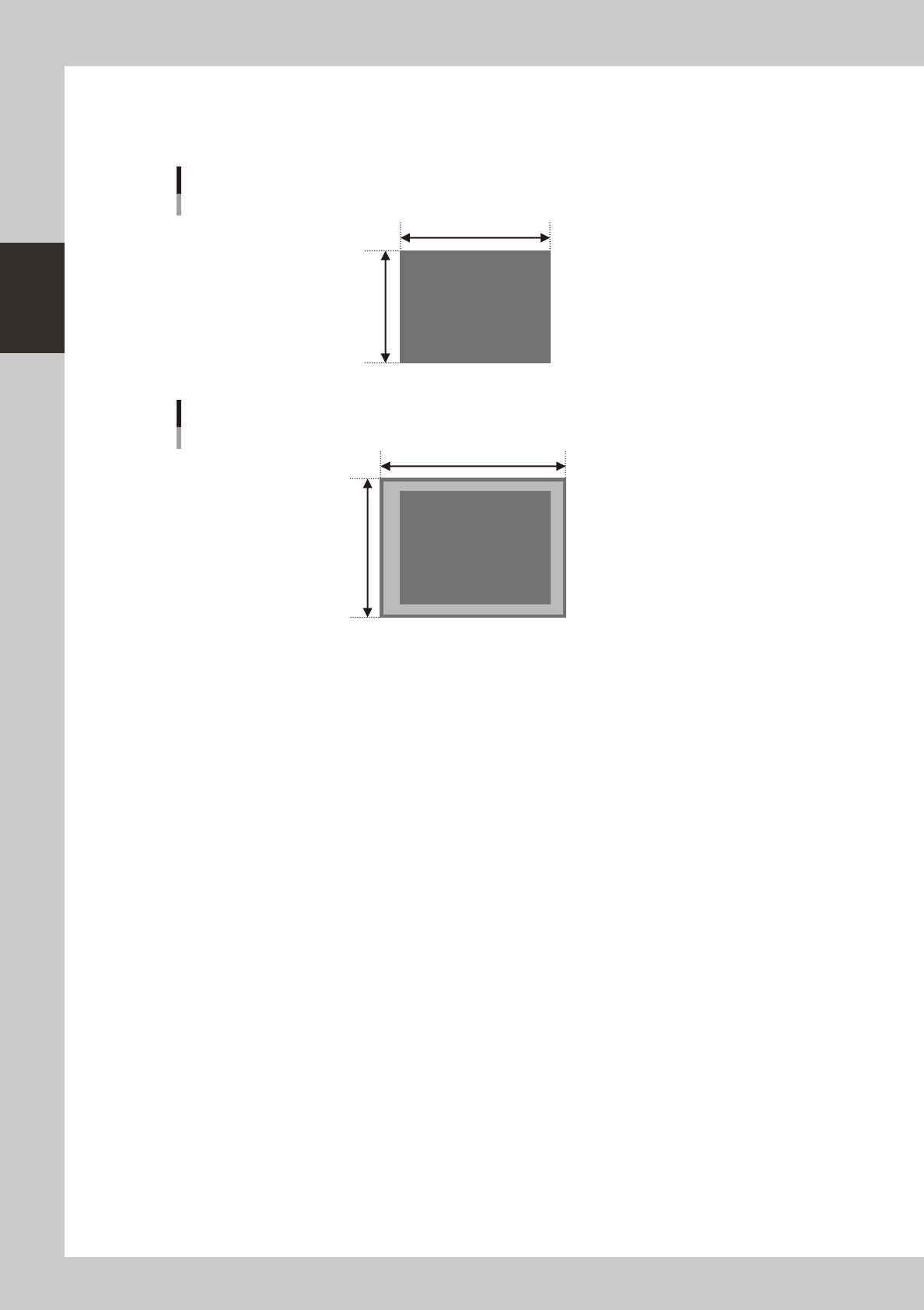
For the other parts as BGA, inspection step is set 1.1 times bigger than the parts size (maximum margin is 0..5mm for
each side) as below.
X (mm)
Y (mm)
Other parts ( except chip and lead parts)
63203-S0-00
Y *1.1
X *1.1
VADMIC inspection data of other parts
63204-S0-00
For each inspection step, by the data conversion, the default data is set as below.
•InspectionStatus :VADMIC
•ReferenceNumber :Patternnameofmounterboarddata
•PartsName :Partsnameofmounterboarddata
•Lib-partsName :Partsnamewhichissetinthepartsshapetable
•MountblockNo :Blocknumberofmounterboarddata
•Angle :Mountangleofmounterboarddata
•MinimumSizeX,Y:12(bodyinspection),6(solderorleadinspection)
•MinimumArea :25
•MatchingRatio :30
•DivideNumberX :PartsbodysizeX/300μm
•DivideNumberY :PartsbodysizeY/300μm
•LightingType :M(bodyinspection),
L-U(solderinspection),
BR2(leadinspection)
2-35
2
Board Explorer
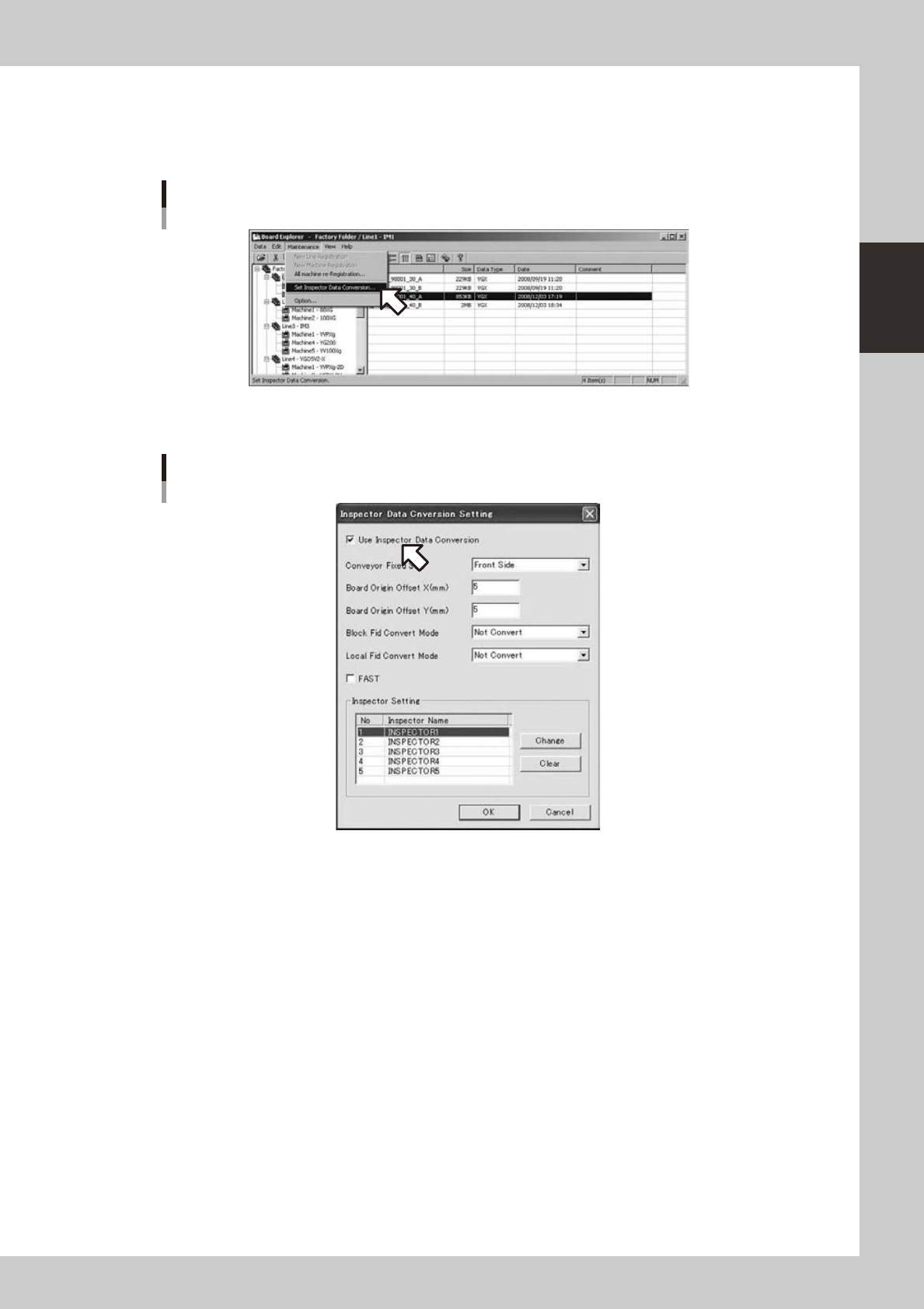
4.2.4 How to set up
1
Select “Inspection program conversion setting” from the maintenance menu of the
board explorer.
Selecting [Inspector data conversion setting]
642C2-S0-00
2
Turn on [Use Inspection program conversion].
[Use inspector data conversion] is turned on
642C3-S0-10