P-TOOL说明书.pdf - 第213页
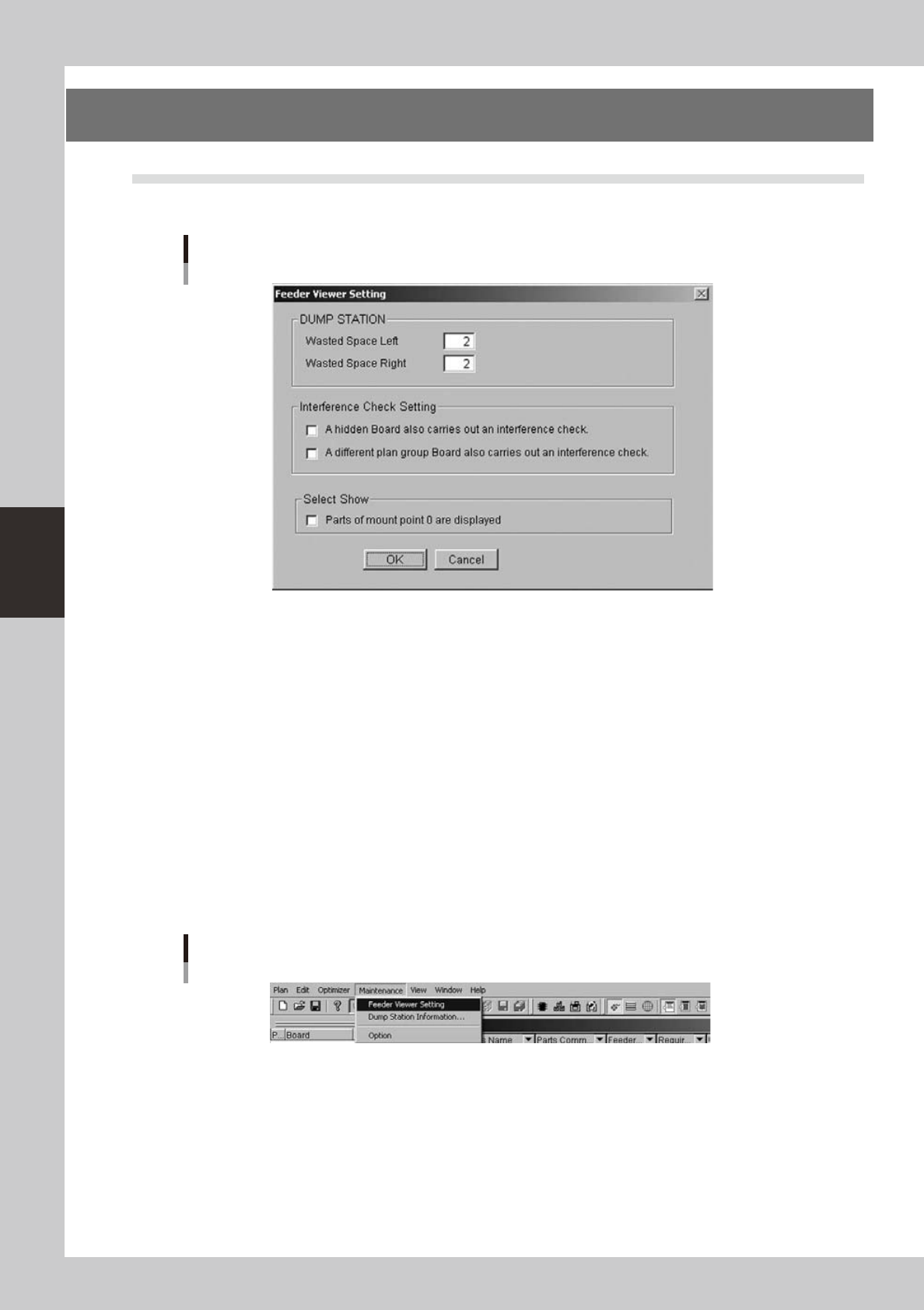
4-38 4 F eeder Vie wer 4. Feeder Viewer Setting 4.1 Feeder Viewer Setting This function is a function to do various settings by the Feeder Viewer. Feeder Viewer Setting Image 64460-S0-00 The setting of Feeder Viewer incl…
4-37
4
Feeder Viewer
4. When the message box appears indicating that the parts have been combined successfully, click
the [OK] button.
5. The message box closes and returns to the plan information screen.
Plan information screen after "Parts combine" has been performed
64458-S0-00
3
Save the data.
4-38
4
Feeder Viewer
4. Feeder Viewer Setting
4.1 Feeder Viewer Setting
This function is a function to do various settings by the Feeder Viewer.
Feeder Viewer Setting Image
64460-S0-00
The setting of Feeder Viewer includes the following setting.
• Dump Station(DSTA)
It is a setting of the feeder occupation number of the Dump Station.
“Leftside”and“Rightside”aresetrespectively.
When the feeder viewer ends, save is done as for the setting.
• Feeder interference check setting
It is a setting for the interference check.
When the feeder viewer ends, save is done as for the setting.
• View setting
Settingfordisplay.Refertothesection4.3,“For0mountpointparts”fordetails.
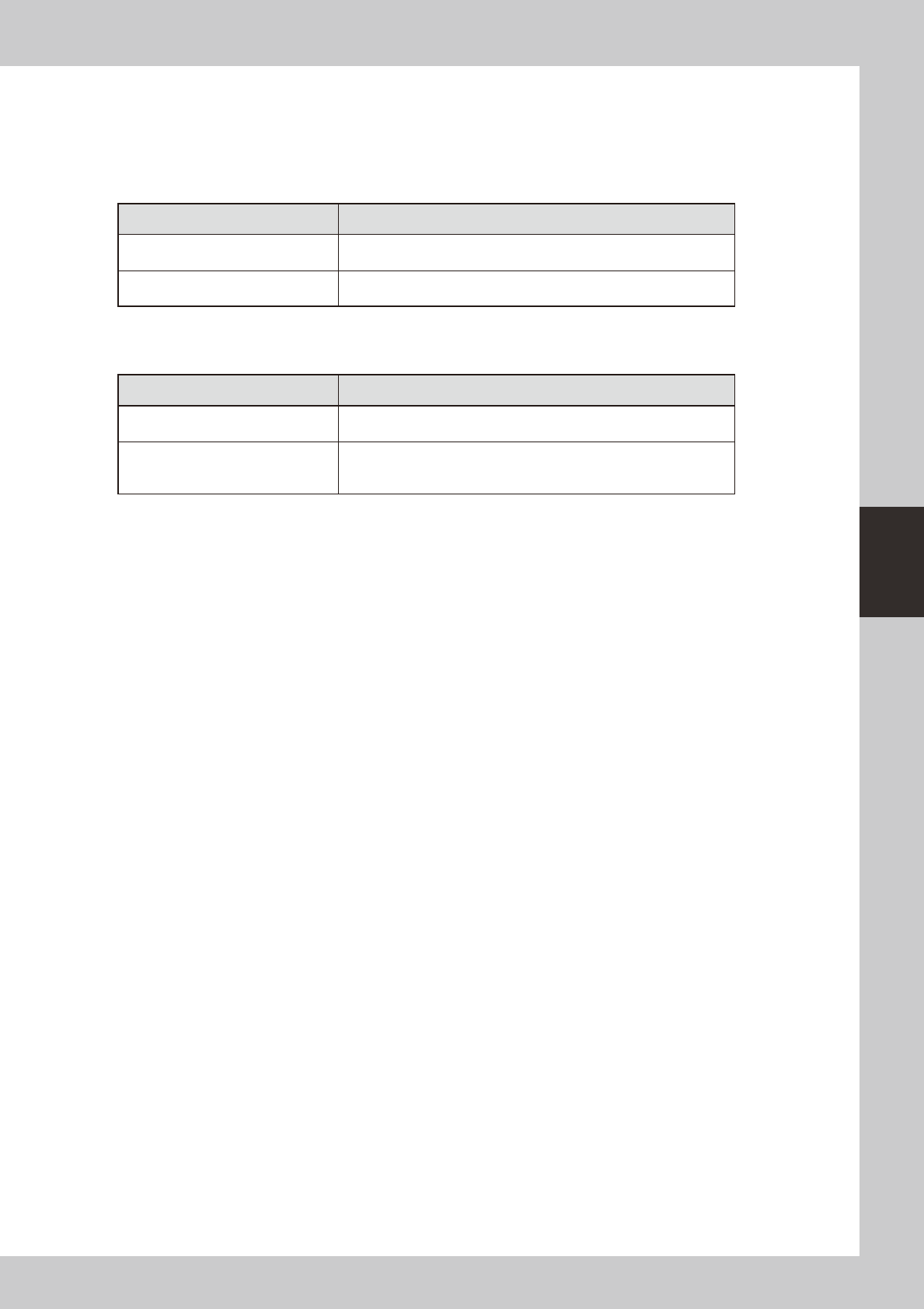
4.1.1 Start of setting screen (menu selection)
“Maintenance”-“FeederViewerSetting”isselected.
Feeder Viewer Setting
64461-S0-00
4-39
4
Feeder Viewer
4.1.2 Content of setting
The content of the setting is as follows.
n
Dump Station setting
*Thesettingiseffectivewhenthe“Maintenance”-“Dumpstationinformation”-“Dumpstationsetting”-“Enableseparate
settingofdumpstation”is“off”.(Refertothesection4.2,“Dumpstationlocationsetting”)
Dump Station(DSTA) Content of operation
Wasted Space Left
It is a setting at the left of the feeder occupation number.
Width at the left of the Dump Station is displayed by this setting.
Wasted Space Right
It is a setting at the right of the feeder occupation number.
Width at the left of the Dump Station is displayed by this setting.
* “View” - “Dump Station” it is an effective value.
n
Interference Check Setting
Interference Check Setting Content of operation
A hidden Board also carries out an
interference check.
OFF : The interference check of non-display substrate is not done.
ON : The interference check of non-display substrate is done.
Wasted Space Right
OFF : The interference check of a different plan group Board is not
done.
ON : The interference check of a different plan group Board is done.