P-TOOL说明书.pdf - 第214页
4-39 4 F eeder Vie wer 4.1.2 Content of setting The content of the setting is as follows. n Dump Station setting *Thesettingiseffectivewhenthe“Maintenance”-“Dumpstationinformation”-“Dumpstationsetting”-“…
4-38
4
Feeder Viewer
4. Feeder Viewer Setting
4.1 Feeder Viewer Setting
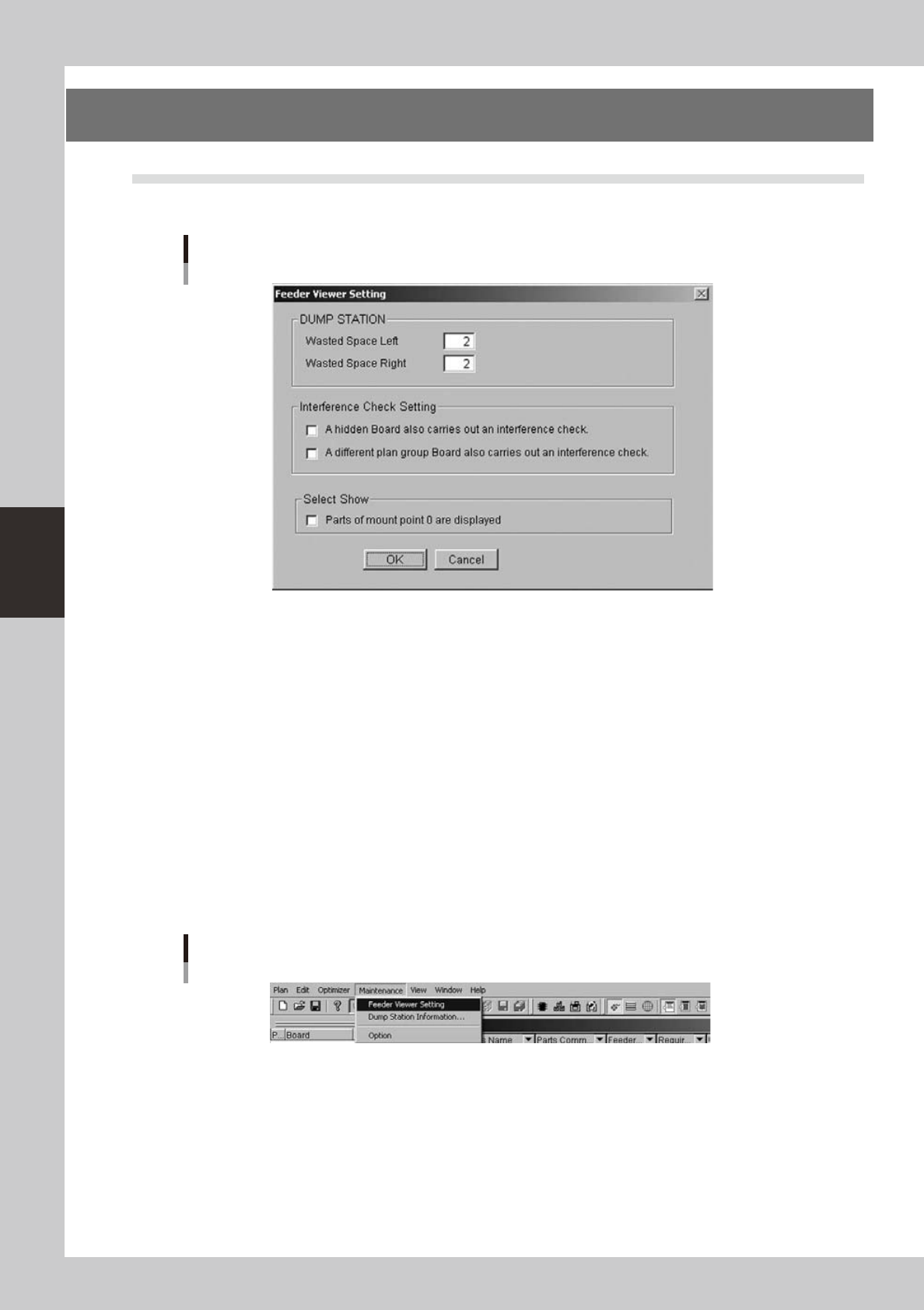
This function is a function to do various settings by the Feeder Viewer.
Feeder Viewer Setting Image
64460-S0-00
The setting of Feeder Viewer includes the following setting.
• Dump Station(DSTA)
It is a setting of the feeder occupation number of the Dump Station.
“Leftside”and“Rightside”aresetrespectively.
When the feeder viewer ends, save is done as for the setting.
• Feeder interference check setting
It is a setting for the interference check.
When the feeder viewer ends, save is done as for the setting.
• View setting
Settingfordisplay.Refertothesection4.3,“For0mountpointparts”fordetails.
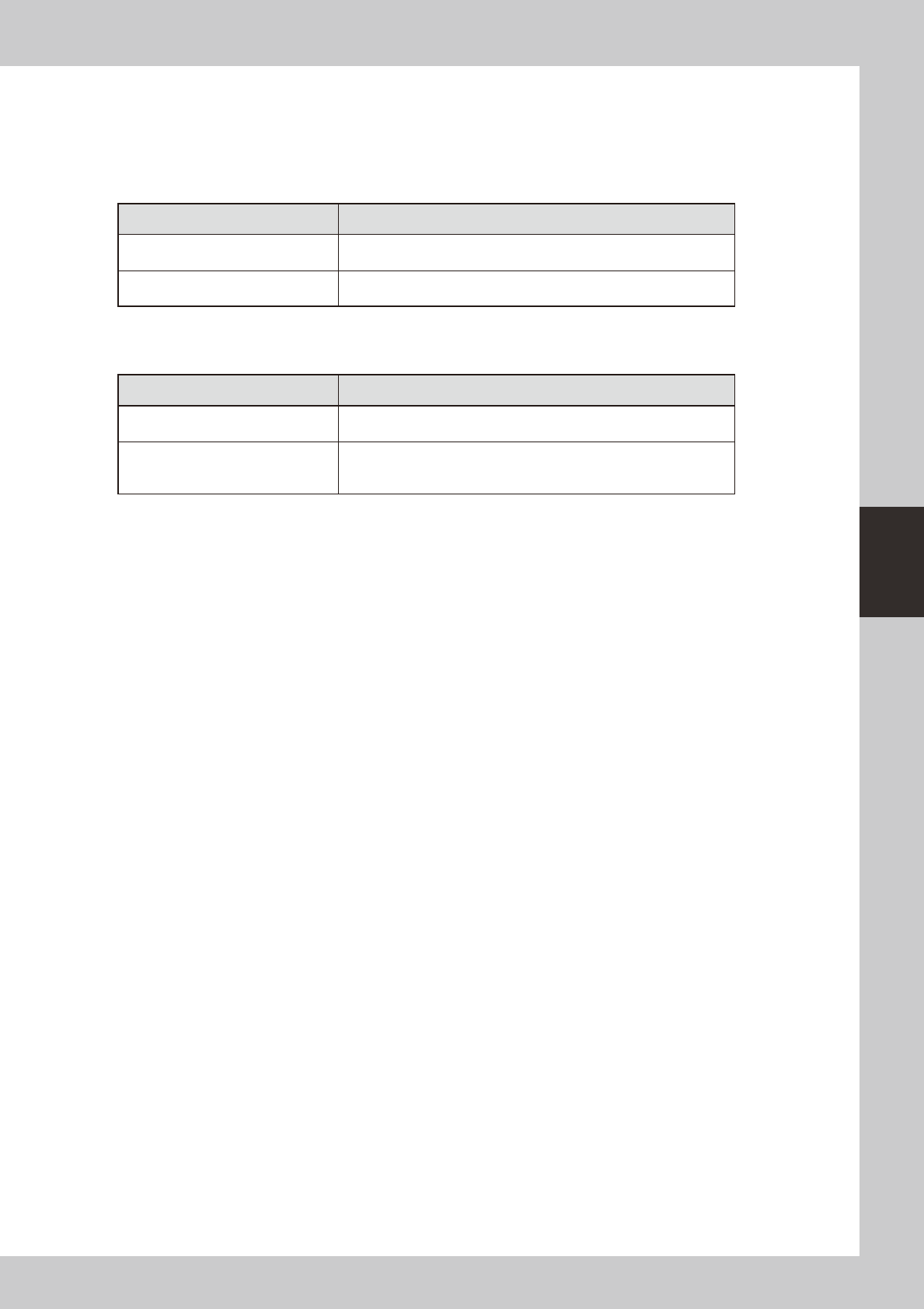
4.1.1 Start of setting screen (menu selection)
“Maintenance”-“FeederViewerSetting”isselected.
Feeder Viewer Setting
64461-S0-00
4-39
4
Feeder Viewer
4.1.2 Content of setting
The content of the setting is as follows.
n
Dump Station setting
*Thesettingiseffectivewhenthe“Maintenance”-“Dumpstationinformation”-“Dumpstationsetting”-“Enableseparate
settingofdumpstation”is“off”.(Refertothesection4.2,“Dumpstationlocationsetting”)
Dump Station(DSTA) Content of operation
Wasted Space Left
It is a setting at the left of the feeder occupation number.
Width at the left of the Dump Station is displayed by this setting.
Wasted Space Right
It is a setting at the right of the feeder occupation number.
Width at the left of the Dump Station is displayed by this setting.
* “View” - “Dump Station” it is an effective value.
n
Interference Check Setting
Interference Check Setting Content of operation
A hidden Board also carries out an
interference check.
OFF : The interference check of non-display substrate is not done.
ON : The interference check of non-display substrate is done.
Wasted Space Right
OFF : The interference check of a different plan group Board is not
done.
ON : The interference check of a different plan group Board is done.
4-40
4
Feeder Viewer
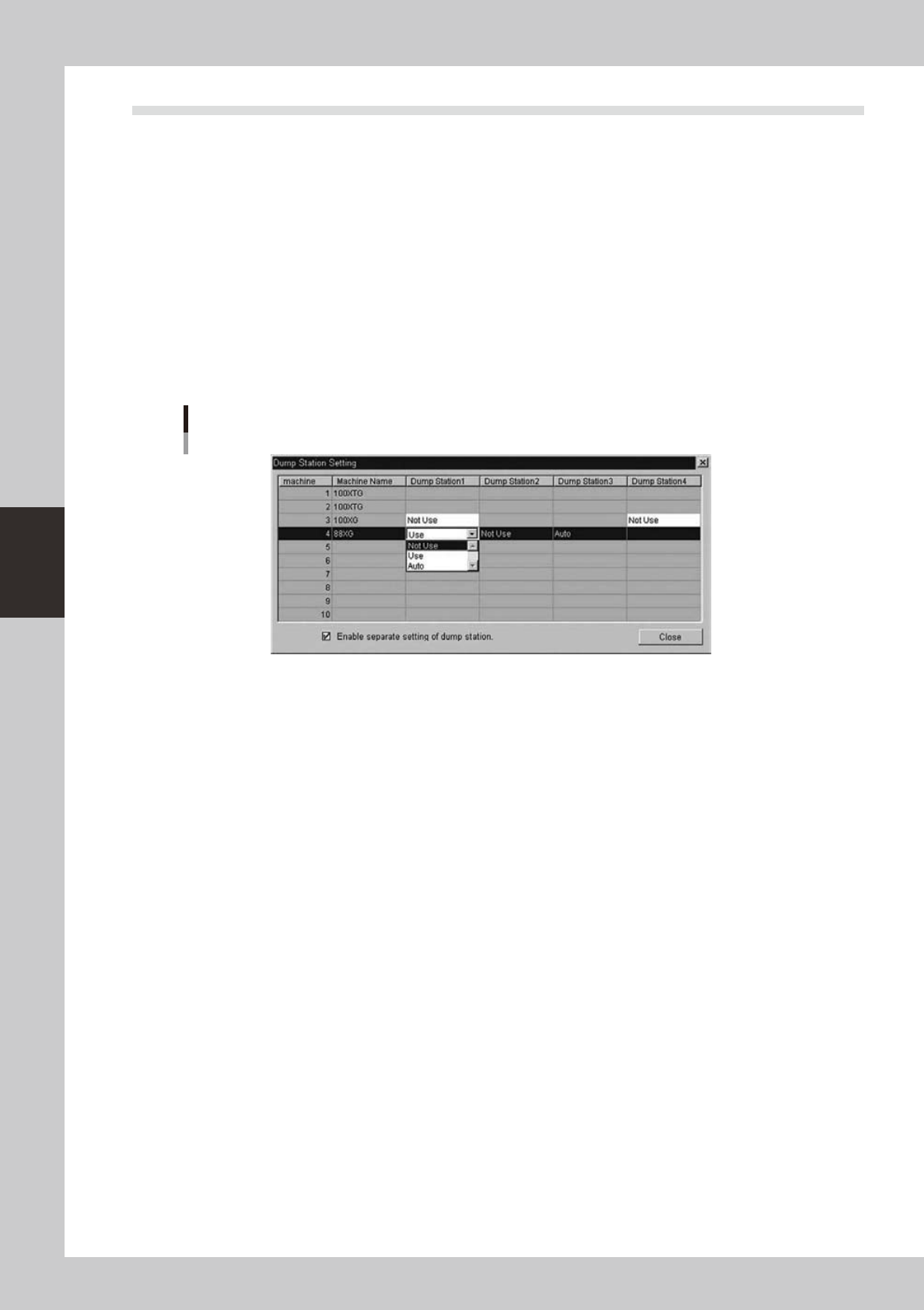
4.2 Dump Station Arrangement Setting
Each Dump Station contains the state as below with this function.
Optimizer arranges Dump Stations according to the state.
•Use
•NotUse
•Auto(Useifnecessary)
As a result, Dump Stations are used only when it is necessary and Feeder plates are used efficiently.
4.2.1 Detailed explanation of operation
n
Dump Station Setting Dialog
Select the state of entire this function and the state of each Dump Station in the Dialog below.
Dump Station Setting Dialog
64462-S0-00
[Dump Station 1-4]
The state of each Dump Station
“Not Use” This Dump Station isn’t arranged.
“Use” This Dump Station is arranged
(Even if components that use Dump Station don’t exist.)
“Auto” This Dump Station is arranged when it is necessary.
(When components that use Dump Station exist in the machine.)
[Enable separate setting of dump station.]
Ticking the check box enables this function.