P-TOOL说明书.pdf - 第138页
3-18 3 Board Editor 2.4 Manipulating the detail view The parts information and mark information detail views can be displayed or hidden as needed. ● Displaying the detail view The detail view can be displayed while the m…
3-17
3
Board Editor
3
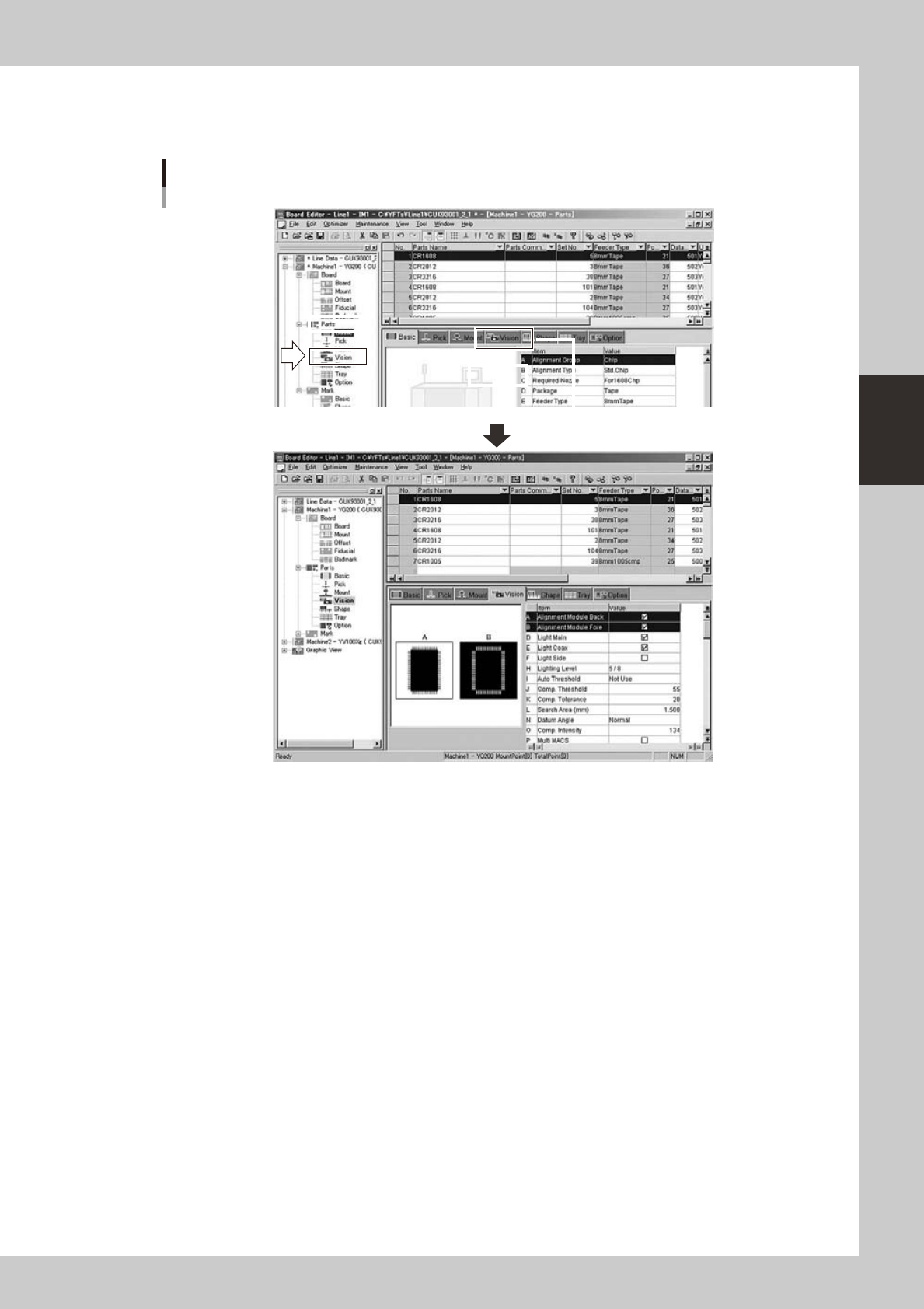
Edit other items.
Click the item you wan to edit or click the corresponding tab in the detail view.
The detail view switches to the contents of the selected item.
Switching the detail view
Select the item by
clicking it in tree view.
Select the item by clicking the tab.
64322-S0-00
3-18
3
Board Editor
2.4 Manipulating the detail view
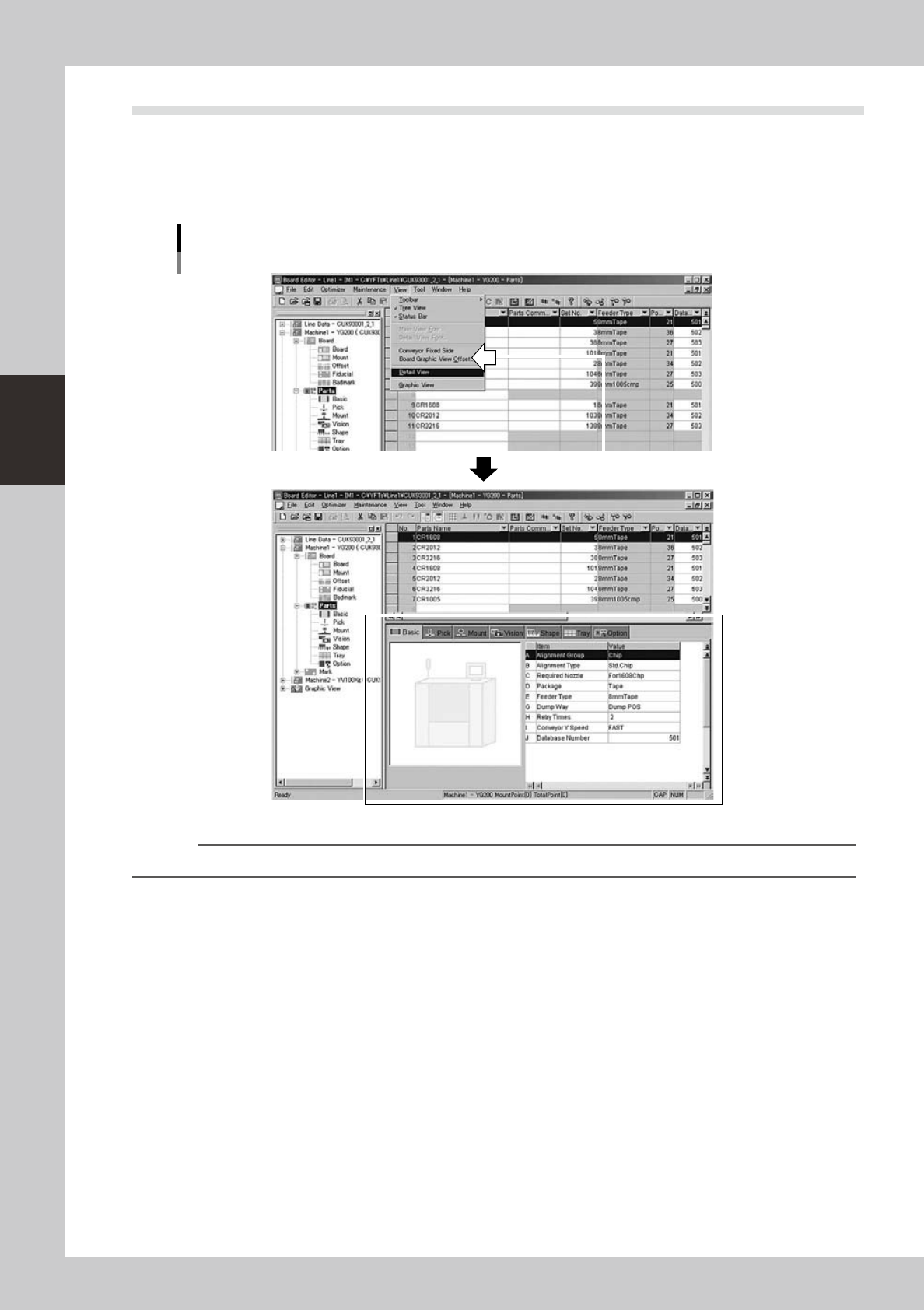
The parts information and mark information detail views can be displayed or hidden as needed.
●
Displaying the detail view
The detail view can be displayed while the main view is open.
Select the “Detail View” command from the View menu or click the item icon in the tree view.
Displaying the detail view
A check mark appears when selected.
64323-S0-00
Reference
Clicking the "Toggle Detail View" button on the toolbar displays or hides the detail view.
3-19
3
Board Editor
●
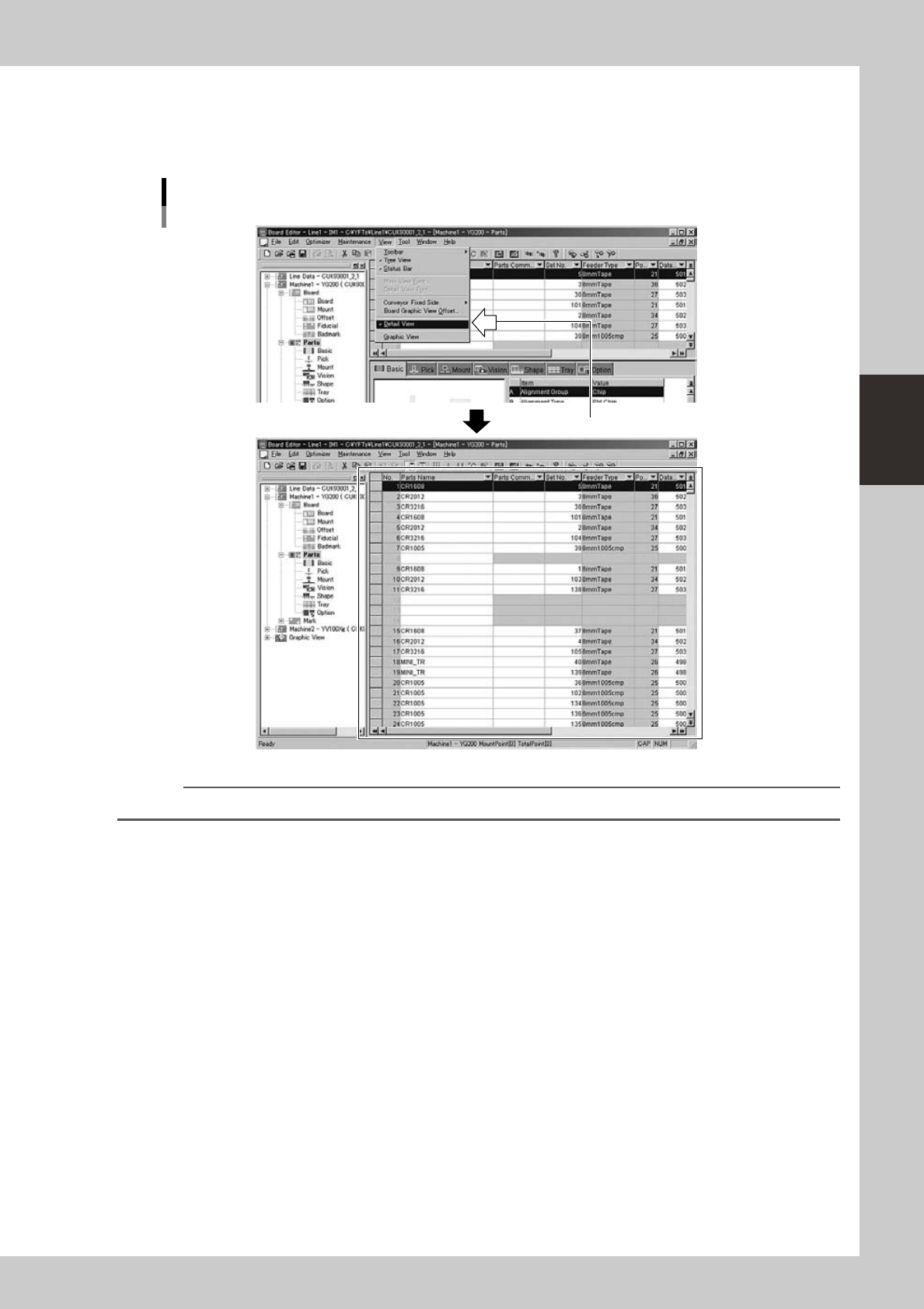
Hiding the detail view
The detail view can be hidden as needed.
Select the “Detail View” command from the View menu while the detail view is open. The detail view closes and the
main view extends to the bottom of the Board Editor window.
Hiding the detail view
A check mark disappears when selected.
64324 -S0-00
Reference
Clicking the "Toggle Detail View" button on the toolbar displays or hides the detail view.