P-TOOL说明书.pdf - 第222页
4-47 4 F eeder Vie wer n T ray changer layout display It is displayed in tray changer layout as follows. T ray changer lay out Display by mount point 0 64471-S0-00 n W afer tray changer layout display It is displayed in …
4-46
4
Feeder Viewer
4.3.2 Display
n
Feeder layout display
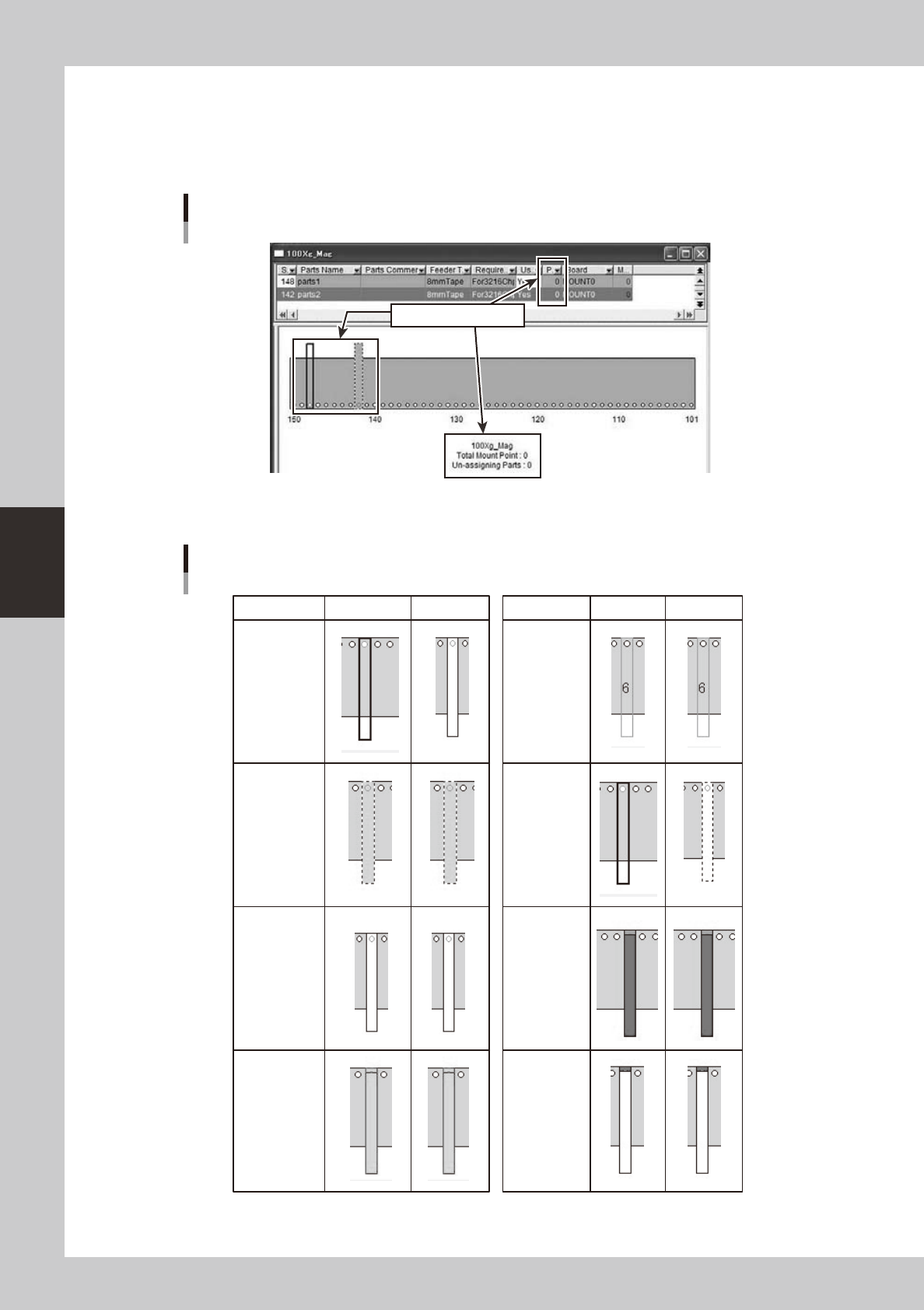
Partsofmountpoint0areregisteredinplaninformation,andplanlayoutcomestobedisplayed.
Plan layout
Display by mount point 0
64469-S0-00
The display changes into the plan layout according to the state as follows.
Plan layout
Effective Invalidity Effective Invalidity
Common
parts
including
mount point 0
(no change)
Board
(no change)
At interference
(no change)
Parts
amount
(no change)
Usually
At the drug
(no change)
At selection
(no change)
At
non-active
when
selecting
63400-S0-00
4-47
4
Feeder Viewer
n
Tray changer layout display
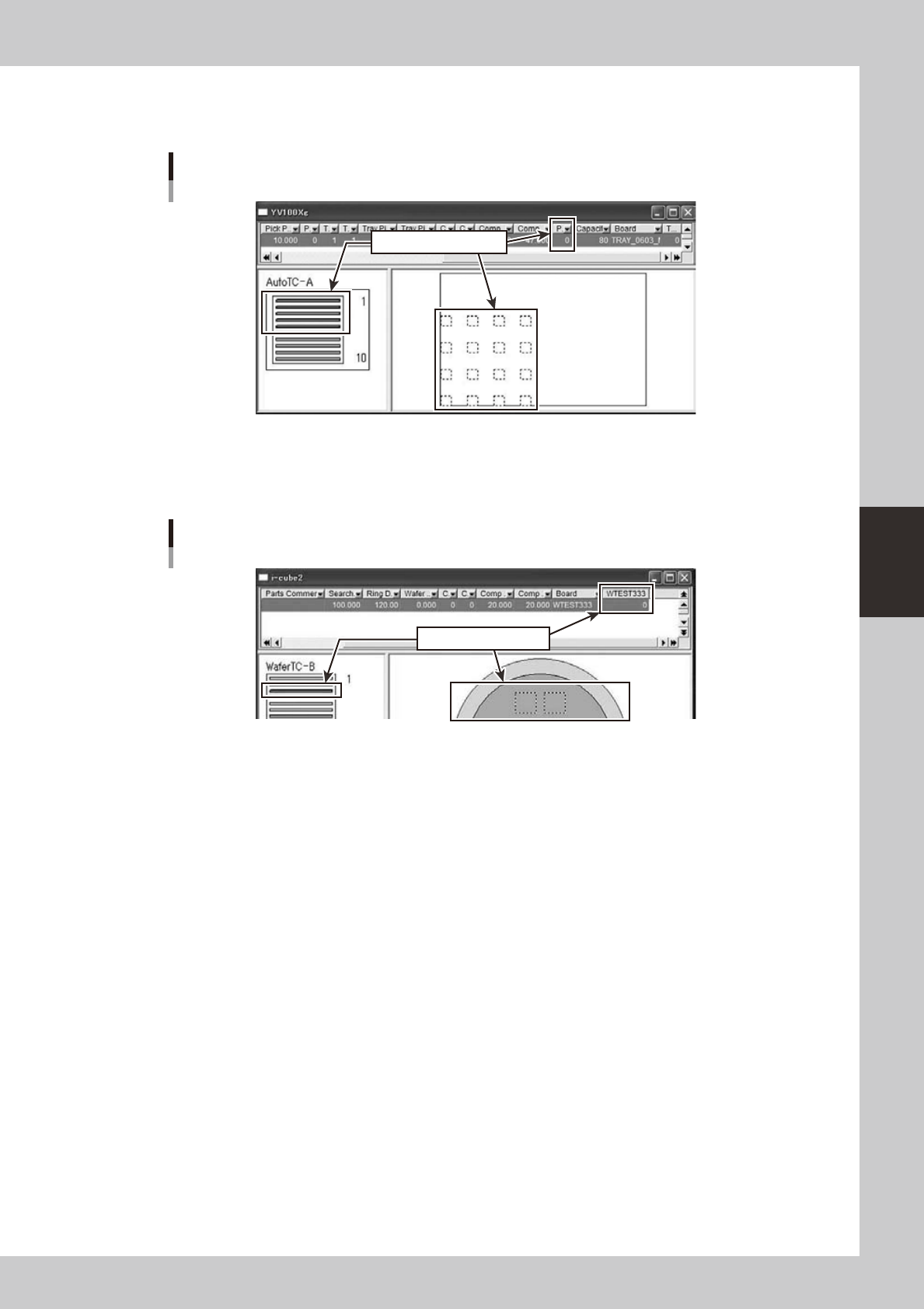
It is displayed in tray changer layout as follows.
Tray changer layout
Display by mount point 0
64471-S0-00
n
Wafer tray changer layout display
It is displayed in wafer tray changer layout as follows.
Wafer tray changer layout
Display by mount point 0
64472-S0-00
4.3.3 Move parts
Itispossibletomovethemountpointaswiththepartsofmountpoint1ormore.
4-48
4
Feeder Viewer
4.3.4 Multiply parts (Only at the feeder layout display)
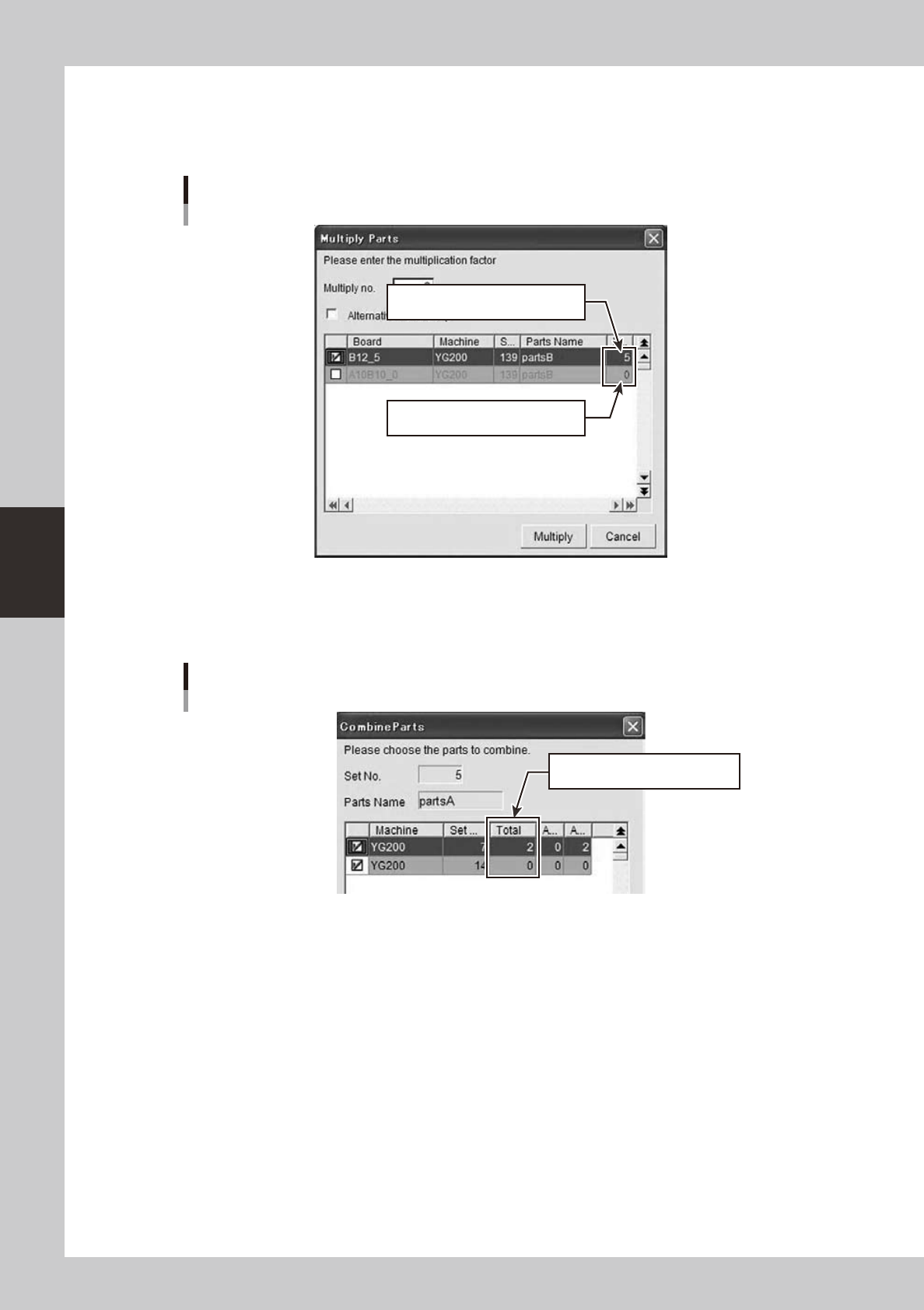
Thetotalmountpointincludingpartsofmountpoint0canbedistributedandthemountpointdistributeparts
topartsoftwoormorebytheright-clickingmenuforcommonpartsoftwoormore.
Multiply parts
Because the mount point is two or
more, it is possible to distribute it.
Because the mount point is one or
less, distribution is impossible.
64473-S0-00
4.3.5 Combine parts (Only at the feeder layout display)
Itispossibletocombinebyright-clickingaswiththepartsofmountpoint1ormore.
Combine parts
It is possible to unite by between
mount points 0 and even 1 or more.
64474-S0-00