P-TOOL说明书.pdf - 第171页
3-51 3 Board Editor 4. Multi Lane Suppor t Additional features supporting the dual lane machine are listed below . 4.1 Board data select dialog is extended [Lane 1 Board Name] [Lane 1 Board Comment] [Lane 2 Board Name] […
3-50
3
Board Editor
n
Examples of changing Offset value
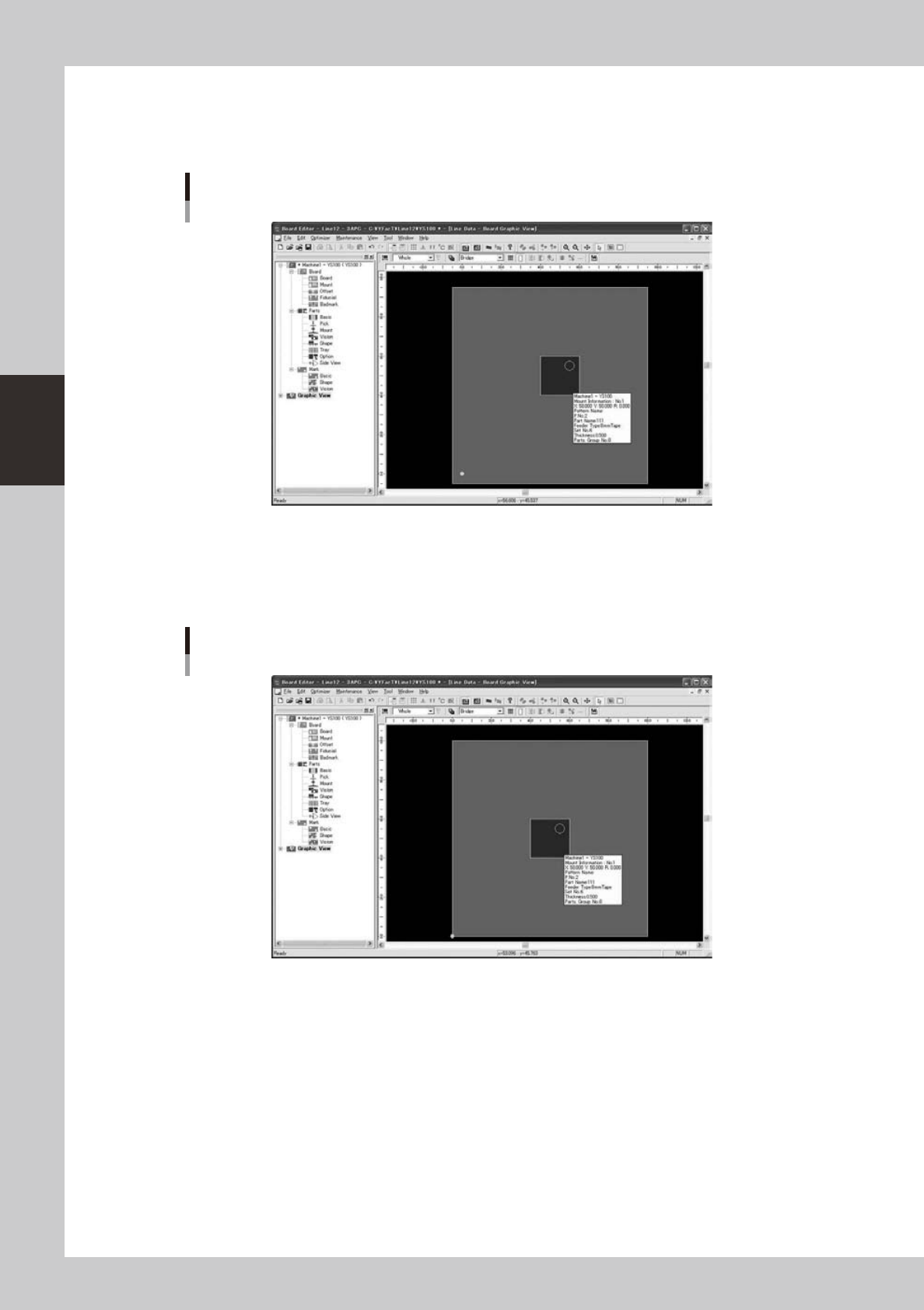
Thefollowingfigureisagraphicviewthatmakestheoffsetvalue(5mm,5mm).
The larger part is located at the center of board and parts are located at the origin position.
Offset (5mm, 5mm)
64377-S0-10
Itisshowntobearrangedatthepositionof(5mm,5mm)whileselectingpartsatthestartingpointposition
when seen from the substrate coordinates.
Thefollowingfigureisagraphicviewthatmakestheoffsetvalue(0mm,0mm).
The coordinates are different though parts are arranged at the center of the substrate similarly.
Offset (0mm, 0mm)
64378-S0-10
Moreover,partsatthestartingpointpositionarearrangedin(0,0)onthesubstrate.
3-51
3
Board Editor
4. Multi Lane Support
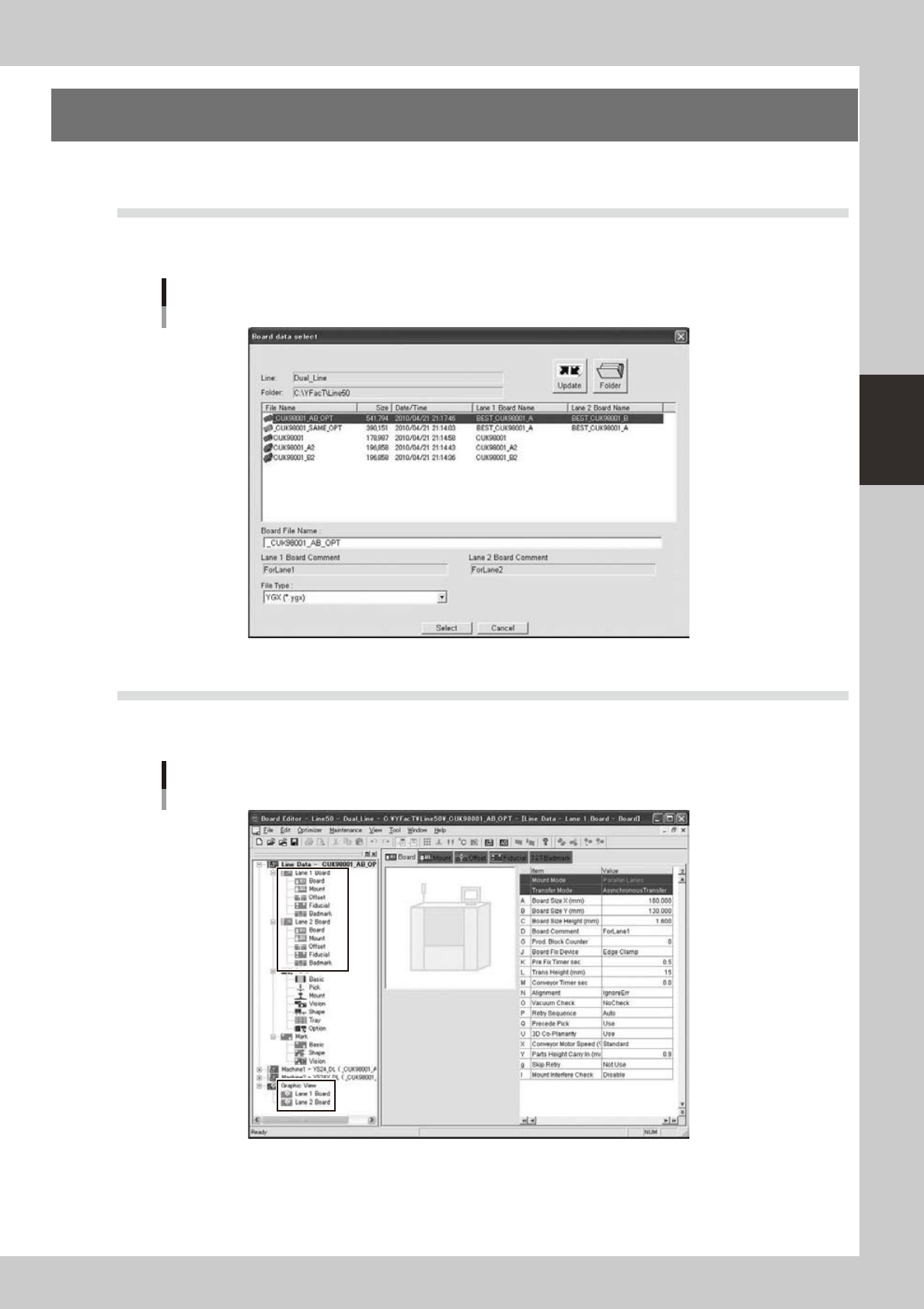
Additional features supporting the dual lane machine are listed below.
4.1 Board data select dialog is extended
[Lane 1 Board Name] [Lane 1 Board Comment] [Lane 2 Board Name] [Lane 2 Board Comment] are added. On
the line without dual lane machine, the former dialog is displayed.
Board data select dialog
64380-S0-00
4.2 The tree view is extended
Reading YGX(Combined) board data, [Lane 1 Board][Lane 2 Board] are displayed on board data and graphic
view. When it is selected, the information for each lane is displayed.
Tree view
64381-S0-00
3-52
3
Board Editor
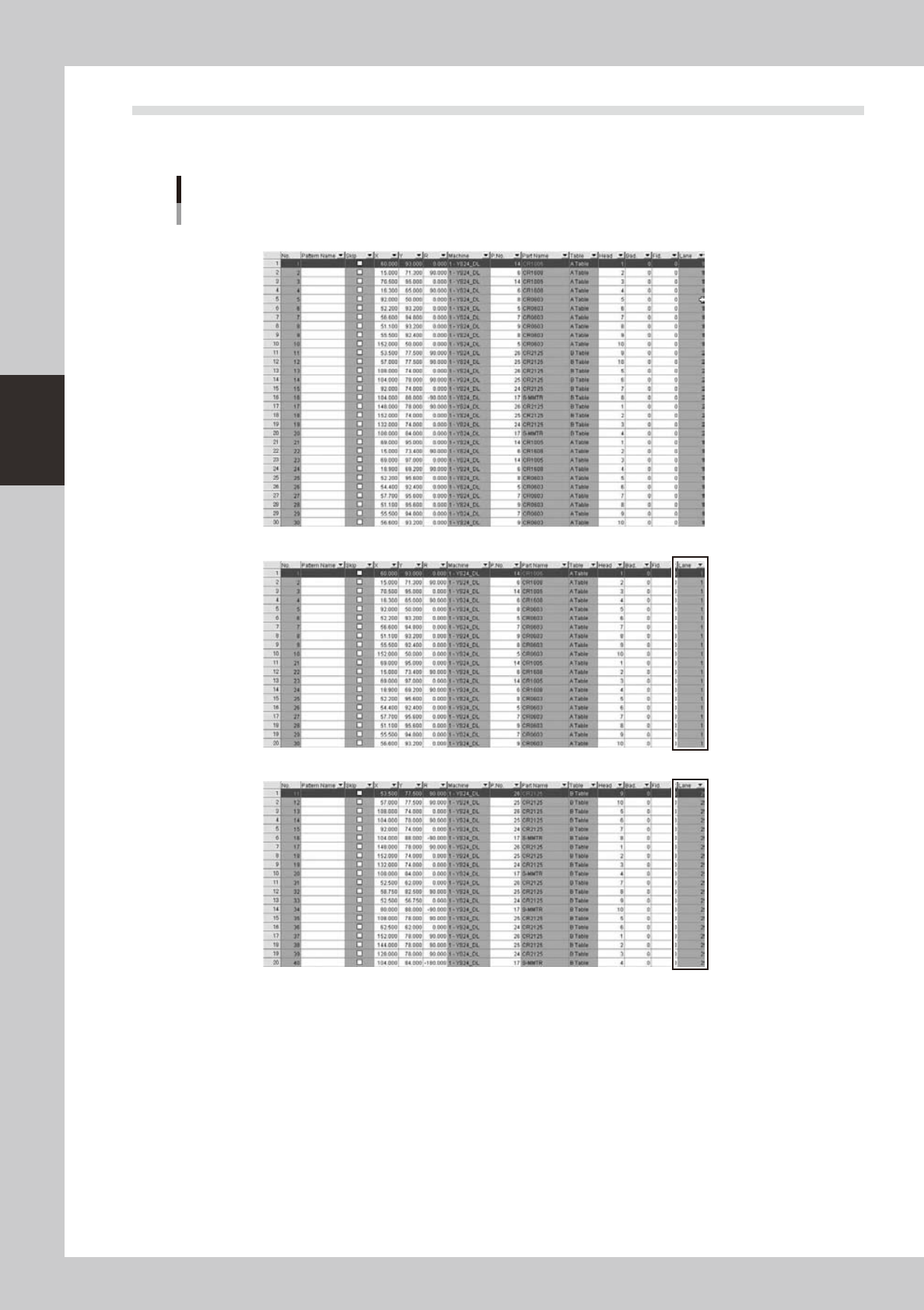
4.3 [Lane] column is added on [Mount] information
It shows which lane each mount data.on YGX(Combined) board data, when mount information for each lane is
opened, [Mount] column is filtered by selected lane.
[Lane] column is added
[Original Data]
Mount information of [Lane 1 Board] is selected]
Mount information of [Lane 2 Board] is selected]
64382-S0-00