P-TOOL说明书.pdf - 第93页
2-59 2 Board Explorer You can drag & drop board data from the Board Explorer to this window. Only the board data that exists under the Factory Folder and the under folder can be dropped. Drag & dr op board data 6…
2-58
2
Board Explorer
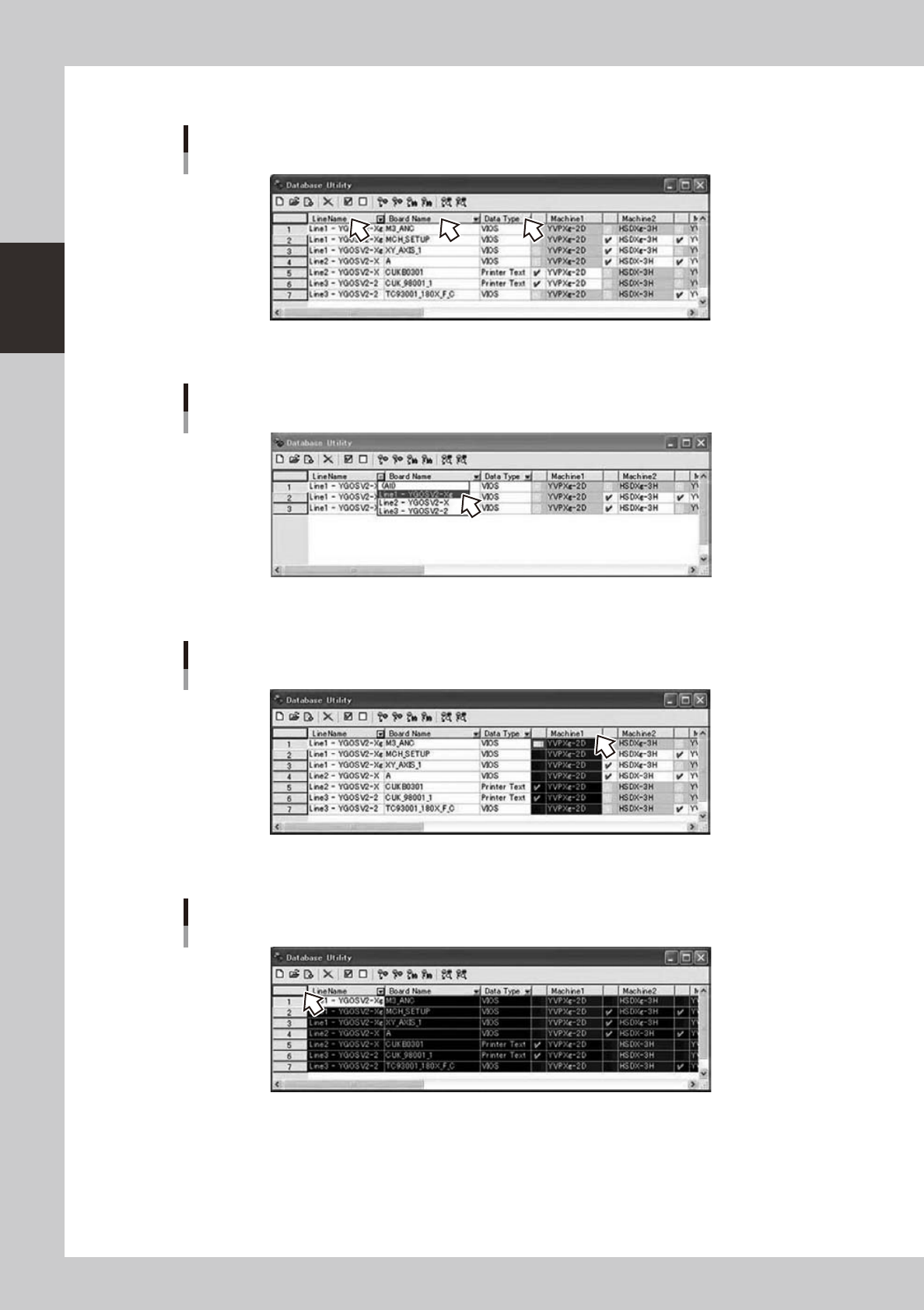
You can sort by Line Name, Board Name, and Data Type.
You can sort by Line Name, Board Name, and Data Type
64275-S0-00
You can filter by Line Name, Board Name, and Data Type.
You can filter by Line Name, Board Name, and Data Type
64276-S0-00
IfyouclickMachine1...10,acolumnisselected.
Select column
64277-S0-00
Ifyouclick[corner]buttonorCtrl+Akey,theentirelistisselected.
Select all
64278-S0-00
2-59
2
Board Explorer
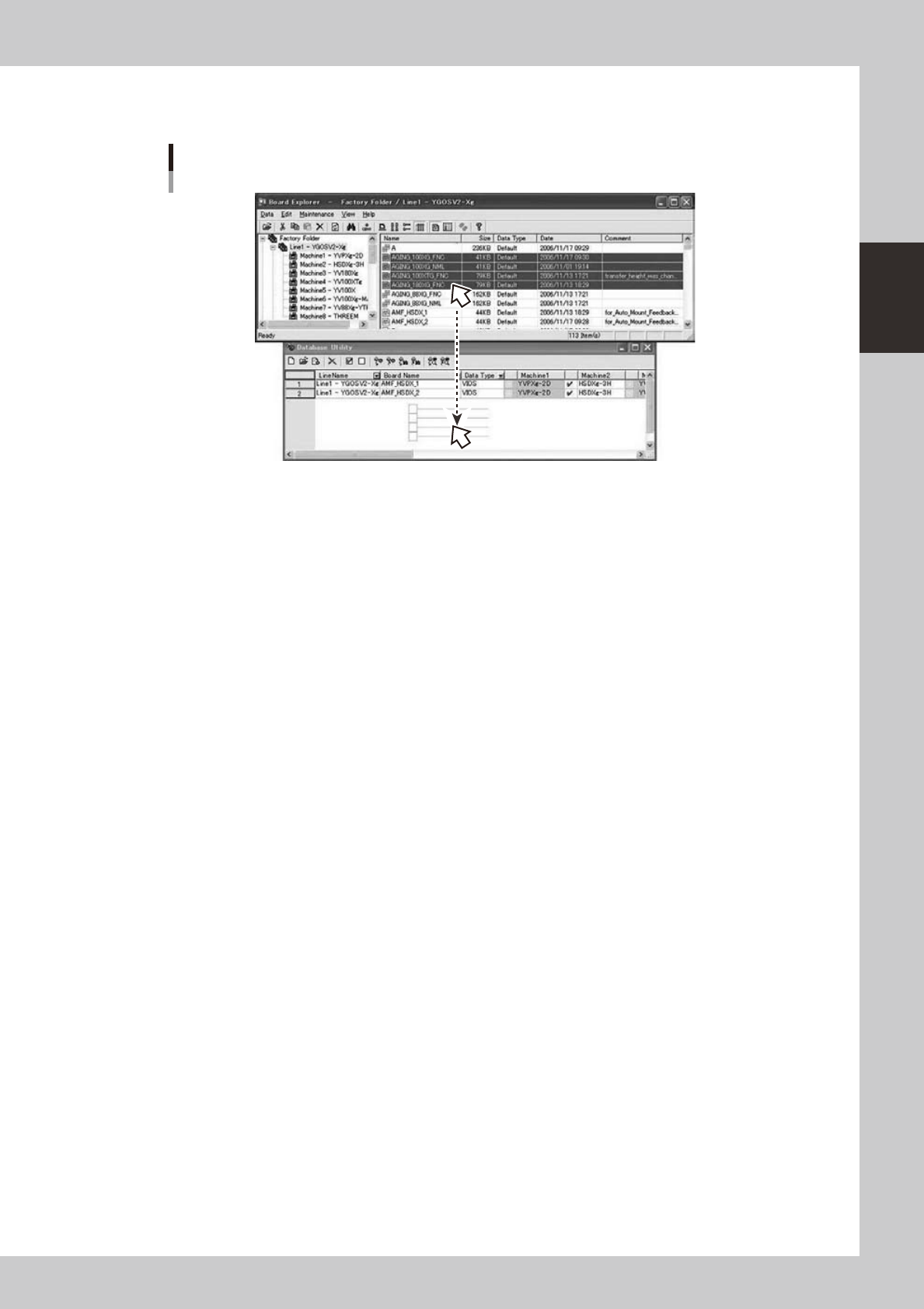
You can drag & drop board data from the Board Explorer to this window.
Only the board data that exists under the Factory Folder and the under folder can be dropped.
Drag & drop board data
64279-S0-00
2-60
2
Board Explorer
n
Set from Database All
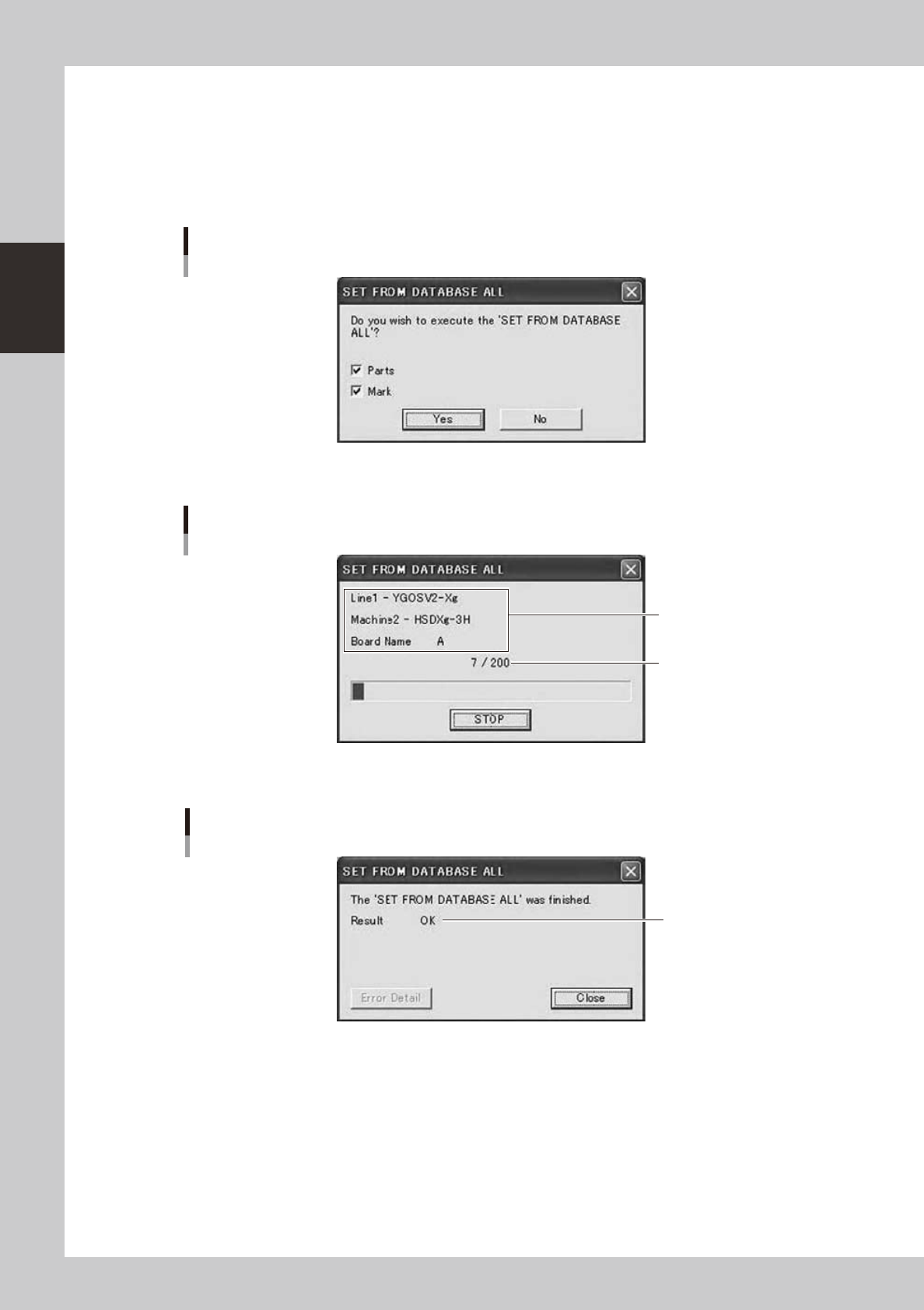
This does “Set from Database All” to all specified board data by batch.
When you click [Set from Database All] button on the Database Utility window, a confirmation dialog is
displayed.
Whenyouselect“SetfromDatabaseAll”menuitemintheright-clickingmenuontheBoardExplorer,the
same function can be conducted.
Confirmation dialog
64280-S0-00
If you click [Yes] button, it will start.
Progress dialog
Processing Line,
Machine, Board Name
Board count / All
64281-S0-00
When all board data finished, or stopped, it displays a result dialog.
Result dialog
Result
OK / NG / STOP
64282-S0-10