P-TOOL说明书.pdf - 第216页
4-41 4 F eeder Vie wer n Optimizer Optimizer arranges Dump Station and components that use it according to the setting above. • ComponentsthatuseDumpStationarearrangedtothemachines(ortables)thathaveDumpSta…
4-40
4
Feeder Viewer
4.2 Dump Station Arrangement Setting
Each Dump Station contains the state as below with this function.
Optimizer arranges Dump Stations according to the state.
•Use
•NotUse
•Auto(Useifnecessary)
As a result, Dump Stations are used only when it is necessary and Feeder plates are used efficiently.
4.2.1 Detailed explanation of operation
n
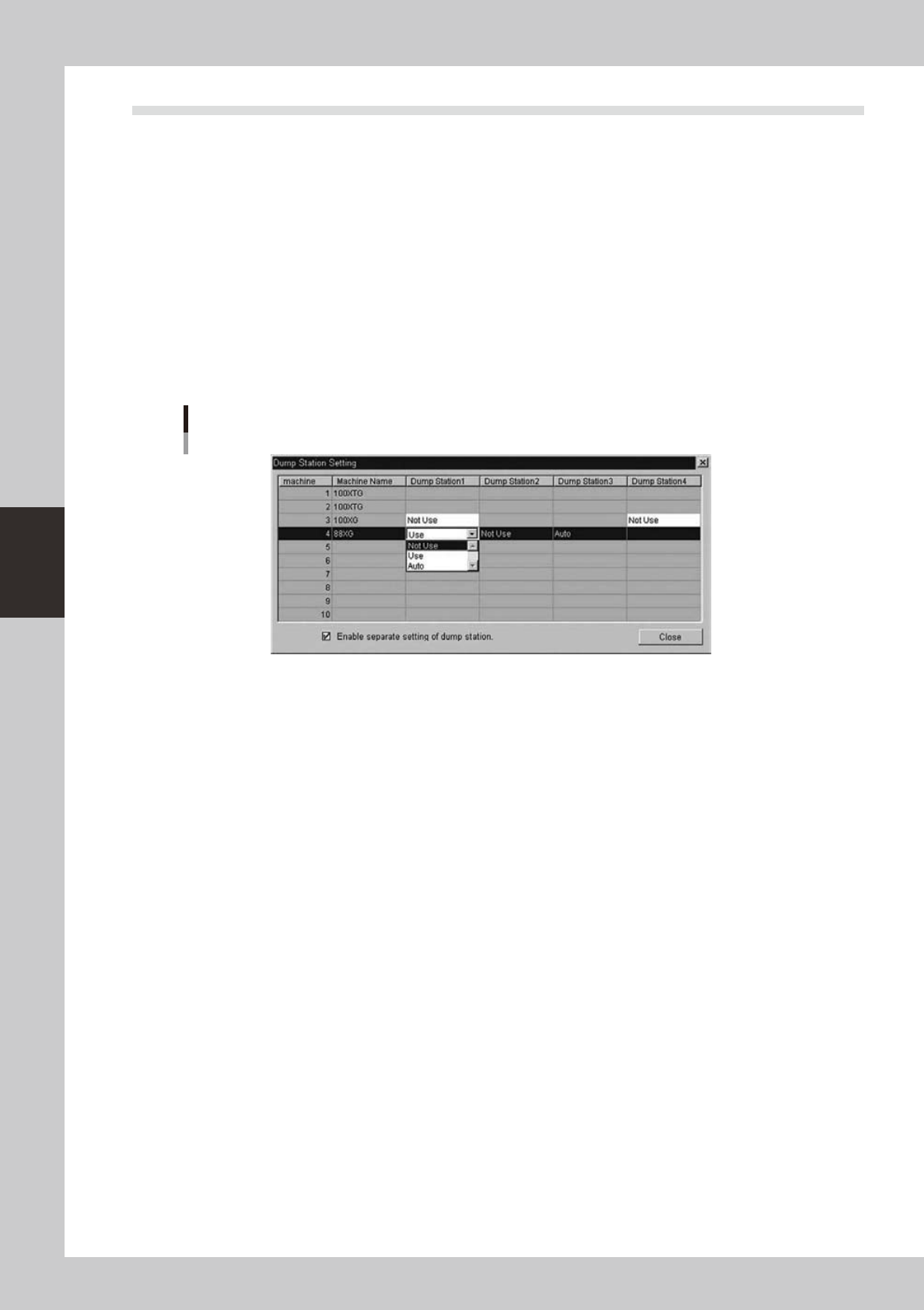
Dump Station Setting Dialog
Select the state of entire this function and the state of each Dump Station in the Dialog below.
Dump Station Setting Dialog
64462-S0-00
[Dump Station 1-4]
The state of each Dump Station
“Not Use” This Dump Station isn’t arranged.
“Use” This Dump Station is arranged
(Even if components that use Dump Station don’t exist.)
“Auto” This Dump Station is arranged when it is necessary.
(When components that use Dump Station exist in the machine.)
[Enable separate setting of dump station.]
Ticking the check box enables this function.

4-41
4
Feeder Viewer
n
Optimizer
Optimizer arranges Dump Station and components that use it according to the setting above.
•ComponentsthatuseDumpStationarearrangedtothemachines(ortables)thathaveDumpStation.
•Optimizerdoesn’tarrangeFeederstothespaceoccupiedwithDumpStation.
n
Display of Dump Station in Feeder Viewer
In Feeder Viewer, Dump Stations are displayed as follows according to the state.
“Not Use” Only the line.
“Use” Green
“Auto” Thin green
Display of Dump Station in Feeder Viewer
88Xg
Total Mount Point : 0
Un-assigning Parts : 0
20 21 30 37107
64463-S0-00
[Description on indication contents]
“Use”:Showsingreen
“NotUse”:Nocolor(Lineonly)
“Auto”:Showsinlightgreen
4-42
4
Feeder Viewer
4.2.2 Settings
n
Set number of Dump Station
You can change this Setting only in the machines. When you change this setting, make system backup disk and
Re-register in Y.FacT.
1. Launch “Setting”.
2. Select “Setting”-“Machine Data”-“Mechanical”-“Position”.
3. Make sure that “Set No.” in “Dump Station 1–4 ” is correct.
n
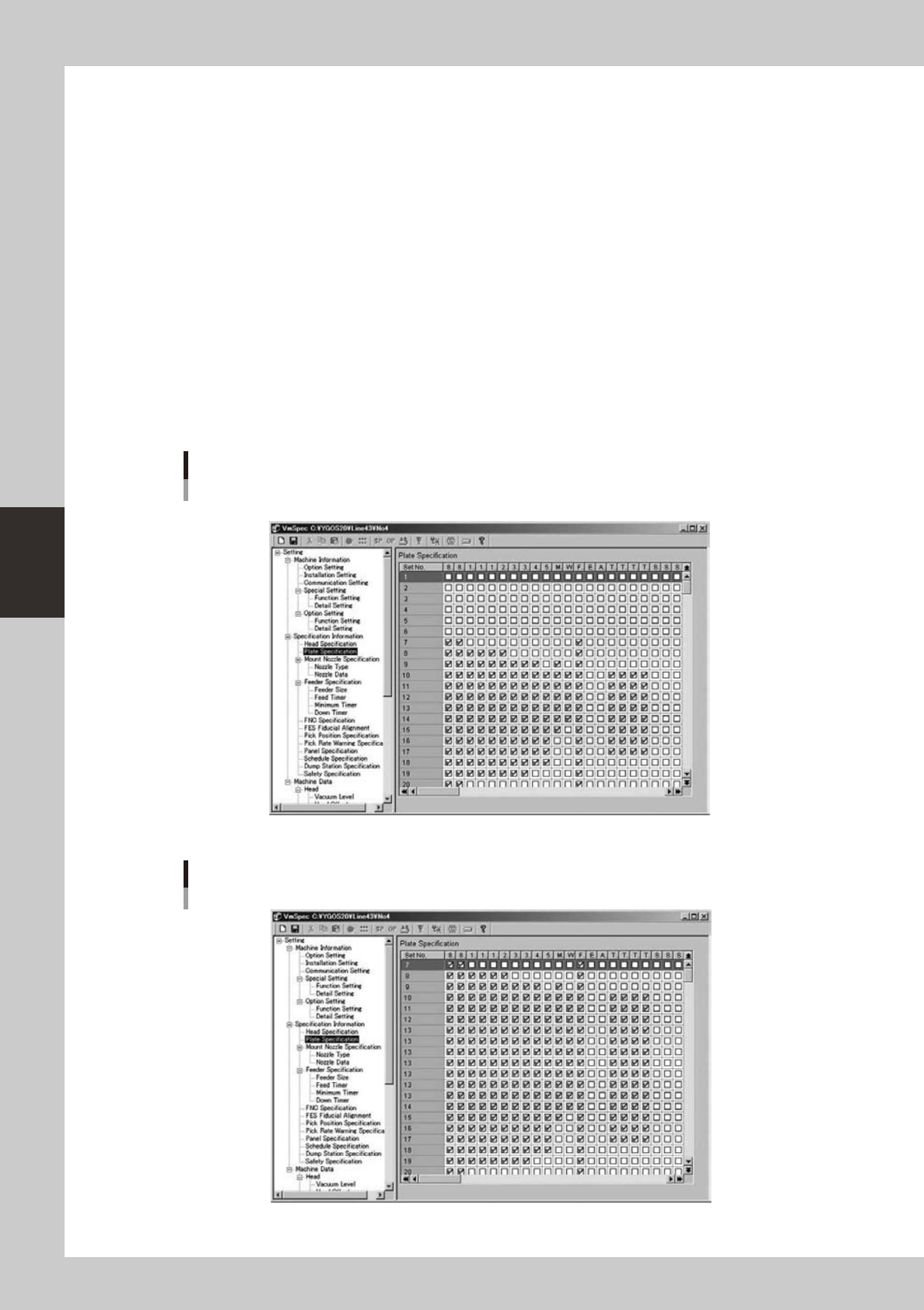
Feeder Plate Specification
You can change this Setting only in the machines. When you change this setting, make system backup disk and
Re-register in Y.FacT.
1. Launch “Setting”.
2. Select “Setting”- “Specification Information”-“Plate Specification”.
3. Change the setting so that feeders are arranged to the space to which they were not arranged in the past function.
Refer to the following example.
Before
* Dump Station is arranged in Set No. 1-6.
64464-S0-00
After
64465-S0-00