YS12P_YS12F_YG12F_Mainte_E.pdf - 第79页
3-27 3 Periodic maintenance items 3.6 Cleaning and greasing the hexagon spline ThissectiondescribeshowtocleanandgreasethehexagonsplinesoftheW-axisconveyor. Fordetailsaboutlubricationpointsandprocedure…
3-26
3
Periodic maintenance items
n
Cleaning the air filter
1
Remove the filter cup.
See the previous procedure in "Cleaning the
filter cup".
2
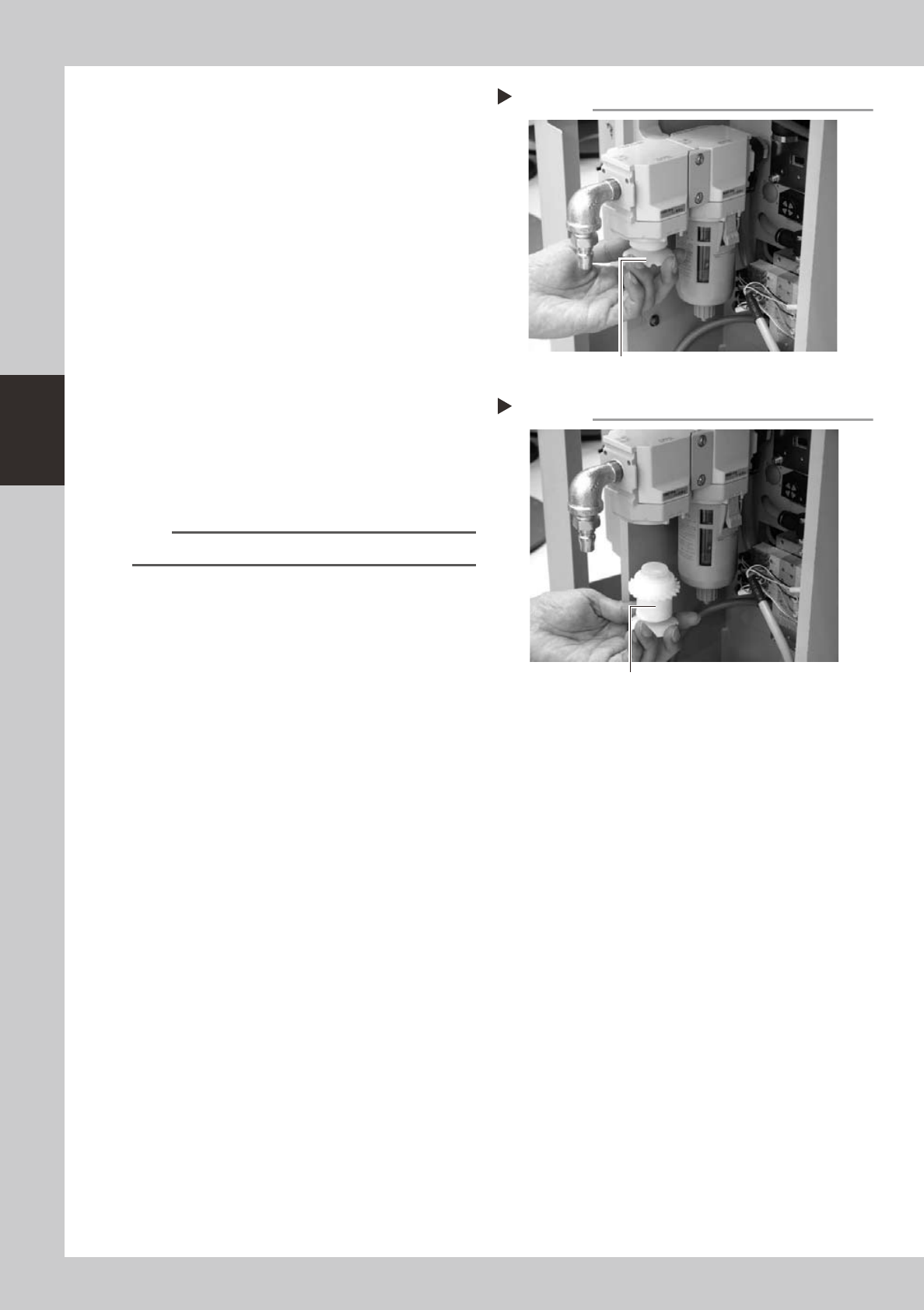
Remove the air filter.
Rotate the white part clockwise as viewed
from the top and take out the air filter.
53327-L6-00
3
Clean the air filter.
Use an air blow gun to blow away dust and
impurities trapped by the air filter. If the filter
is excessively dirty and cannot be cleaned,
replace it with a new filter.
4
Reattach the air filter.
Screw the white disk back in to attach the
air filter to the original position.
53328-L6-00
5
Reattach the filter cup.
n
NOTE
When cleaning the mist filter, use the same procedure.
Removing the air filter
Step 2
Loosen and remove this part.
Reattaching the air filter
Step 4
Air filter
3-27
3
Periodic maintenance items
3.6 Cleaning and greasing the hexagon spline
ThissectiondescribeshowtocleanandgreasethehexagonsplinesoftheW-axisconveyor.
Fordetailsaboutlubricationpointsandprocedures,seethesection,“Lubricationpoints”,inChapter4.
Preparethespecifiedgrease(NSL).
1
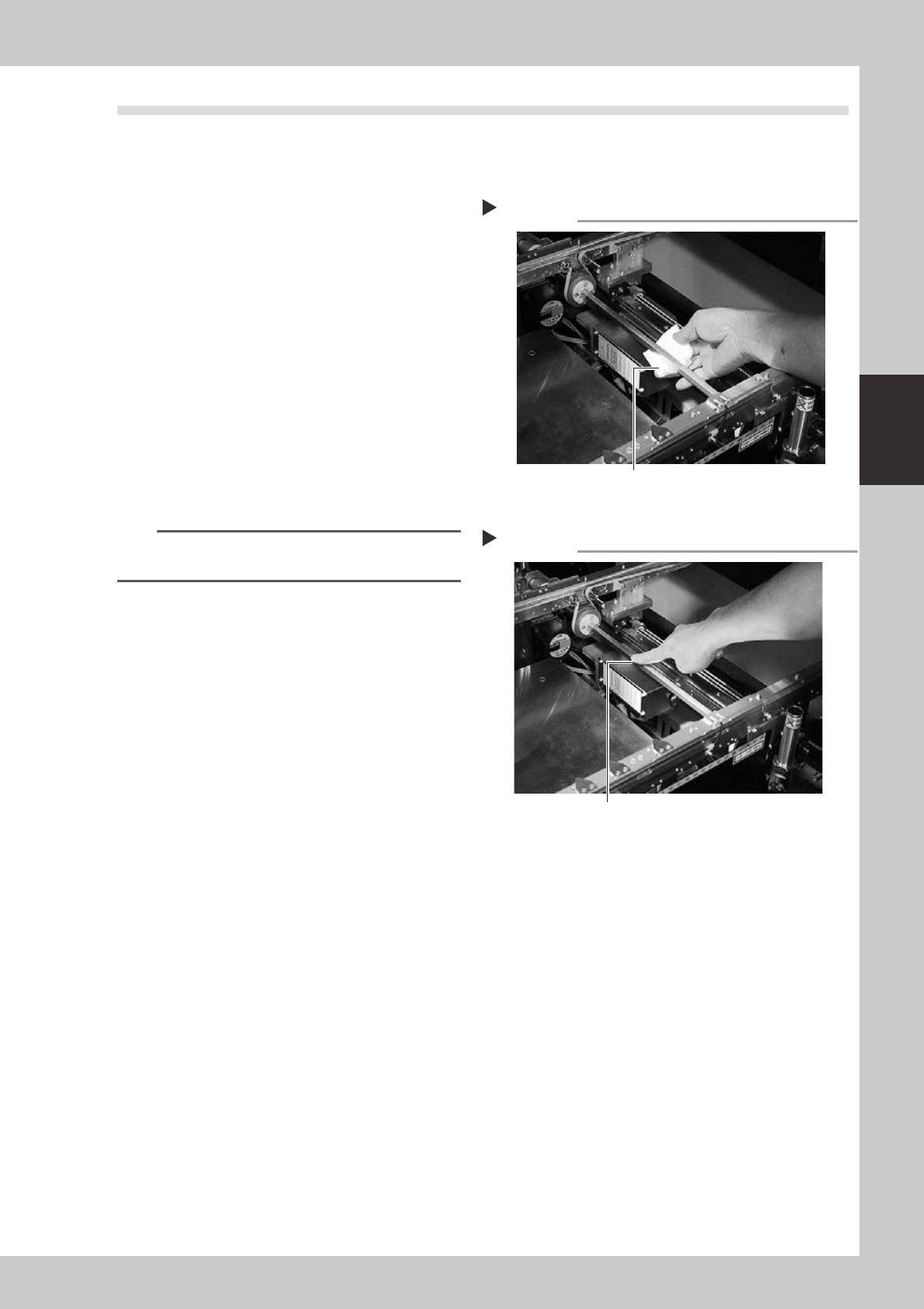
Clean the hexagon spline.
1 Set the board width to its maximum level
with manual operation and put the
machine in the emergency stop state.
2 Wipe away the old grease and dirt from
the entire hexagon spline with a lint-free
cloth or paper towel (for clean room).
3 Cancel the emergency stop and make
the board width narrower. After that,
wipe also the remaining portions.
53383-M7-00
2
Apply grease.
Apply the specified grease (NSL) by hand
uniformly over the surface of the hexagon
spline.
n
NOTE
In the same manner as described in step 1, apply the
grease to the entire hexagon spline.
53388-M7-00
Cleaning the hexagon spline
Step 1
Cleaning cloth
Step 2
Grease
Greasing the hexagon spline
3-28
3
Periodic maintenance items
4. Six-month or one-year inspection
4.1 Cleaning the fiducial camera lighting unit (6-month inspection)
Thelightingunitmaybecomedirtyduetodustanddirt.Werecommendperiodiccleaningasexplainedbelow.
Toensuresafety,makesurethatthemachinepowerswitchisoffortheemergencybuttonispressedbefore
startingwork.
c
become unreliable.
c
of the lighting unit by the user will void the warranty.
n
Fiducial mark recognition camera
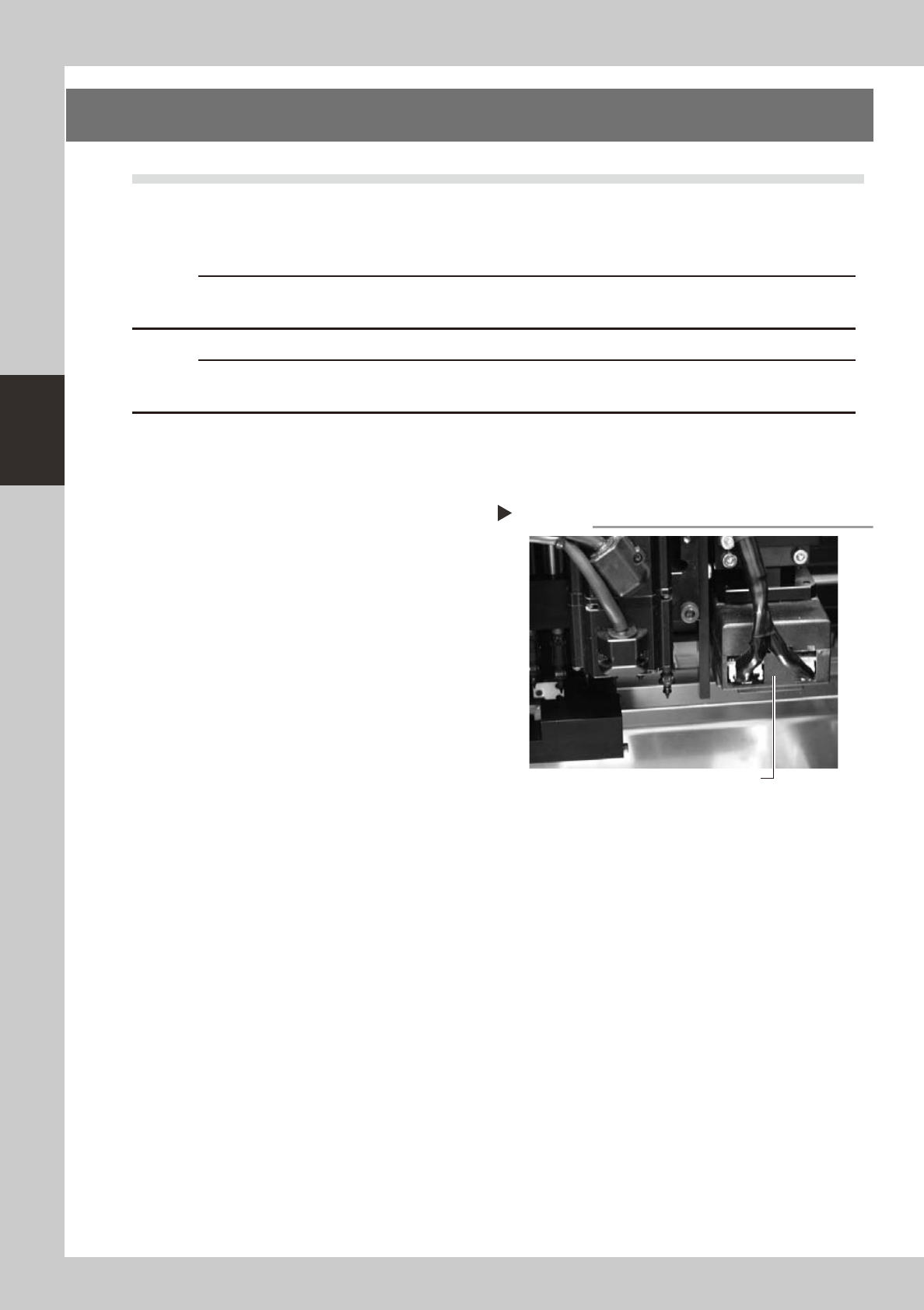
Thefiducialmarkrecognitioncameraismountedontheheadassembly.Cleanthelightingunitforthiscamera
asexplainedbelow.
• Cleaning method
Applyafewdropsoflenscleanertoalint-free
cleaningclothandwipethediffuserplateonthe
bottomofthelightingunit.
53337-L6-00
Wipe with cleaning cloth.
Lighting unit for fiducial mark camera