KY8030 Programmers Manual.pdf - 第16页
14 | KY-8030 Series (KYOS-2007001_rev0) 3D In ‐ line Solder Paste Inspection Systems 6) Select a desired w ork area by drag ging your mouse. 7) Select “Setup ▶ Create All Patter ns” from the menu bar. The pro…
Programmers Manual
| 13
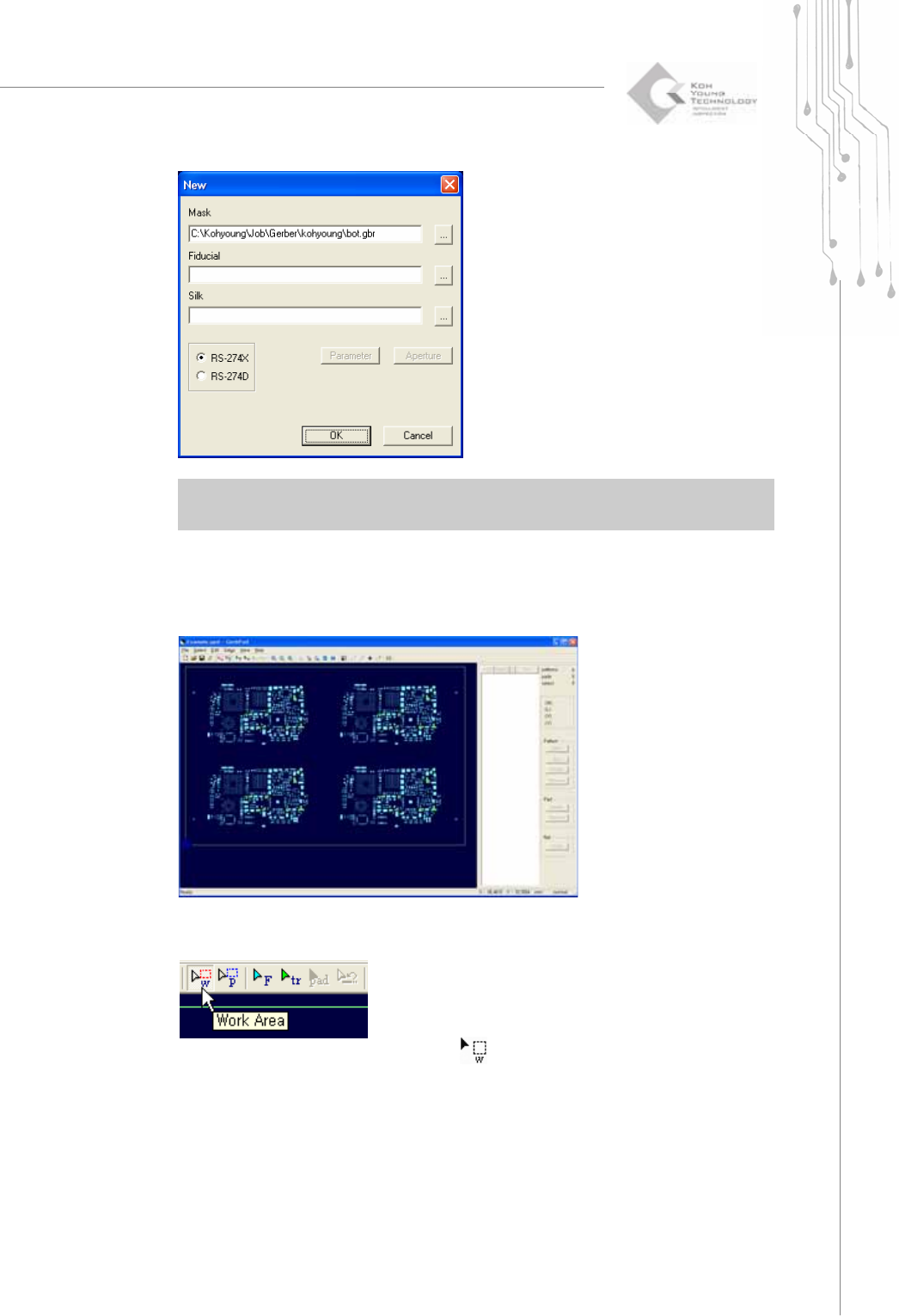
※ Note: For a Gerber file format, it is recommended to use RS-274X. When using the RS-274D
format, you should also provide parameter and aperture data.
4) Click the OK button.
The PCB drawing for the selected Gerber file will be displayed on the screen as
follows:
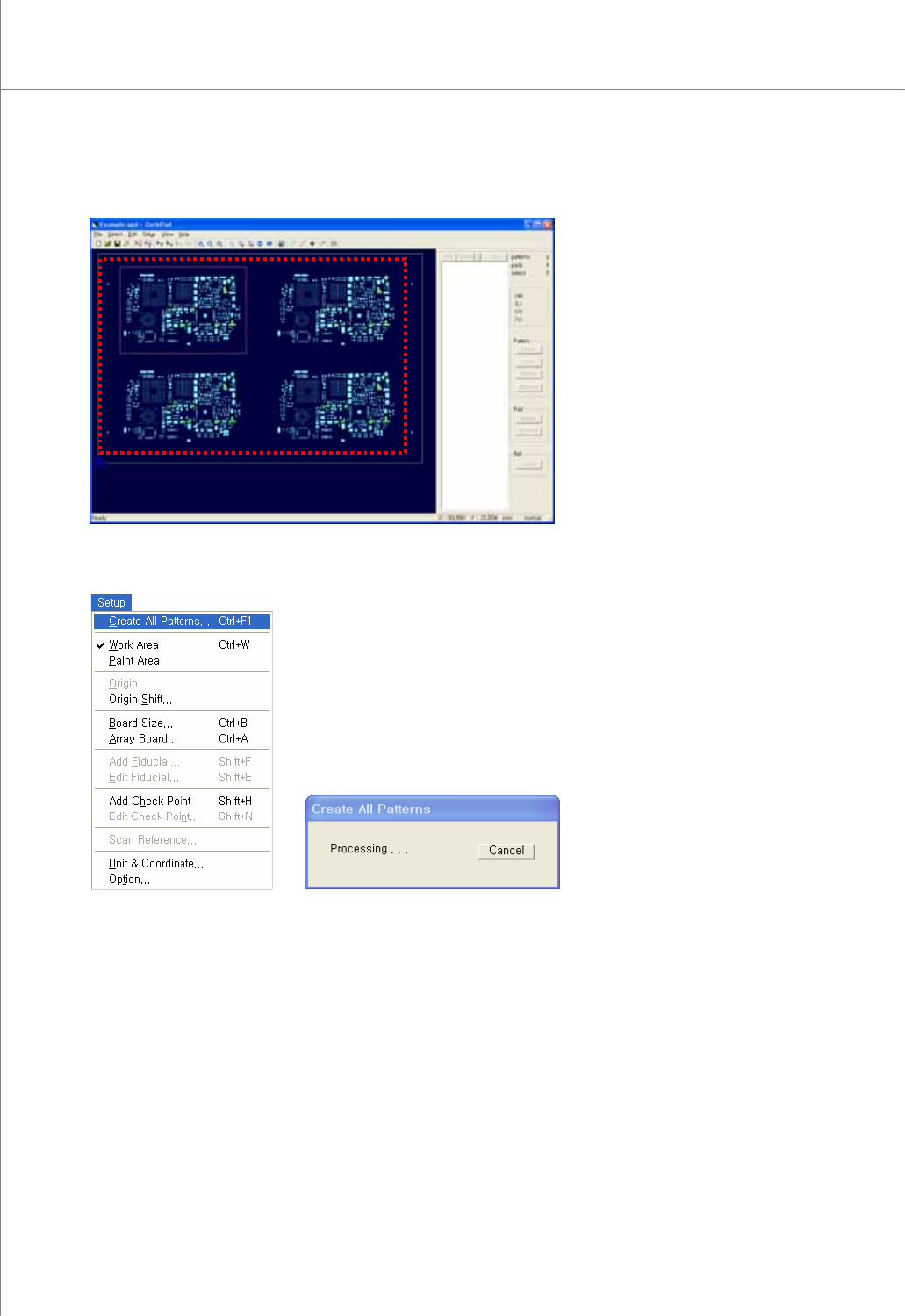
5) Click the Work Area button.
The shape of the cursor will change to (
) allowing you to select a work area.
14 | KY-8030 Series(KYOS-2007001_rev0)
3DIn‐lineSolderPasteInspectionSystems
6) Select a desired work area by dragging your mouse.
7) Select “Setup ▶ Create All Patterns” from the menu bar.
The program will create patterns while showing you the progress via the "Create All
Patterns" window.
Programmers Manual
| 15
※ Note: You can add, modify or remove a pad and pattern by using the pad bar.
If the pattern is not created automatically, the user can register it manually by selecting
or .
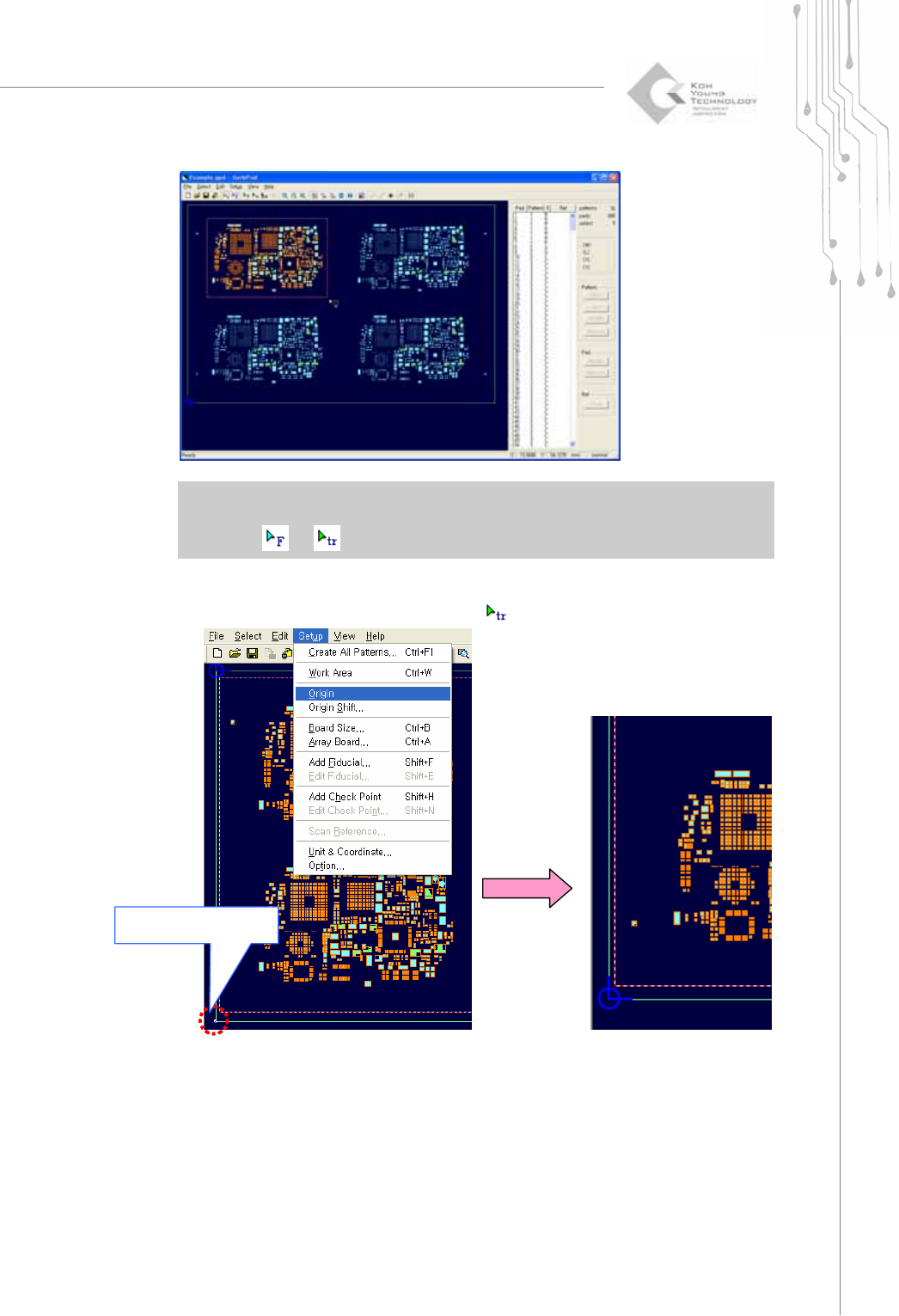
8) In order to set the left bottom side of the PCB as Origin, drag and select one of
apexes of outer line or point after selecting
.
Select left bottom side
with Trace