KY8030 Programmers Manual.pdf - 第5页
Programmers Manual | 3 1.1.2. Screen Layout 1.1.3. Menu Layout 1) File Menu New Load a Gerber file to create a new work file. Open Open a work file.(*.gpd ) Save Save a work file. (*.gpd ) Save As Save a work file under …
2 | KY-8030 Series(KYOS-2007001_rev0)
3DIn‐lineSolderPasteInspectionSystems
1. GerbPad
1.1. Program Structure
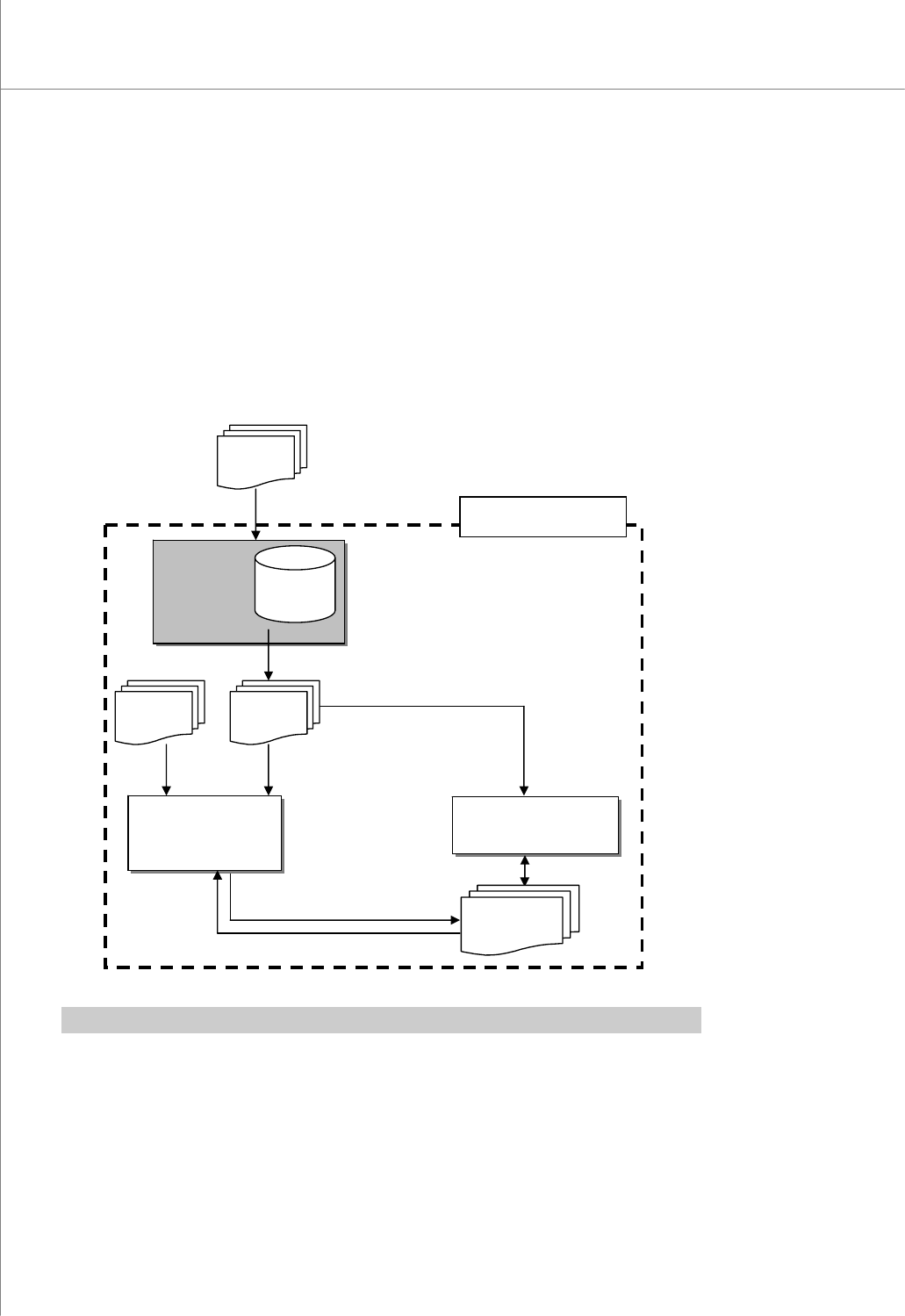
1.1.1. Data Flow Diagram
The GerbPad program allows you to retrieve pad data from a Stencil Mask Gerber file
used for PCB (Printed Circuit Board) manufacturing.
※ Note: For description of a specific terminology, see "4.4. Glossary" on page 89.
GerbPad
:Retrieve
pad data
GerbPad
File
*.gpd
Gerber
Fil
e
CEditor
:Modify pad and
project files
3D Inspector
:Inspect PCB
Pad File
*.pad
Job File
*.mdb
KY-3030 Series
CAD File
*.txt,*.asc
Programmers Manual
| 3
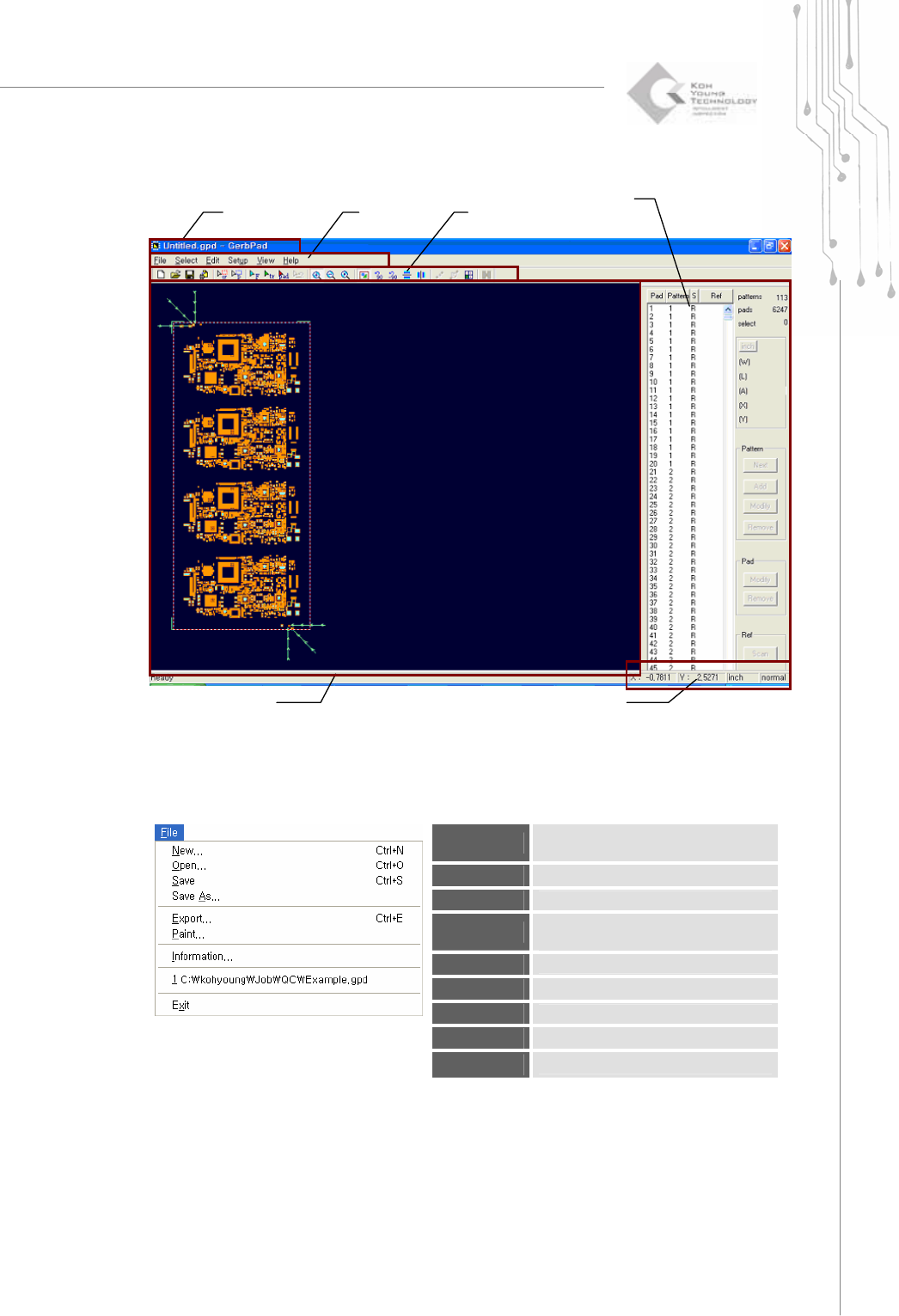
1.1.2. Screen Layout
1.1.3. Menu Layout
1) File Menu
New
Load a Gerber file to create a new
work file.
Open
Open a work file.(*.gpd )
Save
Save a work file. (*.gpd )
Save As
Save a work file under a different
name. (*.gpd )
Export
Create a pad file.(*.pad)
Paint
Export it as a bmp file.
Information
Show information on a work file.
Recent File
Open the most recent work file.
Exit
Exit the program.
Tool Ba
r
Status Display Bar
Pad Bar
Main view
Title Bar
M
e
n
u
4 | KY-8030 Series(KYOS-2007001_rev0)
3DIn‐lineSolderPasteInspectionSystems
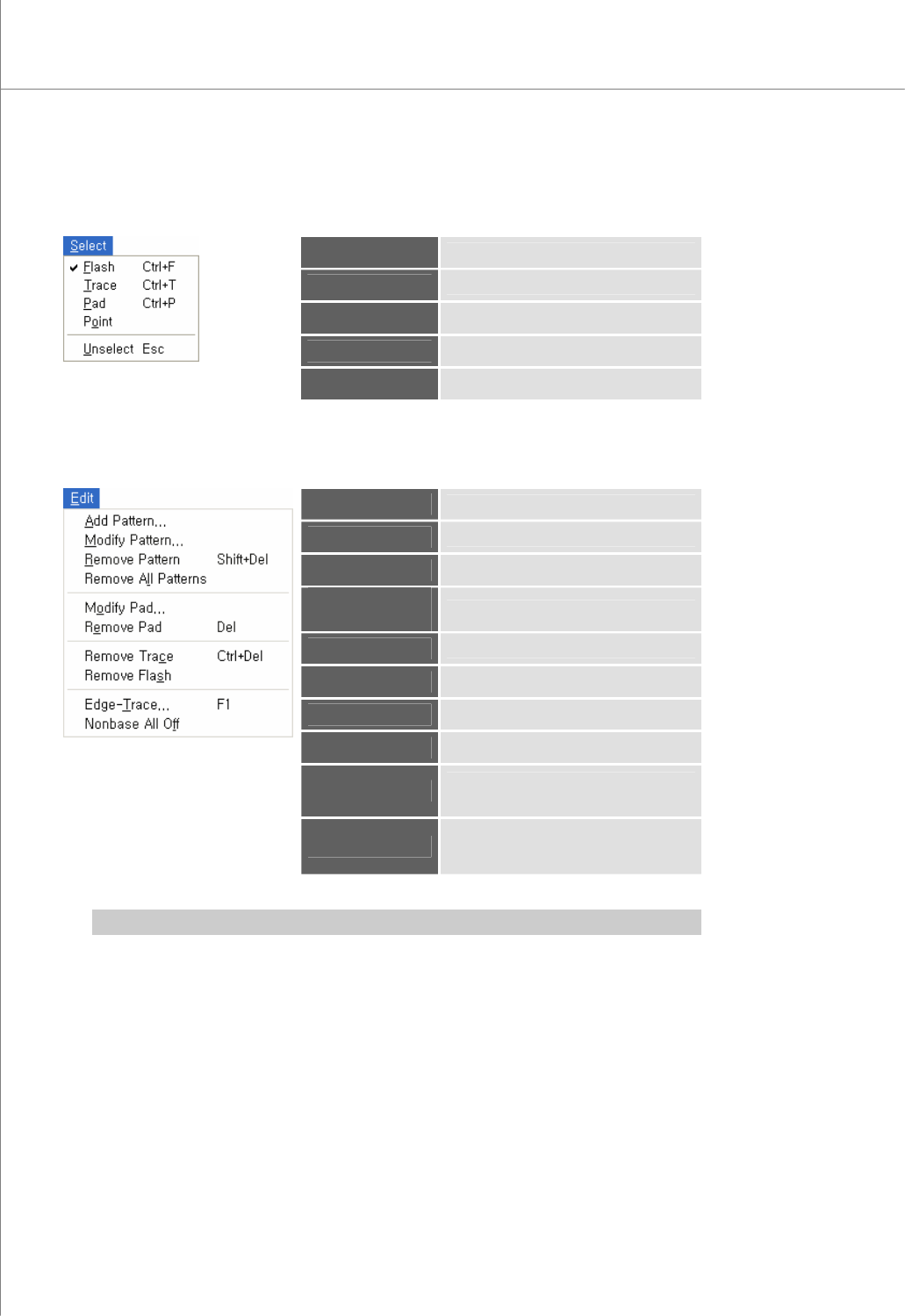
2) Select Menu
Flash
* Select flash(es).
Trace
* Select trace(s).
Pad
* Select pad(s).
Point
Select a point.
Unselect
Cancel a previous selection.
3) Edit Menu
Add Pattern
* Add a pattern.
Modify Pattern
Modify the selected pattern(s).
Remove Pattern
Remove the selected pattern(s).
Remove All
Patterns
Remove all patterns.
Modify Pad
Modify the selected pad(s).
Remove Pad
Remove the selected pad(s).
Remove Trace
Remove the selected trace(s).
Remove Flash
Remove the selected flash(es).
Edge-Trace
Retrieve the contour lines of flash(es)
and trace(s) to create a trace.
Nonbase All Off
Cut all nonbase layer data in a Gerber
file and create a trace.
※ Note: For description o the terminology marked with *, see “4.4 Glossary” on page 89.