KY8030 Programmers Manual.pdf - 第51页
Program mers Manual | 4 9 10) Add Check Point (Shift + H) Change the mouse pointer mode to Check Point m ode. Place your mouse over a location where you w ant create a chec k point and click it. A check point will be cre…
48 | KY-8030 Series(KYOS-2007001_rev0)
3DIn‐lineSolderPasteInspectionSystems
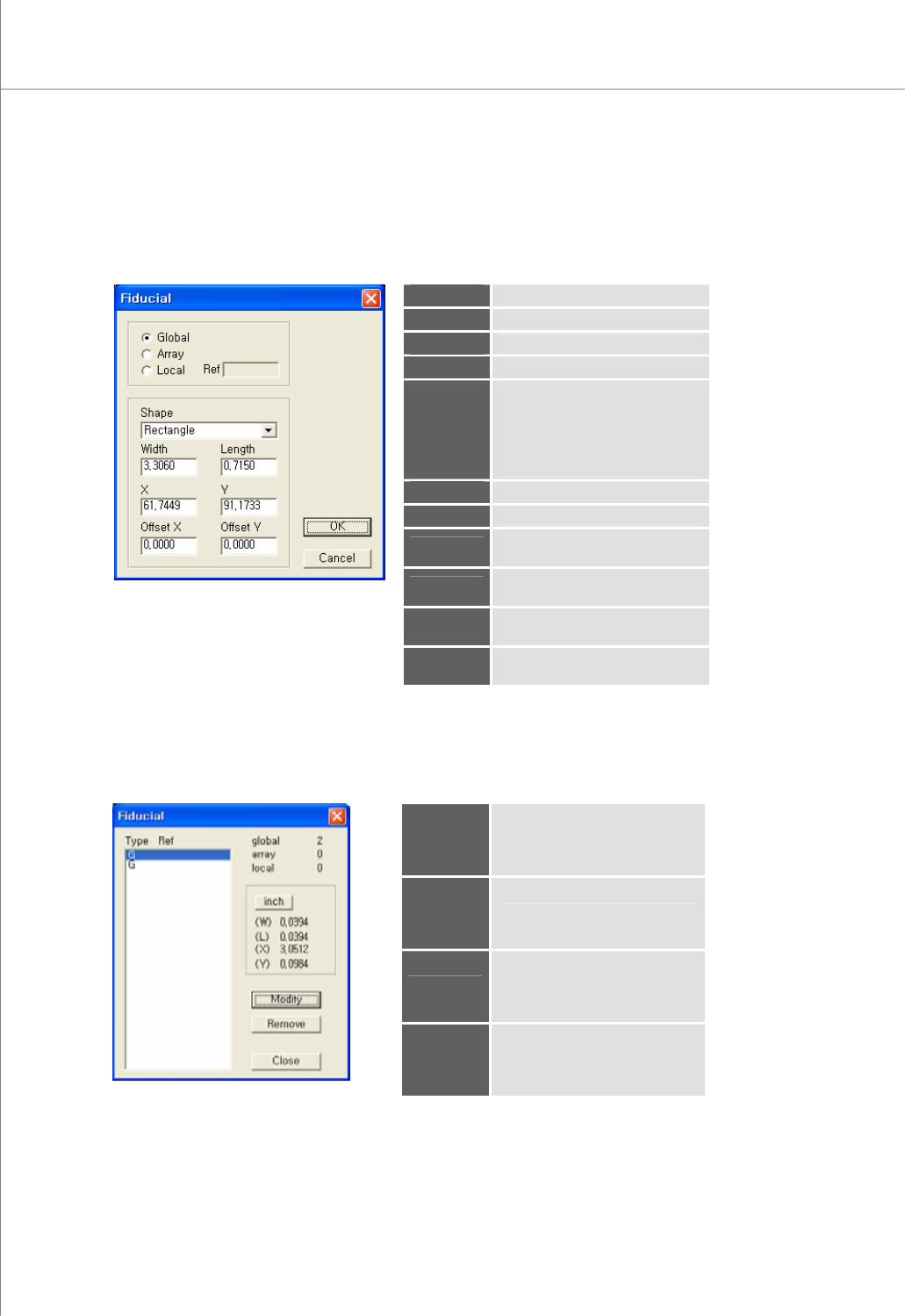
8) Add Fiducial (Shift+F)
Select a flash, trace or pad to register them as the fiducial.
The "Fiducial" Dialog Box
Global
The fiducial for a PCB
Array
The fiducial for an array board
Local
The fiducial for a part
Ref
Part reference code (local)
Shape
The shape of the fiducial.
Available Options: Rectangle,
Circle, Oblong, Rounded Rect.,
P-Slopped Rect., N-Slopped
Rect., Undefined
Width
The width of the fiducial
Length
The length of the pad
X
The center coordinate for the
fiducial in the X-axis
Y
The center coordinate for the
fiducial in the Y-axis
Offset X
The offset coordinate for the
fiducial in the X-axis
Offset Y
The offset coordinate for the
fiducial in the Y-axis
9) Edit Fiducial (Shift+E)
Open the "Fiducial" dialog box to edit fiducial data.
The "Fiducial" Dialog Box
Type
The fiducial type (G=Global,
A=Array, L=Local)
Ref
Part reference code (local)
Modify
Modify the selected fiducial.
※ Note: For more information,
see "4.8 Add Fiducial".
Remove
Remove the selected fiducial.
Programmers Manual
| 49
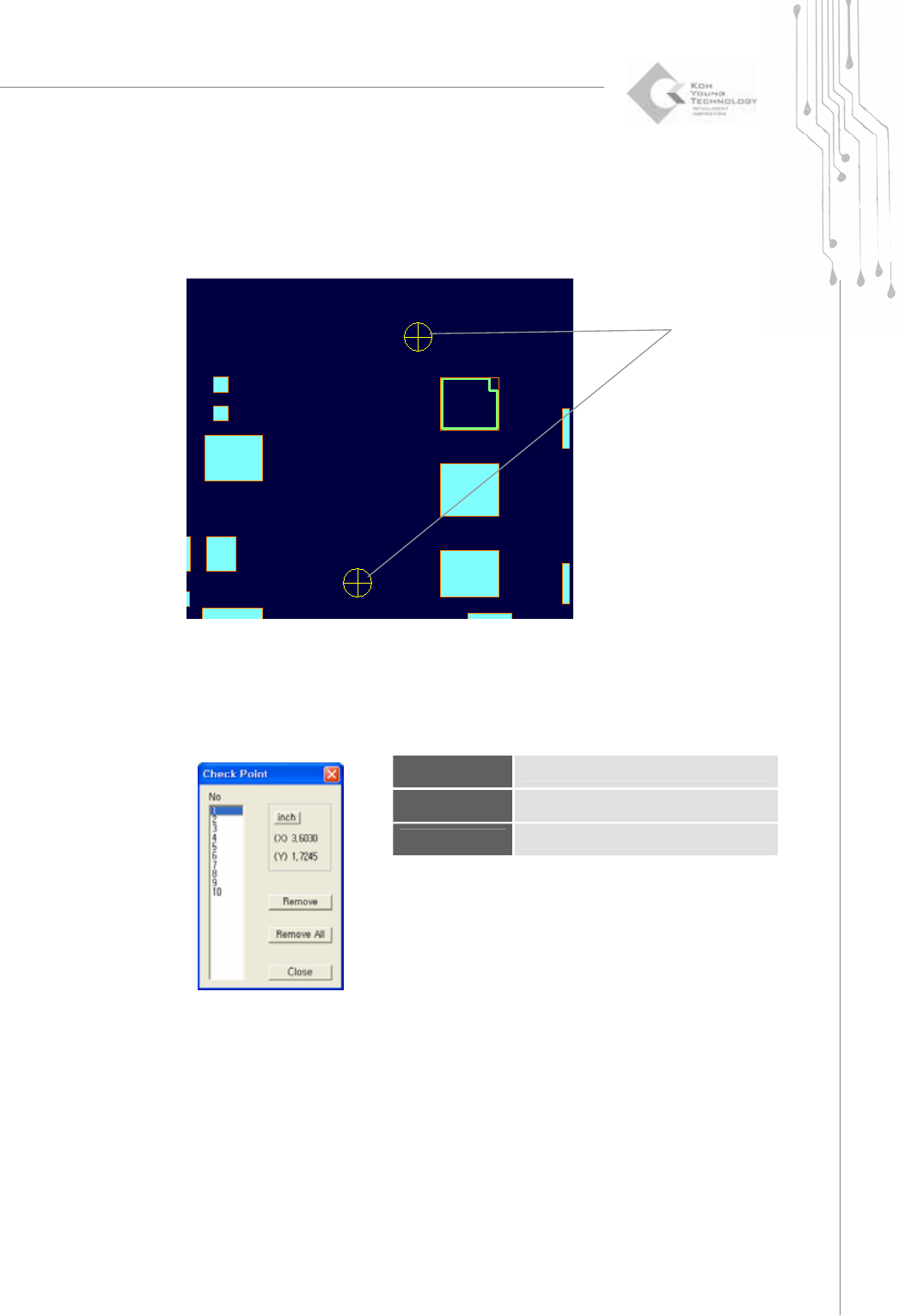
10) Add Check Point (Shift + H)
Change the mouse pointer mode to Check Point mode.
Place your mouse over a location where you want create a check point and click it.
A check point will be created.
11) Edit Check Point (Shift+N)
Open the "Check Point" dialog box to edit data.
The “Check Point” Dialog Box
No
Check point number
Remove
Remove the selected check point.
Remove All
Remove all check points.
Check
Points
50 | KY-8030 Series(KYOS-2007001_rev0)
3DIn‐lineSolderPasteInspectionSystems
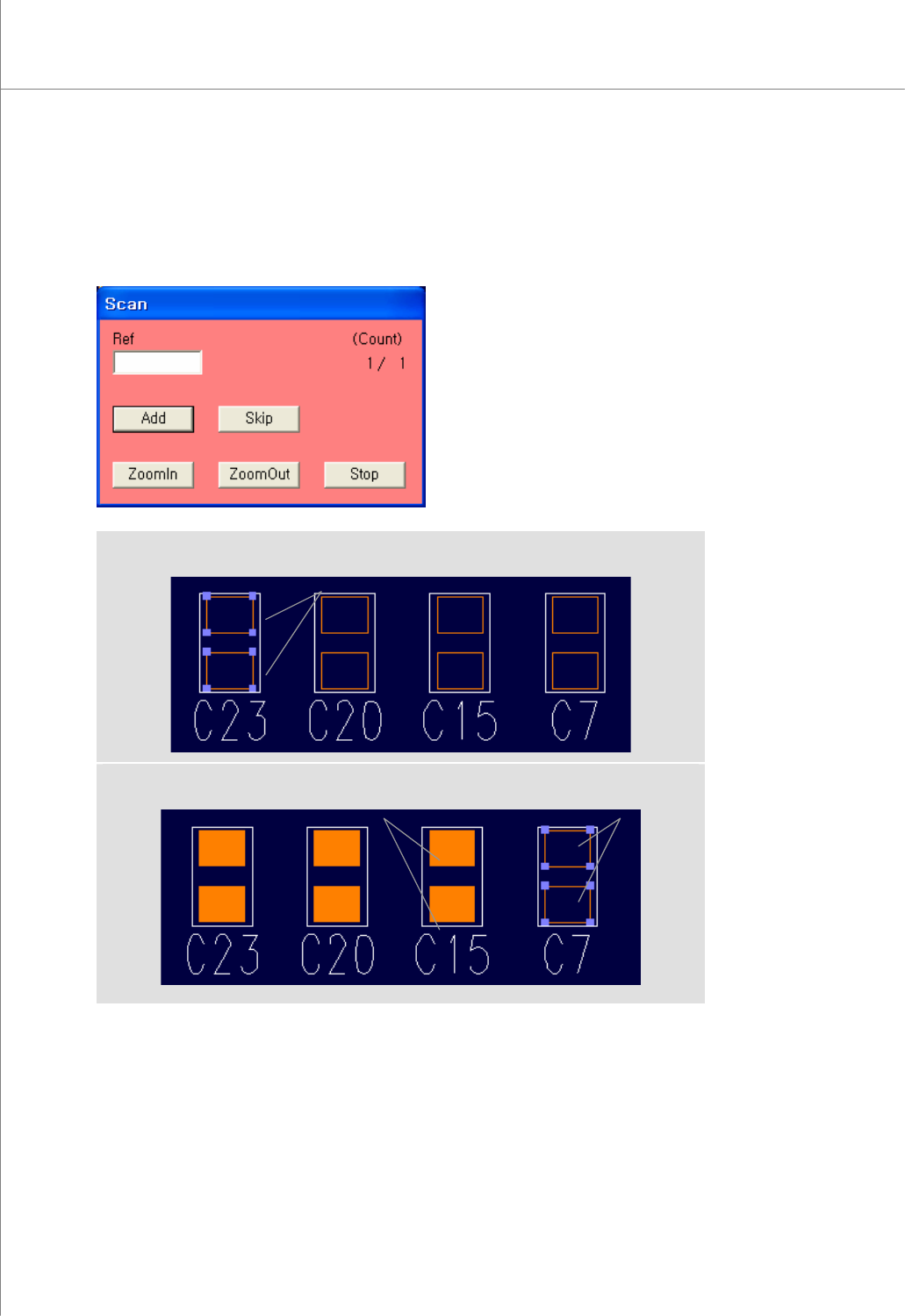
12) Scan Reference (Currently not used)
You can scan through a group of identical pads within a work area as if they were a
single part.
Open the "Scan" dialog box to enter a reference code.
(Selecting a Pad)
(After Performing "Scan Reference")
Selected pads automatically Referenced pads
Selected pads