KY8030 Programmers Manual.pdf - 第4页
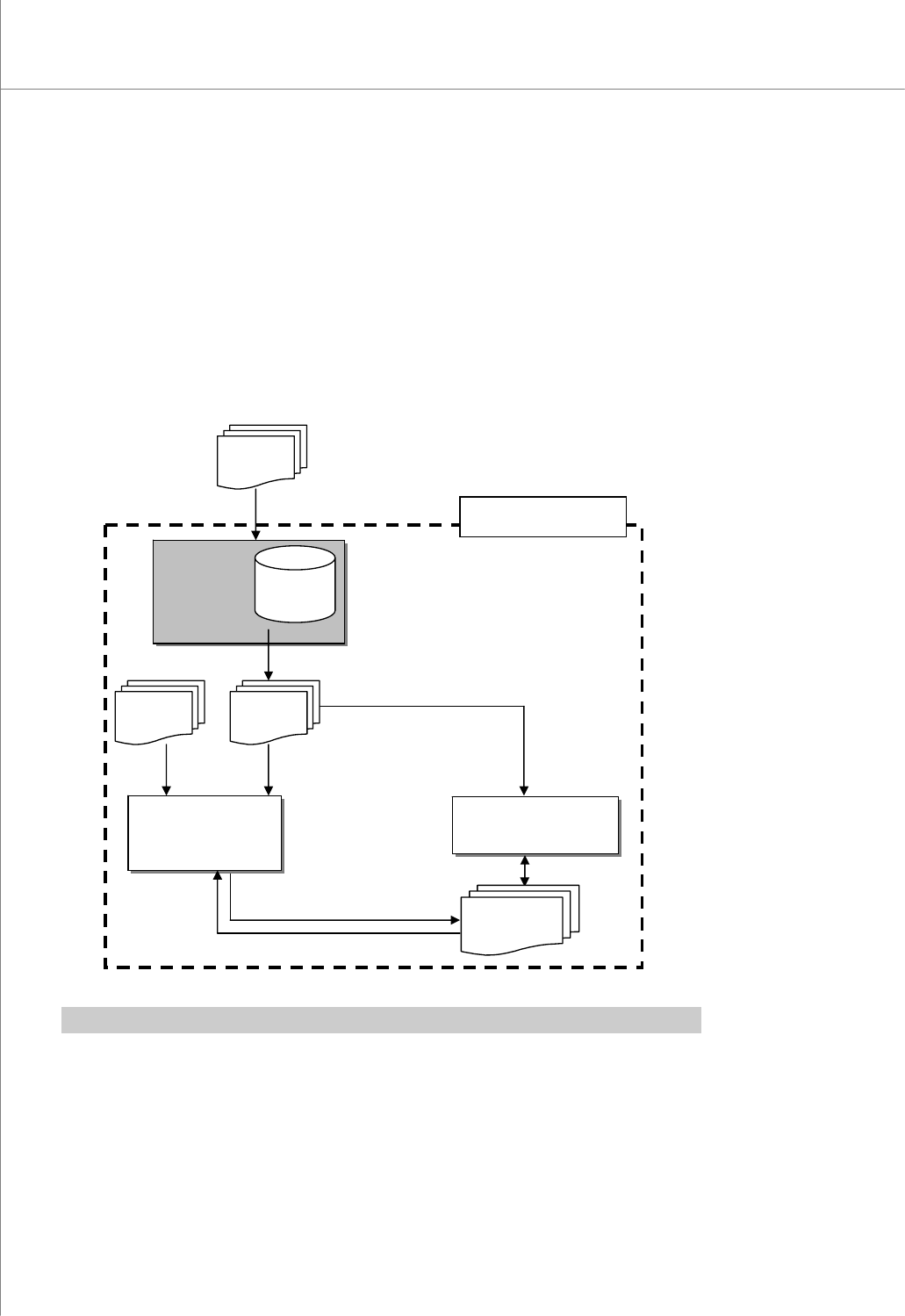
2 | KY-8030 Series (KYOS-2007001_rev0) 3D In ‐ line Solder Paste Inspection Systems 1. G e rb P ad 1.1. Program S tructure 1.1.1. Dat a Flow Diagram The GerbPad program allows you to retriev e pad data from a…

Programmers Manual
| 1
Table of Contents
Table of Contents.....................................................................................1
1. GerbPad ...............................................................................................
2
1.1. Program Structure................................................................
2
1.2. Usage Example (Creating a Pad File (*.pad))....................
12
1.3. Menu Options.....................................................................
20
1.4. Glossary.............................................................................
59
1.5. PAD File specifications.......................................................
62
CEditor...................................................................................................
67
1.6. Program Structure..............................................................
67
1.7. Usage Example (Creating a Job File)................................
74
1.8. Menu Options.....................................................................
85
2 | KY-8030 Series(KYOS-2007001_rev0)
3DIn‐lineSolderPasteInspectionSystems
1. GerbPad
1.1. Program Structure
1.1.1. Data Flow Diagram
The GerbPad program allows you to retrieve pad data from a Stencil Mask Gerber file
used for PCB (Printed Circuit Board) manufacturing.
※ Note: For description of a specific terminology, see "4.4. Glossary" on page 89.
GerbPad
:Retrieve
pad data
GerbPad
File
*.gpd
Gerber
Fil
e
CEditor
:Modify pad and
project files
3D Inspector
:Inspect PCB
Pad File
*.pad
Job File
*.mdb
KY-3030 Series
CAD File
*.txt,*.asc
Programmers Manual
| 3
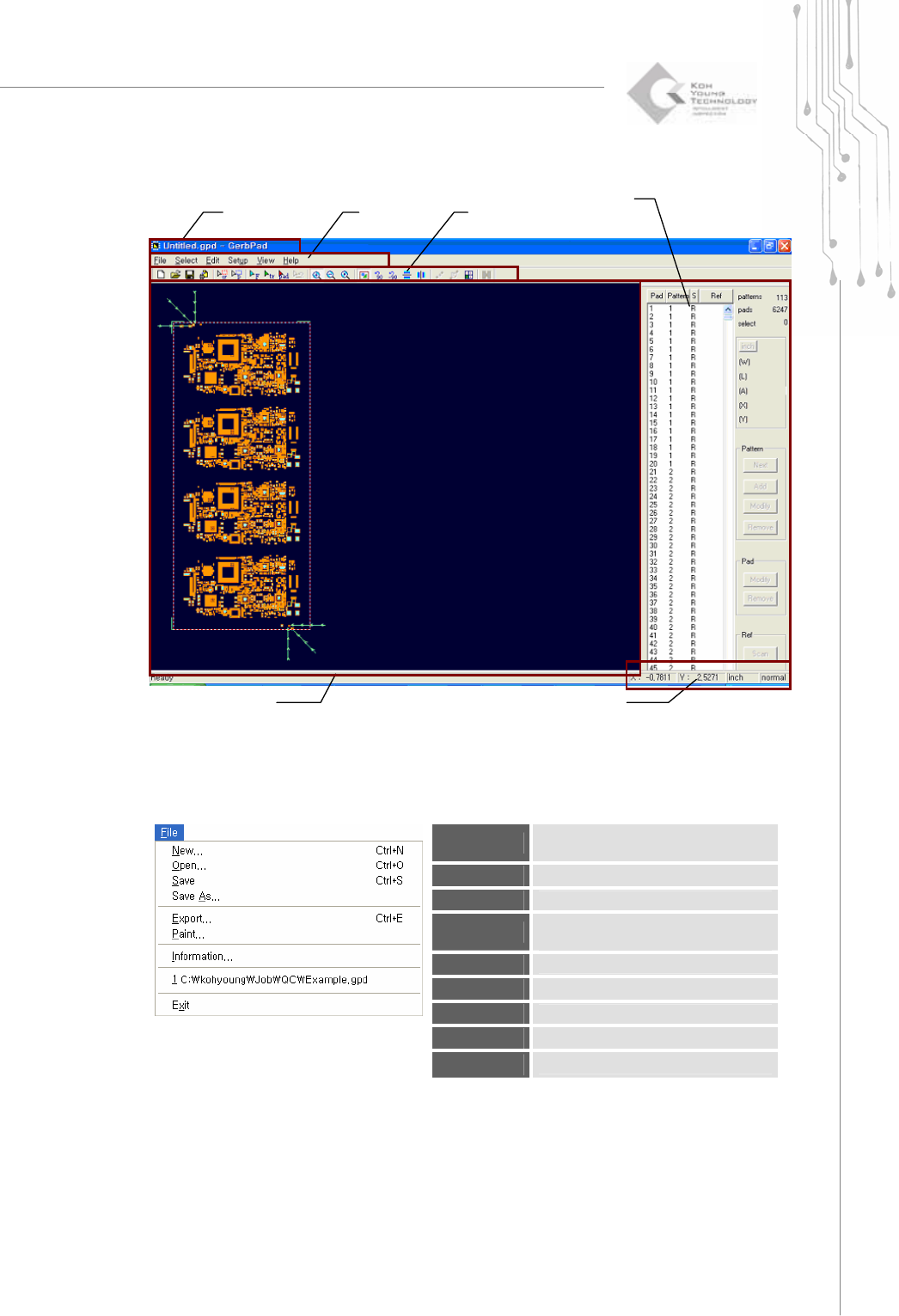
1.1.2. Screen Layout
1.1.3. Menu Layout
1) File Menu
New
Load a Gerber file to create a new
work file.
Open
Open a work file.(*.gpd )
Save
Save a work file. (*.gpd )
Save As
Save a work file under a different
name. (*.gpd )
Export
Create a pad file.(*.pad)
Paint
Export it as a bmp file.
Information
Show information on a work file.
Recent File
Open the most recent work file.
Exit
Exit the program.
Tool Ba
r
Status Display Bar
Pad Bar
Main view
Title Bar
M
e
n
u