KY8030 Programmers Manual.pdf - 第90页
88 | KY-8030 Series (KYOS-2007001_rev0) 3D In ‐ line Solder Paste Inspection Systems 7) Export Report Save the contents of a job file in csv form at (*.csv). The “Select Job File” Dialog Box 8) Recent files…
Programmers Manual
| 87
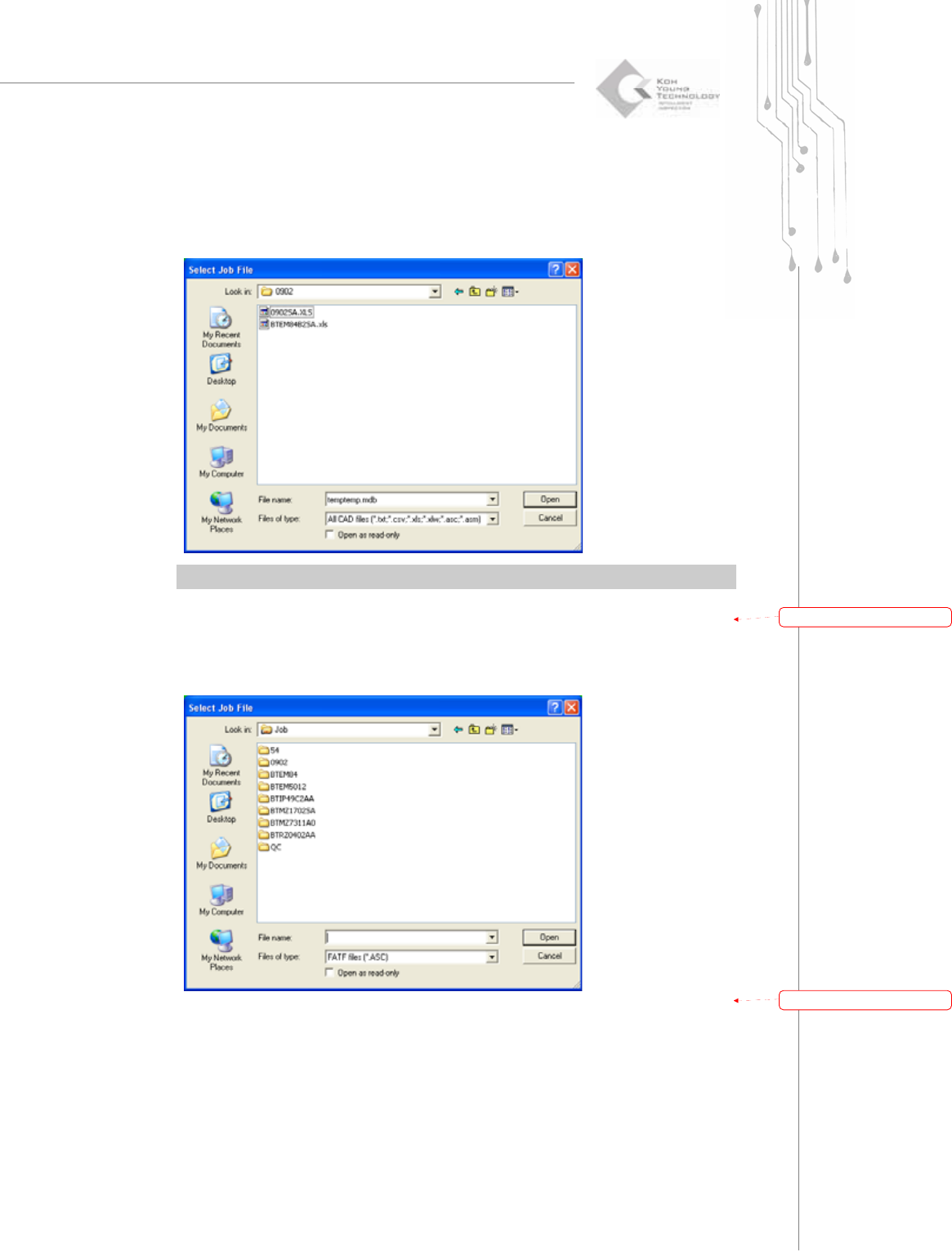
5) Load Pin CAD File
Load a Pin CAD file.
The “Select Job File” Dialog Box
※ Note: CAD files such as *.txt, *.csv, *.xls, *.xlw or *.asc can be loaded.
6) Import CAD File
Convert and import various CAD file formats (e.g. FATF).
The “Select Job File” Dialog Box
带格式的:
项
目符
号
和
编号
带格式的:
项
目符
号
和
编号
88 | KY-8030 Series(KYOS-2007001_rev0)
3DIn‐lineSolderPasteInspectionSystems
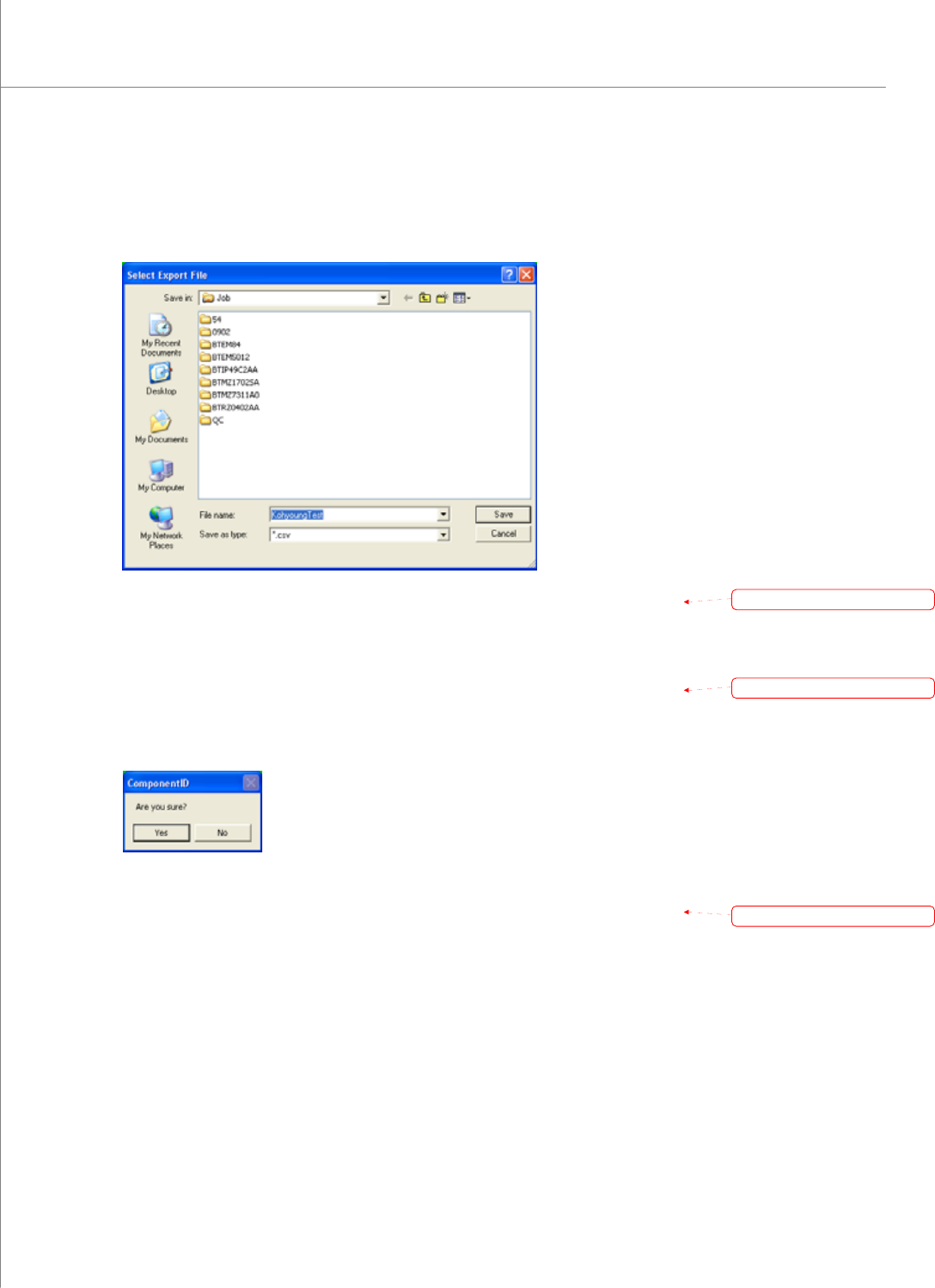
7) Export Report
Save the contents of a job file in csv format (*.csv).
The “Select Job File” Dialog Box
8) Recent files
Open the most recent job file. Up to 10 of the most recent job files are saved for later
use.
9) Quit
Quit the CEditor program.
The “Select Job File” Dialog Box
Click the Yes button to quit the program.
带格式的:
项
目符
号
和
编号
带格式的:
项
目符
号
和
编号
带格式的:
项
目符
号
和
编号
Programmers Manual
| 89
2.3.2. Tools Menu
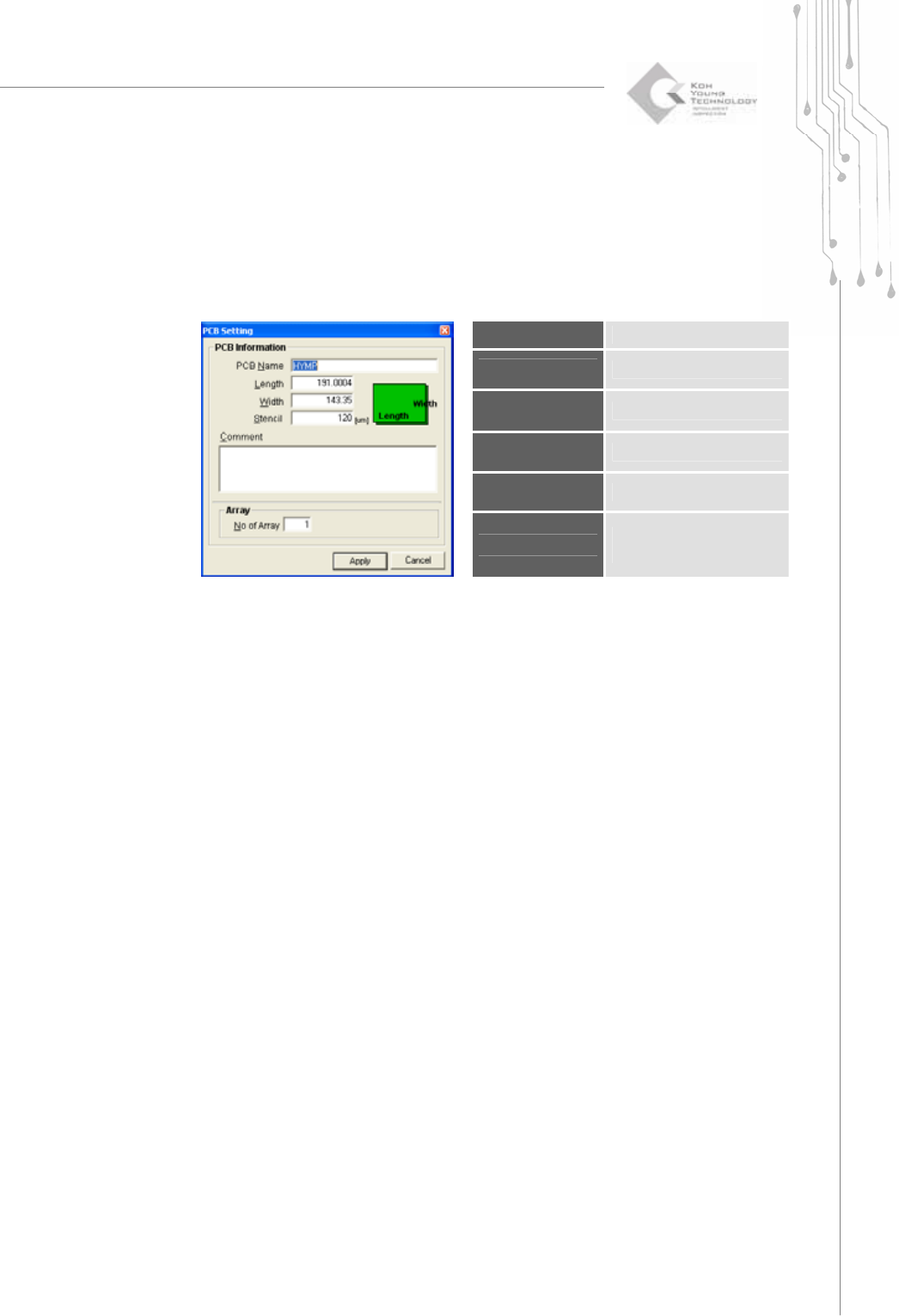
1) PCB Info
In the “PCB Setting” dialog box, change PCB information and click the Apply button.
The “PCB Setting” Dialog Box
PCB Name
The name of the PCB
Length
The length of the PCB
Width
The width of the PCB
Mask Thickness
The mask thickness
Comment
Comments for PCB settings
No of Array
The number of arrays used
in the PCB
2) Component Size Rotation
Swap the values of the width and length for a component.(When using CAD file)
3) CAD Rotation 90 Degree
Rotate CAD screen by +90°.
4) CAD Rotation -90 Degree
Rotate CAD screen by -90°.
5) CAD Mirror X
Move the CAD screen symmetrically along the X-axis
6) CAD Mirror Y
Move the CAD screen symmetrically along the Y-axis