KY8030 Programmers Manual.pdf - 第29页
Program mers Manual | 2 7 7) Informati on Open the "Inform ation" dialog box to d isplay information on the current work file. The “Information” Dialog Box (Mask) The path for a mask Gerber file (Fiducial) Th…
26 | KY-8030 Series(KYOS-2007001_rev0)
3DIn‐lineSolderPasteInspectionSystems
6) Paint (Ctrl + E)
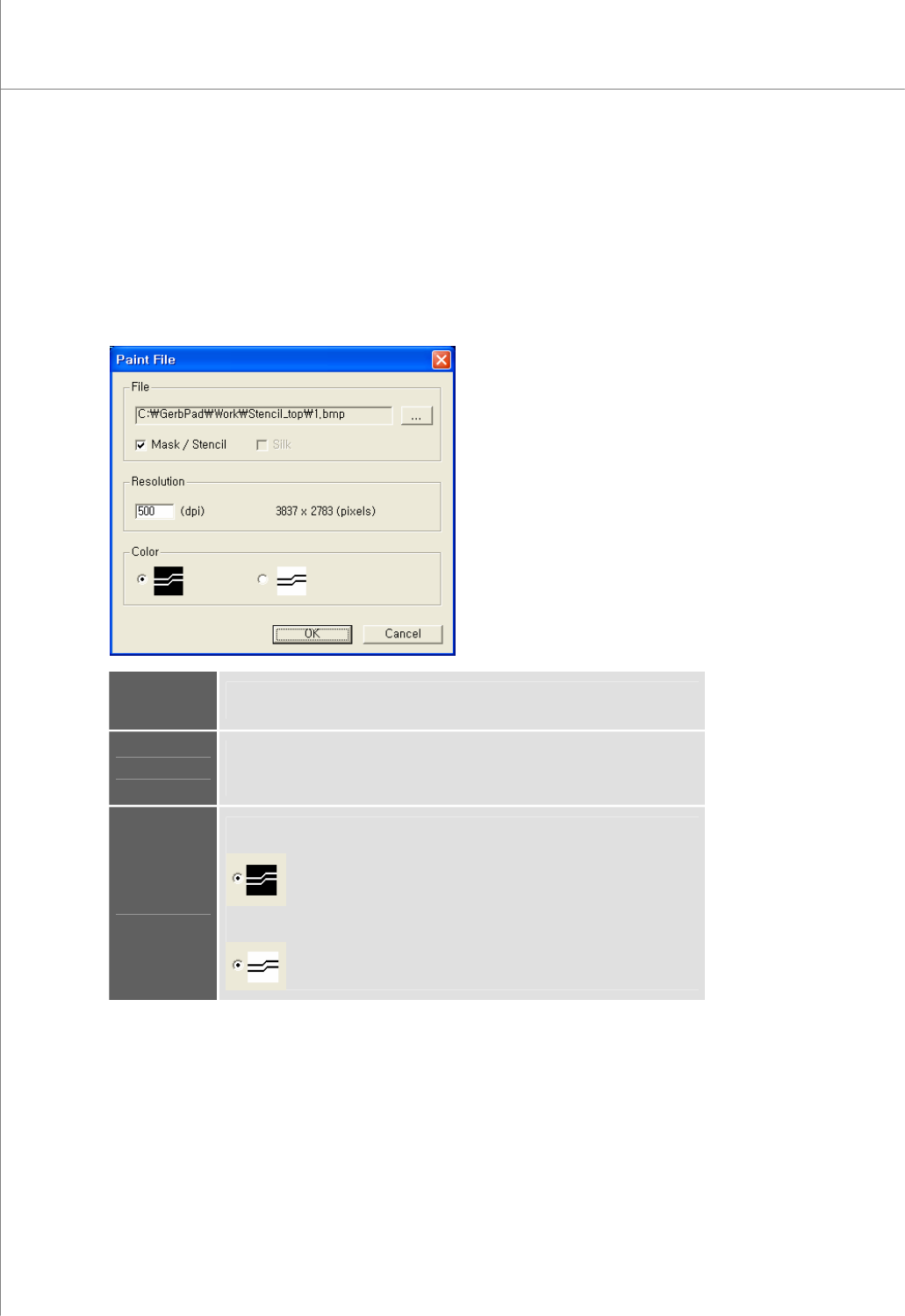
Open the "Paint File" dialog box to export Gerber data as a bmp file.
If a paint area has been specified, only the data of the specified area will be exported.
Otherwise, the entire area will be exported.
The "Paint File" Dialog Box
File
Specify a path for the picture file (*.bmp).
Select the contents that will be put into the picture file.
Resolution
Enter a resolution (dpi) for the picture file.
The ideal resolution is 500 dpi. If the specified resolution is too high (for
example, > 1000 dpi ), a memory error may occur.
Color
Specify foreground and background colors for the picture file.
Foreground = White, Background = Black
Foreground = Black, Background = White
Programmers Manual
| 27
7) Information
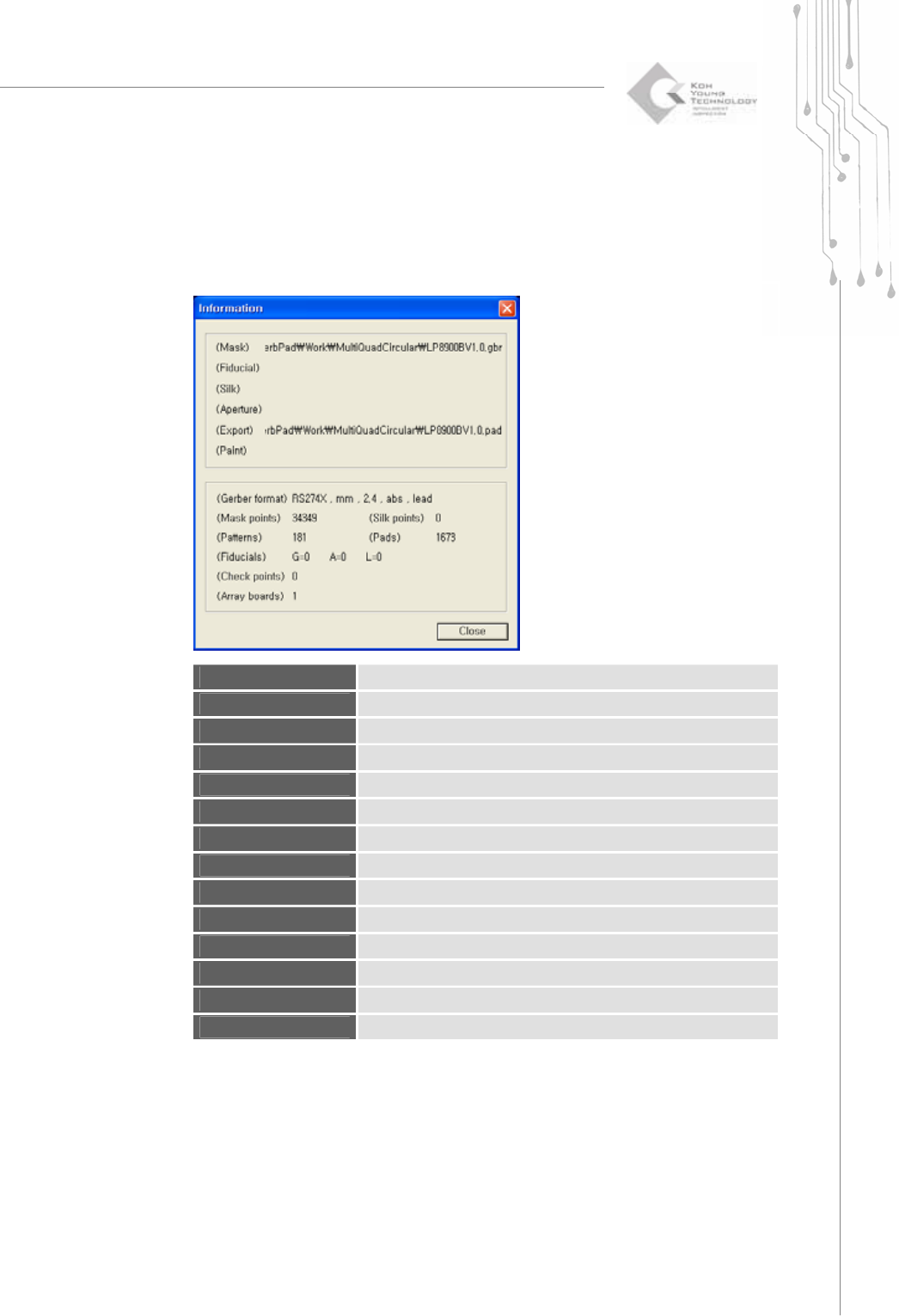
Open the "Information" dialog box to display information on the current work file.
The “Information” Dialog Box
(Mask)
The path for a mask Gerber file
(Fiducial)
The path for a fiducial Gerber file
(Silk)
The path for a silk Gerber file
(Aperture)
The path for an aperture file
(Export)
The path for a pad file
(Paint)
The path for a picture file
(Gerber Format)
The Gerber file format and parameters
(Mask points)
The number of points in a mask Gerber file
(Silk points)
The number of points in a silk Gerber file
(Patterns)
The number of patterns
(Pads)
The number of pads
(Fiducials)
The number of each fiducial type (G: global, A: array, L: local)
(Check Points)
The number of check points
(Array Boards)
The number of array boards
28 | KY-8030 Series(KYOS-2007001_rev0)
3DIn‐lineSolderPasteInspectionSystems
8) Exit (Alt + X)
Exit the program.
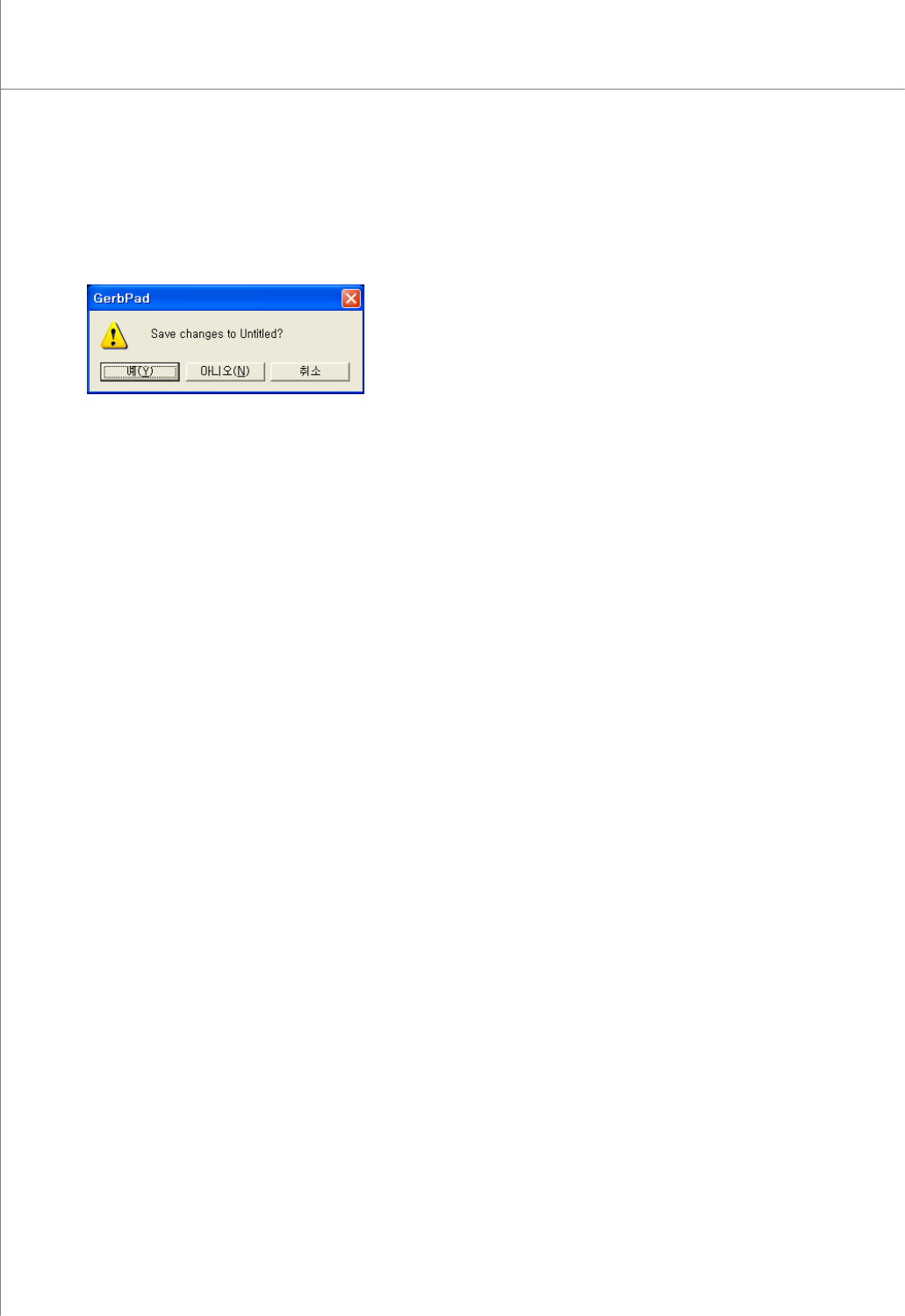
If you exit the program without saving your data, the save confirmation window
appears as follows:
Click the Yes button to save the file and exit the program.
Click the No button to exit the program without saving the file.
Click the Cancel button to return to the previous screen.