KY8030 Programmers Manual.pdf - 第9页
Programmers Manual | 7 1.1.5. T ool Bar Work Area Specify a work area. Paint Area Specify a paint area. Fla sh *Select flash(es). Trace *Select trace(s). Pad *Select pad(s). 2) Unselect Cancel a previous sel ection. ※ No…
6 | KY-8030 Series(KYOS-2007001_rev0)
3DIn‐lineSolderPasteInspectionSystems
6) Help Menu
Help
About GerbPad: Show the version and copyright
information.
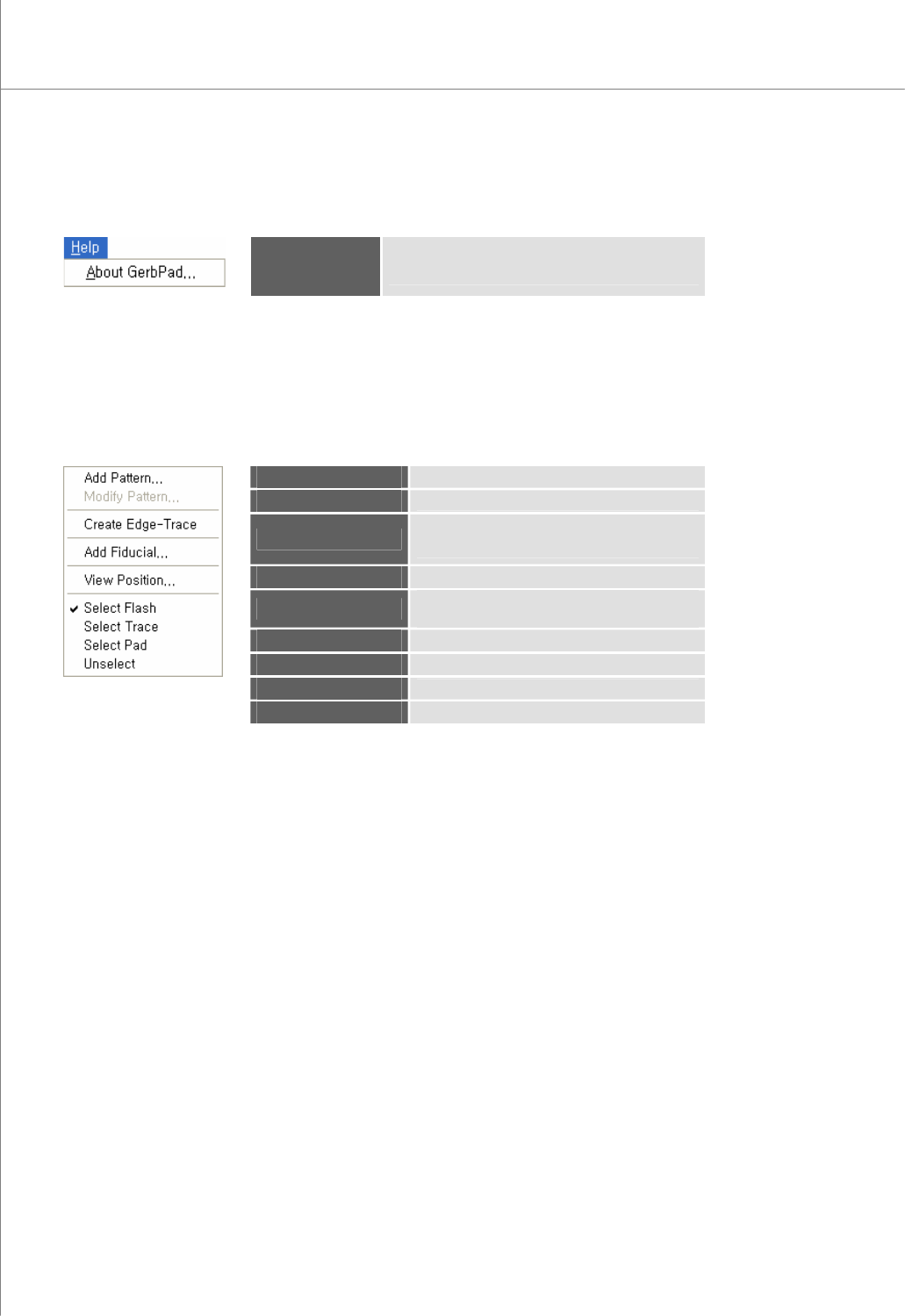
1.1.4. Main View Popup Menu
Right-click your mouse to display the pop-up menu below:
Add Pattern
Add a pattern.
Modify Pattern
Modify the selected pattern(s).
Create Edge-Trace
Retrieve only the contour lines of the selected
flash(es) and trace(s) to create a trace.
Add Fiducial
Add the fiducial.
View Position
Select a pad or Flash or Trace for the
measuring a board size automatically.
Select Flash
Select flash(es).
Select Trace
Select trace(s).
Select Pad
Select pad(s).
Unselect
Cancel a previous selection.
Programmers Manual
| 7
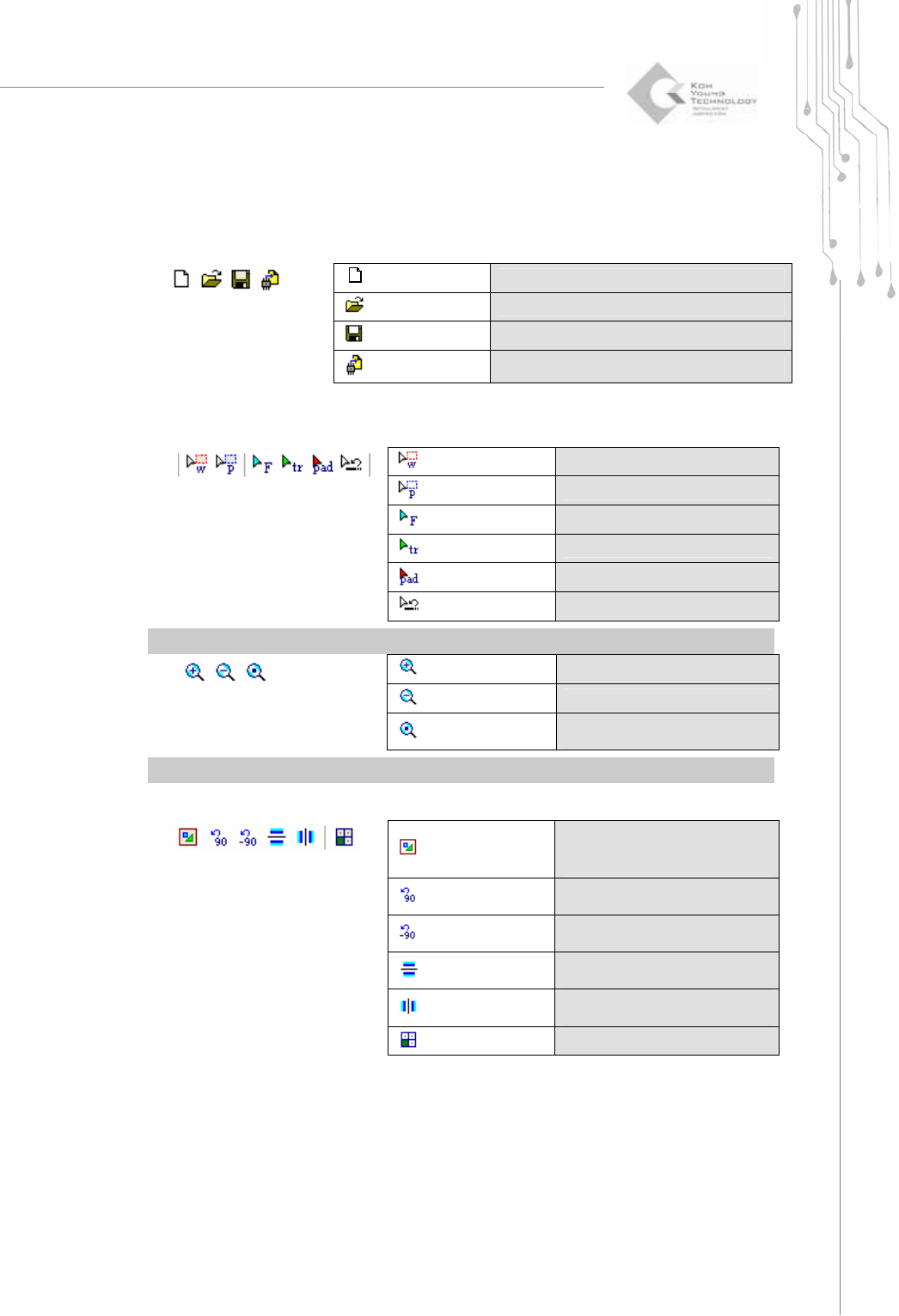
1.1.5. Tool Bar
Work Area
Specify a work area.
Paint Area
Specify a paint area.
Flash
*Select flash(es).
Trace
*Select trace(s).
Pad
*Select pad(s).
2)
Unselect
Cancel a previous selection.
※ Note: You can select more than one item by dragging your mouse.
Zoom In
Zoom in the main view.
Zoom Out
Zoom out the main view.
3)
Zoom to Fit
Set the zoom ratio of the main
view to 100%.
※ Note: After selecting "Zoom In", specify a zoom area by dragging your mouse.
Inside Pad
Indicate whether flashes and
traces will be displayed inside a
pad.
Rotate
90: Rotate the main view
clockwise by 90°.
Rotate
-90: Rotate the main view counter-
clockwise by 90°.
Mirror
X: Move the main view
symmetrically along the X-axis.
Mirror
Y: Move the main view
symmetrically along the Y-axis.
4)
Array Board
Enter or edit array board data.
New
Load a Gerber file to create a new work file.
Open
Open a work file(*.gpd ).
Save
Save a work file(*.gpd ).
1)
Export
Create a pad file(*.pad ).
8 | KY-8030 Series(KYOS-2007001_rev0)
3DIn‐lineSolderPasteInspectionSystems
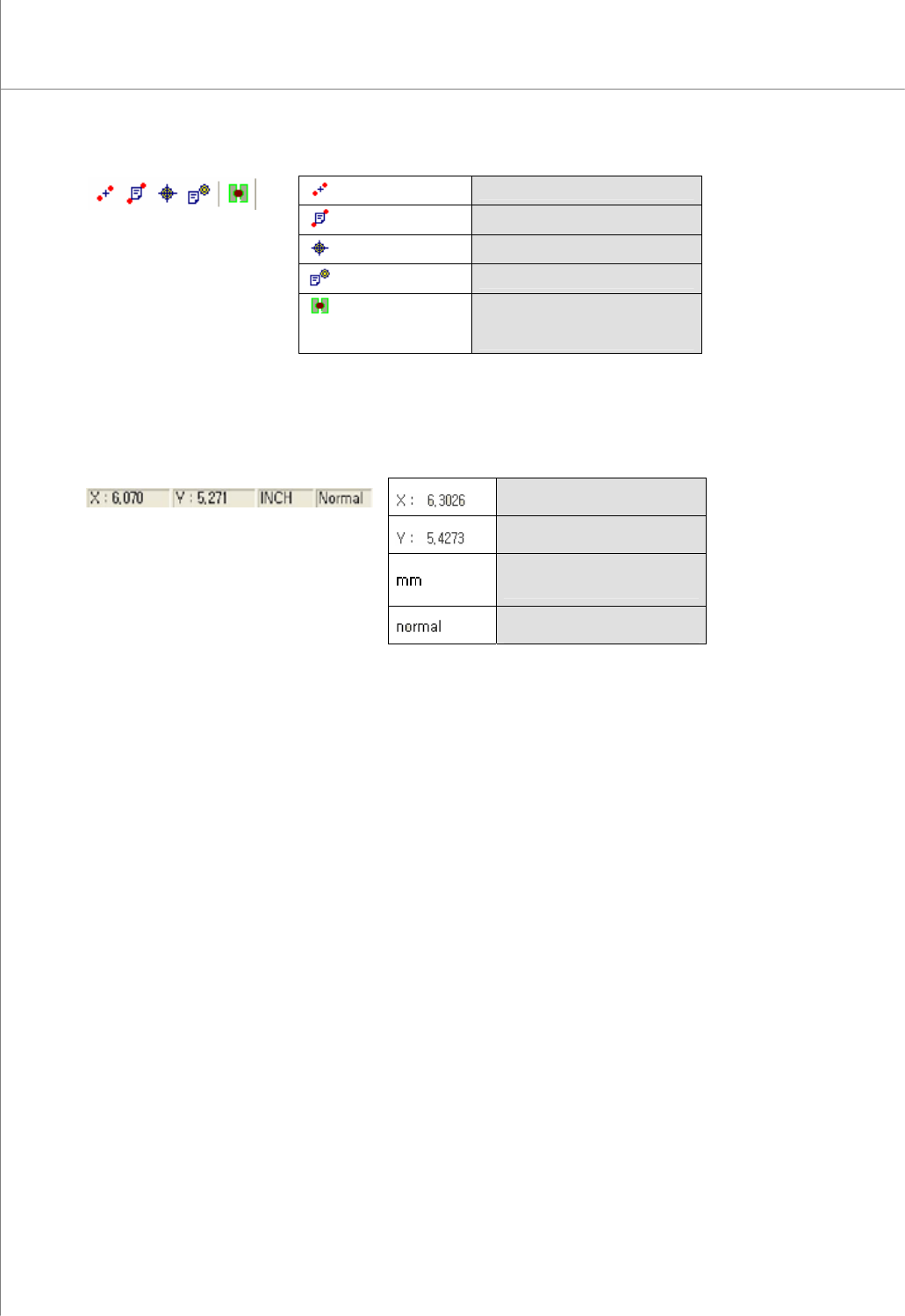
Add Fiducial
Enter fiducial data( currently not used)
Edit Fiducial
Edit fiducial data( currently not used).
Add Check Point
Add a check point.
Edit Check Point
Edit a check point.
5)
Edge-Trace
Retrieve only the contour lines of
the selected flash(es) and trace(s)
to create a trace.
1.1.6. Status Bar
The X-coordinate of the mouse
pointer.
The Y-coordinate of the mouse
pointer.
The coordinate unit.
Available Units: mm and inches
1)
Show the current operation
mode.