KY8030 Programmers Manual.pdf - 第78页
76 | KY-8030 Series (KYOS-2007001_rev0) 3D In ‐ line Solder Paste Inspection Systems 9) Select arbitrary p ad and click Edit button. 10) Change PA D Inspection Conditi on dialog box pop s up.
Programmers Manual
| 75
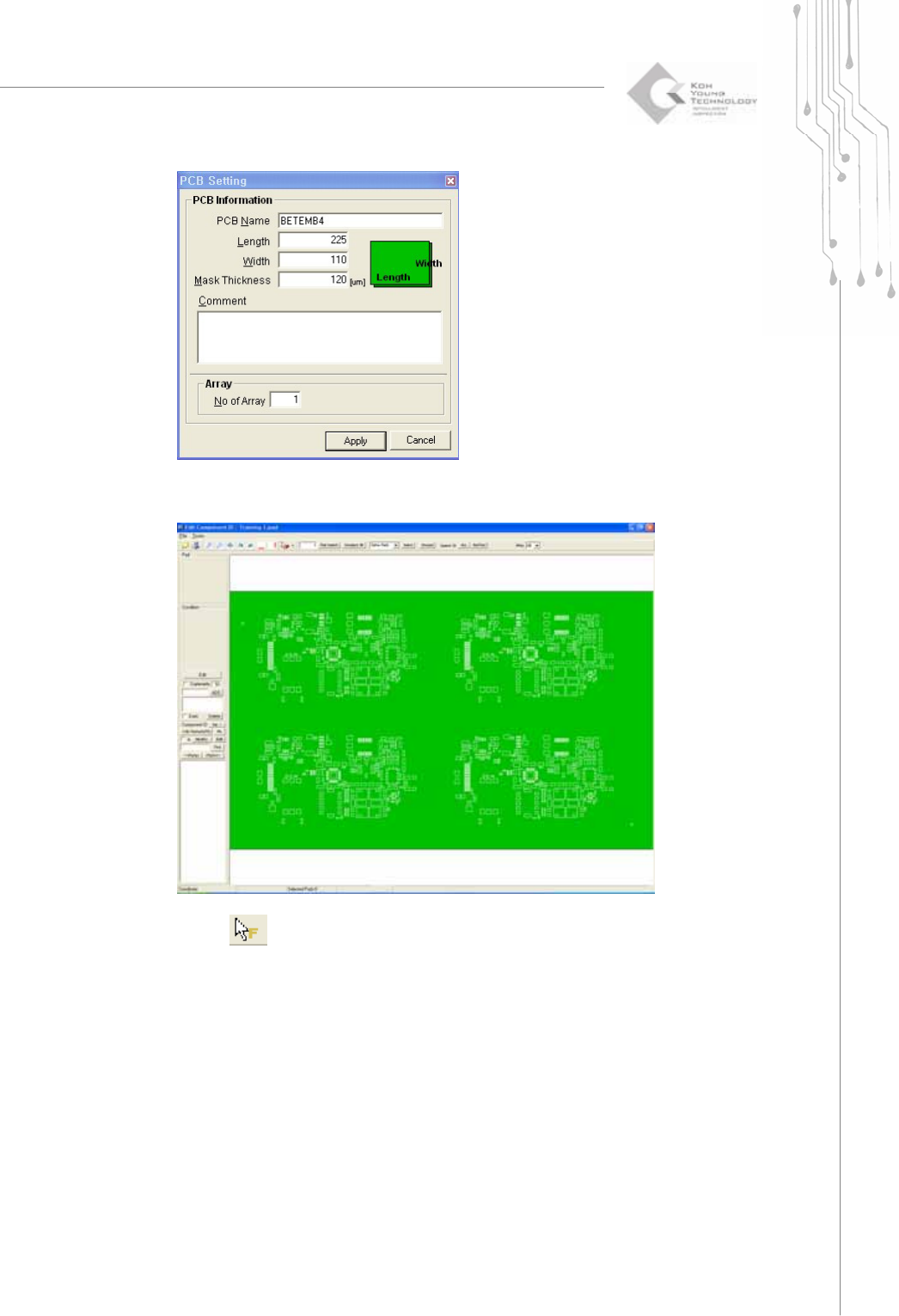
6) Type the proper board size and the thickness of the stencil mask. Click Apply then
the selected file will be opened.
7) Select
in order to set the fiducial.
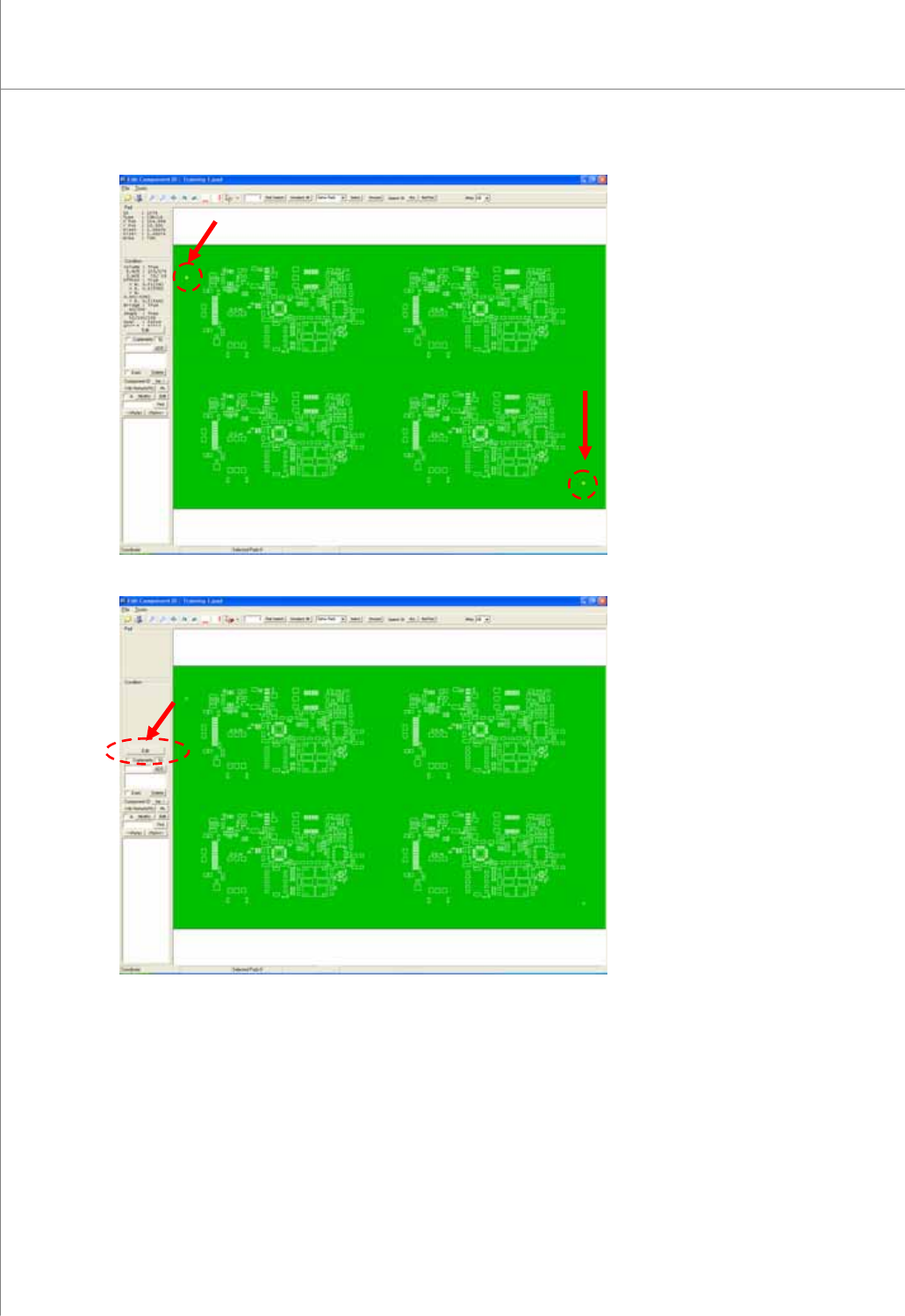
8) Select pads which you want to set as fiducial. (The color will be changed to the
yellow.)
76 | KY-8030 Series(KYOS-2007001_rev0)
3DIn‐lineSolderPasteInspectionSystems
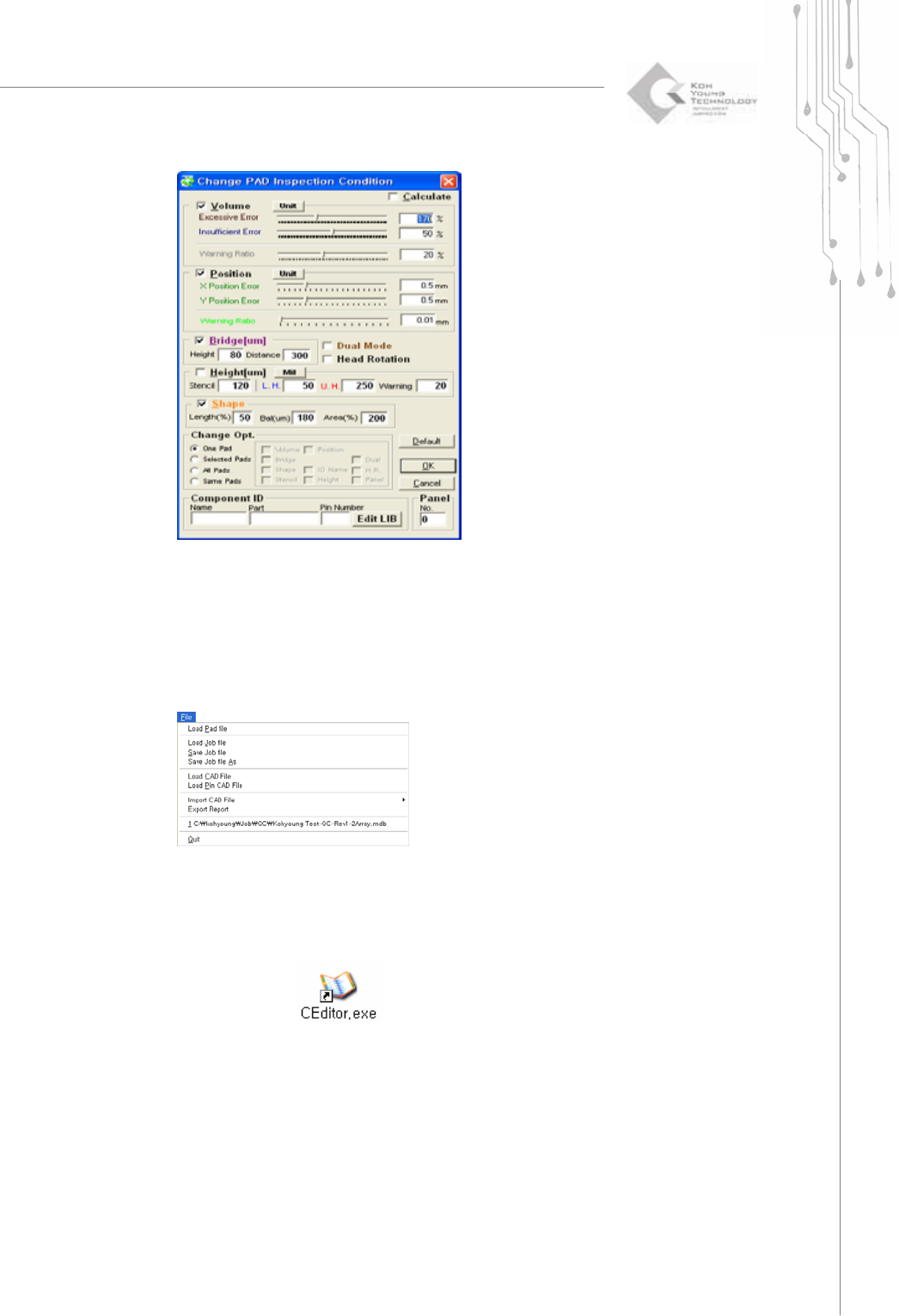
9) Select arbitrary pad and click Edit button.
10) Change PAD Inspection Condition dialog box pops up.
Programmers Manual
| 77
11) Set the proper inspection condition in the window.
12) Set the component ID and Pin number (Optional).
- Import CAD file or Pin CAD File when available
- If the file is not available, set the component ID and Pin number manually.
13) Click “File ▶ Save Job file”.
14) Save it as “*.mdb file”.
2.2.1. Creating a Job File When Loading Single Board CAD
1) . Double-click the
icon. A window will appear allowing you to select a
user account.