KY8030 Programmers Manual.pdf - 第37页
Program mers Manual | 3 5 Offset Y The Center of Grav ity Y - The Center of Area Y o : The Center of Gravit y +: The Center of Area Angle P-Sloped Rect. : 1 θ N-Sloped Rect. : 2 θ − Ú Note: This is used for the P-sloped …
34 | KY-8030 Series(KYOS-2007001_rev0)
3DIn‐lineSolderPasteInspectionSystems
1.3.3. Edit
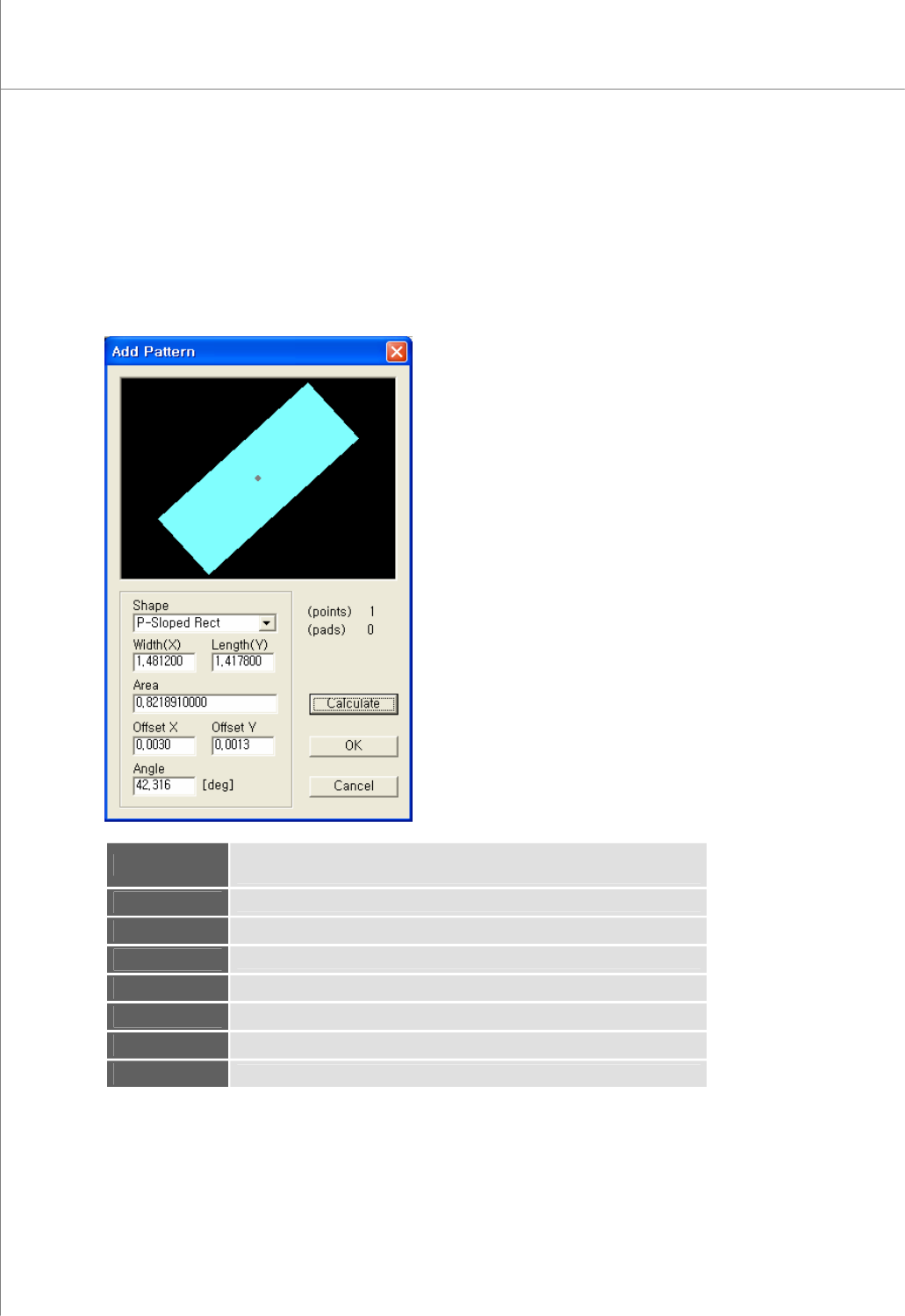
1) Add Pattern
Register one or more flash or trace in a pattern.
The “Add Pattern” Dialog Box
View
The picture of the currently selected pattern.
The gray point represents the center of gravity.
(points)
The number of flash(es) and trace(s) contained in the pattern
(pads)
The number of pads created with the pattern
Shape
The shape of the pattern
Width
The width of the pattern
Length
The length of the pattern
Area
The area of the pattern
Offset X
The Center of Gravity X - The Center of Area X
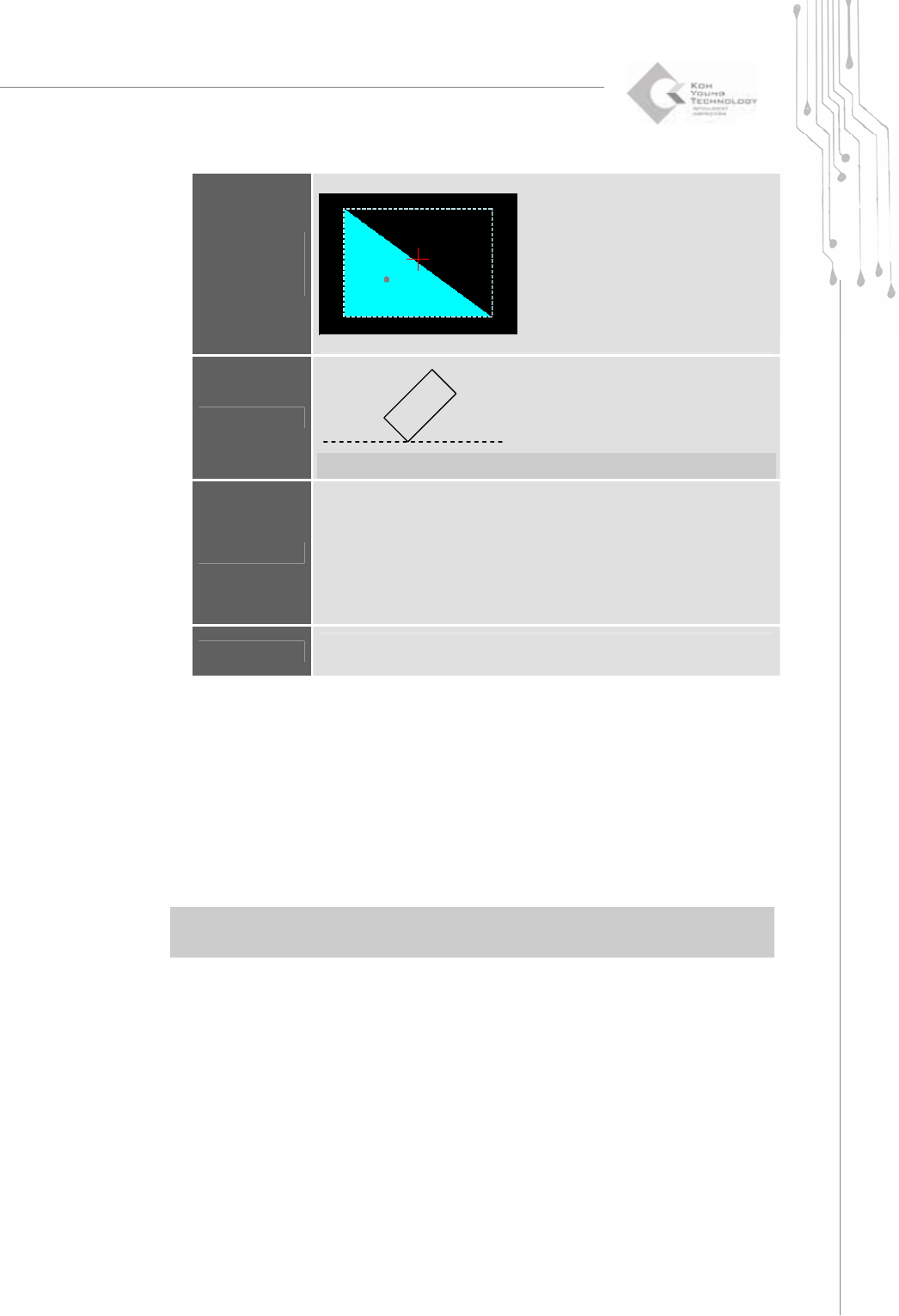
(View)
Programmers Manual
| 35
Offset Y
The Center of Gravity Y - The Center of Area Y
o : The Center of Gravity +: The Center of Area
Angle
P-Sloped Rect. : 1
θ
N-Sloped Rect. : 2
θ
−
Ú Note: This is used for the P-sloped or N-sloped rectangle shape only.
Calculate
Recalculate the area and offset values.
Depending on a shape, the area is calculated in different ways as follows:
E.g.) Rectangle = Width X Length
Circle = π X(0.5 * Width)
2
Others: Measured by video processing technique.
※ Caution: Make sure to select the correct shape. Otherwise, it may lead
to the wrong area value.
OK
All identical flashes and traces within a work area are found and registered
as pads automatically.
2) Modify Pattern
Modify pattern data for the selected pad.
The “Pattern” Dialog Box
For more information on how to modify a pattern, see the "Pattern" dialog box
under "4.1.7 Pad Bar" on page 41.
3) Remove Pattern (Shift + Del)
Remove all pads that are identical with the pattern for the selected pad.
※ Note: “Remove Pattern” lets you remove all pads that have the same pattern as the selected
pad while “Remove Pad” lets you remove only the selected pads.
4) Remove All Patterns
Remove all registered patterns.
1
θ
2
θ
36 | KY-8030 Series(KYOS-2007001_rev0)
3DIn‐lineSolderPasteInspectionSystems
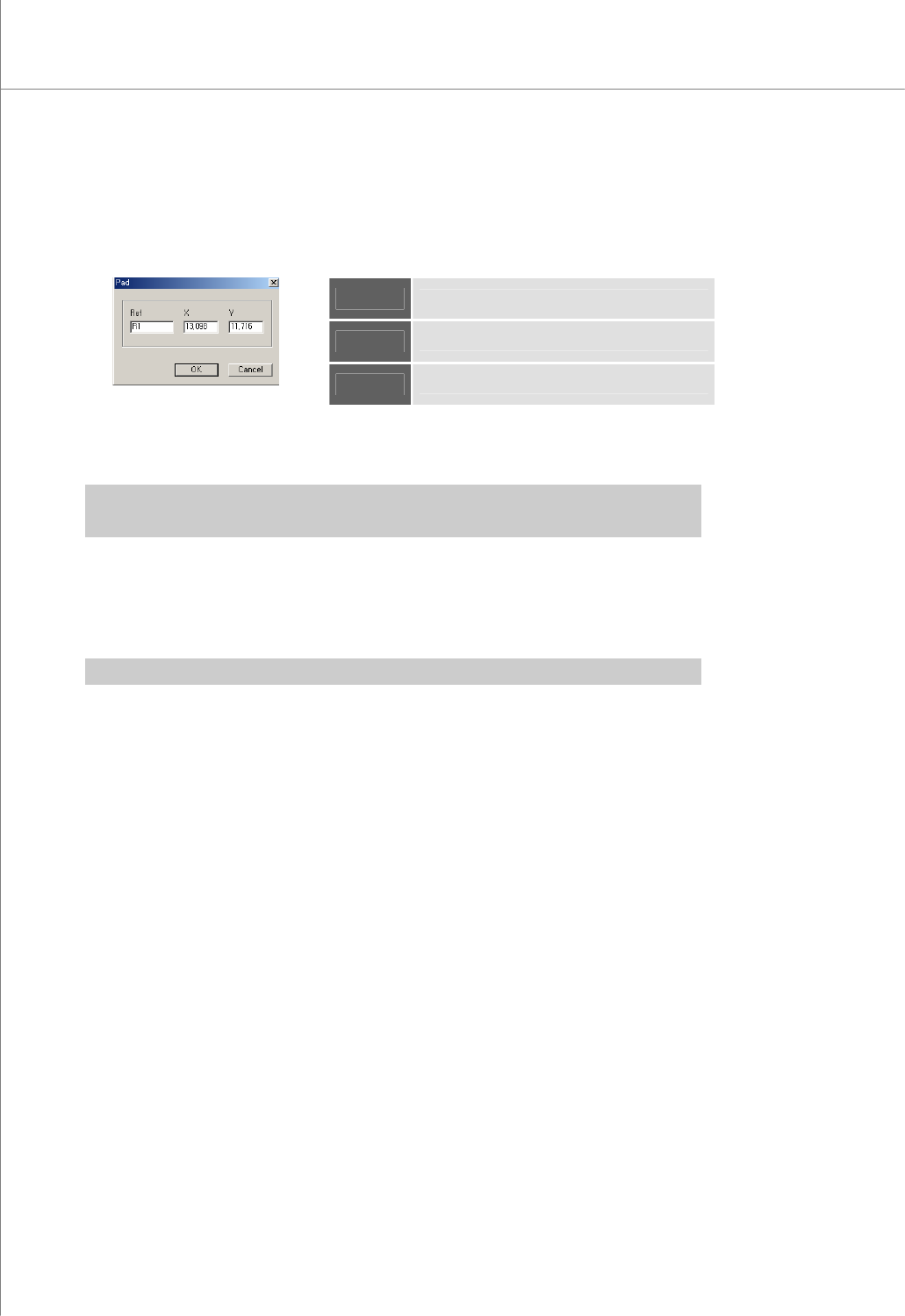
5) Modify Pad
Open the "Pad" dialog box to modify pad data.
The "Pad" Dialog Box
Ref
Part Reference Code
X
The X-coordinate of the pad
Y
The Y-coordinate of the pad.
6) Remove Pad (Del)
Remove the selected pad.
Ú Caution: “Remove Pattern” lets you remove all pads that have the same pattern as the selected
pad while “Remove Pad” lets you remove only the selected pads.
7) Remove Trace (Ctrl+Del)
Remove the selected trace.
When performing "Create All Patterns", first perform "Remove Trace" to remove
elements (e.g. board contour lines, etc.) that interfere with automatic pattern retrieval.
Ú Caution: Once a trace is removed, it cannot be restored.