KY8030 Programmers Manual.pdf - 第22页
20 | KY-8030 Series (KYOS-2007001_rev0) 3D In ‐ line Solder Paste Inspection Systems 1.3. Menu Options 1.3.1. Fi le 1) New (Ctrl + N) Load a Gerber file to crea te a new work file. All work data not saved wil…
Programmers Manual
| 19
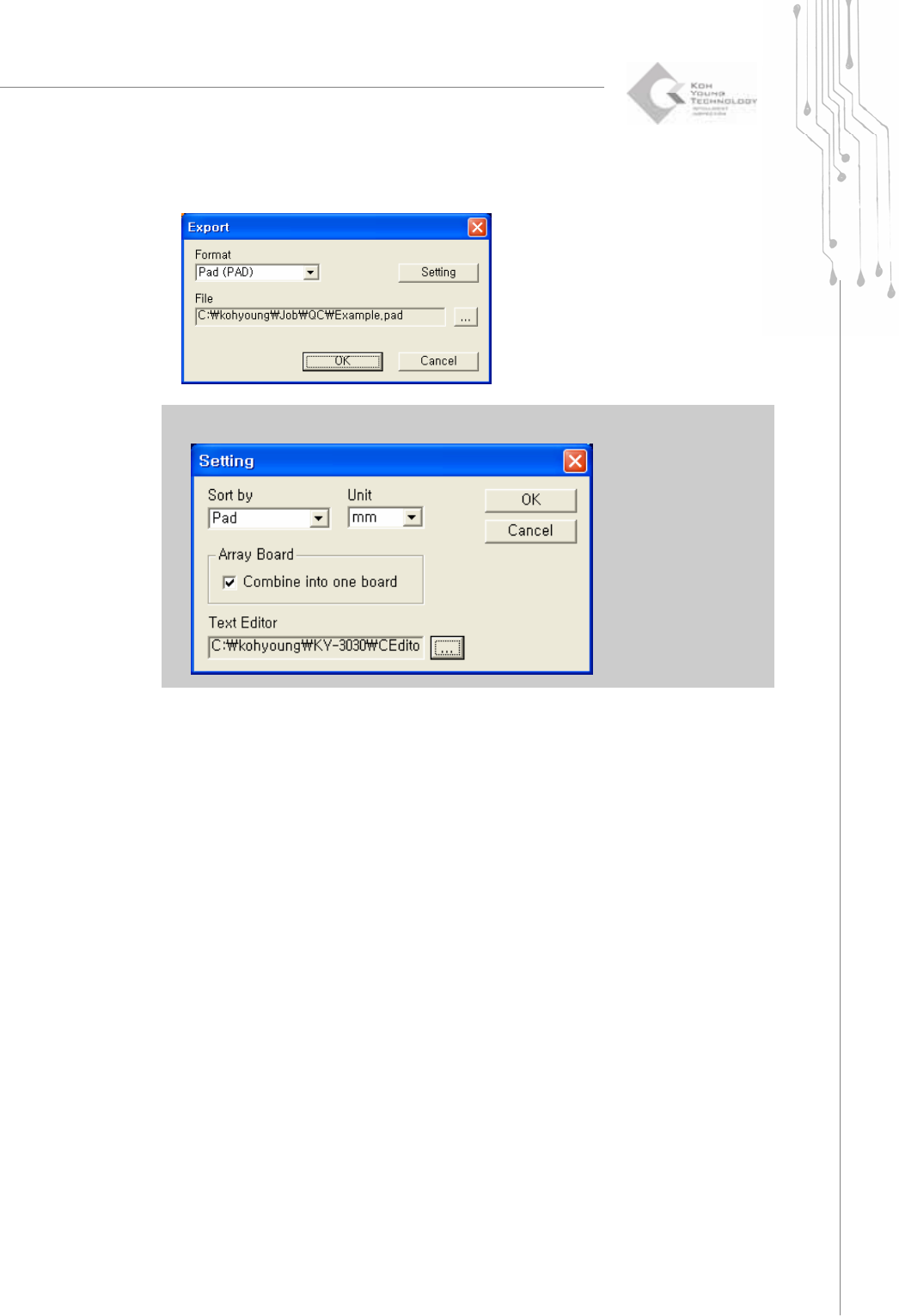
The "Export" window will appear as follows: Click the OK button.
※ Note : If you change the text editor to CEditor in setting menu, CEditor will be run automatically.
20 | KY-8030 Series(KYOS-2007001_rev0)
3DIn‐lineSolderPasteInspectionSystems
1.3. Menu Options
1.3.1. File
1) New (Ctrl + N)
Load a Gerber file to create a new work file.
All work data not saved will be lost.
Shortcut Key: Ctrl + N
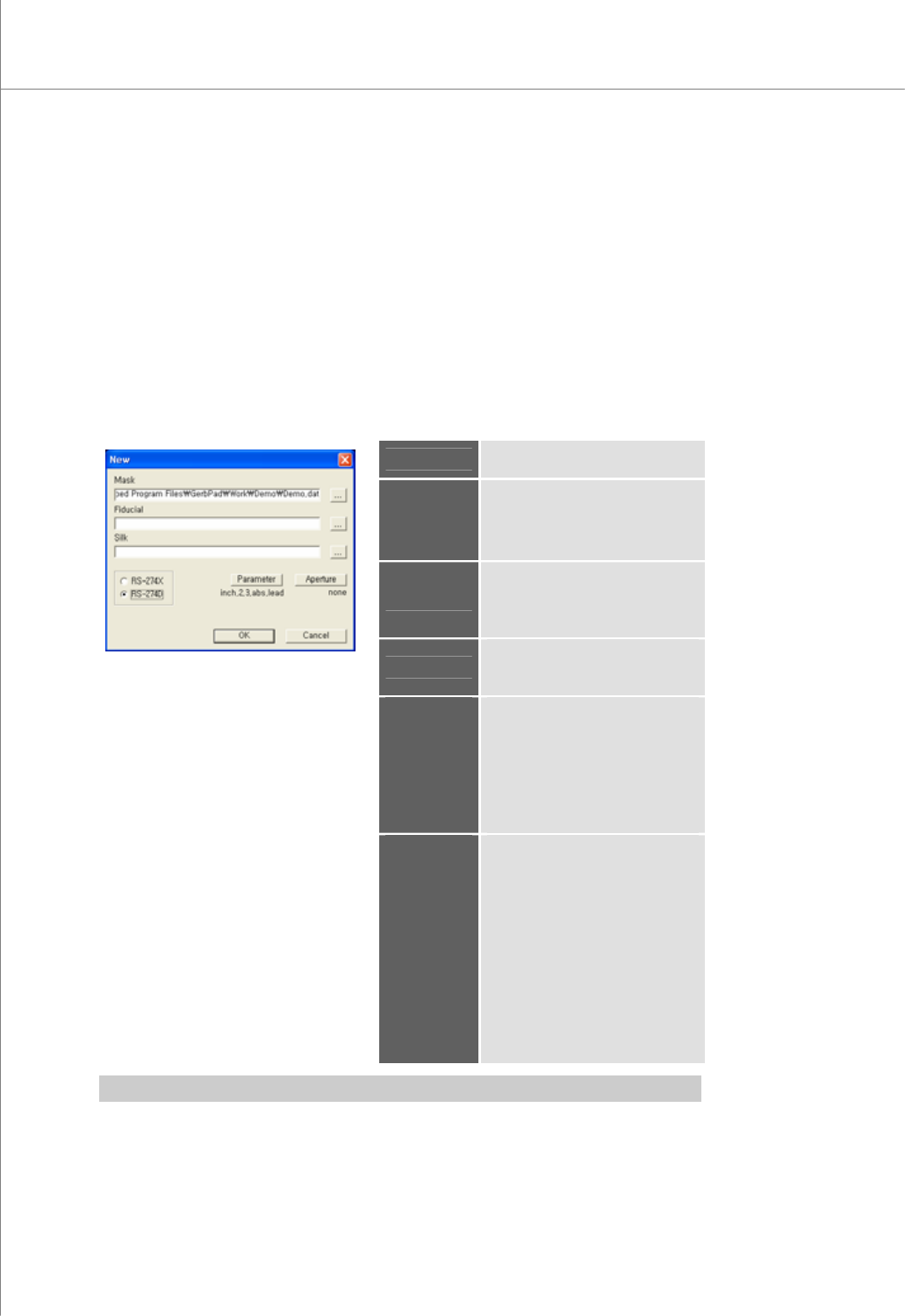
The “New” Dialog Box
Mask
Specify a path for a stencil mask
file.
Fiducial
Specify a path for a fiducial file.
※ Note: This is needed only
when fiducial marks exist in
another file.
Silk
Specify a path for a silk file.
This is needed for entering a part
reference code with silk data.
Format
Select a Gerber file format.
Available Formats: RS-274X, RS-
274D
Parameter
If the Parameter dialog box
appears,
select or specify Gerber
parameters.
※ Note: It is activated only when
the Gerber format is set to "RS-
274D".
Aperture
If the "Aperture" dialog box
appears,
load aperture data.
The load status is indicated under
the button as follows:
set: Aperture data has been
loaded.
none: Aperture data has not been
loaded.
※ Note: Activated only when the
Gerber format is set to "RS-
274D".
※ Note: You should specify Gerber parameters before loading aperture data.
Programmers Manual
| 21
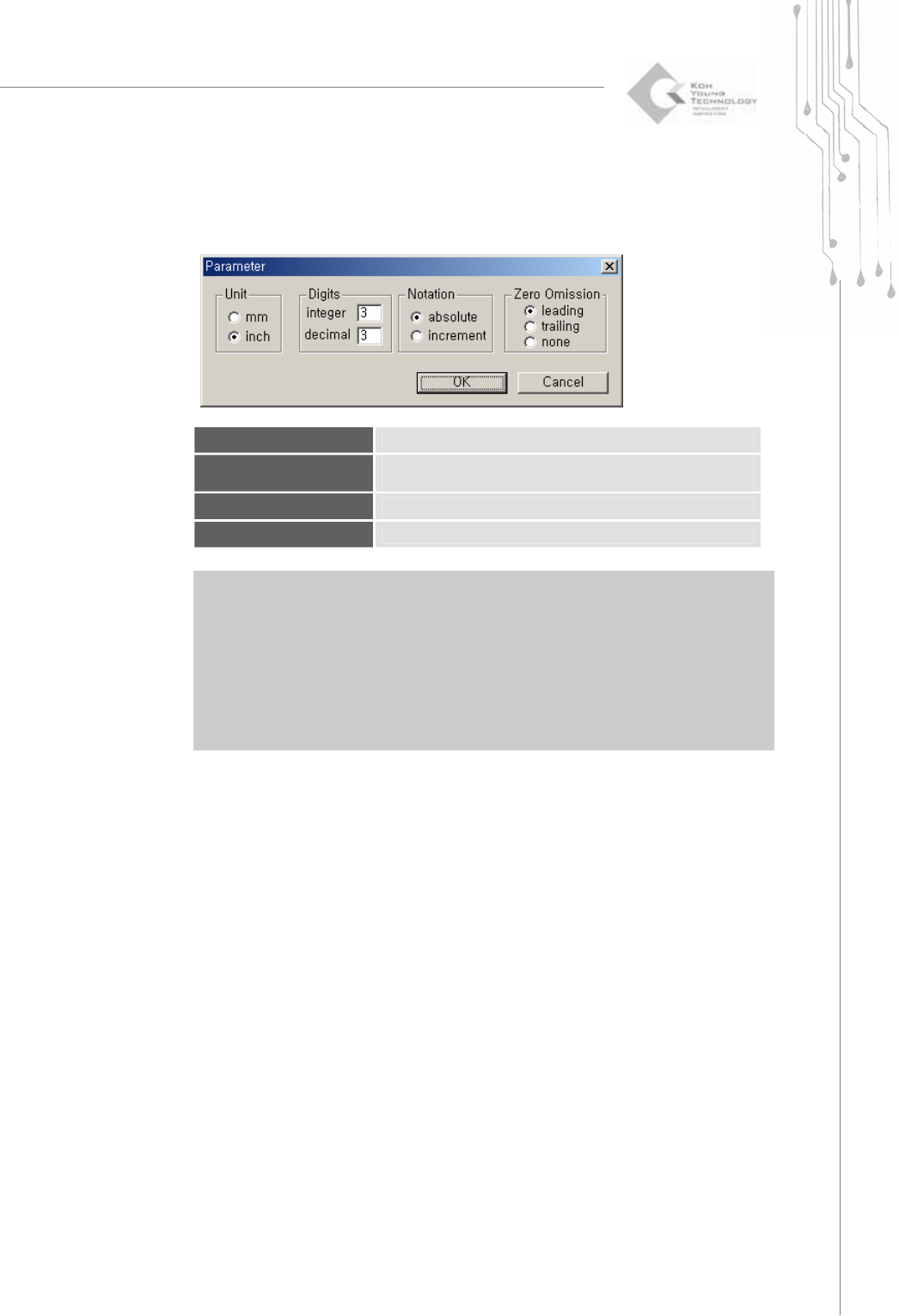
The “Parameter” Dialog Box
Unit
Select a unit.
Digits
Enter the number of digits allowed for the integer and decimal
parts, respectively.
Notation
Select a notation method.
Zero Omission
Specify how 0 (zero) will be treated.
※ Note:: When opening a Gerber file in the RS274D format, the user should set Gerber
parameters directly. Therefore, make sure to check the Gerber parameters first when
opening a Gerber file in RS274D.
※ Caution: If Gerber parameters are not set correctly, it may lead to incorrect board size or
position data, inhibiting normal PCB operation. When opening a Gerber file in the
RS274D format, make sure that the Gerber parameters entered match the actual
size of the PCB.