KY8030 Programmers Manual.pdf - 第25页
Program mers Manual | 2 3 2) Open (Ctrl + O) Open the "Open " dialog box to load a work file (.gpd file) . The "Open" Dialog Box 3) Save (Ctrl + S) Save work data in a GerbPa d file. The extension f…
22 | KY-8030 Series(KYOS-2007001_rev0)
3DIn‐lineSolderPasteInspectionSystems
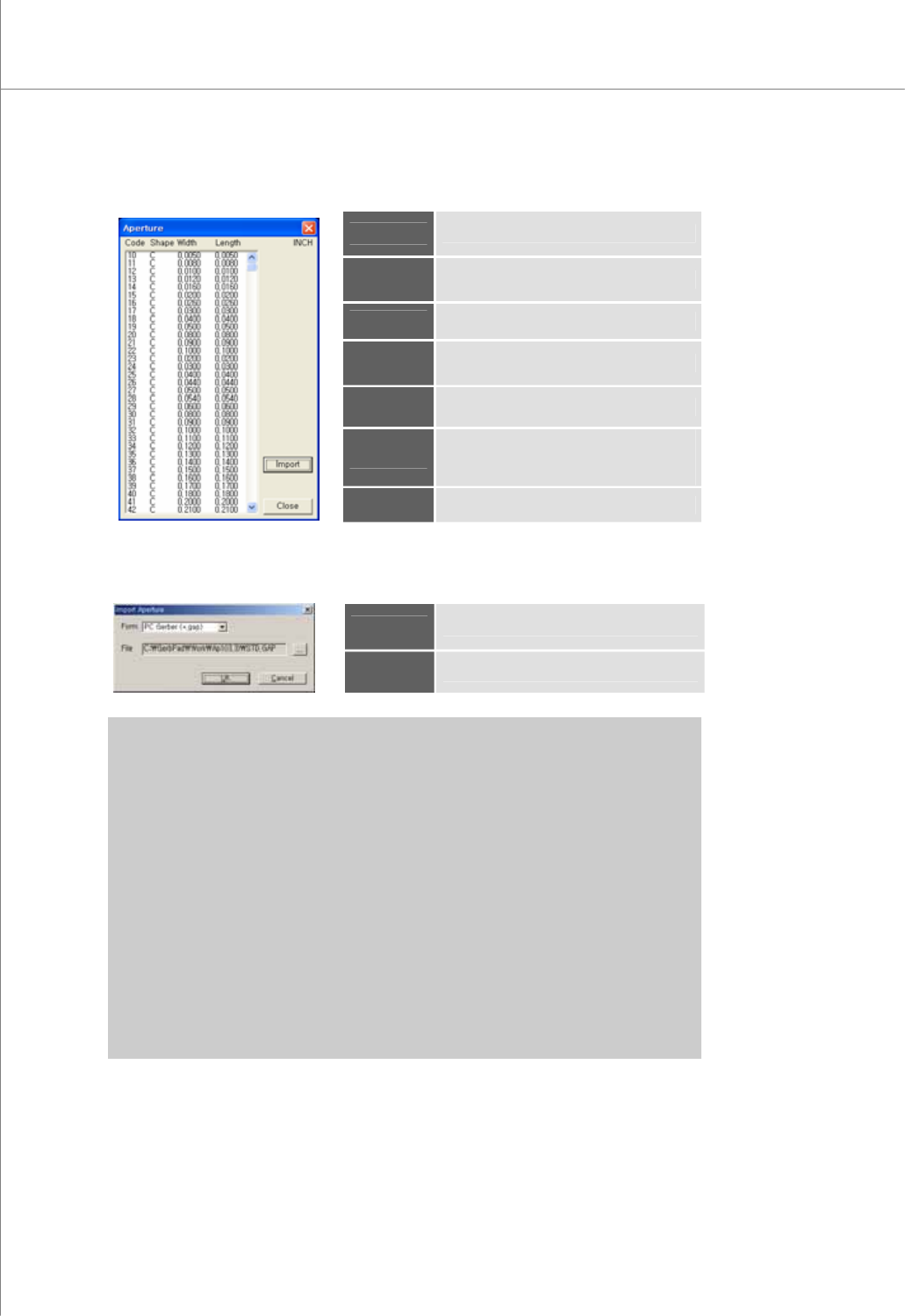
The “Aperture” Dialog Box
Code
Aperture code number
Shape
Aperture shape code
Width
Aperture width
Length
Aperture length
Unit
The unit for aperture width and length
Import
If the "Import Aperture" dialog box
appears,
load the aperture file.
Close
Close the "Aperture" dialog box.
The "Import Aperture" Dialog Box
Form
Select the aperture file format.
File
Specify a path for an aperture file.
※ Note: Aperture formats supported by GerbPad V3.0 are as follows:
y PC Gerber (*.gap)
y CAM350/ECAM V1(*.gap)
y CAM350/ECAM V3(*.gap)
y Report (*.rep;rpt)
y Allegro (*.rpt)
y GerbTool (*.map)
y CadStar (*.usr)
y Mentor (*.apt)
y Zuken (*.l)
y ViewMate (*.env)
y Genesis (*.apr)
y Pads (*.rep)
Programmers Manual
| 23
2) Open (Ctrl + O)
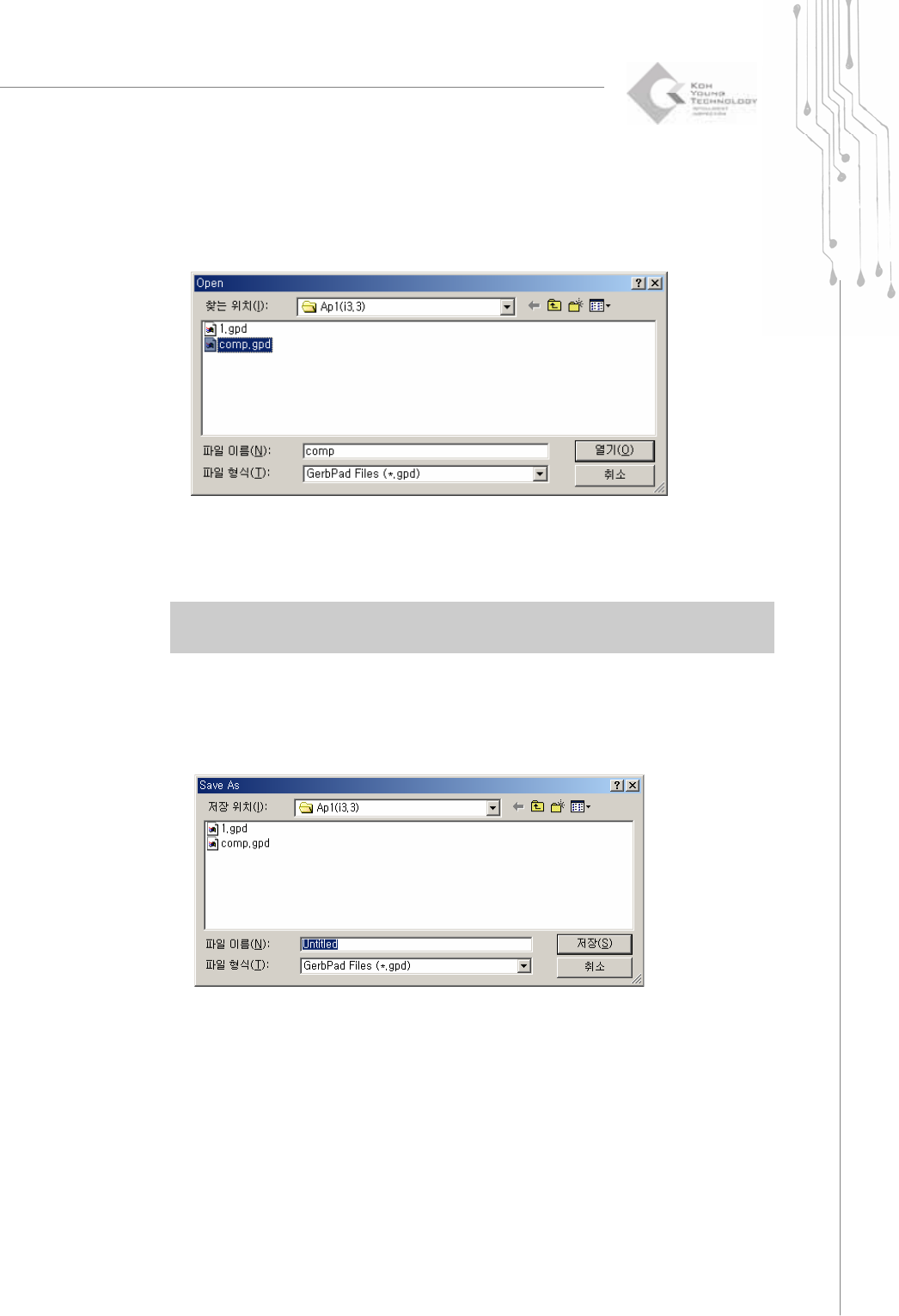
Open the "Open" dialog box to load a work file (.gpd file).
The "Open" Dialog Box
3) Save (Ctrl + S)
Save work data in a GerbPad file.
The extension for a work file is "gpd".
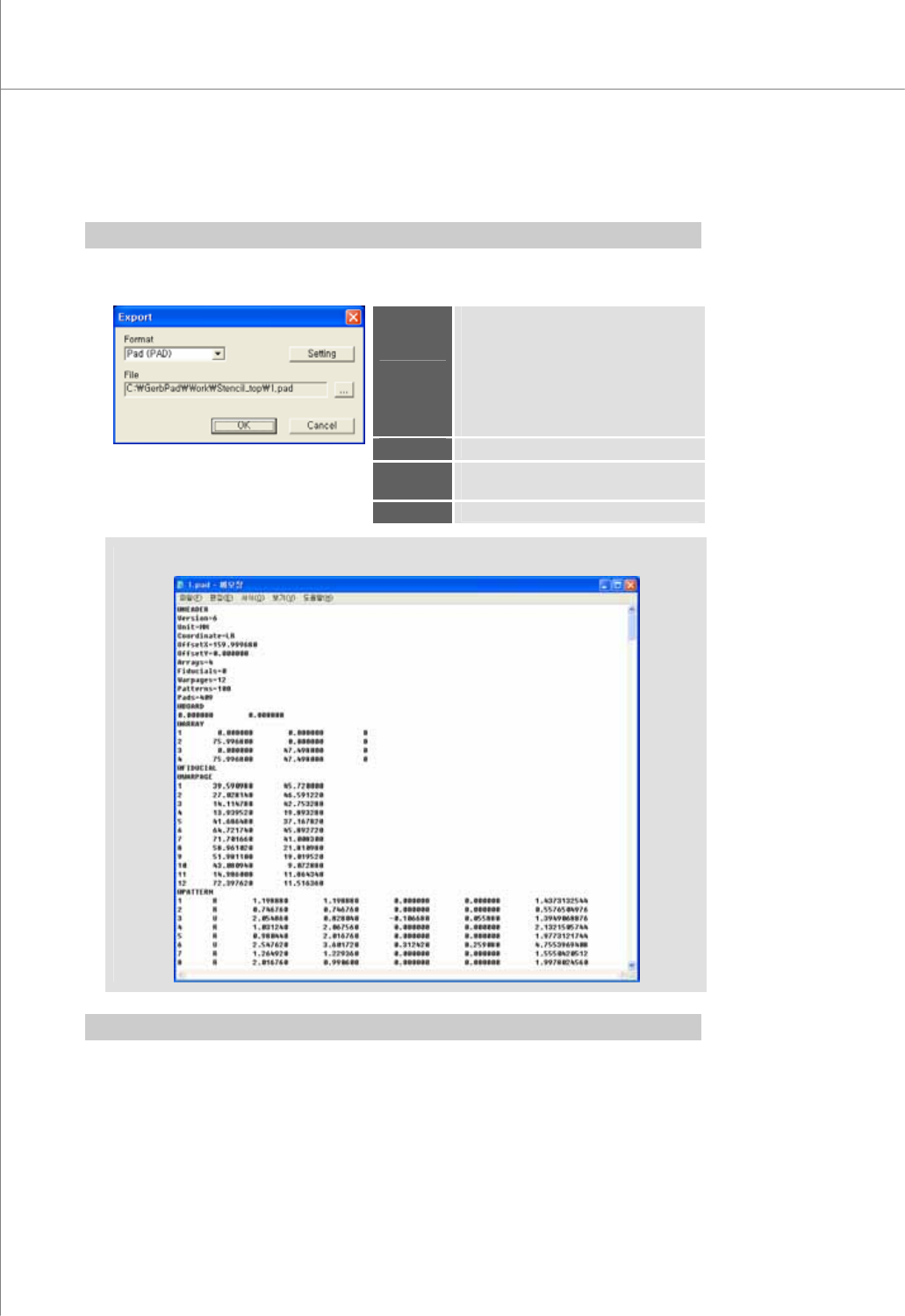
※ Note: When saving work data for the first time after working on a Gerber file, the "Save As"
dialog box will be displayed.
4) Save As
Open the "Save As" dialog box to save work data in a different file.
The "Save As" Dialog Box
24 | KY-8030 Series(KYOS-2007001_rev0)
3DIn‐lineSolderPasteInspectionSystems
5) Export (Ctrl + E)
Open the "Export" dialog box to export work data into a text file.
※ Note: Activated when more than one pads have been created.
The "Export" Dialog Box
Format
Select the export file format.
Available Formats: Pad (PAD), TX
1) Pad (PAD): PCB data, pad data
2) TX format: pad data, camera FOV
and path data
* Only the * pad format is supported at
this time.
File
Specify a path for the export file.
Setting
Open the "Setting" dialog box and edit
settings for the export file.
OK
Export data and open the export file.
(An Export File Example)
※ Note: TX format is not used in KY-3030.