4OM-1322-006_w.pdf - 第106页
1-44 AKOEMT -ID 4.3 Replacement of Cleaning Paper (How to change the cleaning paper width) C A U T I O N Set the [OPERA TION/SET UP] switch to the “SET UP” side before work. Only the person in charge of maintenance shoul…
1-43 AKOEMT-ID
4.2 Adjustment of PCB Horizontal Clamping
When a thin PCB is used and the horizontal clamping force is strong, it may
be warped.
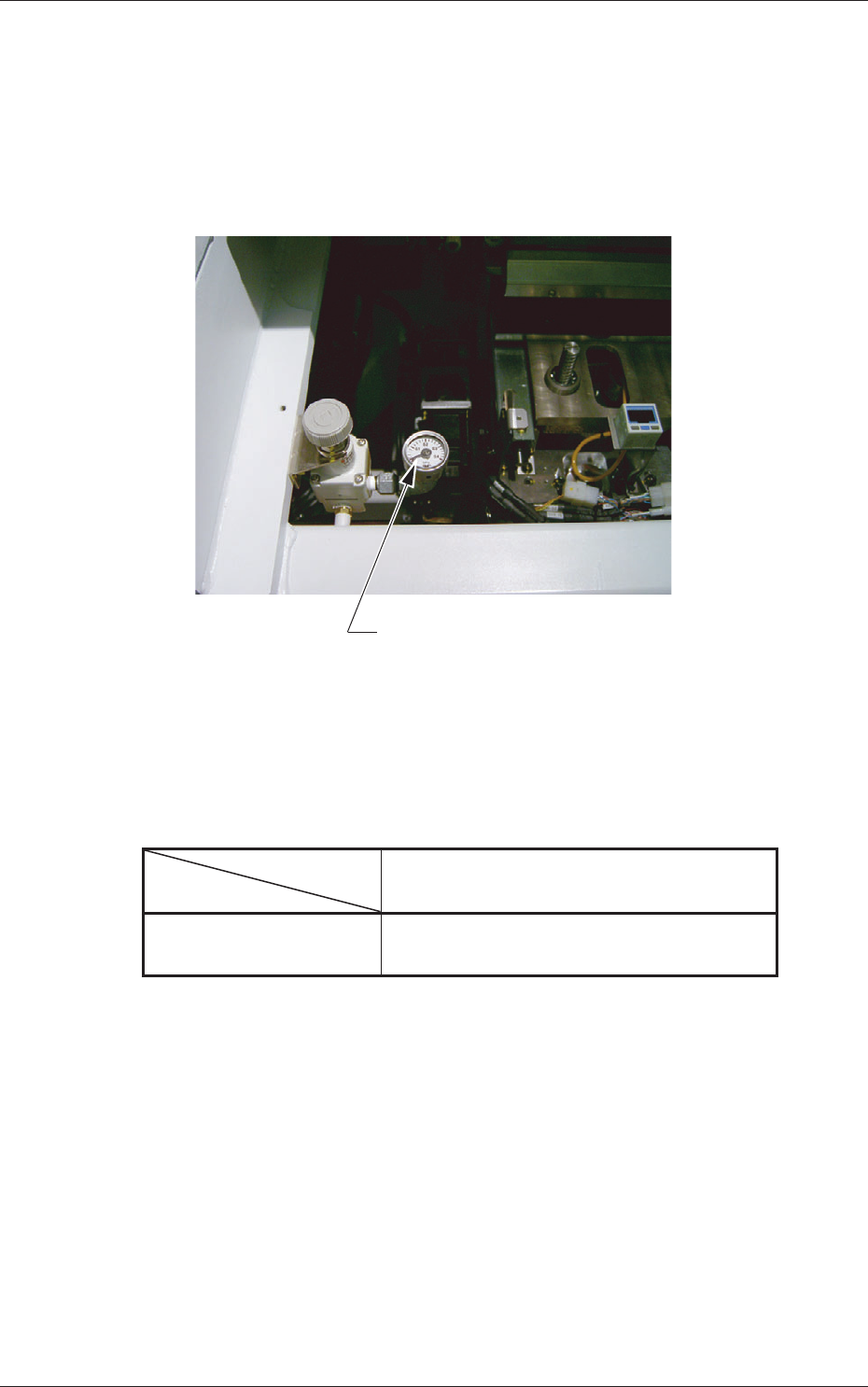
To avoid this, adjust the force with the pressure reducing valve which is
located at the front left (operator side) of the L Conveyor.
Pressure Reducing Valve
Fig. 4A61
Target Air Pressures Related to PCB Thickness
The values were obtained when the PCB size is "150 × 100", excluding a
PCB stopper.
Table 4A14
PCB Thickness
Air Pressure
0.5 1.0 1.5 2.0 (mm)
MPa 0.12 0.2 0.3 0.3
(kgf/cm
2
) (1.2) (2.0) (3.0) (3.0)
0609-002
4.2 Adjustment of PCB Horizontal Clamping
1-44 AKOEMT-ID
4.3 Replacement of Cleaning Paper
(How to change the cleaning paper width)
CAUTION
Set the [OPERATION/SET UP] switch to the “SET UP” side
before work.
Only the person in charge of maintenance should perform this
work.
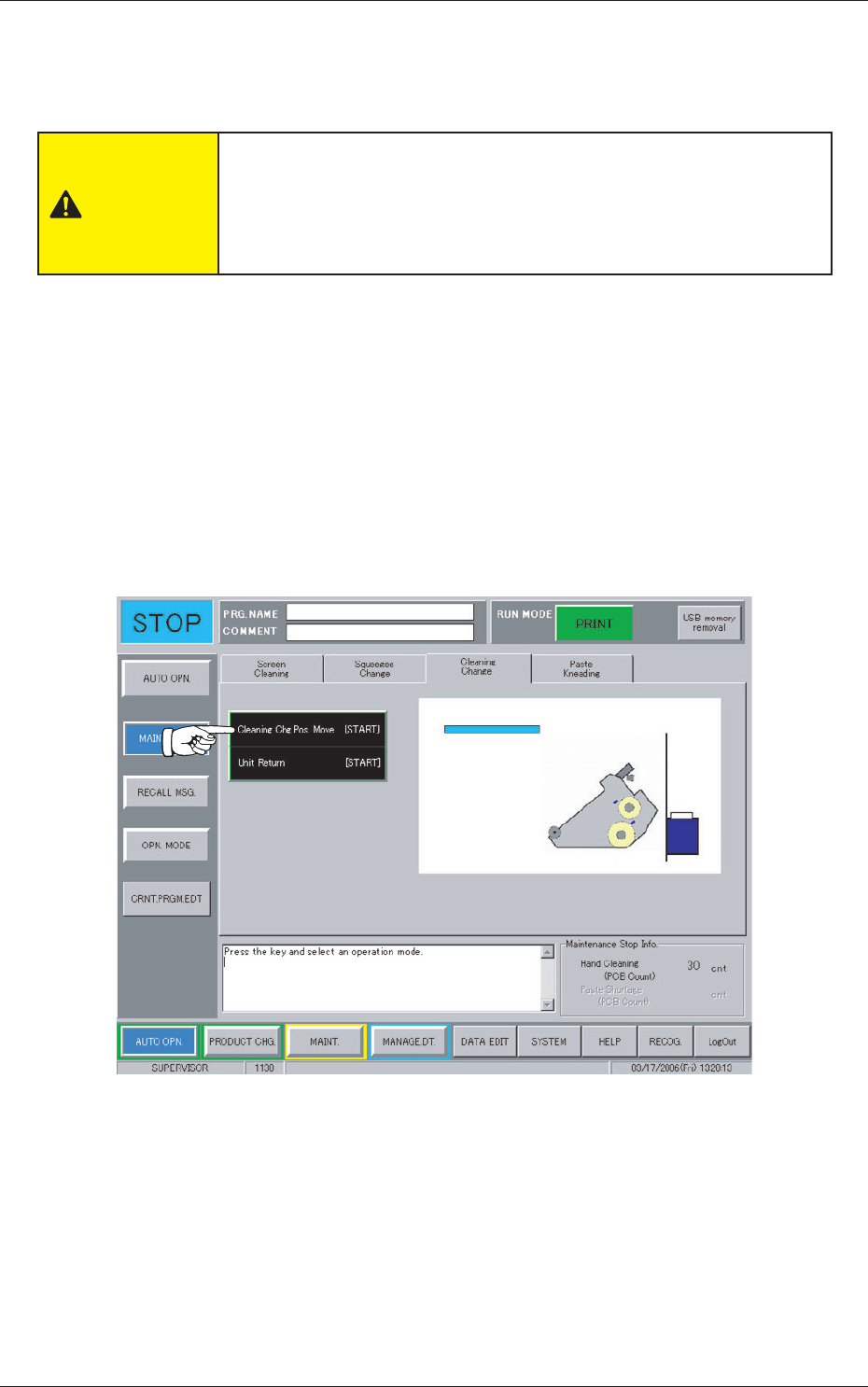
When the [MAINT. EXCH.] button on the "AUTO OPN." submenu bar is
pressed, the following window appears.
Operation Procedure
(1) Press the "Cleaning Change" tab.
(2) Press the [Cleaning Chg. Pos. Move [ST
ART]] button.
The background color of the button turns blue, indicating that it is
selected.
Fig. 4A62
0609-002
4.3 Replacement of Cleaning Paper (How to change the cleaning paper width)
1-45 AKOEMT-ID
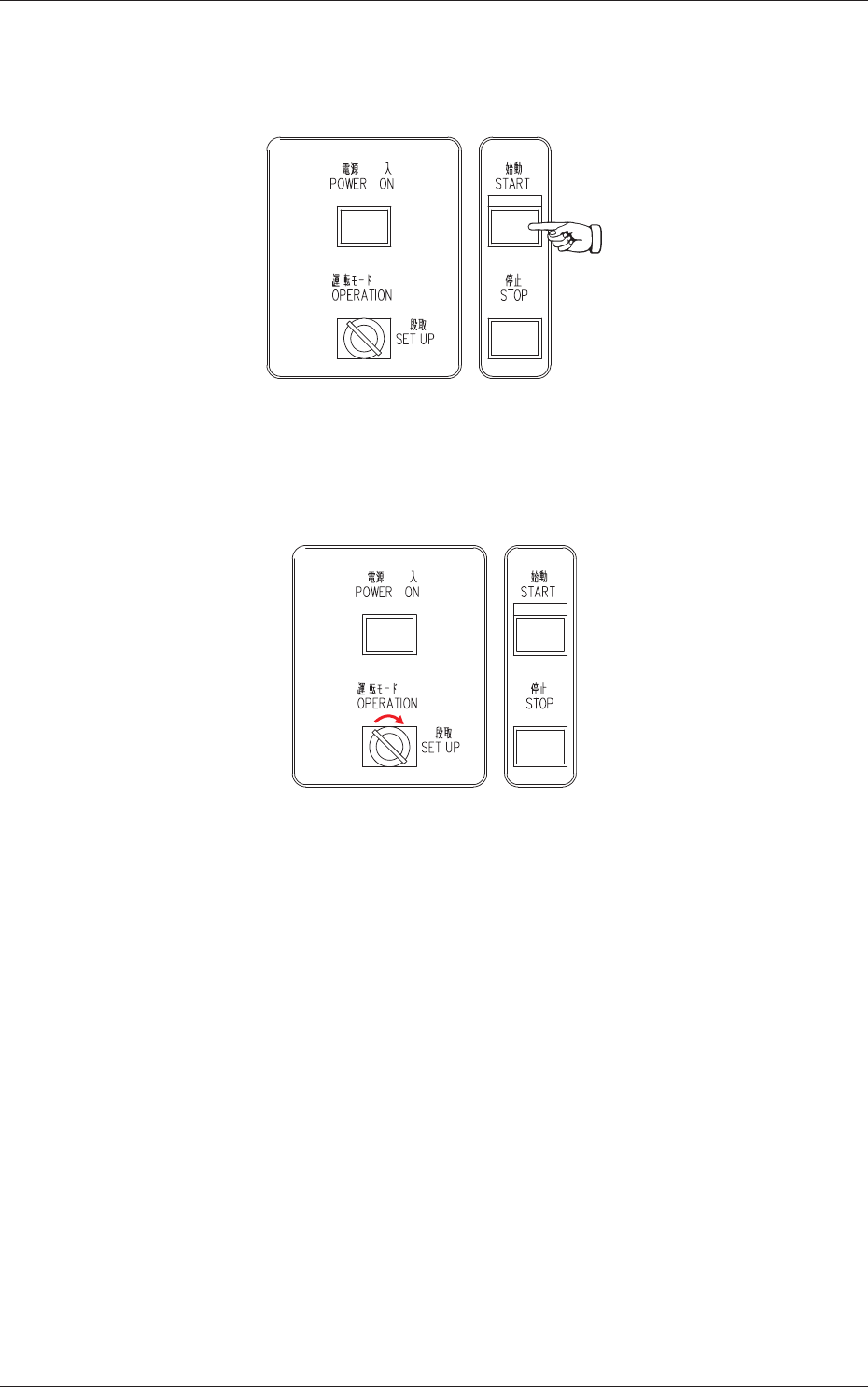
(3) Press the [START] button on the front operation panel.
The PEC recognition and screen holder sections move to the front side
of the machine.
Fig. 4A63
(4) Set the [OPERATION/SET UP] switch on the front operation panel to
the "SET UP" side.
Fig. 4A64
(5) Go back to the rear side of the machine.
0609-002
4.3 Replacement of Cleaning Paper (How to change the cleaning paper width)