4OM-1322-006_w.pdf - 第73页
1-14 AKOEMT -ID 1004-003 3.1 Whole View Cleaning Section Rear Side of Machine Control Box Section Fig. 4A4 Blower Unit (V acuum Source) T op V iew of Machine Door Section (Rear Side) Door Section (Front Side) Fig. 4A5
1-13
AKOEMT-ID
1004-003
3. Maintenance Spots
3. Maintenance Spots
3.1 Whole View
Notice
Any operations with a cover(s) being removed are included.
After the maintenance work, be sure to attach the cover.
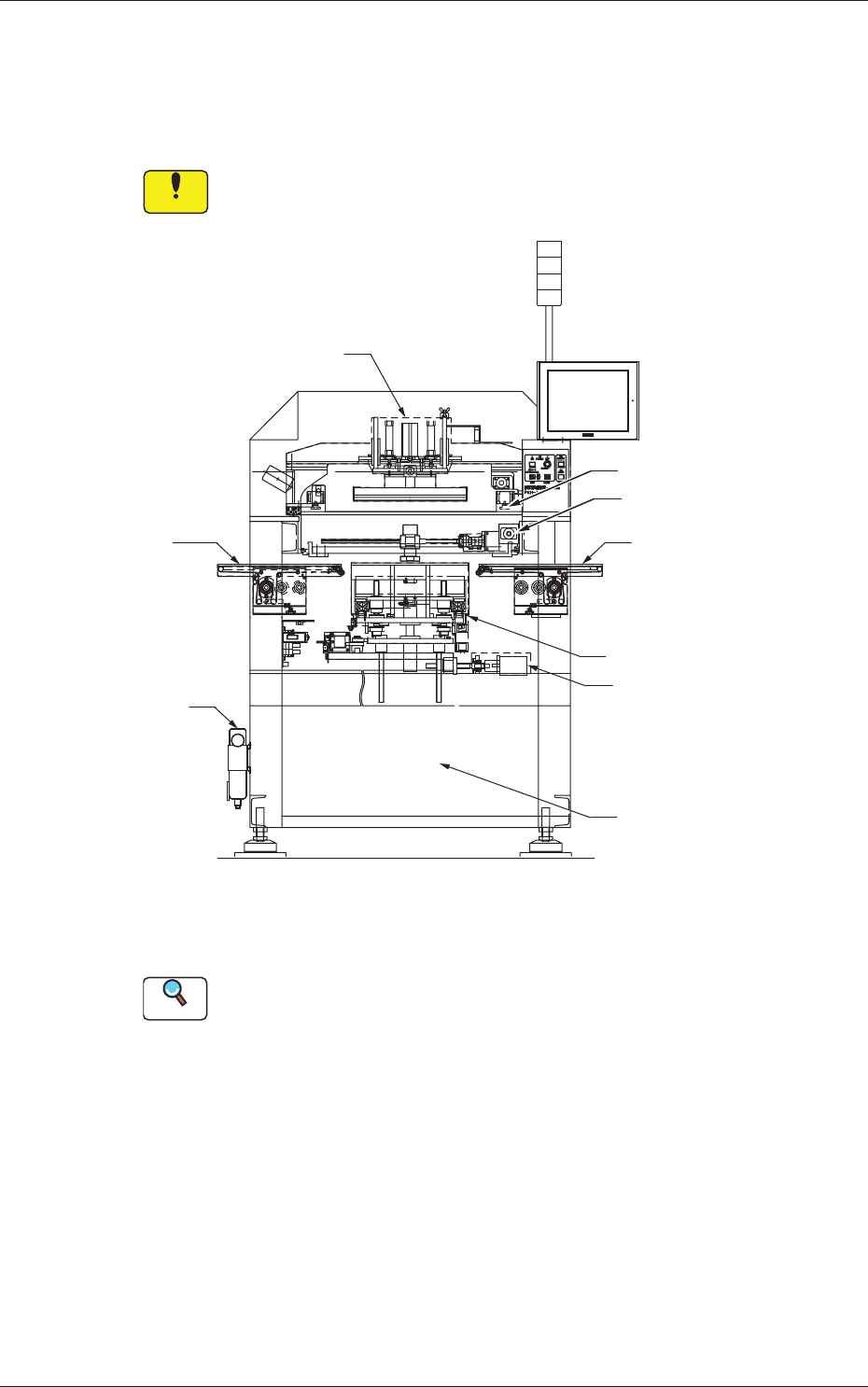
Air Source
Squeegee Head Section
Screen Holder Section
PEC Recognition Section
R Conveyor Section
(Output Conveyor Section)
PCB Chuck Section
Table Section
L Conveyor Section
(Input Conveyor Section)
Front Side of Machine
Control Computer Section
Fig. 4A3
Reference
(a) Refer to "3.3" and the subsequent items for the detailed information
on the spots of each section to be maintained and how to maintain
them.
(b) As for the options, refer to each instruction manual of the specially
specified devices for the maintenance.
1-14
AKOEMT-ID
1004-003
3.1 Whole View
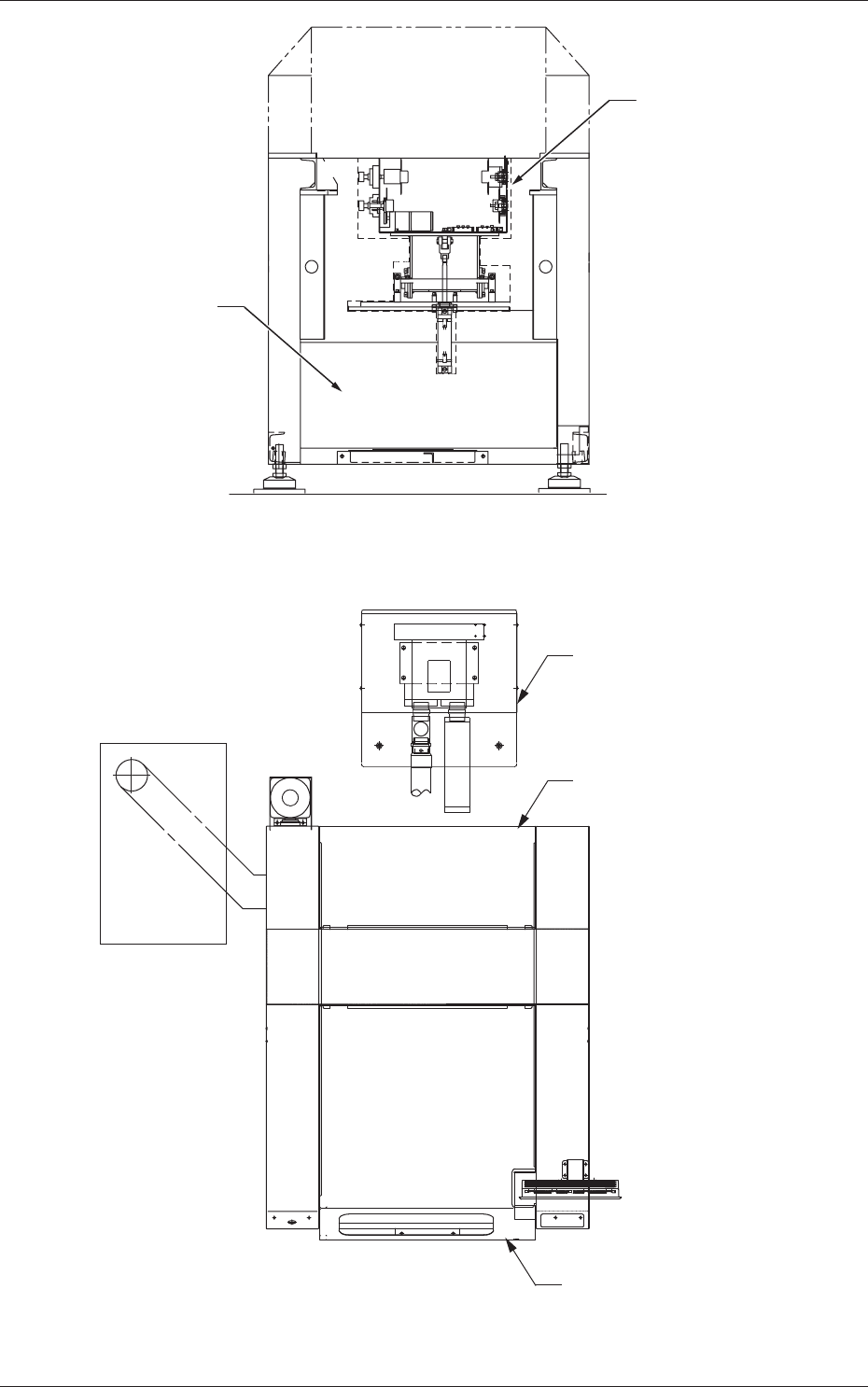
Cleaning Section
Rear Side of Machine
Control Box Section
Fig. 4A4
Blower Unit (Vacuum Source)
Top View of Machine
Door Section (Rear Side)
Door Section (Front Side)
Fig. 4A5
1-15 AKOEMT-ID
3.2 Understanding of Maintenance Items on Each
Section
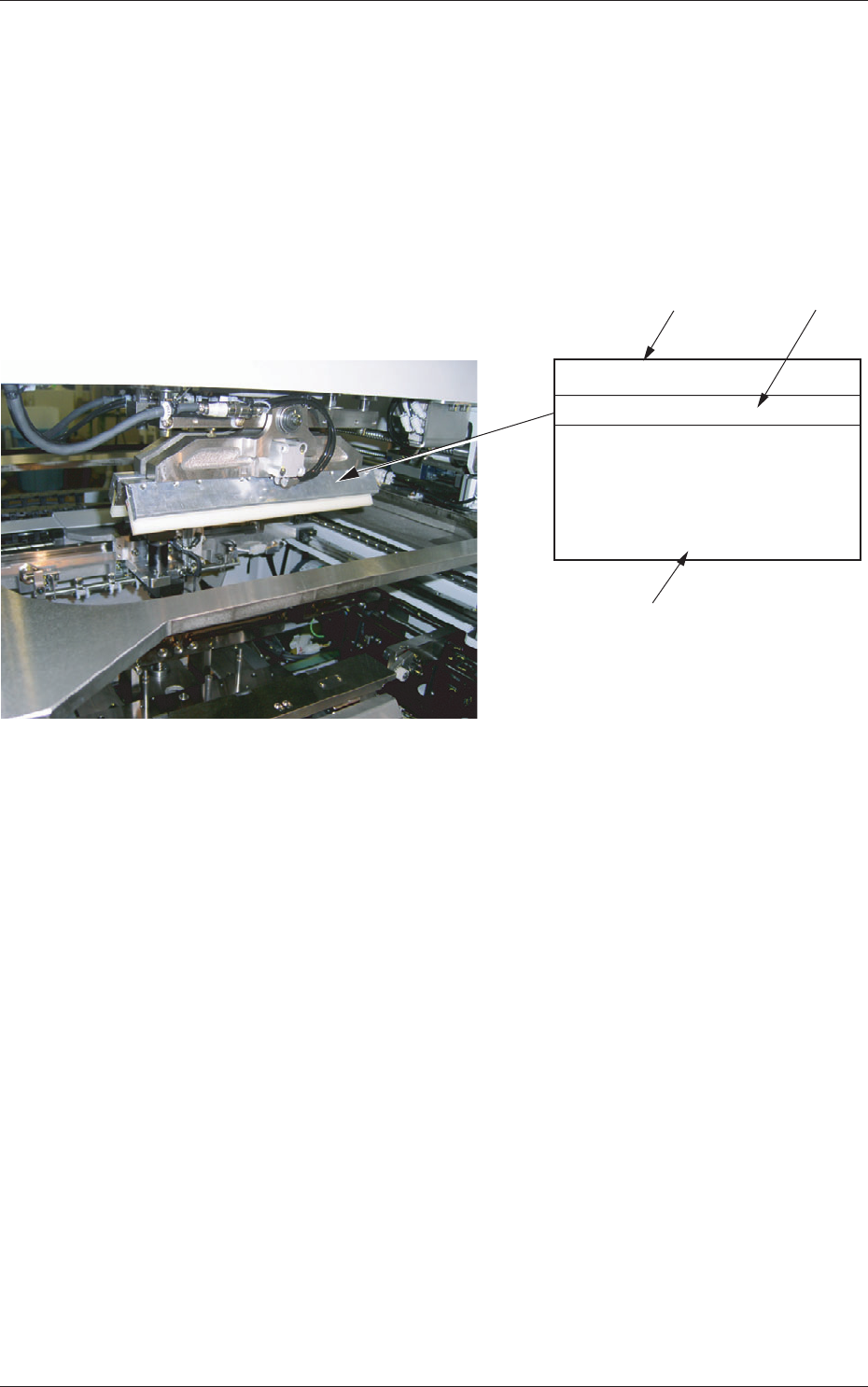
The following describes how to view the description of each field (numbered
fields) in "3.3 Inspection, Cleaning, and Lubrication Spots".
View of Inspection, Cleaning, and Lubrication Spots
(Example of Identification)
[1]
[2]
[3]
Squeegee
Every Day Cleaning
Clean the squeegees with a rag
soaked in industrial alcohol
(solvent) or directly with industrial
alcohol (solvent).
Remove deteriorated solder paste.
Fig. 4A6
[1]:
Maintenance Spot
[2]:
Cycle and Contents of Maintenance
[3]:
Details of Maintenance
0609-002
3.2 Understanding of Maintenance Items on Each Section