4OM-1322-006_w.pdf - 第128页
1-60-6 AKOEMT -ID 1004-001 4.7 Cooling Fan Filter Cleaning Procedure Note When the filter is to be attached, attach it with the filter waver pattern direction set to vertical. Filter Waver Pattern Direction set to Vertical…
1-60-5
AKOEMT-ID
1004-001
4.7 Cooling Fan Filter Cleaning Procedure
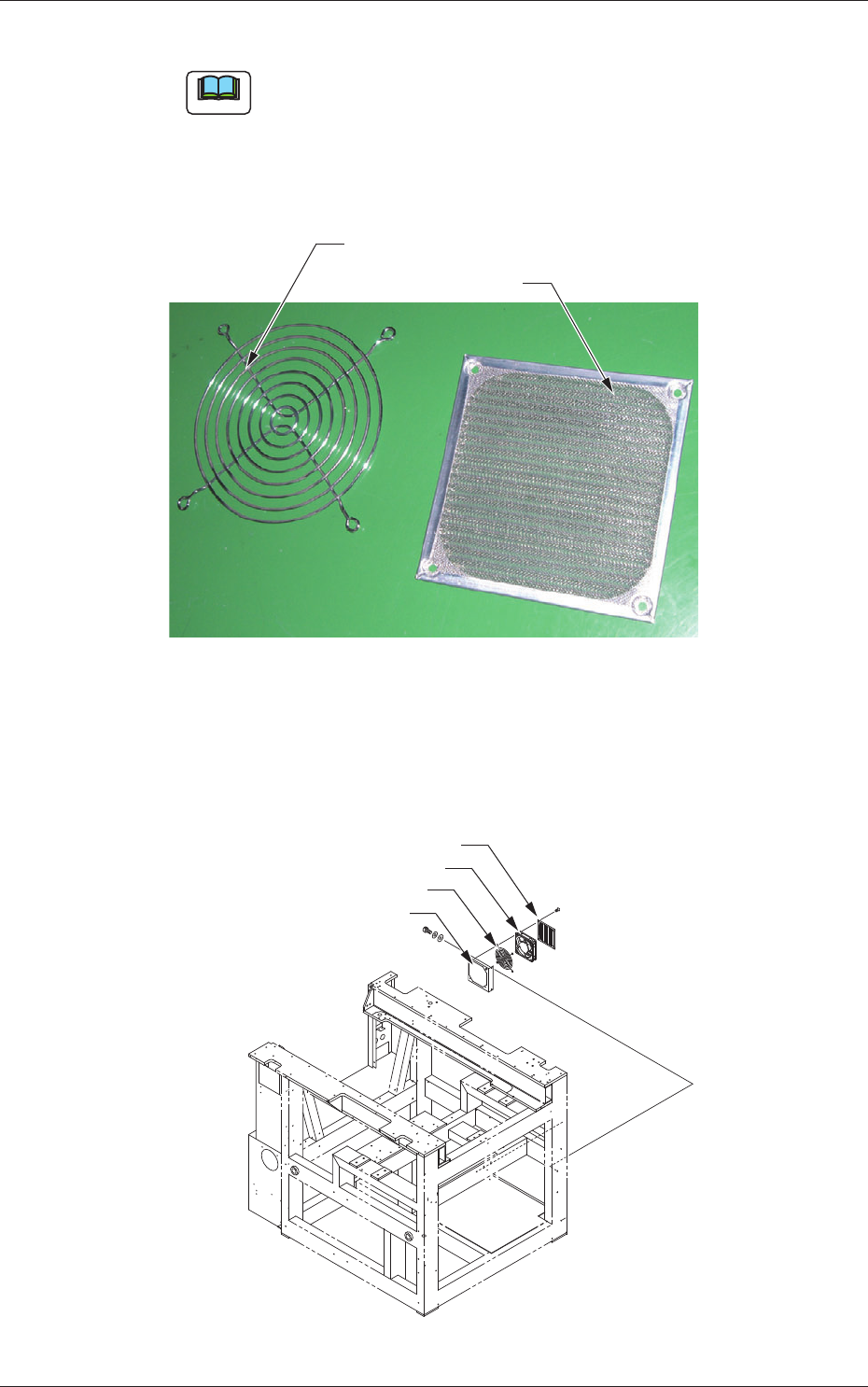
(4) Remove dust on the fan filter using a vacuum cleaner and brush.
Note
(a) In the case that dust cannot be removed using a vacuum cleaner,
dip the filter in water and rub the surface gently using a brush to
remove the dust.
(b) After washing the filter in water without using soap, dry it
completely.
Finger Guard
Fan Filter
Fig. 4A86-8
(5) Attach the fan motor referring to the following figure so that the finger
guard and fan filter attachment operation is performed in the correct
attachment order.
Fan Filter
Fan Motor
Finger Guard
Fan Motor Mounting Plate
Fig. 4A86-9
1-60-6
AKOEMT-ID
1004-001
4.7 Cooling Fan Filter Cleaning Procedure
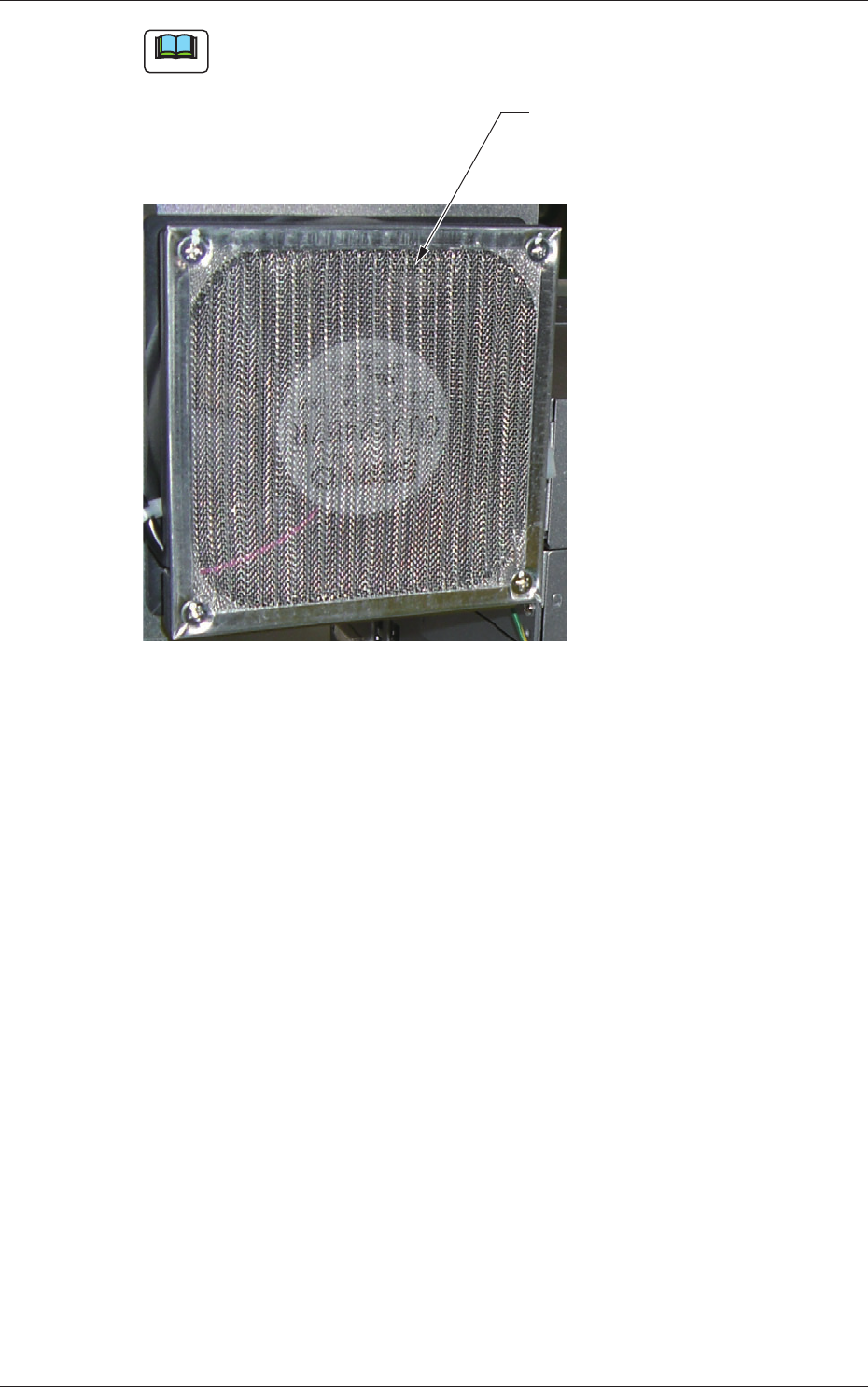
Note
When the filter is to be attached, attach it with the filter waver pattern
direction set to vertical.
Filter Waver Pattern
Direction set to Vertical
Fig. 4A86-10
1-60-7
AKOEMT-ID
1004-001
4.7 Cooling Fan Filter Cleaning Procedure
4.7.3 Cleaning Procedure for the Fan Filter in the Control Personal
Computer
(1) Turn OFF the power to the machine. (Turn OFF the main breaker).
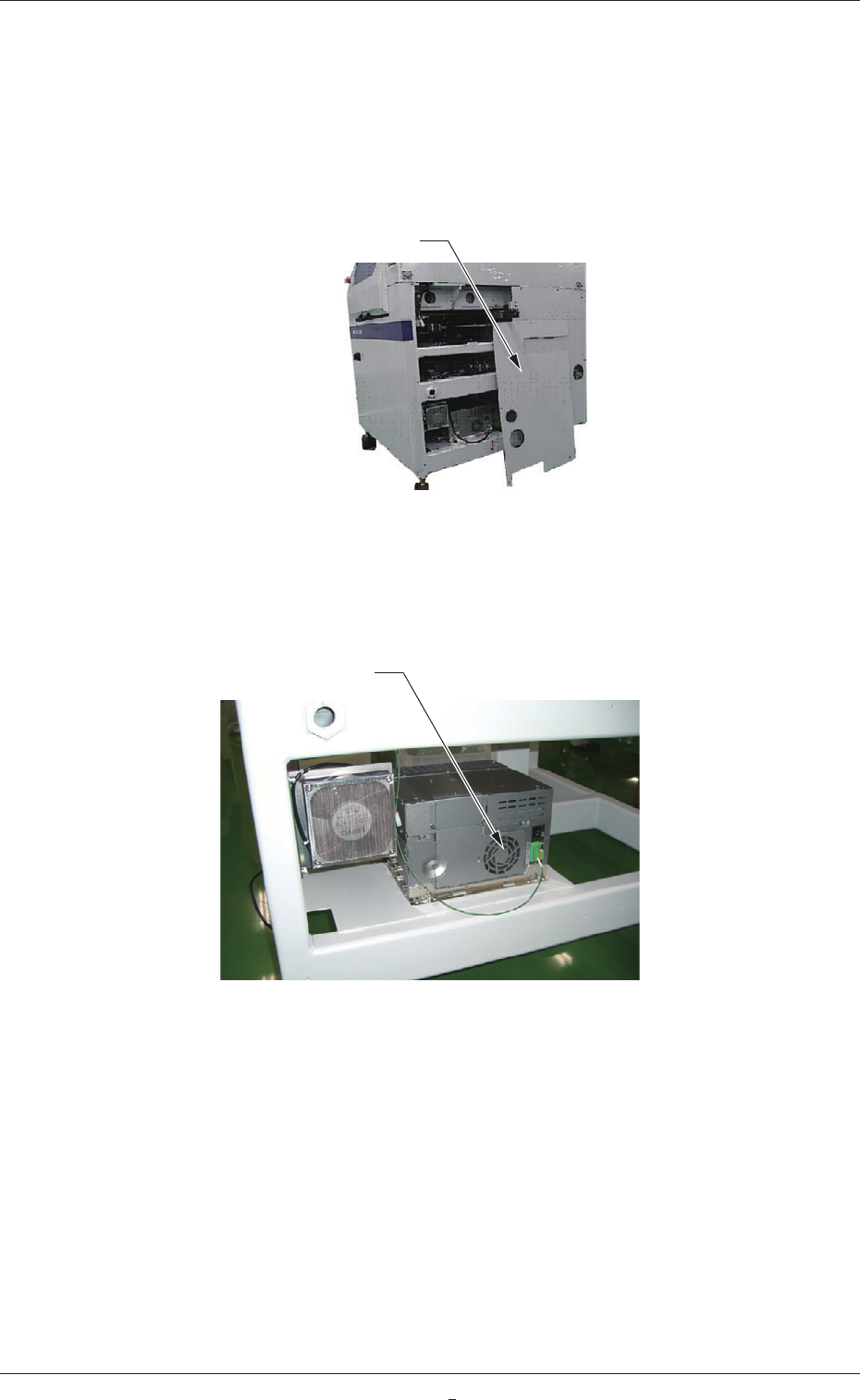
(2) Remove the machine right side cover.
Right Side Cover
Fig. 4A86-11
(3) Clean the filter in the control personal computer using a vacuum
cleaner.
Filter
Fig. 4A86-12