4OM-1322-006_w.pdf - 第108页
1-46 AKOEMT -ID (6) Open the two doors on the rear side. Fig. 4A65 (7) Push up the levers of the take-up and supply rollers and pull out each roller to the front side to detach from the cleaning unit. Supply Roller Take-…
1-45 AKOEMT-ID
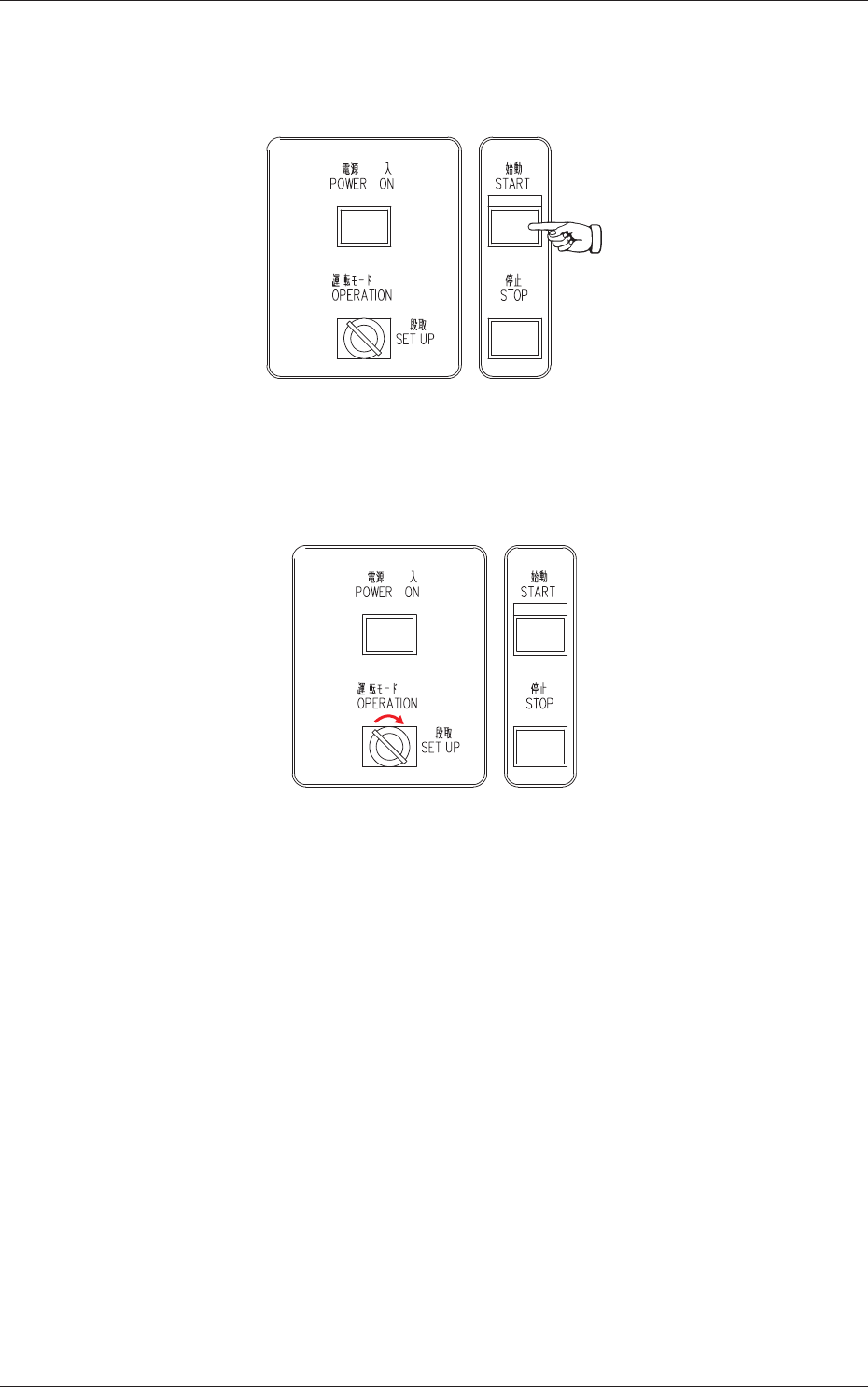
(3) Press the [START] button on the front operation panel.
The PEC recognition and screen holder sections move to the front side
of the machine.
Fig. 4A63
(4) Set the [OPERATION/SET UP] switch on the front operation panel to
the "SET UP" side.
Fig. 4A64
(5) Go back to the rear side of the machine.
0609-002
4.3 Replacement of Cleaning Paper (How to change the cleaning paper width)
1-46 AKOEMT-ID
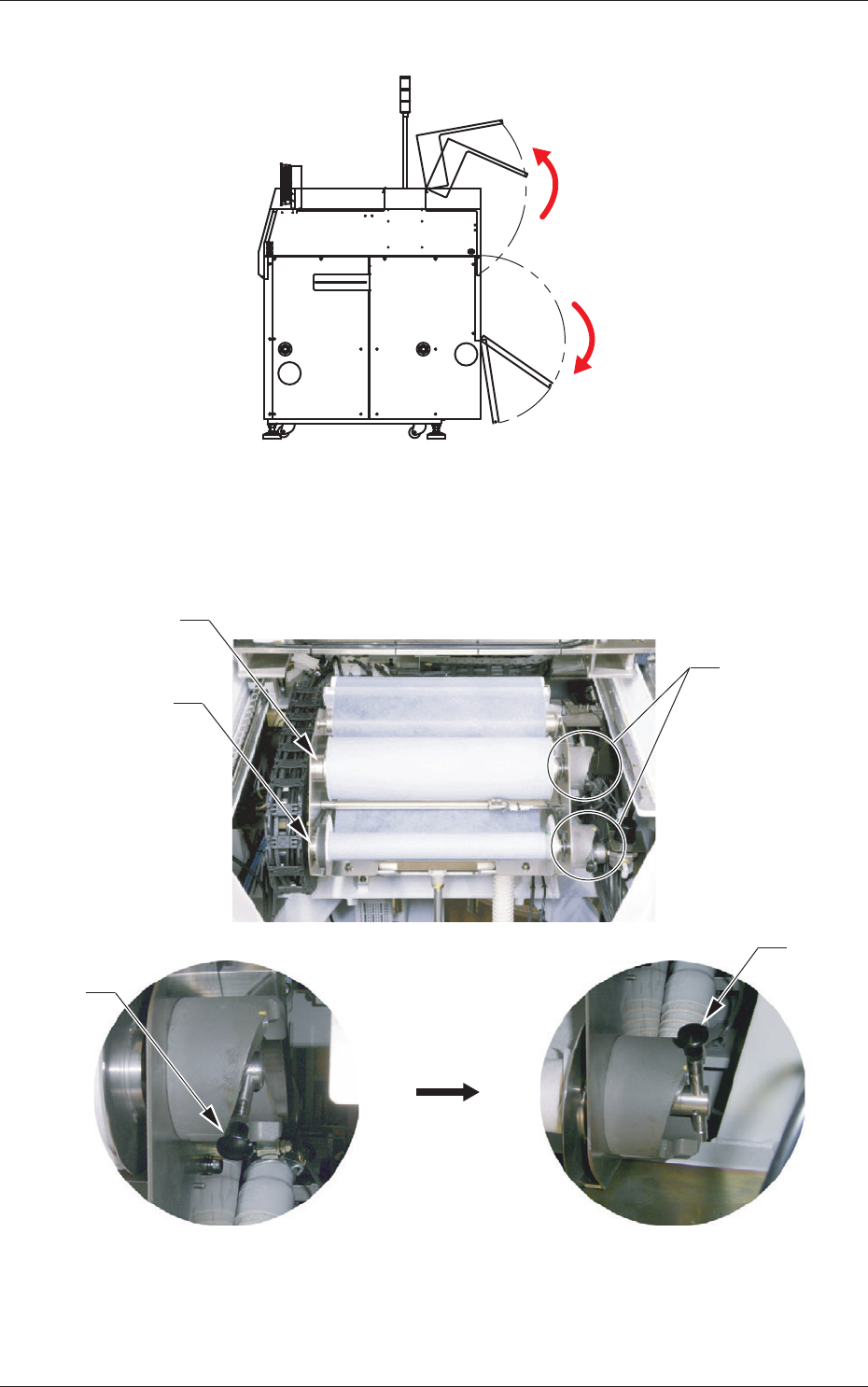
(6) Open the two doors on the rear side.
Fig. 4A65
(7) Push up the levers of the take-up and supply rollers and pull out each
roller to the front side to detach from the cleaning unit.
Supply Roller
Take-Up Roller
Lever
Push up the lever.
Lever
Lever
Fig. 4A66
0609-002
4.3 Replacement of Cleaning Paper (How to change the cleaning paper width)
1-47 AKOEMT-ID
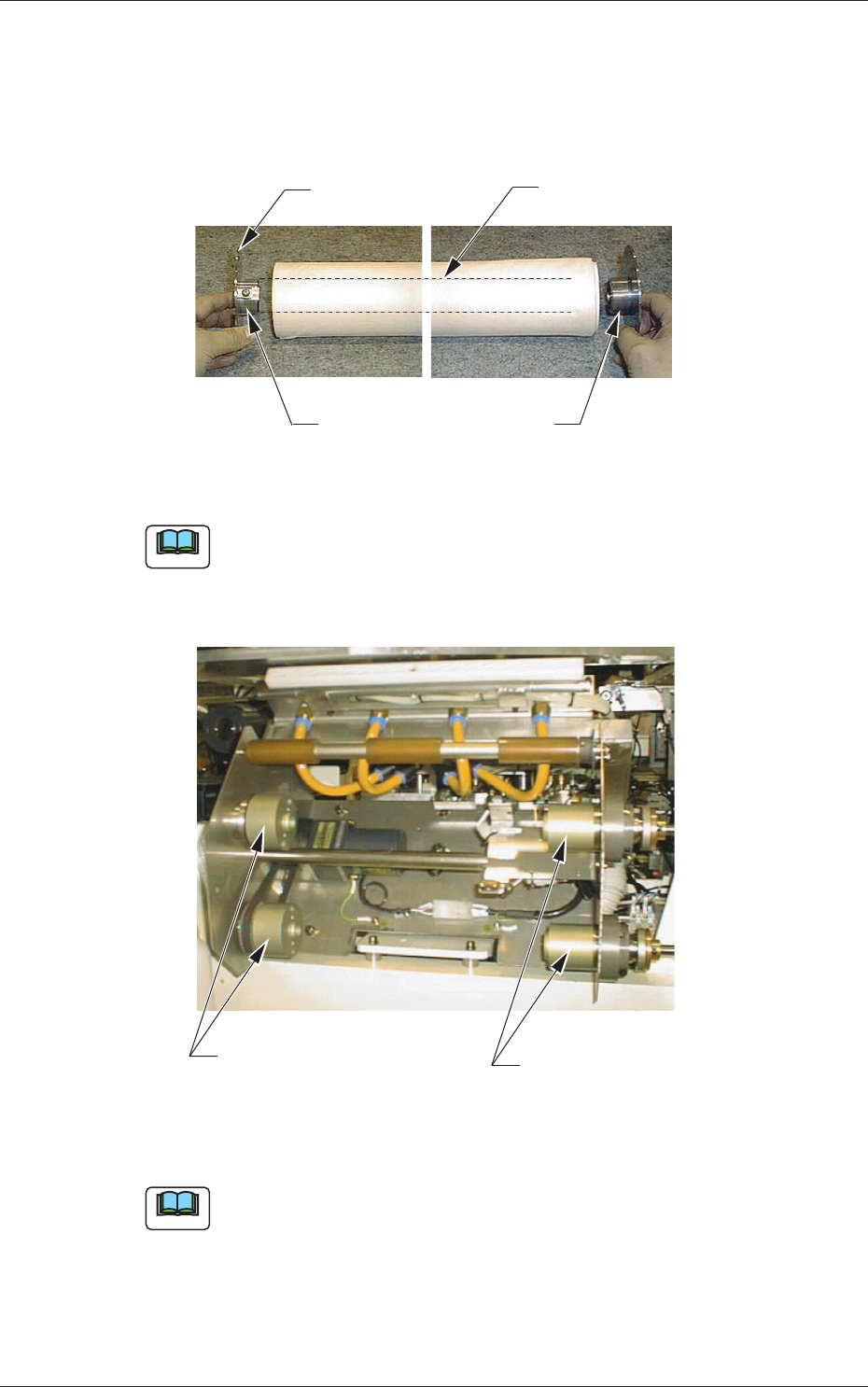
(8) Attach the adapters to the both sides of the roll core on the supply roller
side (new paper side).
Press-fit the left adapter to the roll core so that the roll core end can be
attached tightly to the ring of the left adapter.
Roll Core
Ring
Left Adapter
Right Adapter
Fig. 4A67
Note
Be sure to use the correct adapter.
The left adapter has a screw.
(9) Adjust the spacers to change the paper width. (Option)
Left Spacers:
M4×25 (2 pcs.)
Right Spacers:
M4×40 (2 pcs.)
Fig. 4A68
Note
(a) To change the paper width (350 mm) to "280 mm", attach the right
and left spacers.
(b) To change the paper width (280 mm) to "350 mm", detach the right
and left spacers.
0609-002
4.3 Replacement of Cleaning Paper (How to change the cleaning paper width)