4OM-1322-006_w.pdf - 第99页
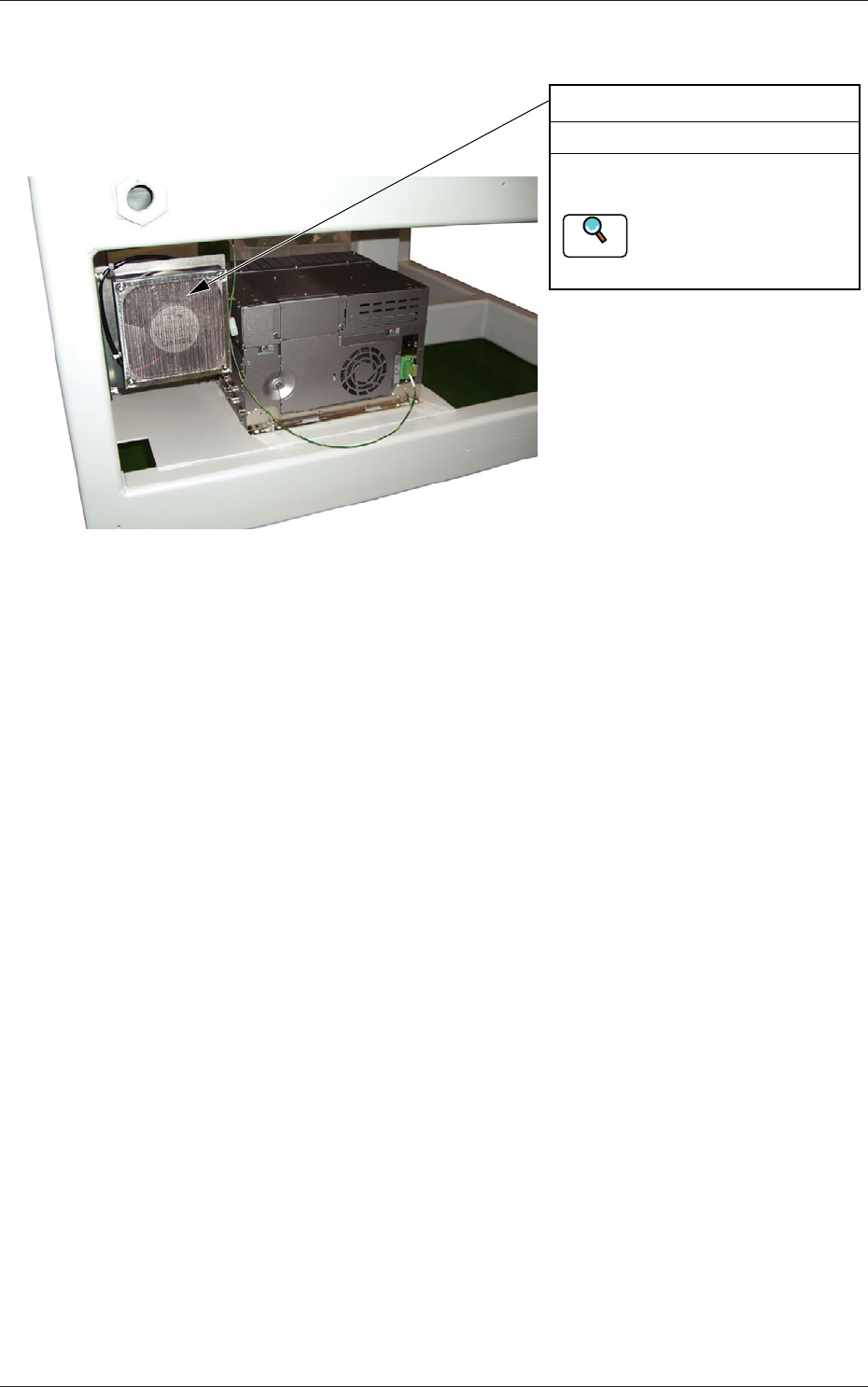
1-37-3 AKOEMT -ID 1004-001 3.3 Inspection, Cleaning, and Lubrication Spots 3.3.13 Control Computer Section Fan Motor Every 6 Months Cleaning Remove the fan filter and remove dust using a vacuum cleaner . Refer to "4…
1-37-2
AKOEMT-ID
1004-001
3.3 Inspection, Cleaning, and Lubrication Spots
3.3.12 Main Body Section
Fan Motor
Every 6 Months Cleaning
Remove the fan filter and remove
dust using a vacuum cleaner.
Refer to "4.7 Cooling Fan
Filter Cleaning Procedure"
for the details.
Reference
Fig. 4A39-2
1-37-3
AKOEMT-ID
1004-001
3.3 Inspection, Cleaning, and Lubrication Spots
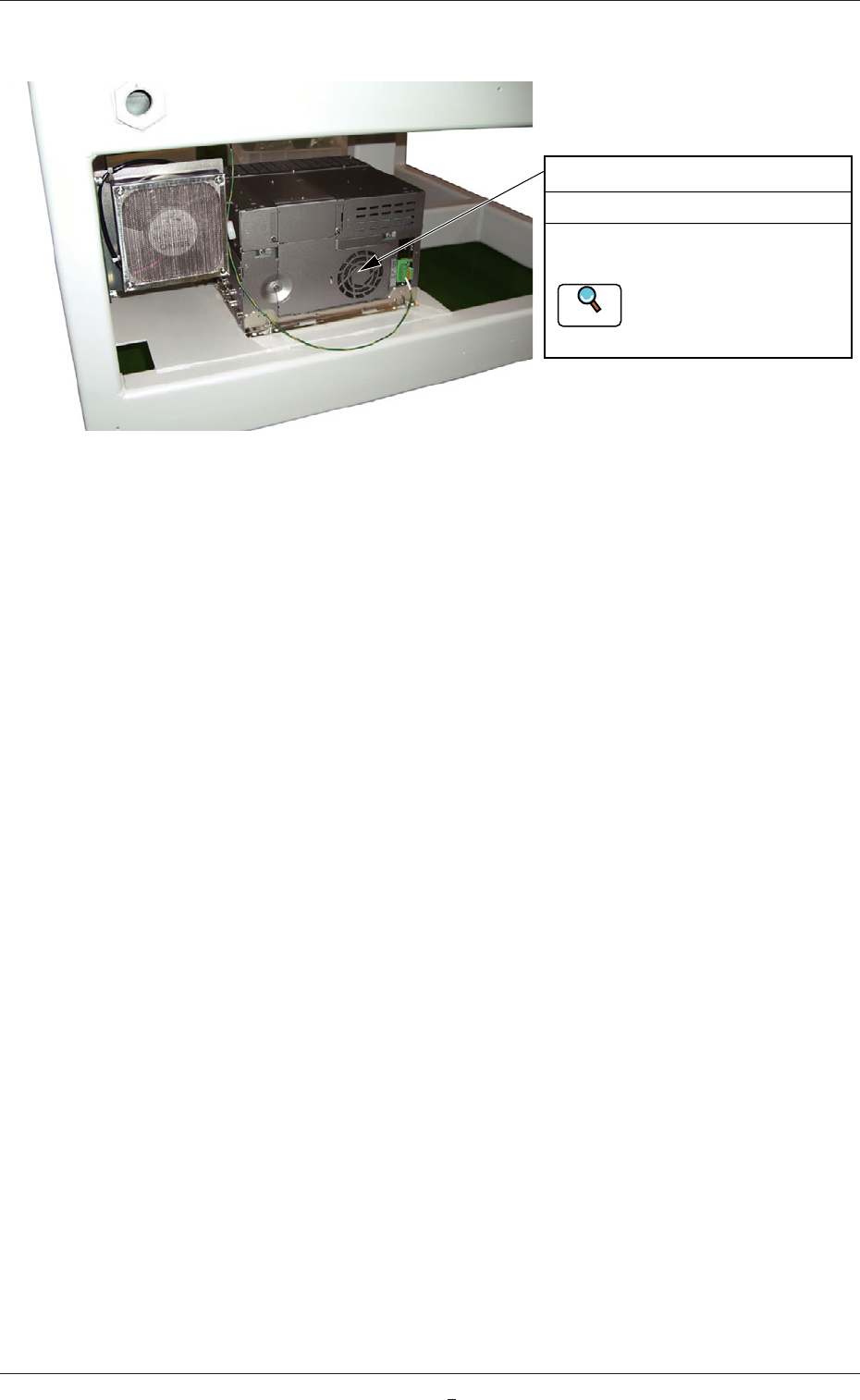
3.3.13 Control Computer Section
Fan Motor
Every 6 Months Cleaning
Remove the fan filter and remove
dust using a vacuum cleaner.
Refer to "4.7 Cooling Fan
Filter Cleaning Procedure"
for the details.
Reference
Fig. 4A39-3
1-38 AKOEMT-ID
4. Maintenance Method
4.1 Replacement and Adjustment of Consumables
4.1.1 Replacement of Squeegee
When the squeegee edge is worn out or deformed by solvent, etc., replace
the squeegee with a new one to avoid any hindrance in printing.
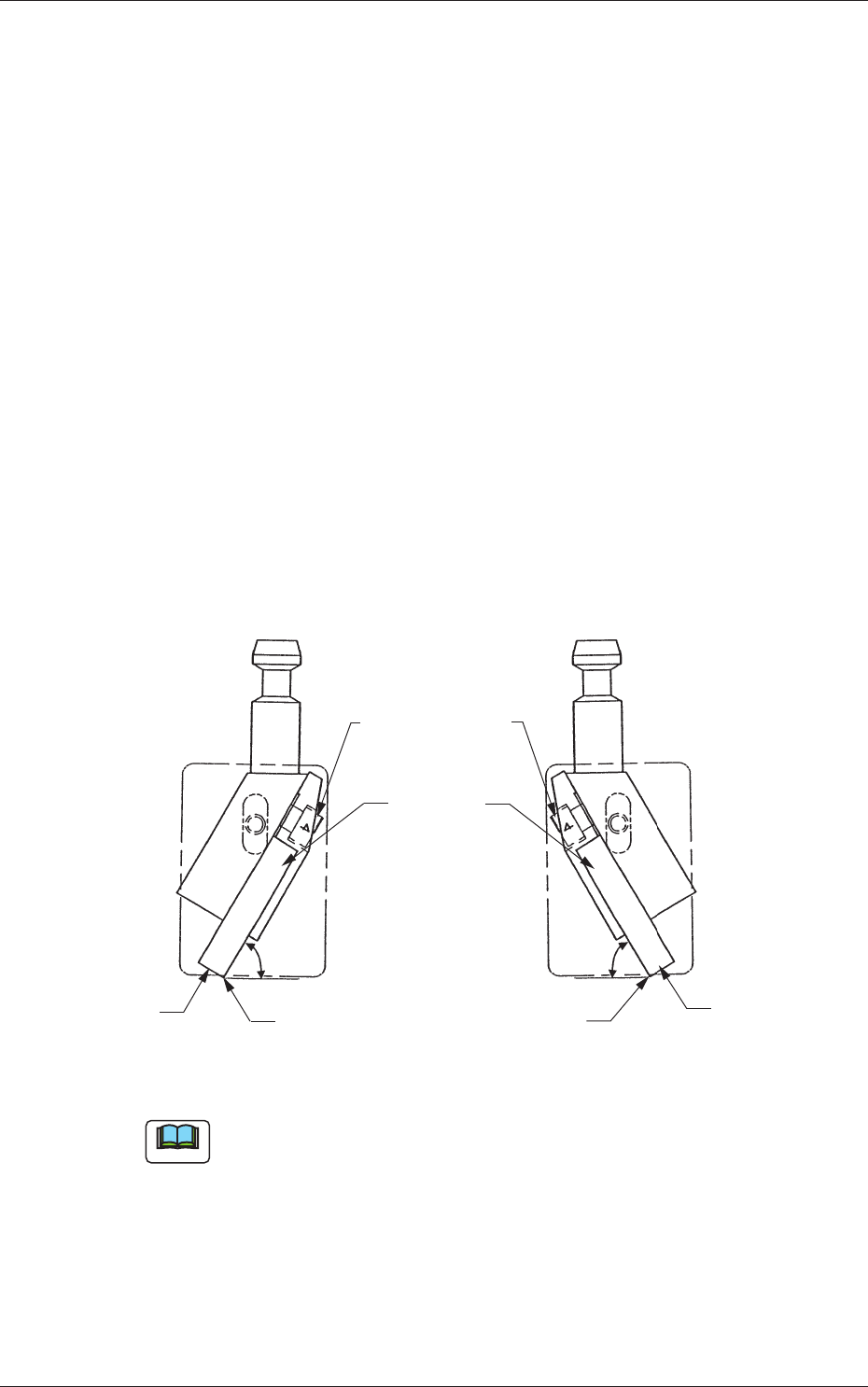
• Loosen the squeegee anchor bolts and detach the squeegee.
• Attach a new squeegee as shown in Fig. 4A54 and tighten the anchor
bolts. At this time, be sure to push Plane A
of the squeegee against the flat
surface such as a surface plate and tighten the bolts evenly without any
warpage.
• After tightening the bolt, push the squeegee against a straight surface
such as a surface plate (edge portion) and confirm that there is no
clearance.
Perform the adjustment while the squeegee angle is at 60° (fixed) to the
surface plate.
60�
60�
Squeegees Anchor
Bolts
Squeegees
Plane A
Plane A
Edge Portion
Edge Portion
Fig. 4A54
Note
It is recommended that Plane A should be ground to secure the straightness
with the squeegee being attached for good printing quality.
Especially, the squeegee with its straightness being well maintained
works effectively for finely-pitched pattern printing and accurate
coating (thickness) of paste.
0609-002
4. Maintenance Method