4OM-1322-006_w.pdf - 第121页
1-59 AKOEMT -ID (4) Set the [OPERA TION/SET UP] switch on the front operation panel to the "SET UP" side. Fig. 4A84 (5) Go back to the rear side of the machine. (6) Open the two doors on the rear side. Fig. 4A8…
1-58 AKOEMT-ID
Operation Procedure
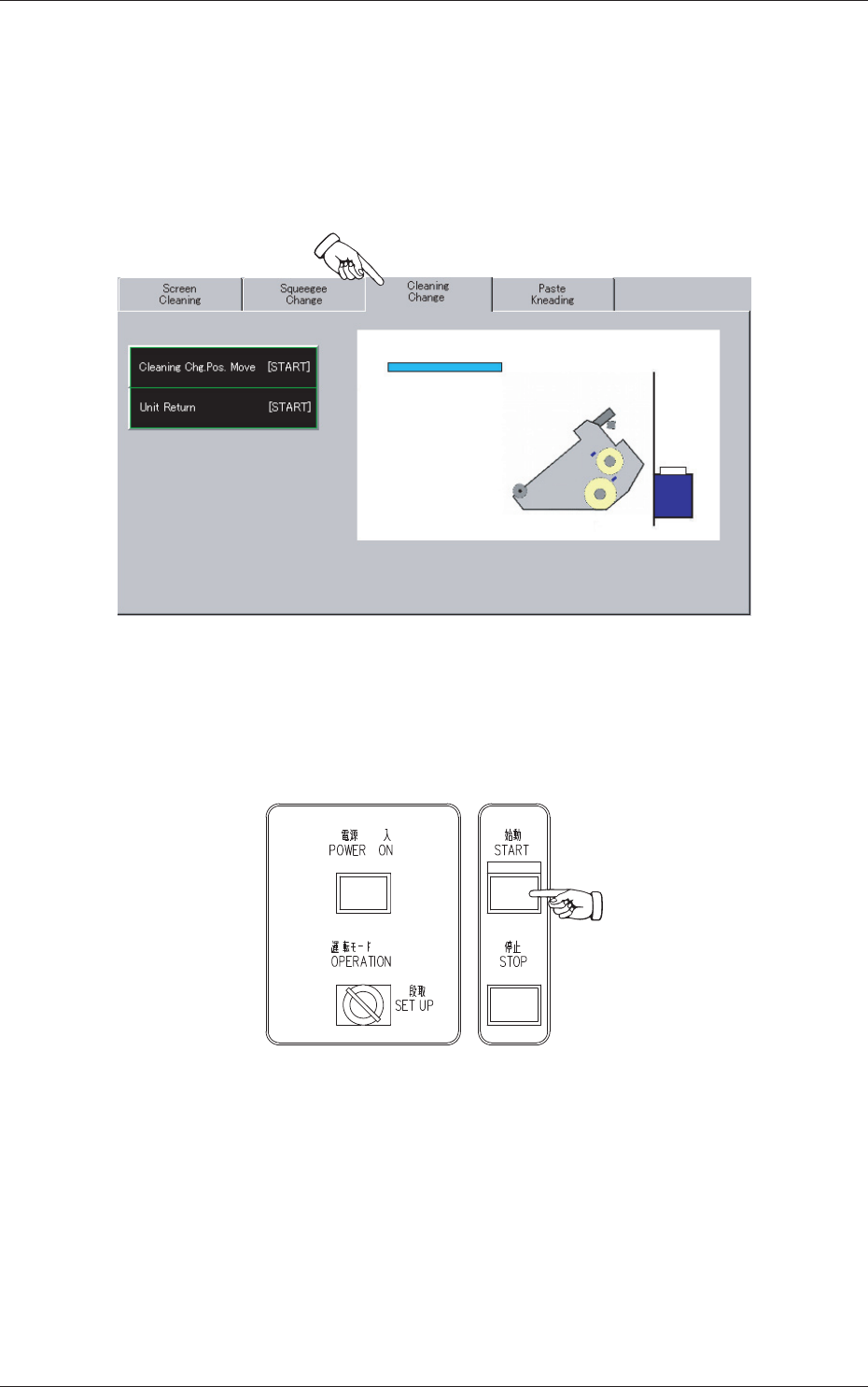
(1) Press the "Cleaning Change" tab.
(2) Press the [Cleaning Chg. Pos. Move [START]] button.
The background color of the button turns blue, indicating that it is
selected.
Fig. 4A82
(3) Press the [START] button on the front operation panel.
The PEC recognition and screen holder sections move to the front side
of the machine.
Fig. 4A83
0704-003
4.6 Cleaning Procedure of Cleaning Unit
1-59 AKOEMT-ID
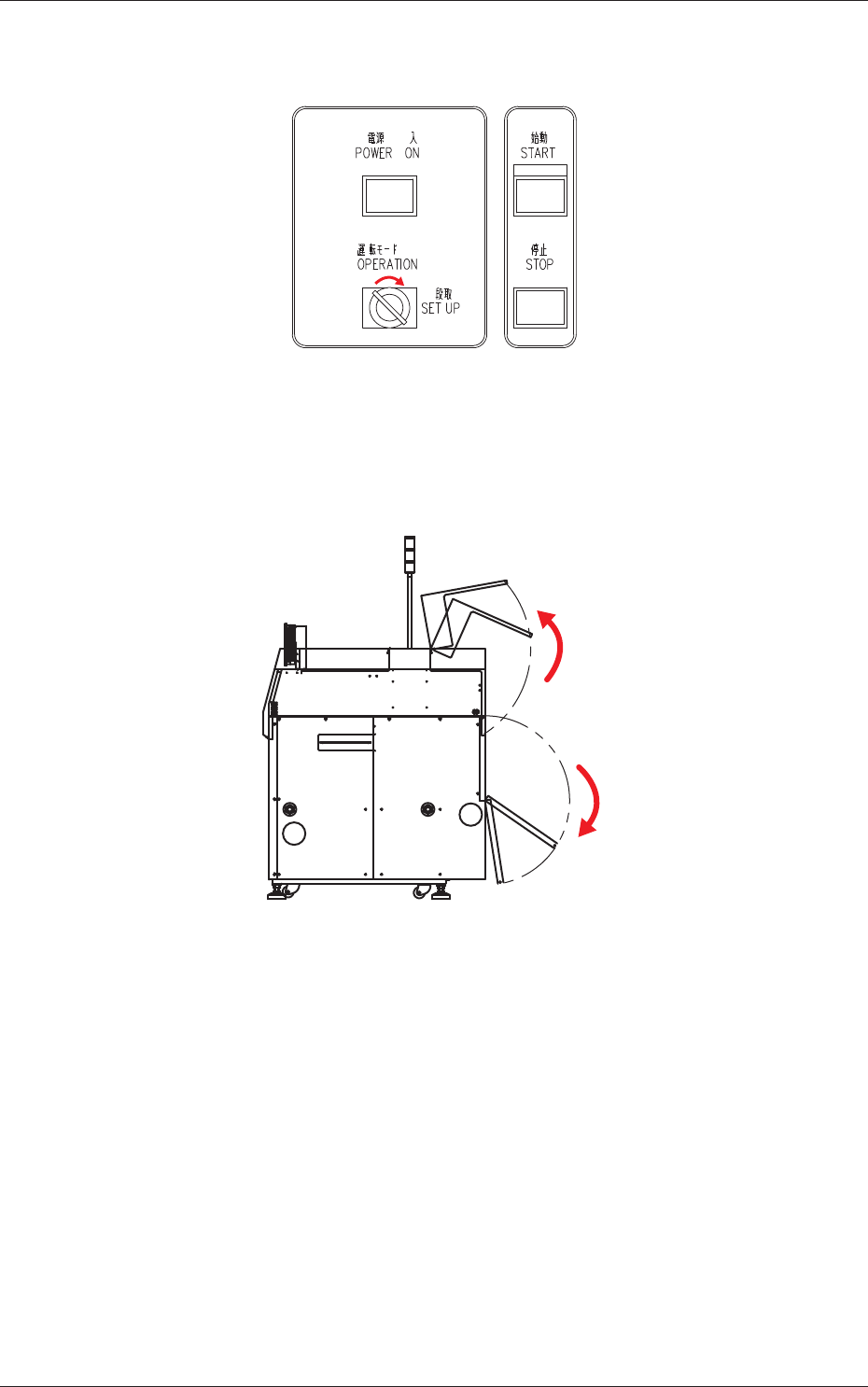
(4) Set the [OPERATION/SET UP] switch on the front operation panel to
the "SET UP" side.
Fig. 4A84
(5) Go back to the rear side of the machine.
(6) Open the two doors on the rear side.
Fig. 4A85
0704-003
4.6 Cleaning Procedure of Cleaning Unit
1-60
AKOEMT-ID
1004-004
4.6 Cleaning Procedure of Cleaning Unit
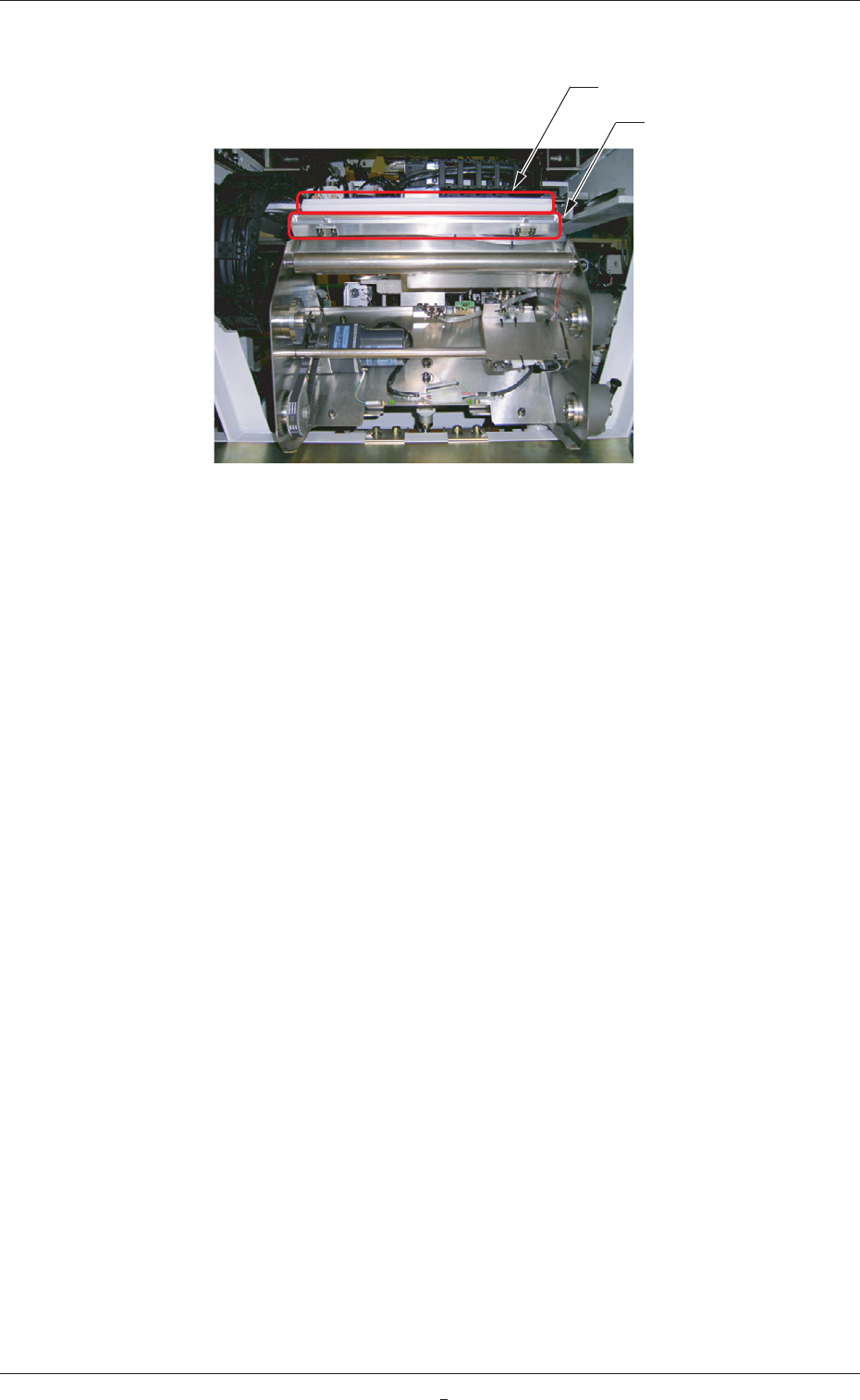
(7) Clean the squeegee block and the cleaning nozzle.
Squeegee Block
Cleaning Nozzle
Fig. 4A86