00192405-02.pdf - 第138页
4 Component handling User Manual SIPLACE S-25 HM 4.5 Used tape c utter S oftware Version SR .502.xx 01/ 2001 US Edition 138 PLEAS E NOTE On SIPLA CE automatic placeme nt syste ms, only use the tape f eeder mod ules sp ec…
User Manual SIPLACE S-25 HM 4 Component handling
Software Version SR.502.xx 01/2001 US Edition 4.5 Used tape cutter
137
4.5.2 Inserting the tape into the tape cutter
4
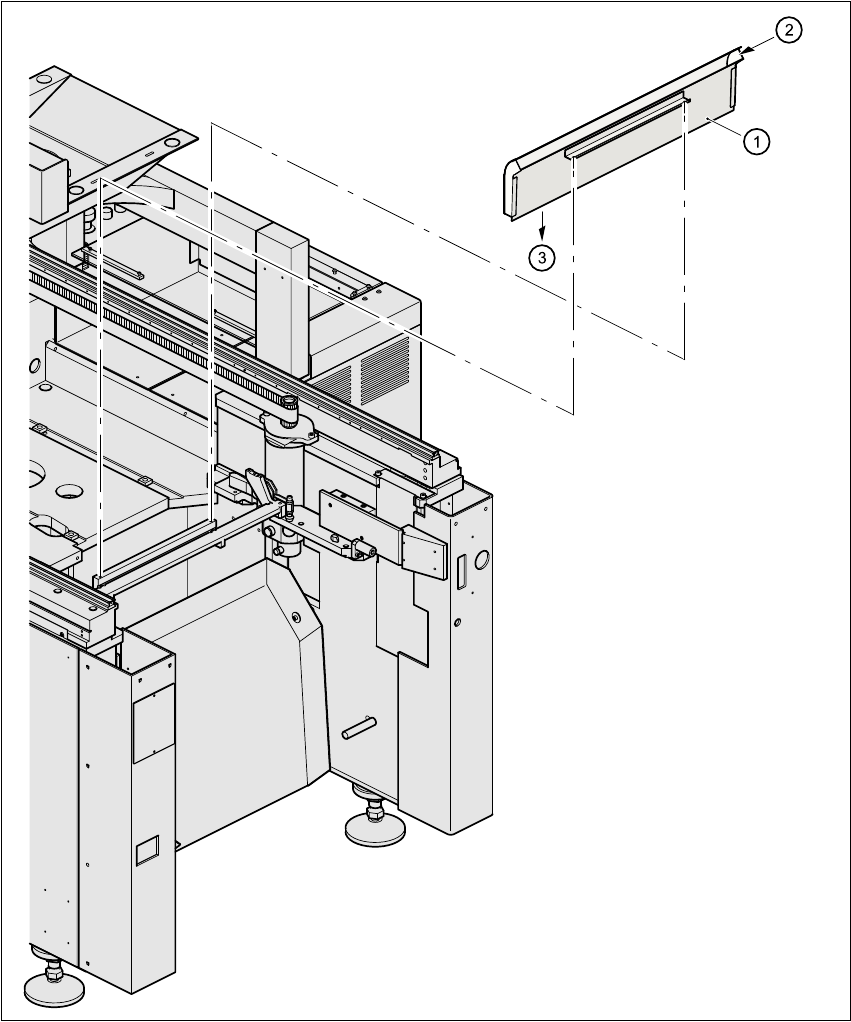
Fig. 4.5 - 2 Inserting the tape into the tape cutter
(1) Used tape channel
(2) Used tape
(3) To used tape cutter
4 Component handling User Manual SIPLACE S-25 HM
4.5 Used tape cutter Software Version SR.502.xx 01/2001 US Edition
138
PLEASE NOTE
On SIPLACE automatic placement systems, only use the tape feeder modules specified for
these machines. The used tape channel which removes the used tape is located upstream of
the feeder modules. 4
Å Insert the tape into the feeder as described in the corresponding section.
Å Guide the used tape into the used tape channel of the cutter as described in Fig. 4.5 - 2
The used tape guide channels are located upstream of the feeder modules. They are posi-
tioned directly above the used tape cutters. 4
The tape is automatically guided through the used tape guide channel into the used tape cutter
below. There, the tape is shredded by the pneumatically-actuated cutting blade. The waste
tape then passes via the waste tape chute into the waste container. 4
4
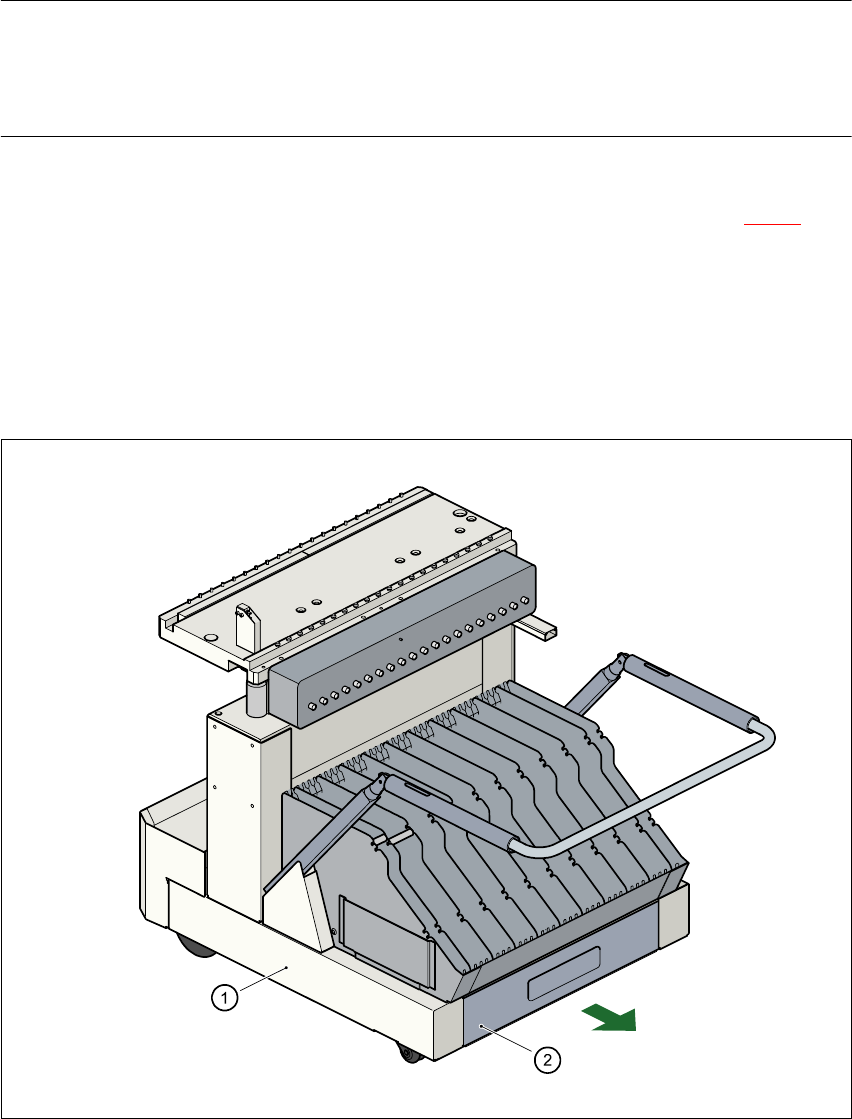
Fig. 4.5 - 3 Used tape container in the component changeover table, withdrawable
(1) Component changeover table
(2) Used tape container, withdrawable
User Manual SIPLACE S-25 HM 4 Component handling
Software Version SR.502.xx 01/2001 US Edition 4.6 Component table, mobile
139
4.6 Component table, mobile
4.6.1 Safety instructions for docking and undocking the mobile component
table
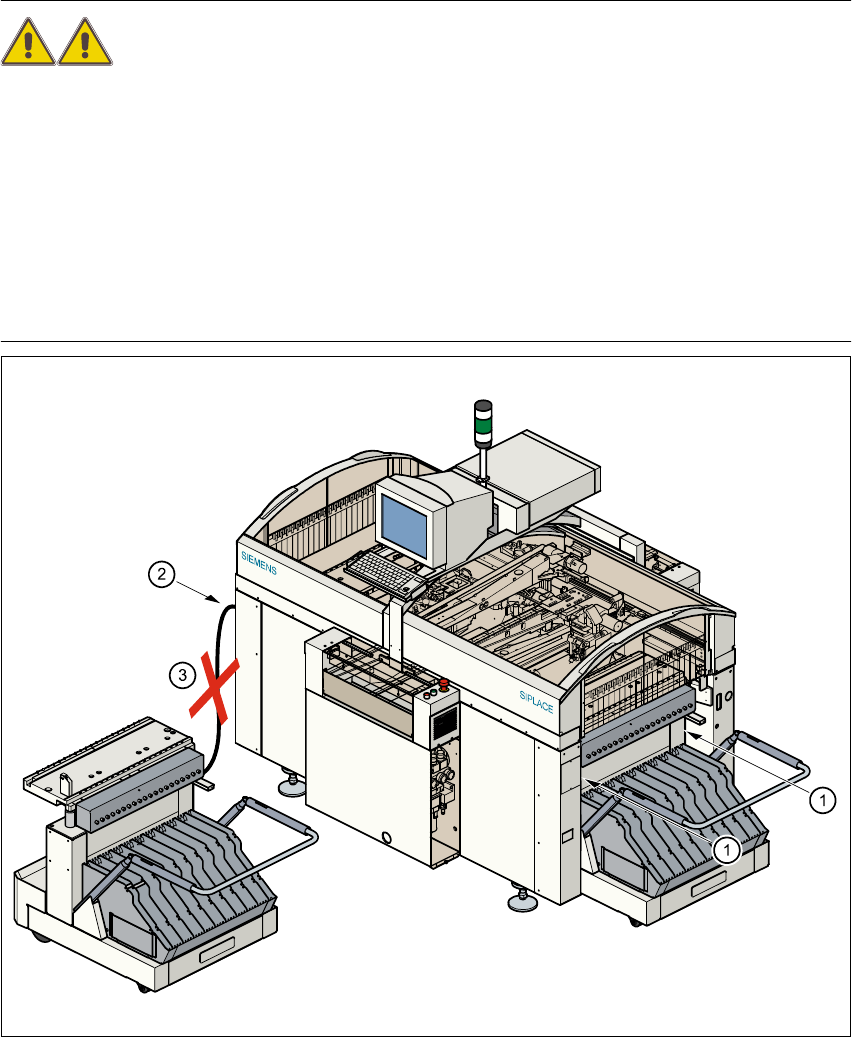
WARNING 4
Å Never reach into the gap between the component tables and the placement system frame
while the machine is running (item 1).
Å Always check that the component table is docked on the placement system before connect-
ing or disconnecting the component table power cable at the socket on the placement sys-
tem (item 2).
Å NEVER connect the component table connecting cable to the socket on the placement sys-
tem and then operate the component table via the external compressed air control unit
(item 3).
Fig. 4.6 - 1 Safety instructions for the mobile component table