00192405-02.pdf - 第158页
5 Station extensions User Manual S IPLACE S-25 H M 5.1 Nozzle changer for the 12-segment collect&place head Software Vers ion SR.502.xx 01/2001 US E dition 158 5.1.7 Position detection There is a positio n detec tion…
User Manual SIPLACE S-25 HM 5 Station extensions
Software Version SR.502.xx 01/2001 US Edition 5.1 Nozzle changer for the 12-segment collect&place head
157
5.1.6 Changing the magazine
Å
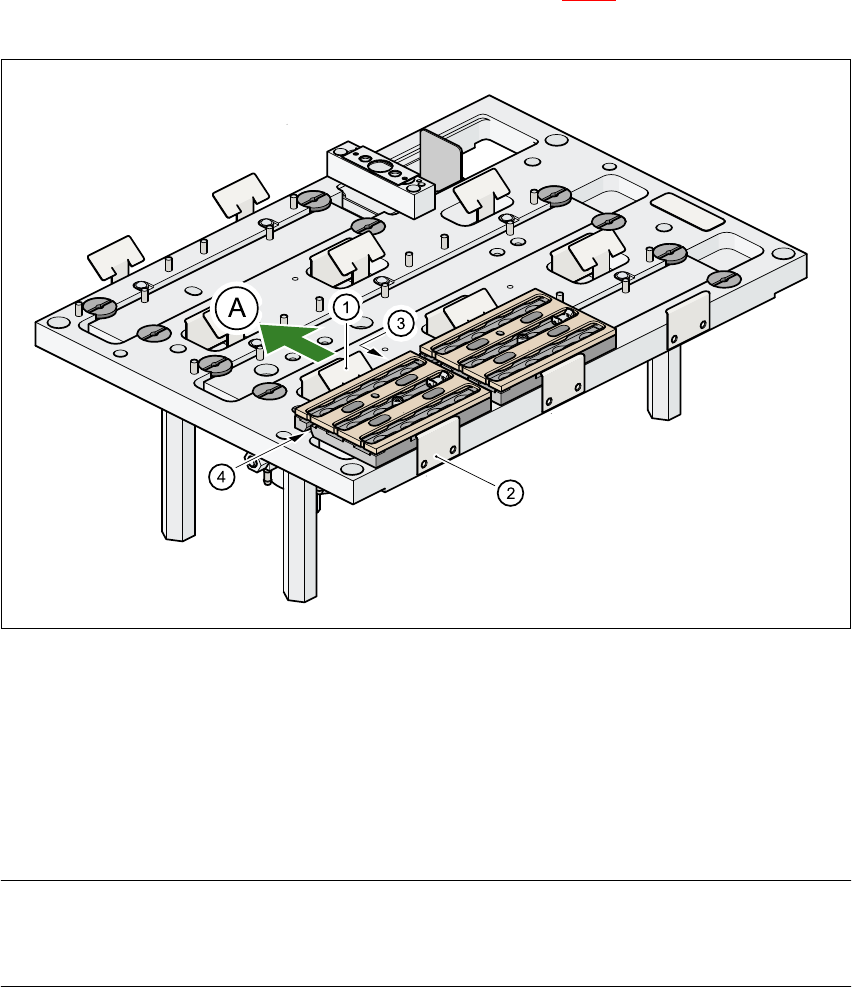
To remove the magazine, push the spring hook (item 1 in Fig. 5.1 - 4) away from the magazine.
Lift the magazine out of the carrier.
Fig. 5.1 - 4 Changing the magazine
(1) Spring hook
(2) Retaining clamp
(3) Centering hole
(4) Slot
(A) Push the spring hook away from the magazine 5
PLEASE NOTE
Make sure that you insert the magazine so that the centering pins slide into the centering hole
(item 3) and slot (item 4). 5
Å First place the side of the magazine with the numbered nozzles 1, 2, 3 and 4 on the carrier.
The retaining clamp (item 2) must slide into the slot in the magazine.
Å Push the spring hook away from the magazine.
Å Press the magazine so that it lies flat on the carrier, then release the spring hook. The spring
hook must latch into place.
5 Station extensions User Manual SIPLACE S-25 HM
5.1 Nozzle changer for the 12-segment collect&place head Software Version SR.502.xx 01/2001 US Edition
158
5.1.7 Position detection
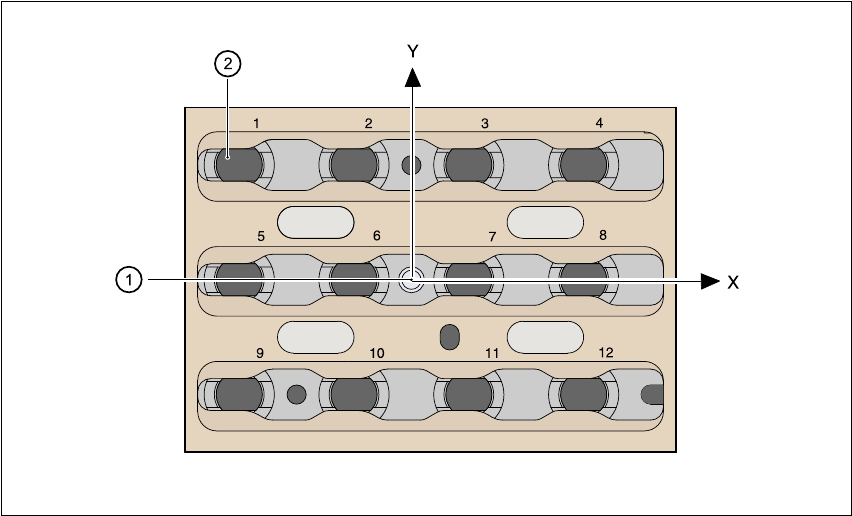
There is a position detection fiducial on every magazine. 5
Fig. 5.1 - 5 Nozzle changer - position detection
(1) Positioning fiducial
(2) Position of the nozzles in the magazine with respect to the positioning fiducial
5
User Manual SIPLACE S-25 HM 5 Station extensions
Software Version SR.502.xx 01/2001 US Edition 5.2 Component barcode
159
5.2 Component barcode
5.2.1 General
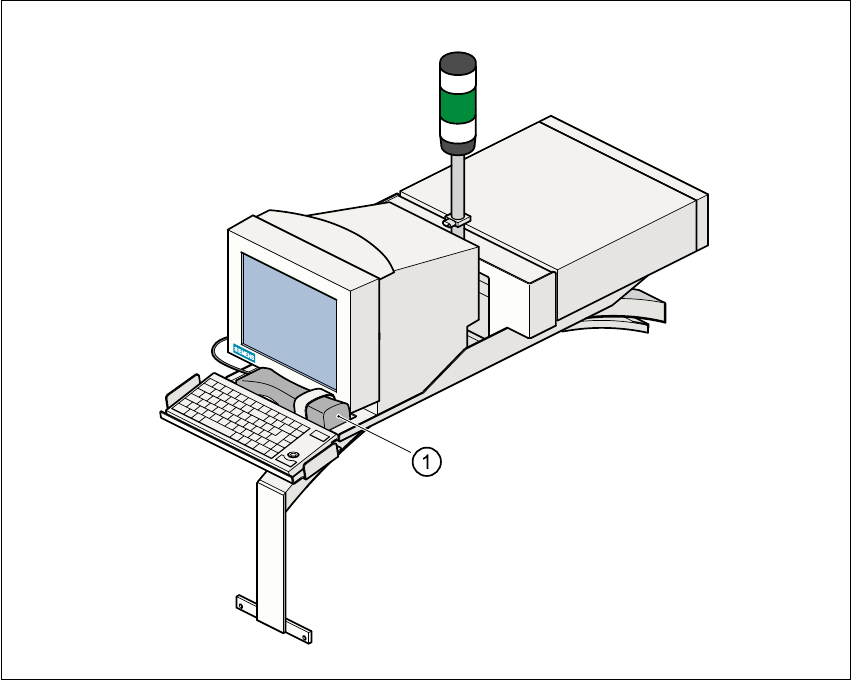
With the placement system, a barcode reader can be used to check that the track allocation is
correct and to read component data from component reels. 5
Fig. 5.2 - 1 Component barcode reader
(1) Component barcode reader