00198519-03_UM_LDU_2_X_DE_EN_CHS-ZH.pdf - 第148页
4 Operation 4.1 Settings in SIPLACE Pro 148 User Manual / Bedienungsanleitung / 用户手册 SIPLACE Linear Dipping Unit 2 X 05/2020 Defining a standard dipping plate ► In the Tools Tree View , select the dipping plate to be def…
4 Operation
4.1 Settings in SIPLACE Pro
User Manual / Bedienungsanleitung / 用户手册 SIPLACE Linear Dipping Unit 2 X 05/2020 147
4.1.2 Defining the dipping plate
Creating a dipping plate object
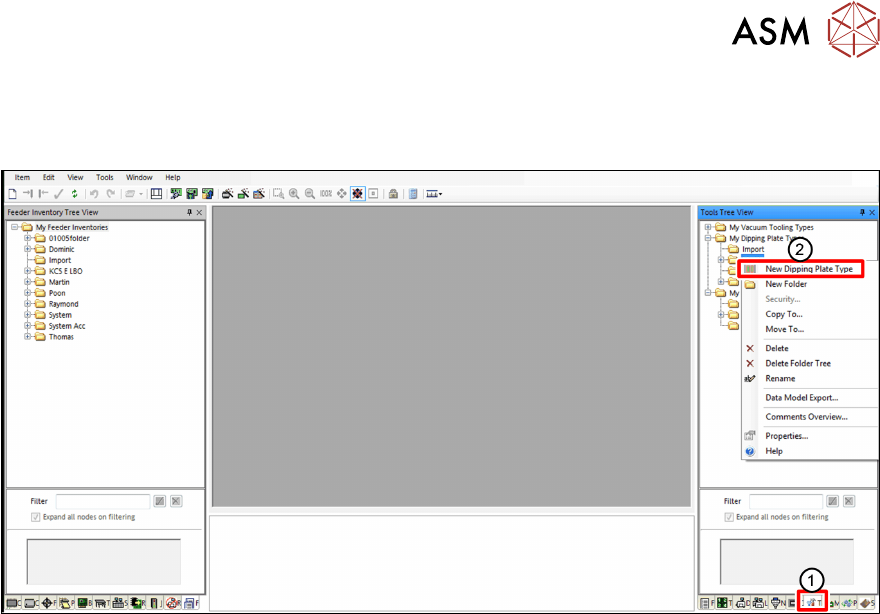
► In SIPLACE Pro, click on the Tools tab(1).
► In the Tools Tree View, right-click on the folder you want to add a new dipping plate to.
► Select New Dipping Plate Type from the menu(2).
There are 3 dipping plate types that can be used with the LDU 2 X:
●
Standard dipping plates with one cavity of a fixed depth
●
Special dipping plates with multiple cavities of fixed depths (cavities on one dipping plate can
have different sizes and depths)
●
Auto Cavity dipping plates with one cavity of an adjustable depth (only for LDU 2 X with Auto
Cavity option)
4 Operation
4.1 Settings in SIPLACE Pro
148 User Manual / Bedienungsanleitung / 用户手册 SIPLACE Linear Dipping Unit 2 X 05/2020
Defining a standard dipping plate
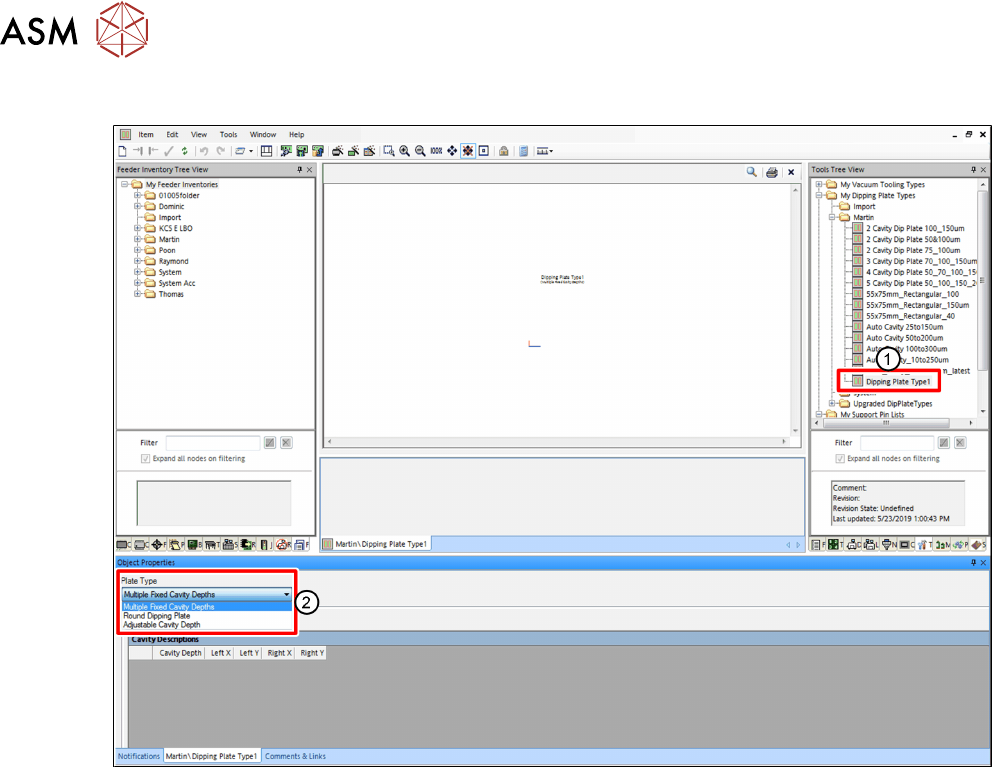
► In the Tools Tree View, select the dipping plate to be defined(1).
► In the Object Properties area, select Multiple Fixed Cavity Depths from the Plate Type
menu(2).
4 Operation
4.1 Settings in SIPLACE Pro
User Manual / Bedienungsanleitung / 用户手册 SIPLACE Linear Dipping Unit 2 X 05/2020 149
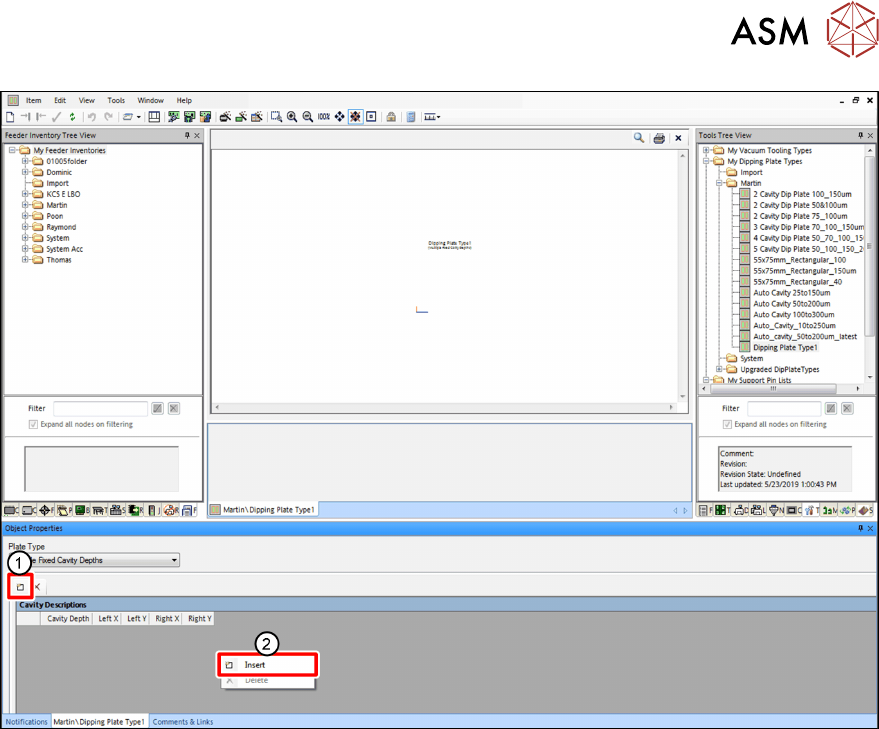
► Click on the Insert icon(1) or, alternatively, right-click on the gray area and select Insert from
the menu(2)
.