00198519-03_UM_LDU_2_X_DE_EN_CHS-ZH.pdf - 第179页
4 Operation 4.8 Operating the control unit via user interface User Manual / Bedienungsanleitung / 用户手册 SIPLACE Linear Dipping Unit 2 X 05/2020 179 4.8 Operating the control unit via user interface NOTICE Target group: se…
4 Operation
4.7 Performing a self-test
178 User Manual / Bedienungsanleitung / 用户手册 SIPLACE Linear Dipping Unit 2 X 05/2020
4.7 Performing a self-test
NOTICE
Target group: setup operator
The procedure described is a task that occurs irregularly and should only be carried out by
a trained operator with special knowledge (setup operator).
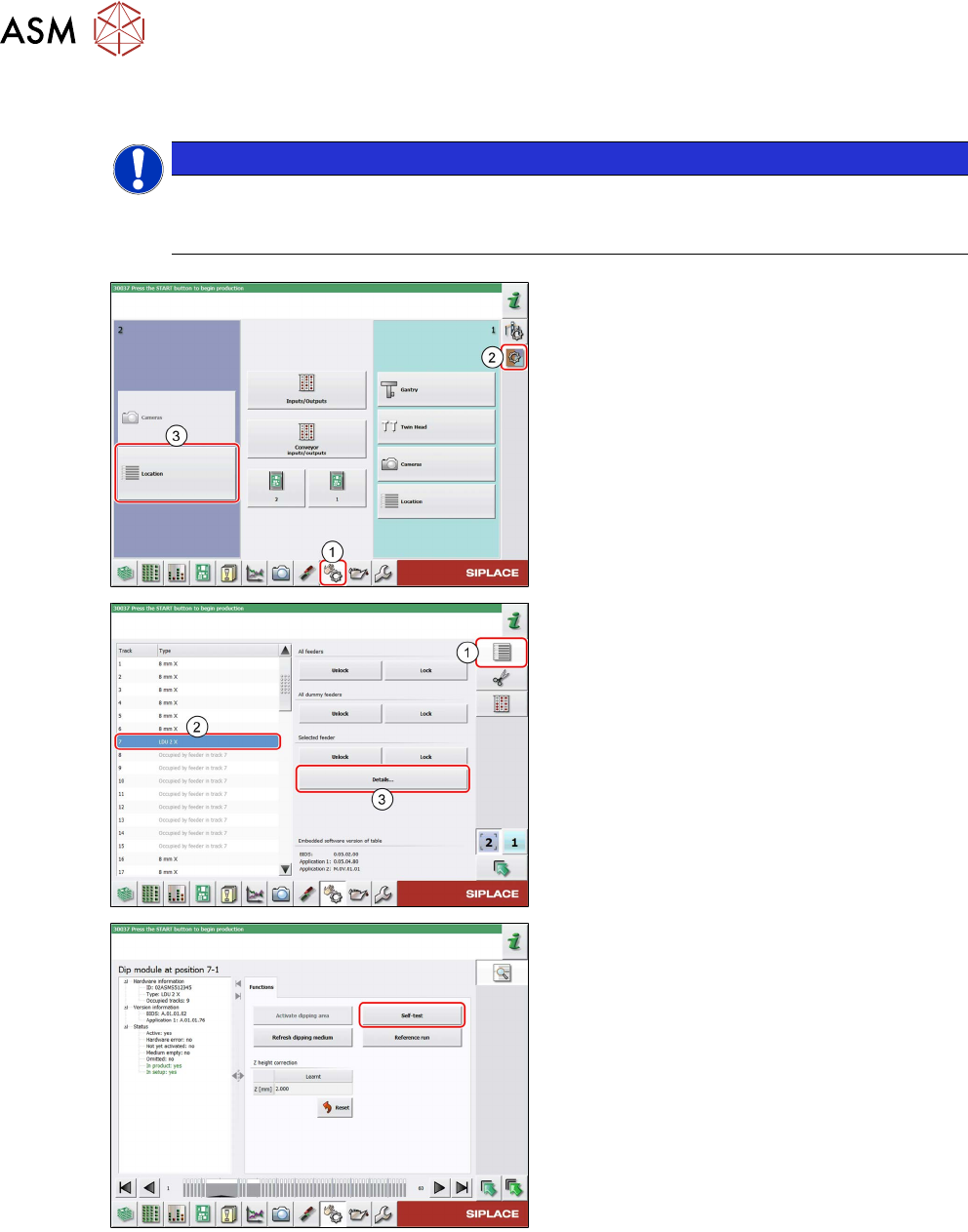
► In the station software, select the Single
functions view(1) and then the Subsys-
tems area (2).
► Select the Location (3) on which the LDU
is set up.
► Select the Feeder area (1).
► Select the LDU in the list of set up feeders (2).
► Click on the Details…button (3).
► Click on the Self-test button.
The LDU performs a self-test.
4 Operation
4.8 Operating the control unit via user interface
User Manual / Bedienungsanleitung / 用户手册 SIPLACE Linear Dipping Unit 2 X 05/2020 179
4.8 Operating the control unit via user interface
NOTICE
Target group: setup operator
The procedure described is a task that occurs irregularly and should only be carried out by
a trained operator with special knowledge (setup operator).
NOTICE
Operating the control unit via GUI can be done by any trained operator.
Logging off
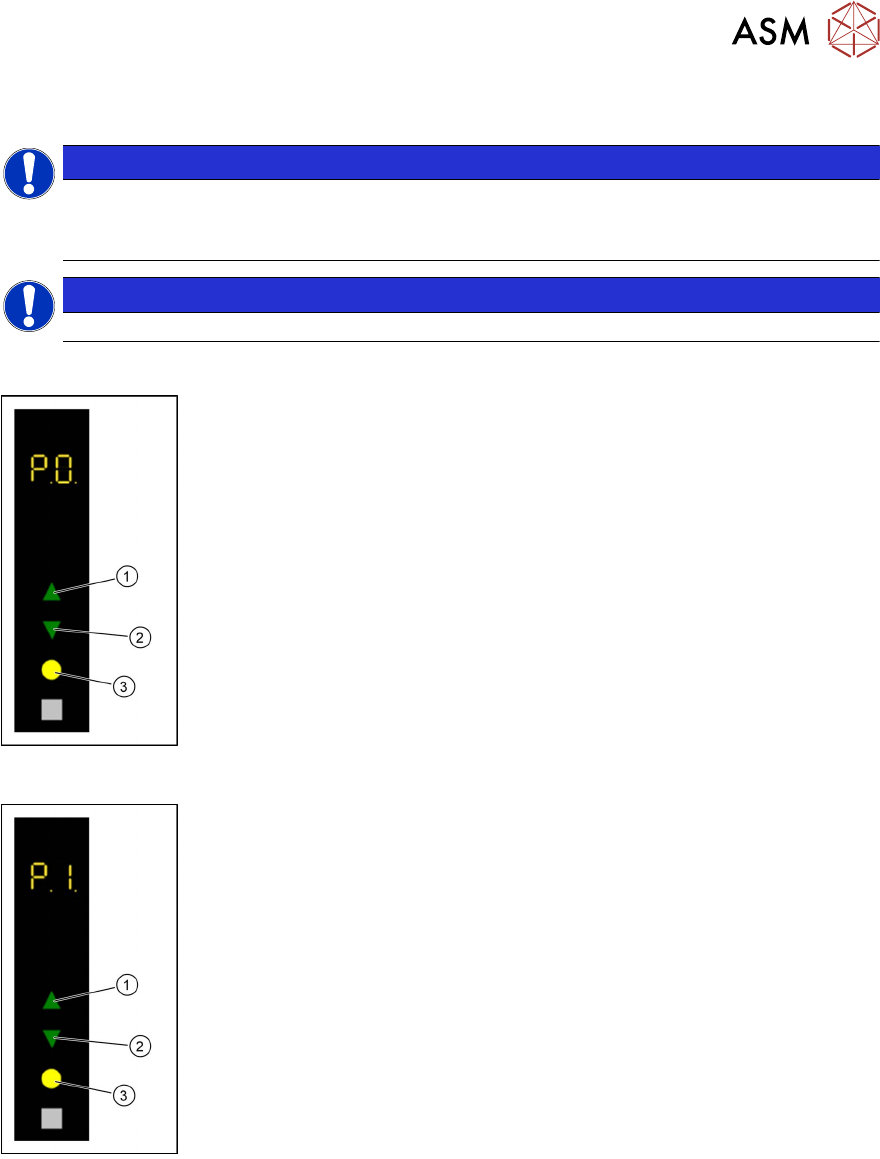
► Use the Up(1) or Down key(2) to select the operating mode P0.
► Press the Select key(3).
The LDU will be logged off and unlocked from the placement machine.
► Remove the LDU from the changeover table.
Starting a reference run
► Use the Up(1) or Down key(2) to select the operating mode P1.
► Press the Select key(3).
The LDU performs a reference run.
4 Operation
4.8 Operating the control unit via user interface
180 User Manual / Bedienungsanleitung / 用户手册 SIPLACE Linear Dipping Unit 2 X 05/2020
Refreshing the dipping medium
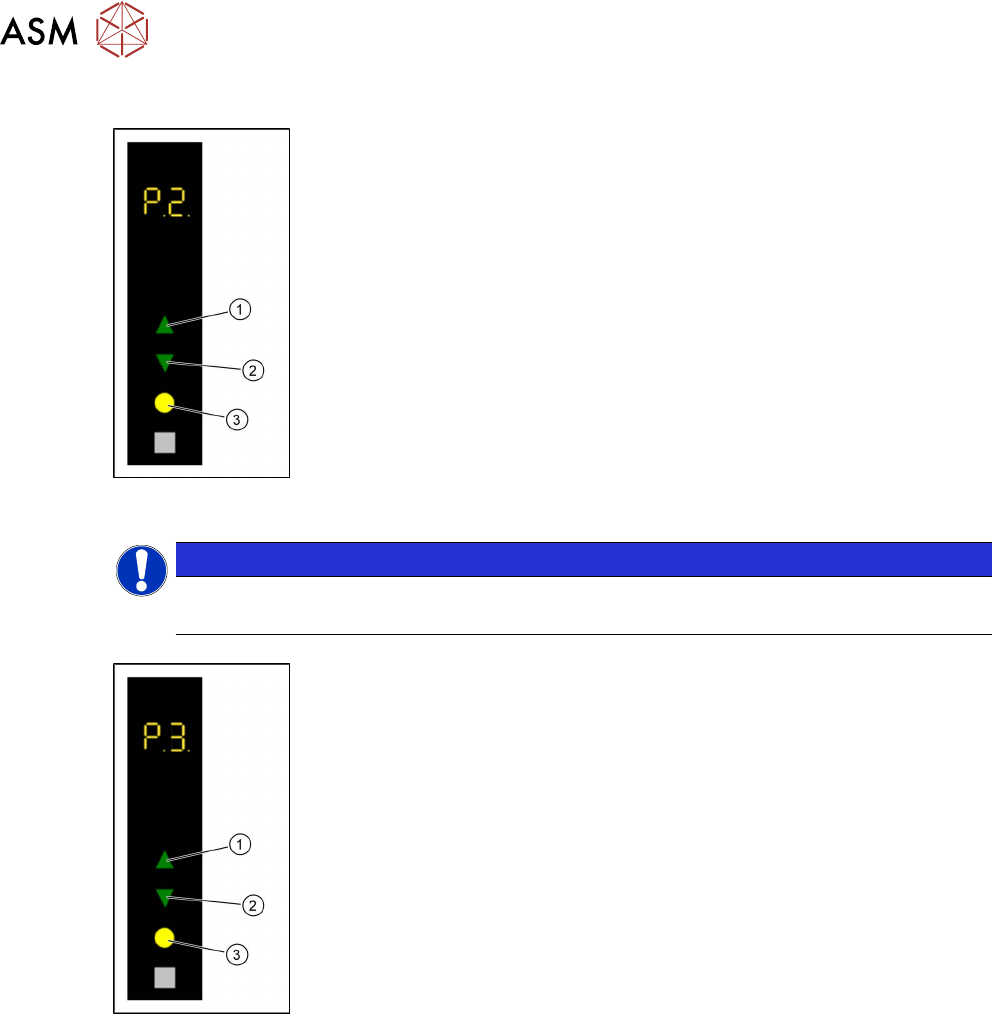
► Select with the Up (1) or Down key (2) the operating mode P2.
► Press the Select key (3).
The LDU performs a squeegee movement.
Adjusting the squeegee speed
NOTICE
Only for testing the user interface
Regardless of these settings, Serio always uses the SIPLACE Pro settings!
► Use the Up (1) or Down key(2) to select the operating mode P2.
► Press and hold the Up key(1), to switch to the Advanced production
activity level.
► Use the Up (1) or Down key (2) to select the operating mode P3.
► Press the Select key (3).
► Press the Up (1) or Down key (2) to increase or decrease the value of
the squeegee speed.
The squeegee speed in mm / s is shown in the 7 segment display 3/4.
► Press the Select key(3) to save the value.