00198519-03_UM_LDU_2_X_DE_EN_CHS-ZH.pdf - 第178页
4 Operation 4.7 Performing a self-test 178 User Manual / Bedienungsanleitung / 用户手册 SIPLACE Linear Dipping Unit 2 X 05/2020 4.7 Performing a self-test NOTICE Target group: setup operator The procedure described is a task…
4 Operation
4.6 Testing new flux types
User Manual / Bedienungsanleitung / 用户手册 SIPLACE Linear Dipping Unit 2 X 05/2020 177
4.6 Testing new flux types
NOTICE
Target group: setup operator
The procedure described is a task that occurs irregularly and should only be carried out by
a trained operator with special knowledge (setup operator).
If you use a new flux, then proceed as follows during the test phase:
► Calculate the relevant cavity for the product.
► Place the corresponding dipping plate in the LDU.
► Fill in the flux.
► Set the application speed.
► Increase or decrease the application speed in steps.
► While doing this, observe the flux surface.
► Reduce the application speed again, if waves, dips or irregularities are formed on the surface.
► Select a long dwell time. This can be reduced later to achieve higher cycle times.
► Select a slow start for the upwards movement of the placement head after dipping. This en-
sures that the component is not lost in the flux.
4 Operation
4.7 Performing a self-test
178 User Manual / Bedienungsanleitung / 用户手册 SIPLACE Linear Dipping Unit 2 X 05/2020
4.7 Performing a self-test
NOTICE
Target group: setup operator
The procedure described is a task that occurs irregularly and should only be carried out by
a trained operator with special knowledge (setup operator).
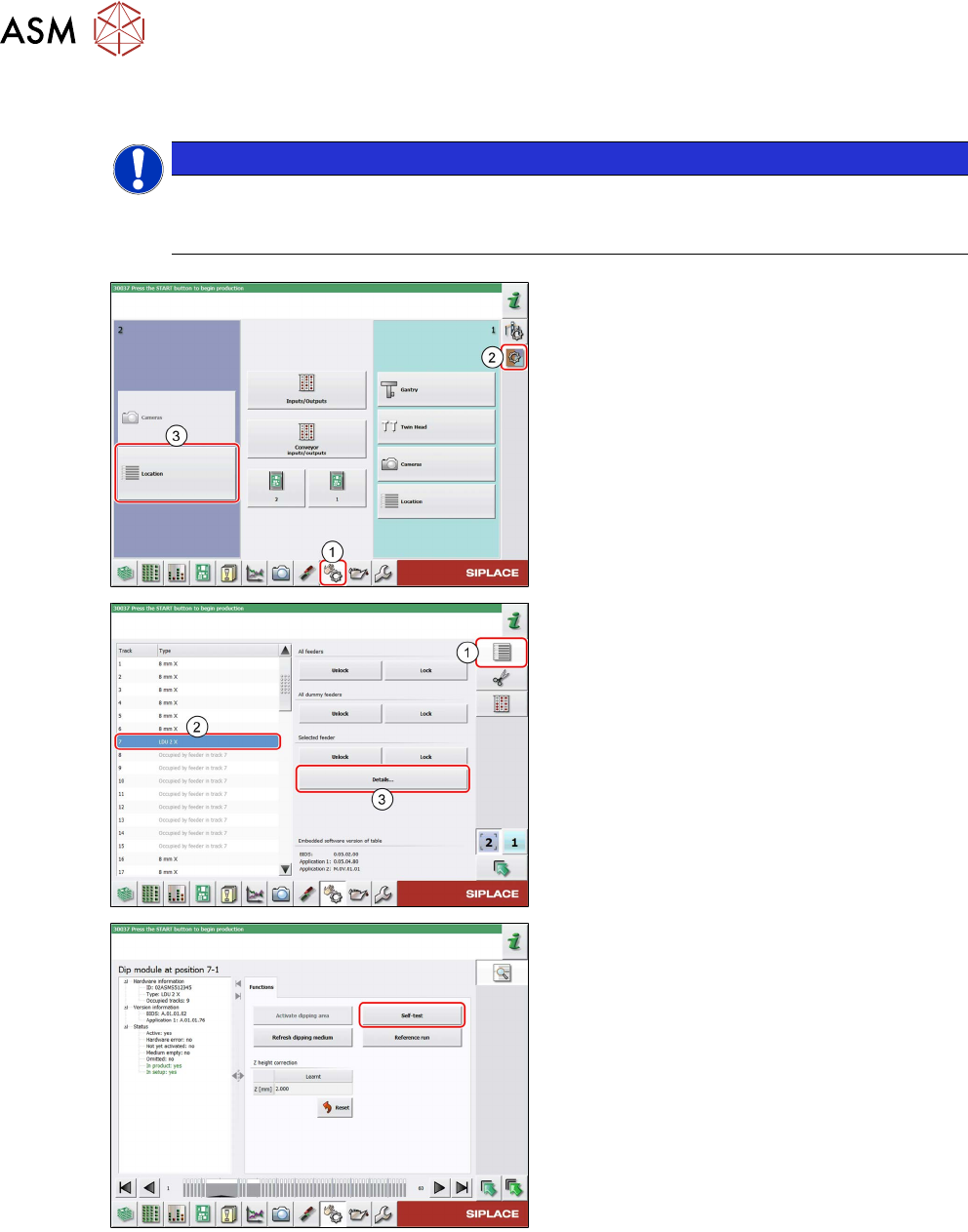
► In the station software, select the Single
functions view(1) and then the Subsys-
tems area (2).
► Select the Location (3) on which the LDU
is set up.
► Select the Feeder area (1).
► Select the LDU in the list of set up feeders (2).
► Click on the Details…button (3).
► Click on the Self-test button.
The LDU performs a self-test.
4 Operation
4.8 Operating the control unit via user interface
User Manual / Bedienungsanleitung / 用户手册 SIPLACE Linear Dipping Unit 2 X 05/2020 179
4.8 Operating the control unit via user interface
NOTICE
Target group: setup operator
The procedure described is a task that occurs irregularly and should only be carried out by
a trained operator with special knowledge (setup operator).
NOTICE
Operating the control unit via GUI can be done by any trained operator.
Logging off
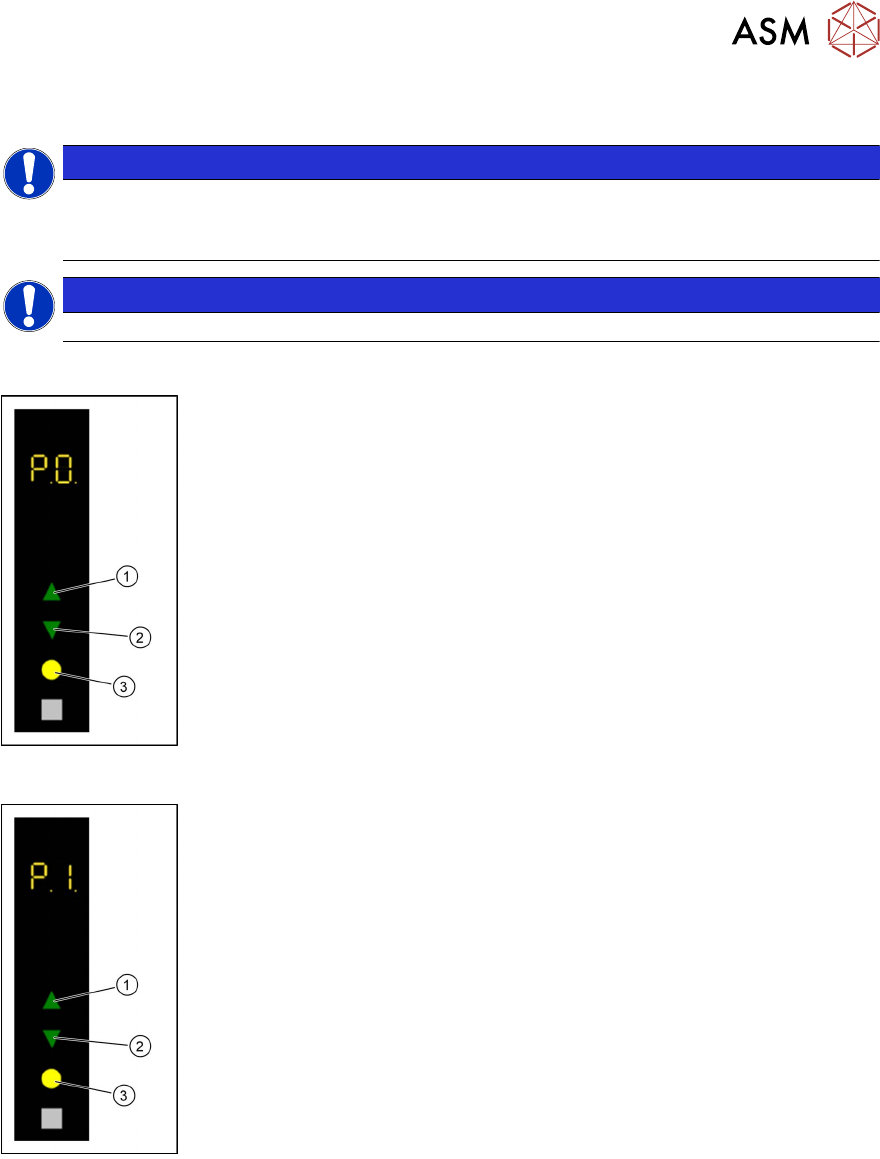
► Use the Up(1) or Down key(2) to select the operating mode P0.
► Press the Select key(3).
The LDU will be logged off and unlocked from the placement machine.
► Remove the LDU from the changeover table.
Starting a reference run
► Use the Up(1) or Down key(2) to select the operating mode P1.
► Press the Select key(3).
The LDU performs a reference run.