TP3447.Production Lot Operations_standard.pdf - 第10页
SMT Softw are En gineering Group IM Operations Y AMAHA M OTOR CO., L TD MDOC-SOFT50283 10/62 2. “Line desi gnation startup” Select a desired line in th e tree view , an d then sel ect [ Program List Editor (L)] from the …
SMT Software Engineering Group
IM Operations YAMAHA MOTOR CO., LTD
MDOC-SOFT50283
9/62
3.1.3 Starting up Program List Editor
There are three kinds of startup methods available, “line non-designation startup”, “line
designation startup”, and “program name registration startup”.
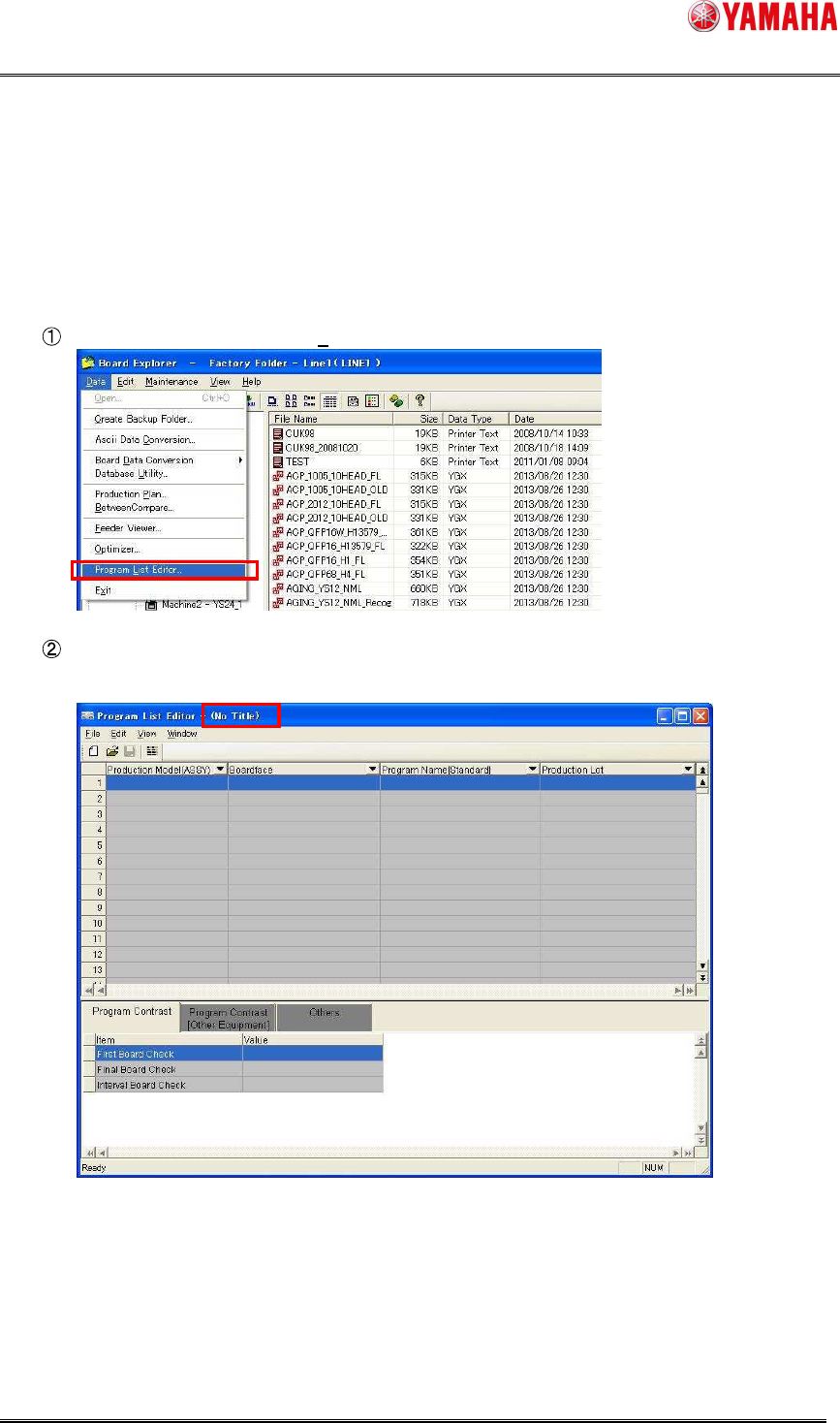
1. “Line non-designation startup”
Select [Program List Editor (L)] from the [Data (P)] menu.
Program List Editor will start up without loading any program list.
(It is necessary to select a desired program list so as to load it.)
SMT Software Engineering Group
IM Operations YAMAHA MOTOR CO., LTD
MDOC-SOFT50283
10/62
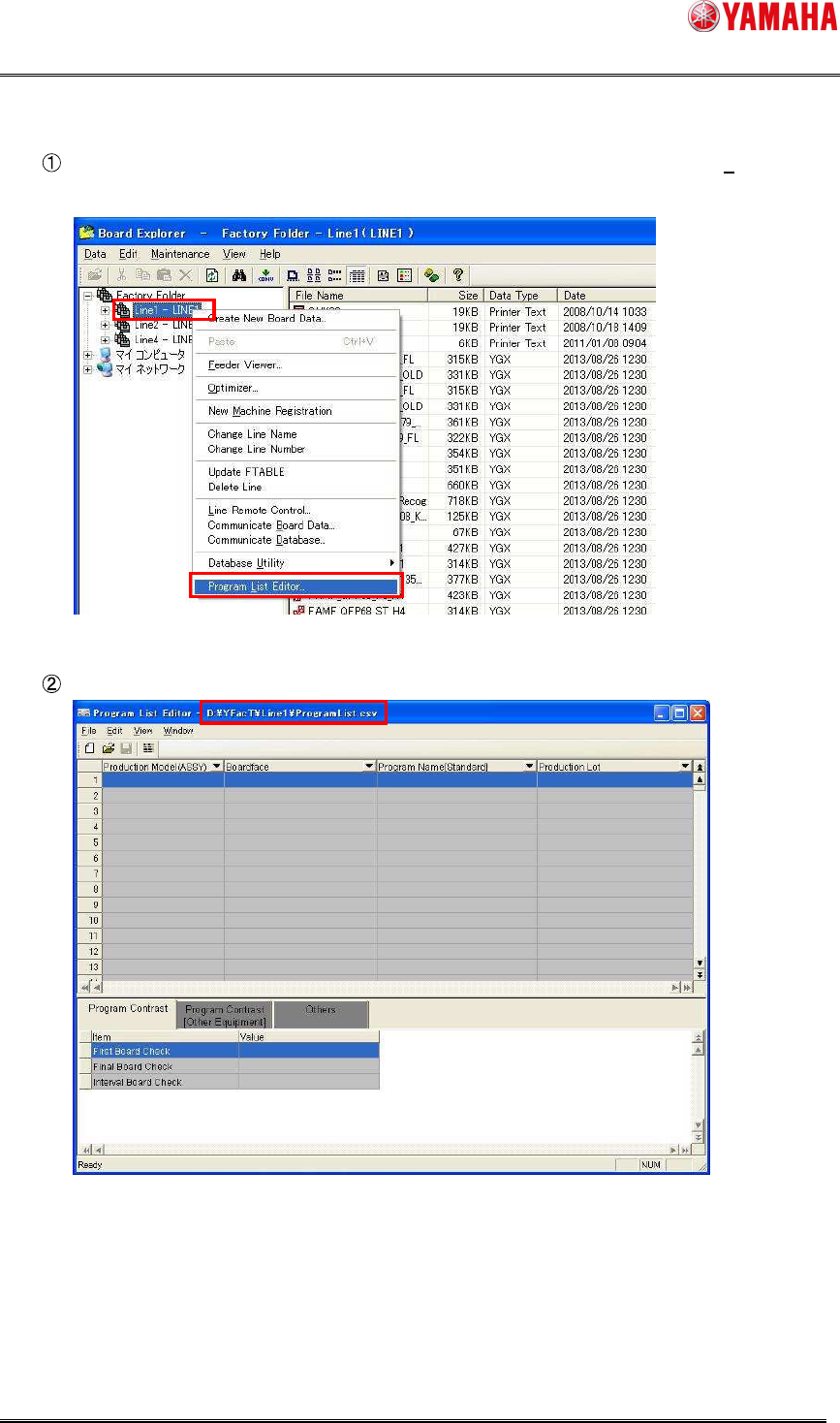
2. “Line designation startup”
Select a desired line in the tree view, and then select [Program List Editor (L)] from the
right-click menu.
Program List Editor will start up with the program list at the specified line loaded.
SMT Software Engineering Group
IM Operations YAMAHA MOTOR CO., LTD
MDOC-SOFT50283
11/62
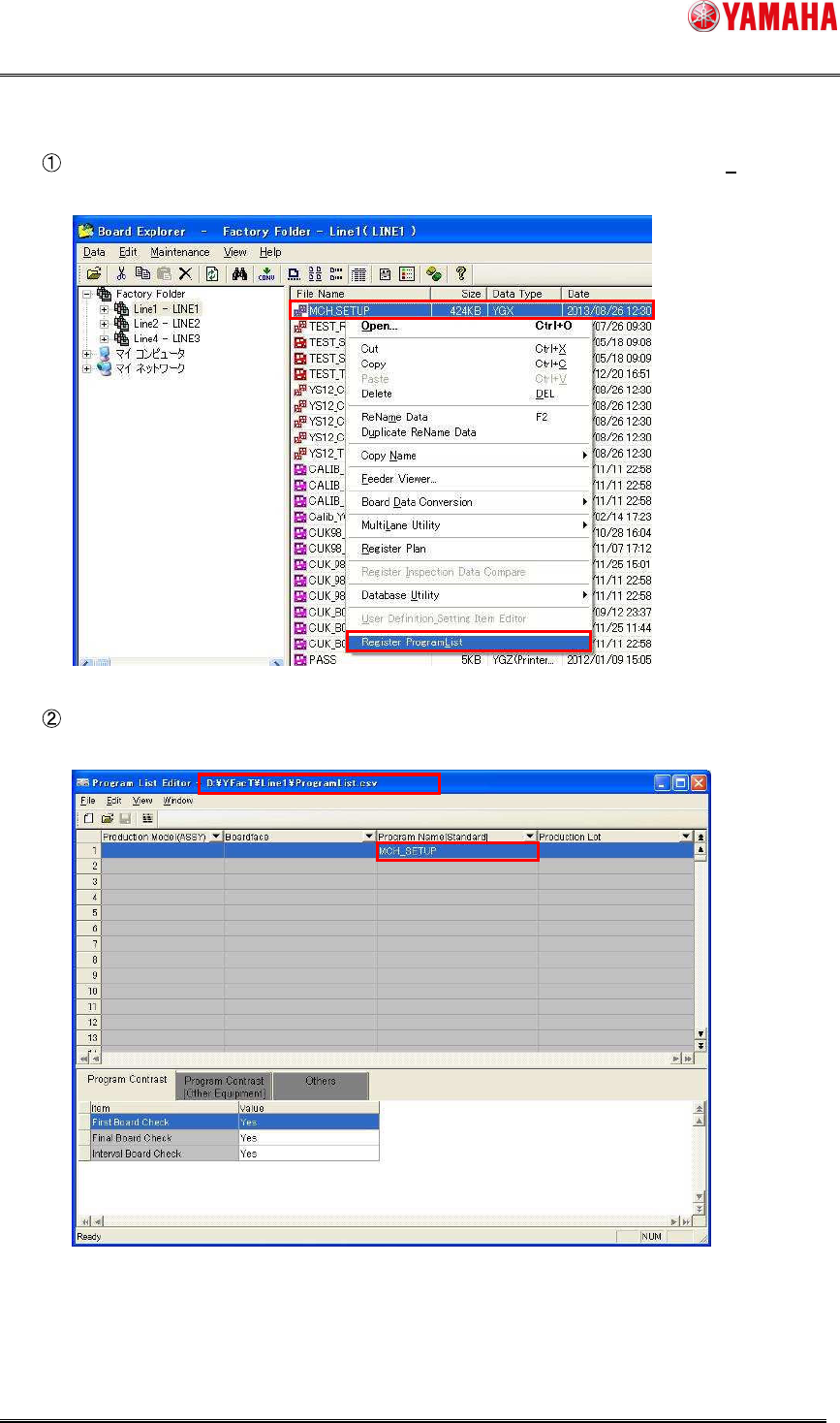
3. “Program name registration startup”
Select desired board data in the list, and then select [Register Program List (L)] from the
right-click menu.
Program List Editor loads the program list at the specified line and starts up with the file
name of the selected board data registered into the “Program Name” field.