TP3447.Production Lot Operations_standard.pdf - 第16页
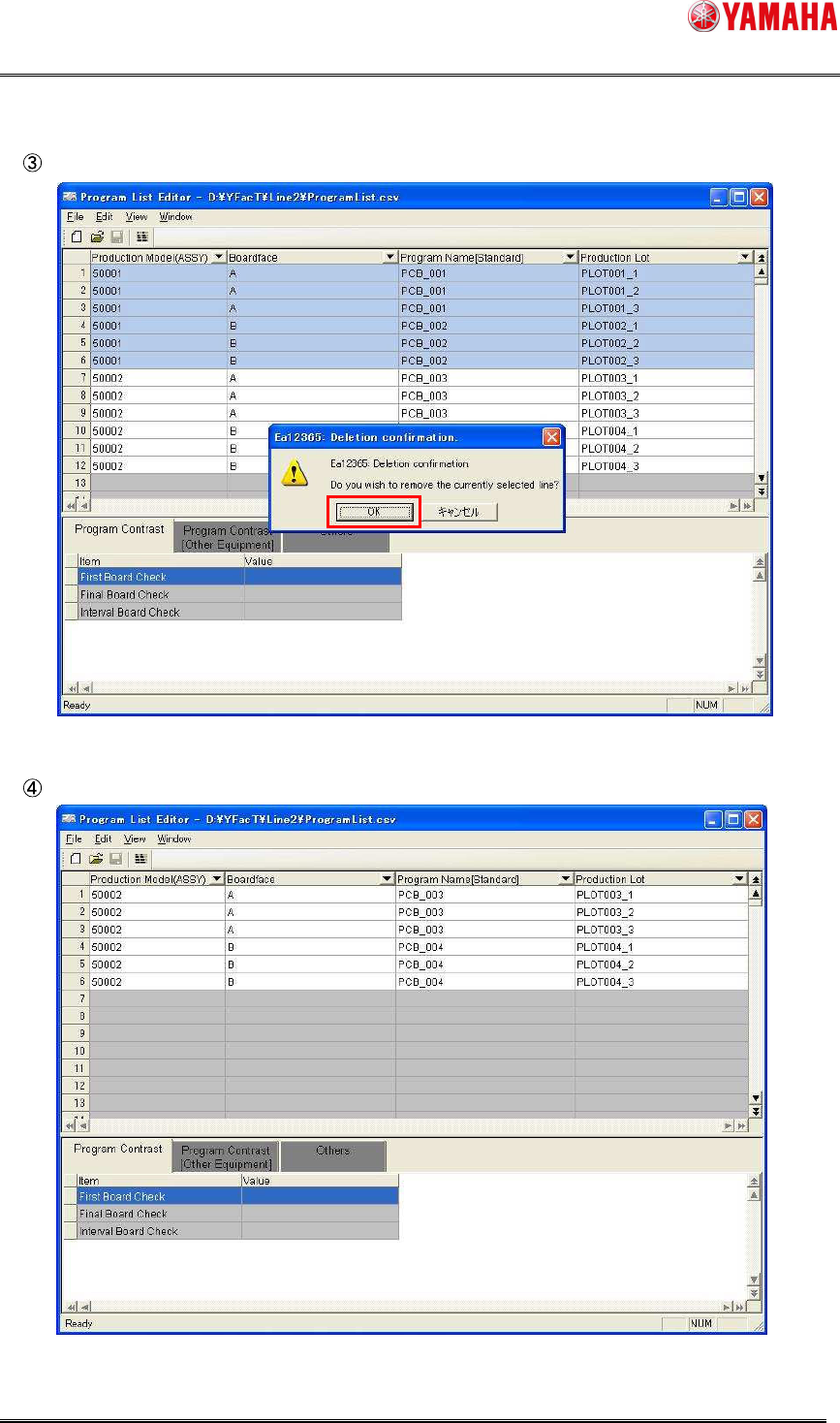
SMT Softw are En gineering Group IM Operations Y AMAHA M OTOR CO., L TD MDOC-SOFT50283 16/62 The confirmation message will appear . Click the [OK] button. The selected lines are then deleted.
SMT Software Engineering Group
IM Operations YAMAHA MOTOR CO., LTD
MDOC-SOFT50283
15/62
3.1.5 Deleting the program list
This section describes how to delete the unnecessary production lot from the program list.
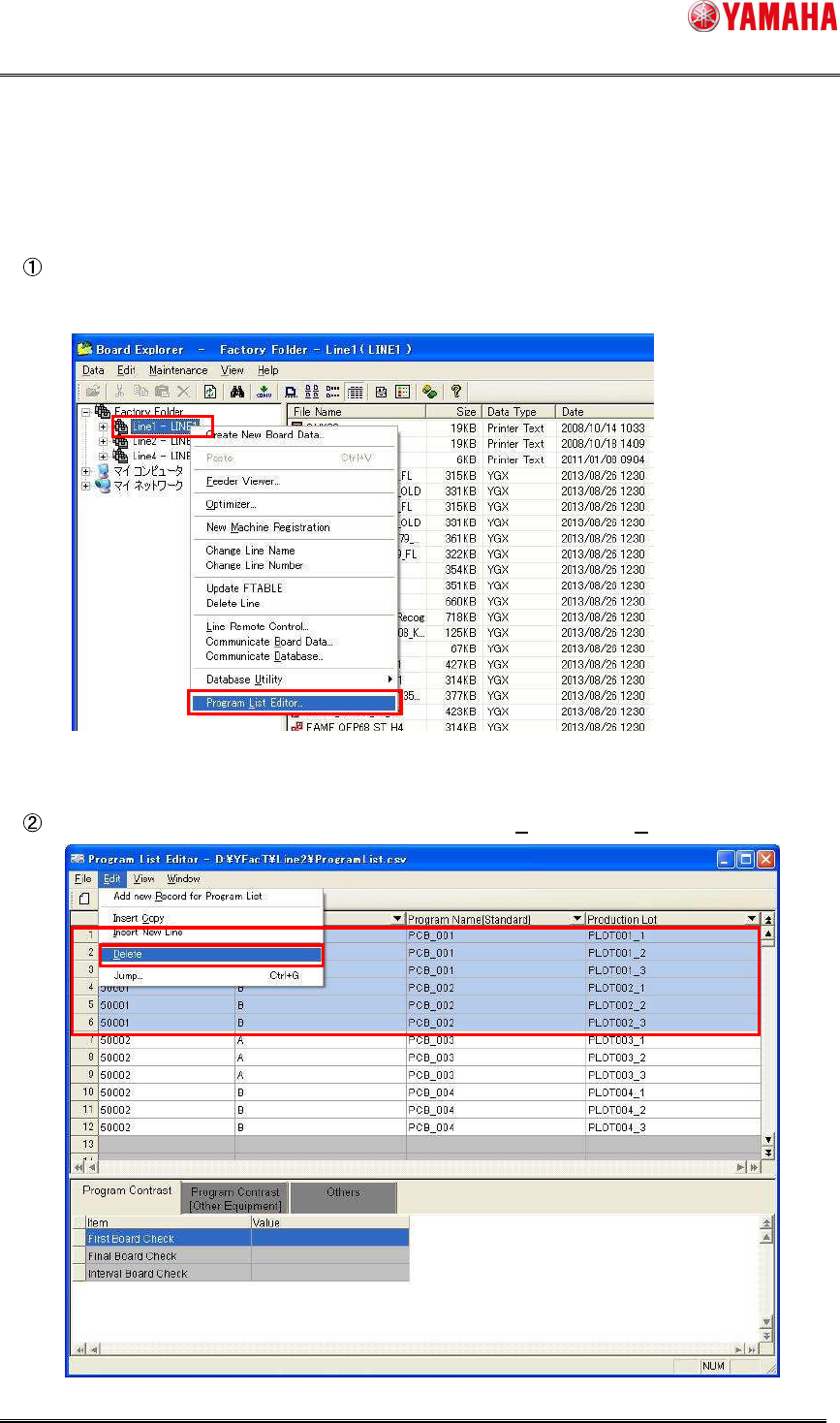
Select the line where the production lot you want to delete exists and start up Program List
Editor in the “line designation startup” mode.
Select lines you want to delete, and then select [Edit (E)] – [Delete (D)].
SMT Software Engineering Group
IM Operations YAMAHA MOTOR CO., LTD
MDOC-SOFT50283
16/62
The confirmation message will appear. Click the [OK] button.
The selected lines are then deleted.
SMT Software Engineering Group
IM Operations YAMAHA MOTOR CO., LTD
MDOC-SOFT50283
17/62
3.1.6 Checking the program list
You can check if the data that has been added to the program list is applicable to the
production lot operation.
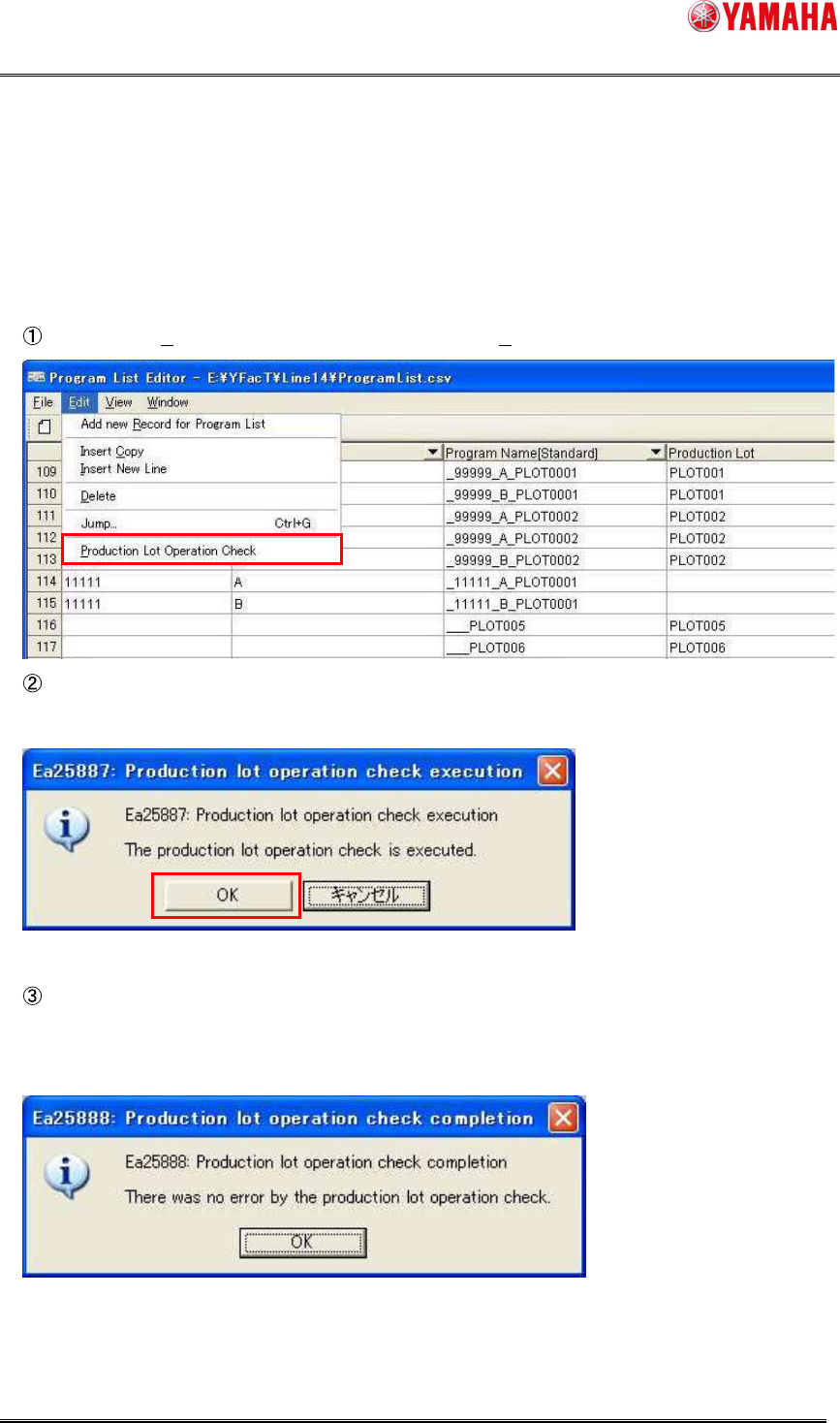
Select [Edit (E)] – [Production Lot Operation Check (P)].
In the “Ea25887: Production lot operation check execution” message window, click the
[OK] button.
The production lot operation check is executed, and then the check result is displayed.
When all of the data are correct, the “Ea25888: Production lot operation check completion”
message window will appear.