TP3447.Production Lot Operations_standard.pdf - 第32页
SMT Softw are En gineering Group IM Operations Y AMAHA M OTOR CO., L TD MDOC-SOFT50283 32/62 Check on the [Enable production lot operation] check box. As the check box is checke d on, the setting items become valid.
SMT Software Engineering Group
IM Operations YAMAHA MOTOR CO., LTD
MDOC-SOFT50283
31/62
5. Production: Mounter
5.1 Program selection corresponding to the production lot
As the Production lot selection screen is added to the Board selection screen, the operation,
such as YAMAHA’s equipment program selection can be instructed using the production lot. This
makes a series of program selections from Setup Navi with the production lot to the production
possible.
5.1.1 Introduction
5.1.1.1 Preparations
To perform the production lot operation, it is necessary to create a program list.
* For details about how to create a program list, see “3. P-Tool: Program List Editor”.
5.1.1.2 Settings
Make the settings for the production lot operation.
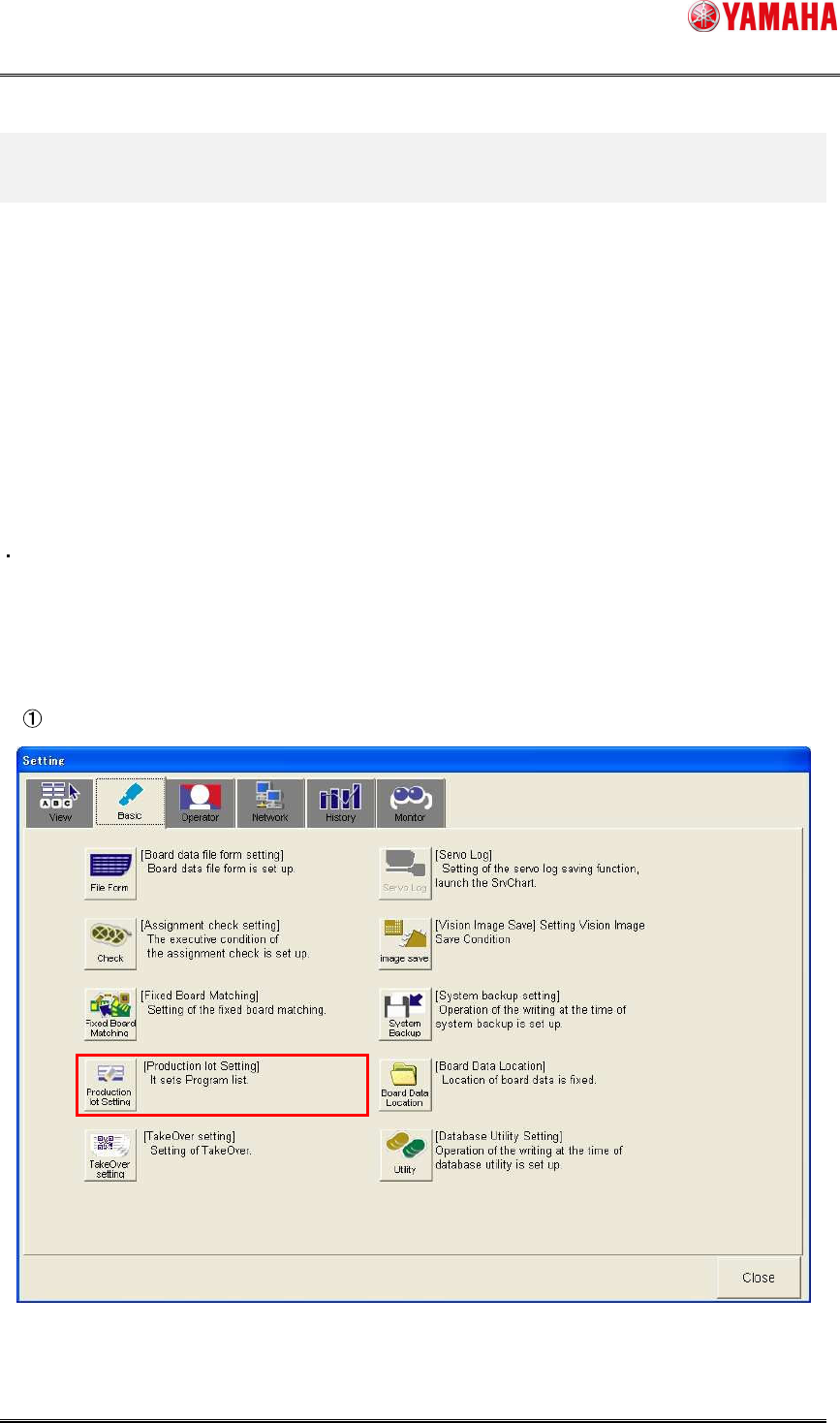
Click [Setup]-[Software Setting] button - [Basic] tab - [Production lot Setting] button.
SMT Software Engineering Group
IM Operations YAMAHA MOTOR CO., LTD
MDOC-SOFT50283
32/62
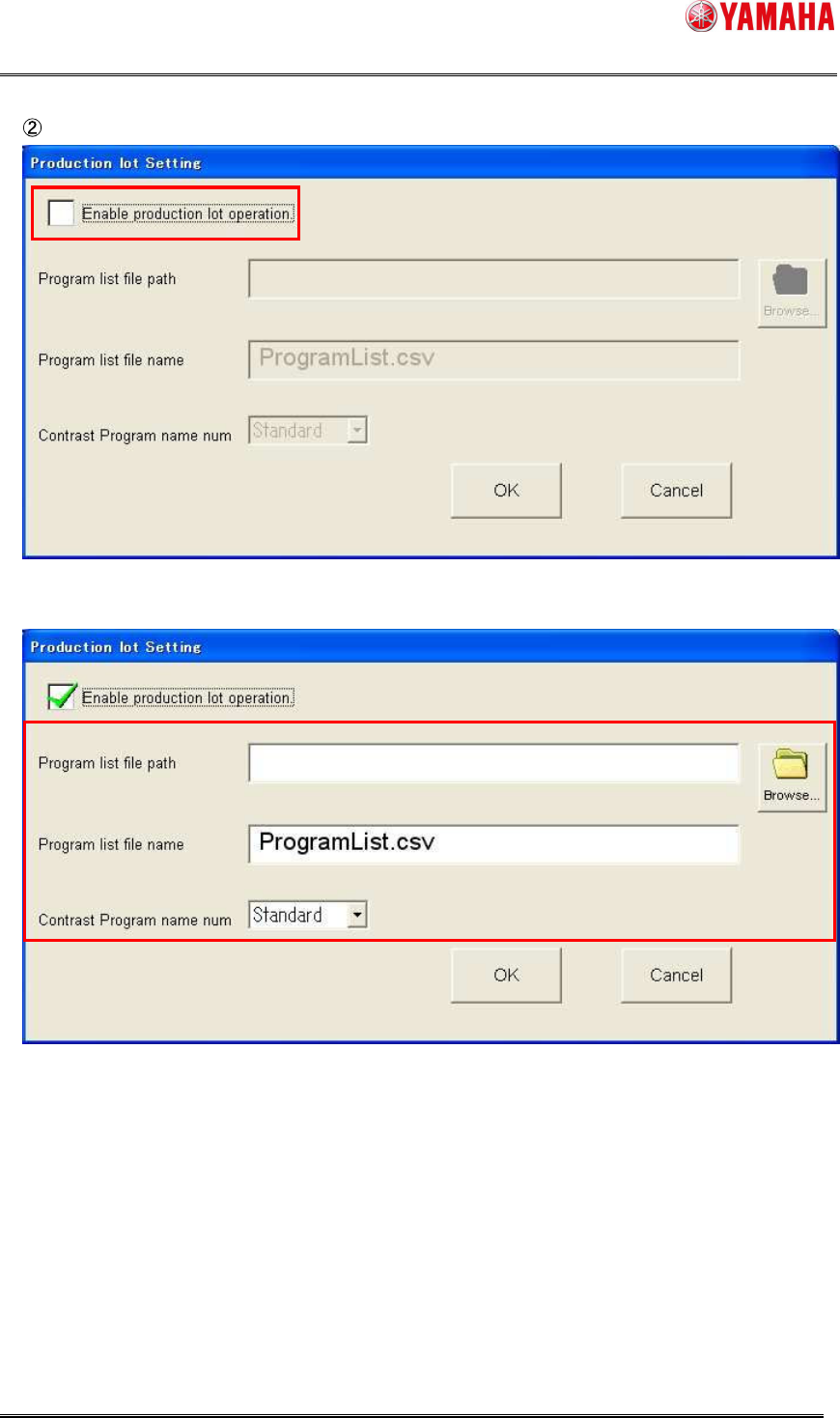
Check on the [Enable production lot operation] check box.
As the check box is checked on, the setting items become valid.
SMT Software Engineering Group
IM Operations YAMAHA MOTOR CO., LTD
MDOC-SOFT50283
33/62
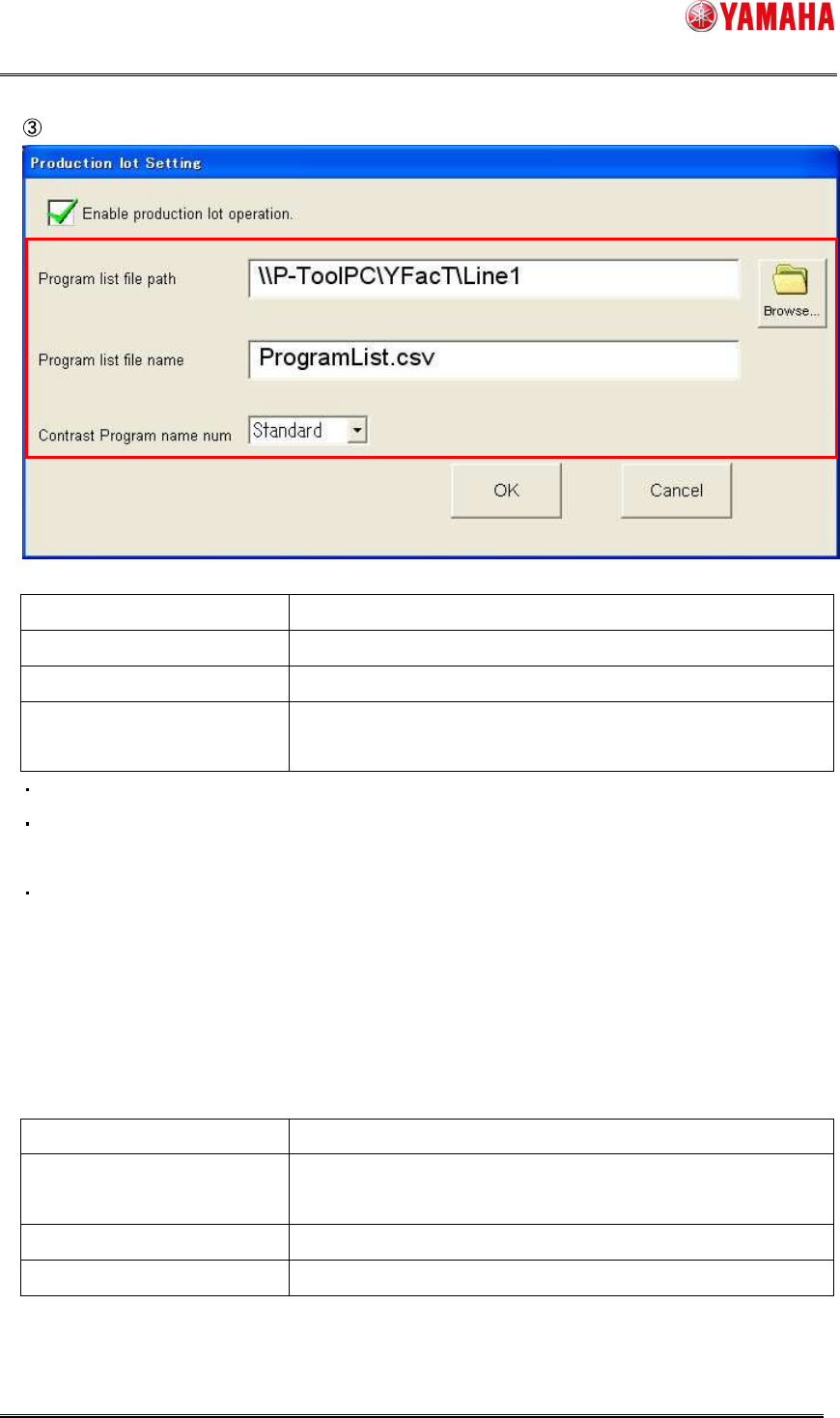
Set the items as follows.
Item name Contents
Program list file path Specify a path for the target program list.
Program list file name Specify a file name for the target program list.
Contrast Program name num Select a board program name to be used for the own
equipment from [Standard] or [1] to [9].
The program list can be made as file that is common to the line.
Since the same file format as “OP003: Auto Pgm Change Over” is used, the common file
can be specified.
The contents of this setting are applicable when “OP003: Auto Pgm Change Over” is set
disabled. When “OP003: Auto Pgm Change Over” is set enabled, this setting conforms to the
setting of “OP003: Auto Pgm Change Over”.
* For details about the “Auto Pgm Change Over” function, see the “IT Option Auto Pgm
Change Over User’s Manual”.
Recommended setting
Item name Contents
Program list file path Line folder of relevant line in the P-Tool personal computer
Example) ¥¥P-ToolPC¥YFacT¥Line1
Program list file name ProgramList.csv
Contrast Program name num [Standard]
When using Program List Editor of P-Tool, the program list is created in the line folder. As the
line folder of P-Tool is specified as reference destination, it can be interlock-used.