TP3447.Production Lot Operations_standard.pdf - 第50页
SMT Softw are En gineering Group IM Operations Y AMAHA M OTOR CO., L TD MDOC-SOFT50283 50/62 Program list reference destination T o allow the program list cr eated using “3. P -T ool: Program Li st Editor” to b e referre…
SMT Software Engineering Group
IM Operations YAMAHA MOTOR CO., LTD
MDOC-SOFT50283
49/62
5.3.1.2 Settings
When using “OP003: Auto Pgm Change Over”, the program list reference destination setting
procedure may vary from normal procedure. The “Auto Pgm Change Over” function operates
according to the contents set in Line Config of the IT-System Server. These settings are common
to “S-Tool: Setup Navi”.
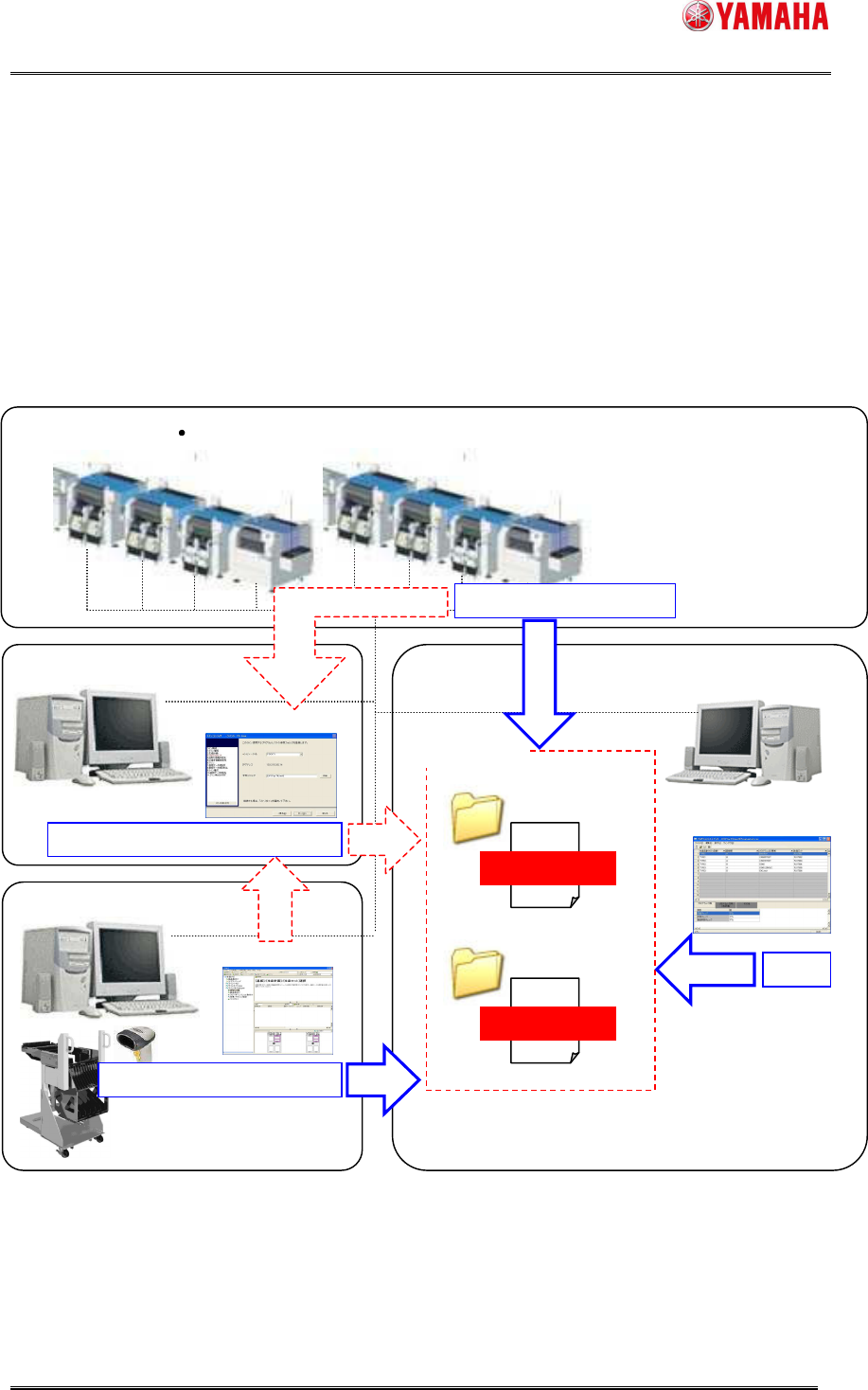
Conceptual diagram
Y.FacT: P
-Tool
IT-System Server
Y.FacT: S
-Tool
Setup Navi
Program List Editor
Line Config
Production lot selection
Reference destination setting
Edit
Production lot selection
Program list
Production lot
Line 1
Program list
Production lot
Line 2
Line (mounter printer)
Line folder
Path and file name setting
SMT Software Engineering Group
IM Operations YAMAHA MOTOR CO., LTD
MDOC-SOFT50283
50/62
Program list reference destination
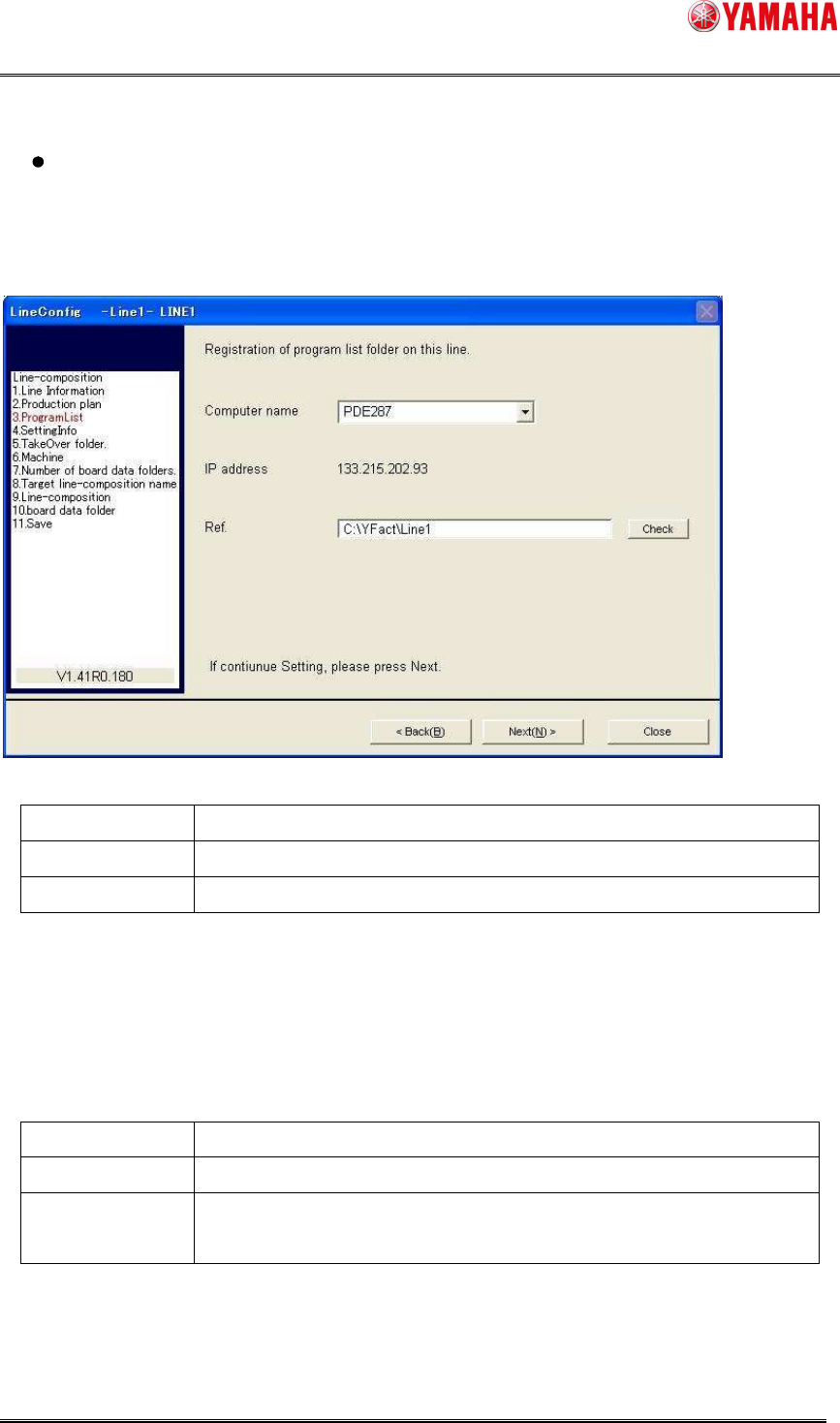
To allow the program list created using “3. P-Tool: Program List Editor” to be referred to by
“OP003: Auto Pgm Change Over”, set the program list reference destination using Line Config.
* For details about Line Config, see the “Server Utility Software User’s Manual”.
Item name Contents
Computer name Computer name of the PC that saves the program list.
Ref Local path of the folder that saves the program list.
To select the computer name, it is necessary that this PC has been registered in Line Config.
To register the PC into Line Config, it is necessary that “IT-System Client” has been installed
into this PC.
* For details, see the “IT-System Configuration Manual”.
Recommended setting
Item name Contents
Computer name Computer name of the PC, into which P-Tool has been installed.
Ref Line folder of relevant line in the installation folder.
Example) C:¥YFacT¥Line1
When using Program List Editor of P-Tool, a program list is created in the line folder.
As the line folder of P-Tool is specified as reference destination, it can be interlock-used.
SMT Software Engineering Group
IM Operations YAMAHA MOTOR CO., LTD
MDOC-SOFT50283
51/62
Production lot operation setting
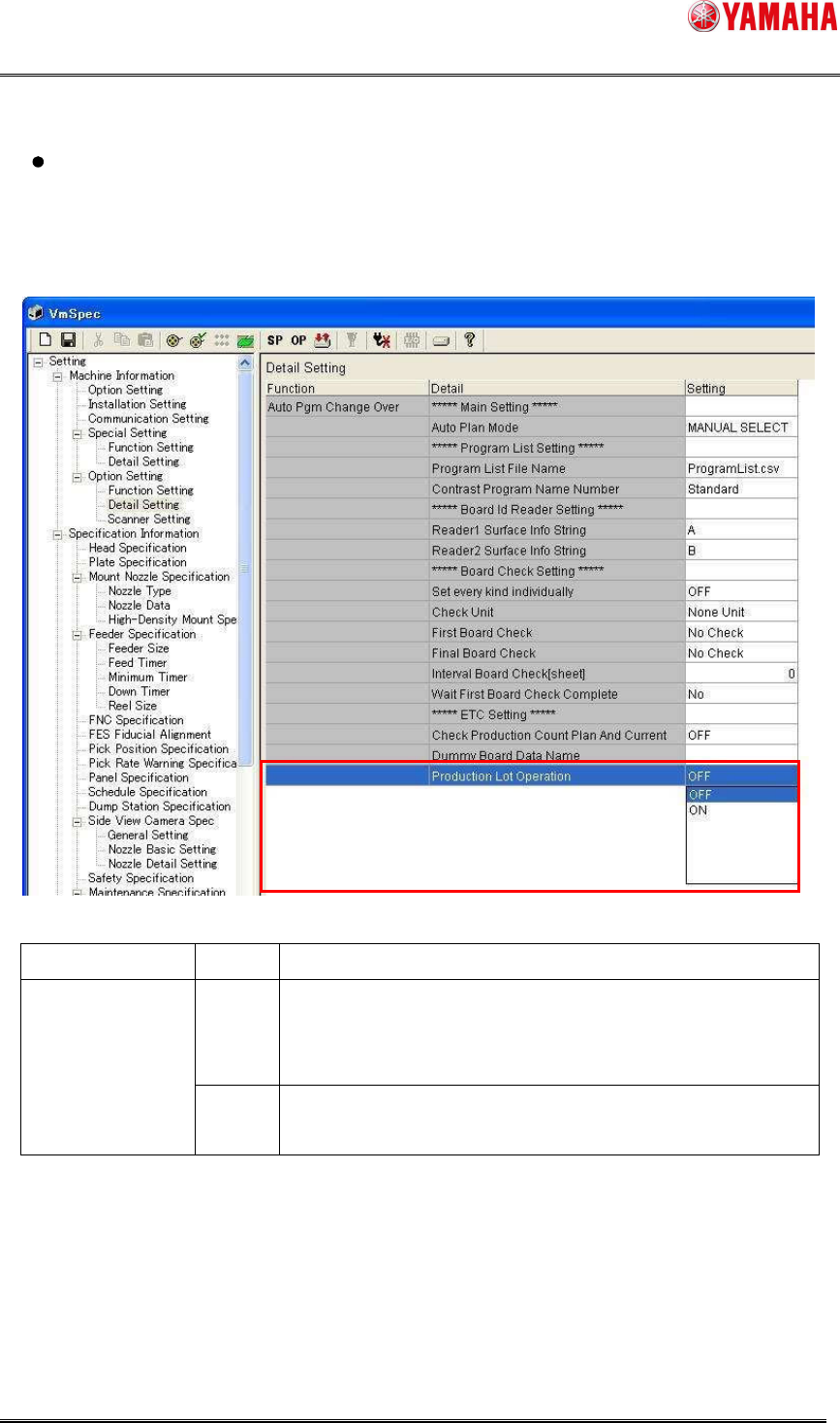
When using the production lot for the program allocation conditions;
Select [Machine Information]-[Option Setting]-[Detail Setting] in [Setting], and then set
[Production Lot Operation] to “ON”.
Item name Setting
Contents
OFF Make the setting so that the production lot cannot be used for
the program allocation conditions.
* Existing operation
Production Lot
Operation
ON Make the setting so that the production lot can be used for
the program allocation conditions.