TP3447.Production Lot Operations_standard.pdf - 第7页
SMT Softw are En gineering Group IM Operations Y AMAHA M OTOR CO., L TD MDOC-SOFT50283 7/62 2.3 Operation pr ocedure For detai l s about how to operate the production lot, see each Chap ter . See “3. P-T ool: Program Lis…
SMT Software Engineering Group
IM Operations YAMAHA MOTOR CO., LTD
MDOC-SOFT50283
6/62
2.2 Introduction
Before starting the production lot operation, thoroughly check the contents stated in this
section.
2.2.1 Preparations
Production lot
Issue a lot that becomes the operation unit.
Program
Prepare a program (board data) used for the production beforehand.
Program list
It is necessary to create a list that associates the production lot with the program. For
details about how to create a program list, see “3. P-Tool: Program List Editor”.
P-Tool
To create a program list, use Program List Editor supplied with P-Tool. To start this
operation, it is preconditioned to use Program List Editor supplied with P-Tool.
2.2.2 Settings
Make the settings so that the program list can be referred to through the network.
* When using “S-Tool: Setup Navi” or “OP003: Auto Pgm Change Over”, the setting
procedure is different from the normal procedure. So, see the following sections.
“4. S-Tool: Setup Navi”
“5.3 “OP003: Auto Pgm Change Over” corresponding to the production lot”
SMT Software Engineering Group
IM Operations YAMAHA MOTOR CO., LTD
MDOC-SOFT50283
7/62
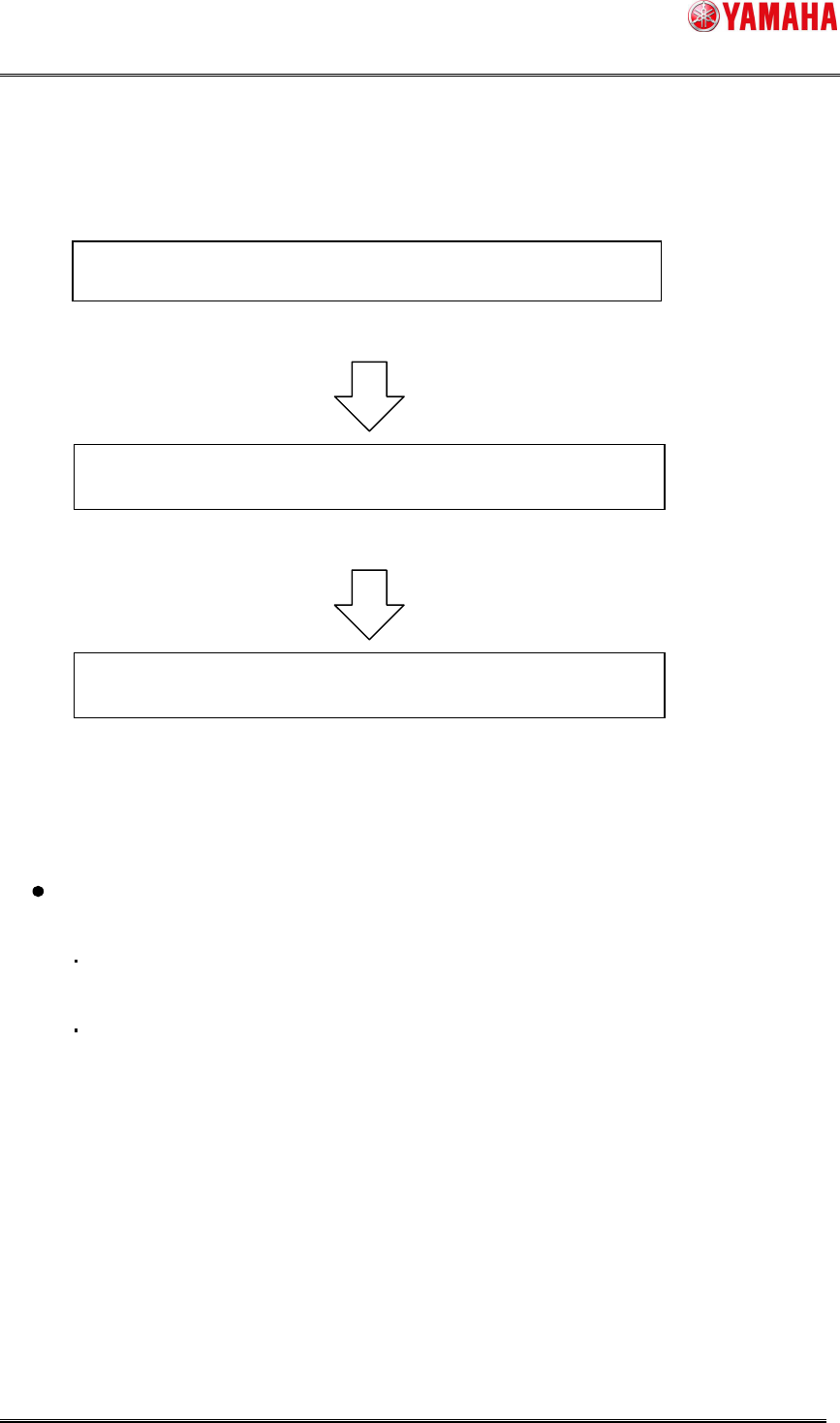
2.3 Operation procedure
For details about how to operate the production lot, see each Chapter.
See “3. P-Tool: Program List Editor”.
See “4. S-Tool: Setup Navi”.
See “5. Production: Mounter”.
2.4 Restrictions
The number of machines to be simultaneously connected to the reference destination
PC of the program list is restricted as follows.
When the OS of the program list reference destination PC is WindowsXP, 10 machines
can be connected simultaneously.
When the OS of the program list reference destination PC is Windows7, 20 machines
can be connected simultaneously.
* If the number of simultaneous connections exceeds this limit, it is necessary to change
the reference destination to Windows Server OS and prepare CAL (Client Access
License) for the number of connections.
Add a production lot to the program list.
Select the production lot and perform the offline setup.
Select the production lot and perform the production.
SMT Software Engineering Group
IM Operations YAMAHA MOTOR CO., LTD
MDOC-SOFT50283
8/62
3. P-Tool: Program List Editor
3.1 Creating a program list
When performing the operation with the production lot, it is necessary to associate the
production lot with the board program name. This association information is used to allocate the
production board program name from the selected production lot information.
* For details about how to operate Program List Editor itself, see the “Y.FacT Common
Functions User’s Manual”. This section describes how to associate the production lot with the
program.
3.1.1 About program list
This list associates the production lot with the board program name. It is preconditioned that
the program list consists of one list per line.
Example
The recommended file name for the program list is “ProgramList.csv”.
3.1.2 Starting up Board Explorer
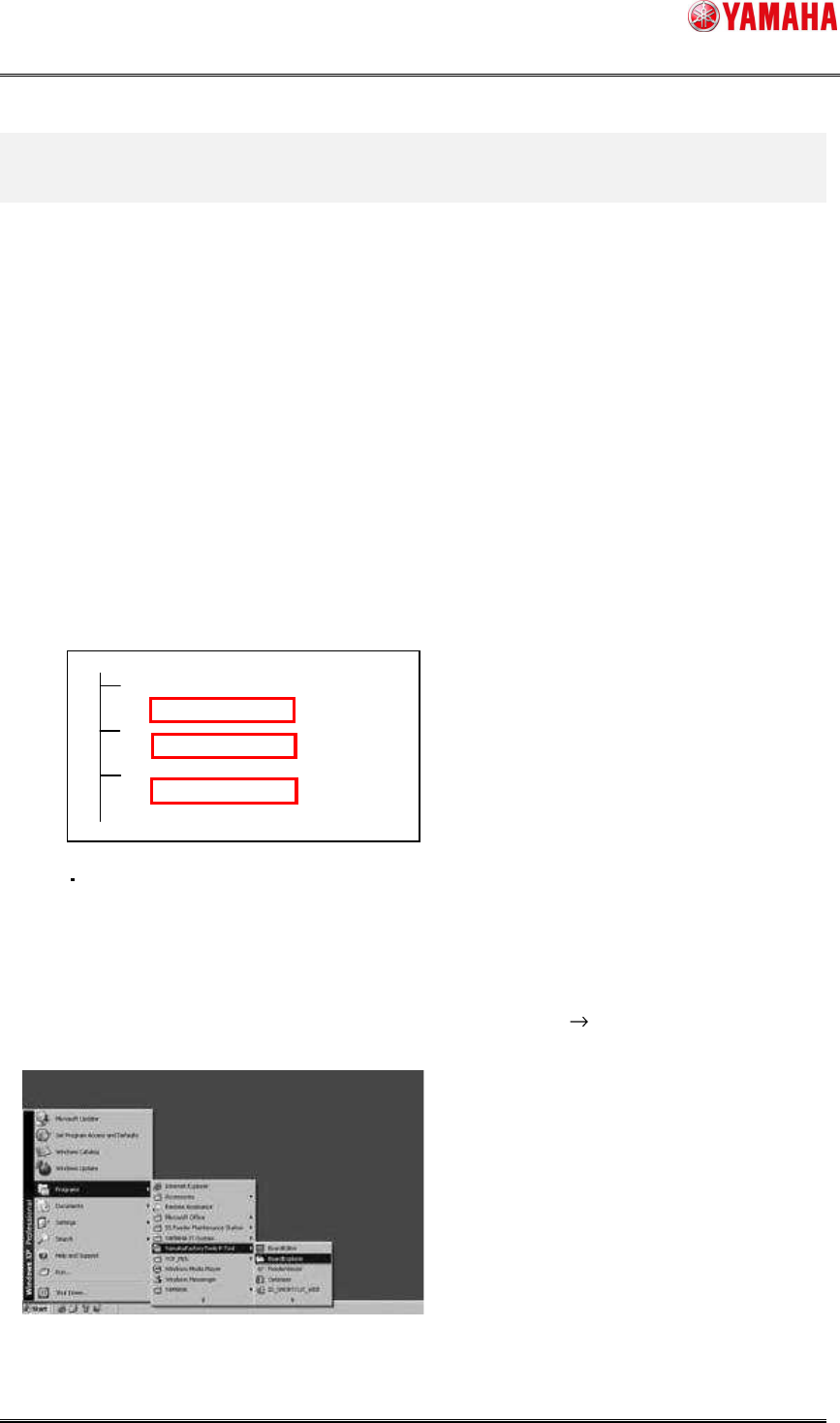
“Program List Editor” that allows you to edit the program list is started up from “Board Explorer”.
From the [Start] menu, select [YAMAHA Factory Tools P/M/S-Tool] [Board Explorer] to start up
Board Explorer.
C:¥YFacT
Line1
ProgramList.csv
Line2
ProgramList.csv
Line3
ProgramList.csv