TP3447.Production Lot Operations_standard.pdf - 第26页
SMT Softw are En gineering Group IM Operations Y AMAHA M OTOR CO., L TD MDOC-SOFT50283 26/62 S pecify a save place and file name, and then click the [Save (S)] button. [Save (S)] button Exports the required p arts list f…
SMT Software Engineering Group
IM Operations YAMAHA MOTOR CO., LTD
MDOC-SOFT50283
25/62
4.2 Setup preparations corresponding to the production lot
[Export Required Parts List] function was added.
The parts information necessary for the setup is exported to the file.
When performing the setup with the production lot selected, use this file to prepare the parts
necessary for the setup.
4.2.1 Introduction
4.2.1.1 Preparations
When exporting the required parts list, the board program needs to be loaded beforehand.
For details, see “4.1 Program selection corresponding to the production lot”.
* The [Export Required Parts List] function can be used even when the board program is
loaded using a procedure other than the production lot.
4.2.1.2 Settings
There are no particular settings.
4.2.2 Operation procedure
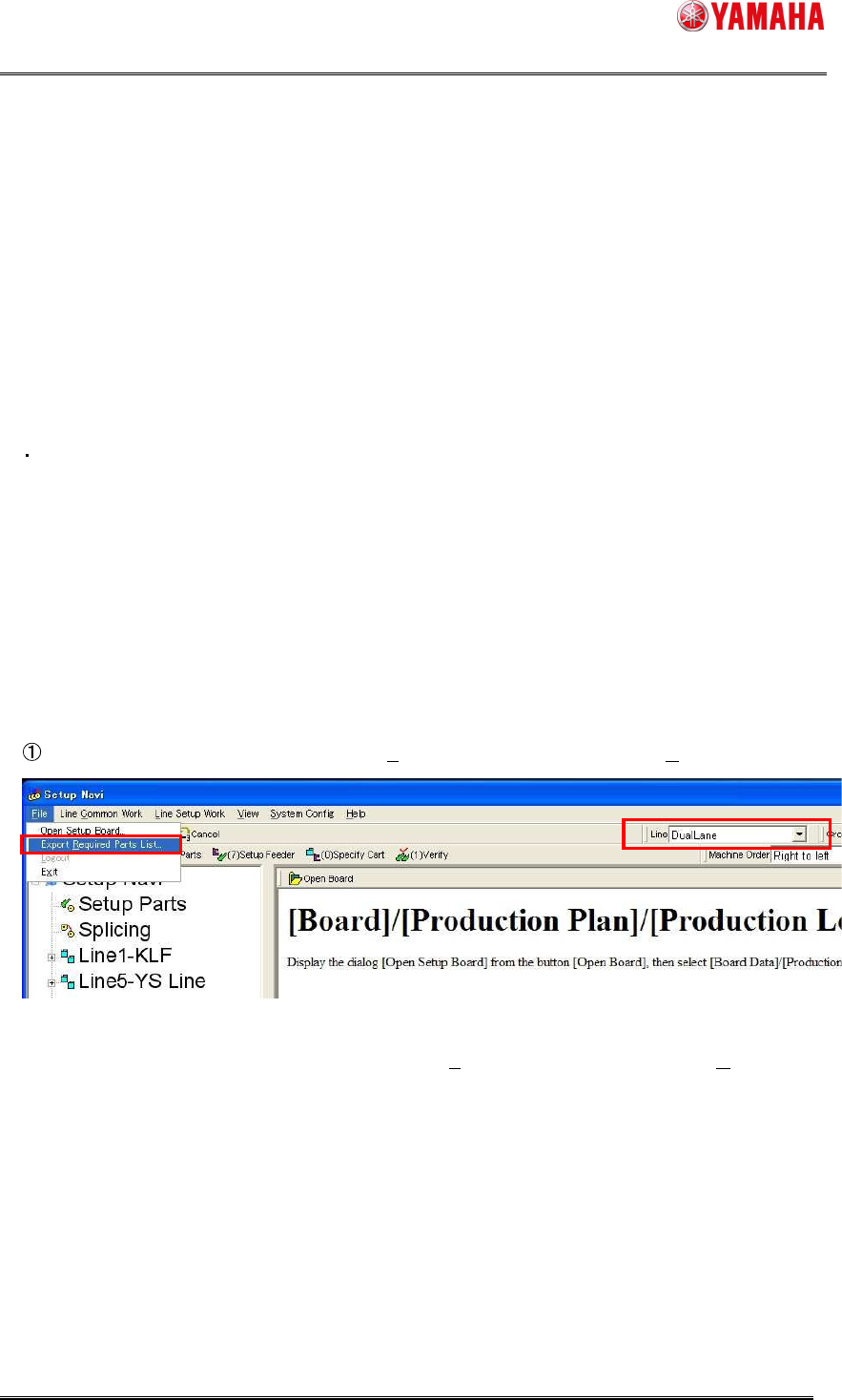
Select a target line, and then click [File (F)] - [Export Required Parts List (R)...] menu.
* If there is no setup target in the “Line” field, [File (F)]-[Export Required Parts List (R)...] menu
becomes invalid.
SMT Software Engineering Group
IM Operations YAMAHA MOTOR CO., LTD
MDOC-SOFT50283
26/62
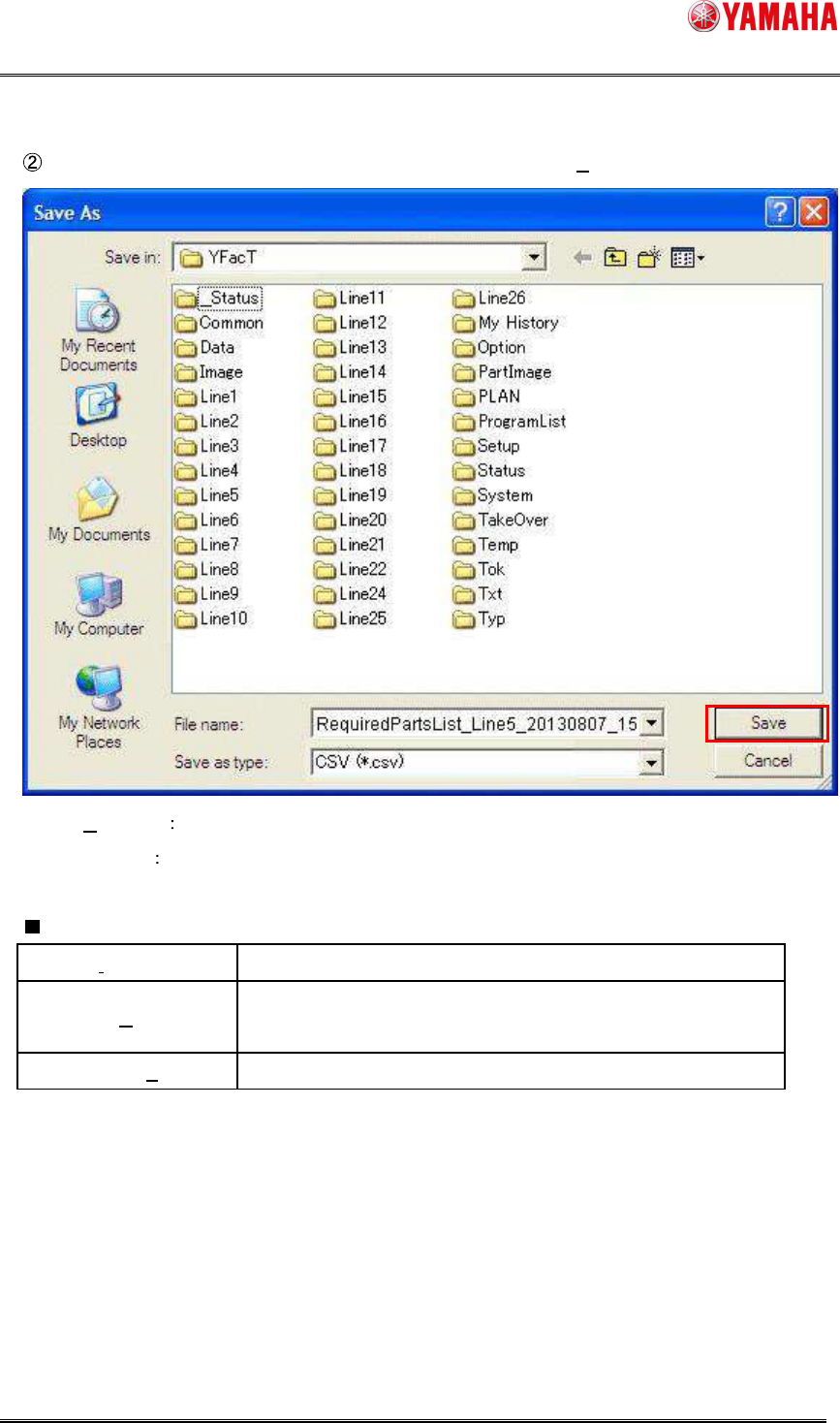
Specify a save place and file name, and then click the [Save (S)] button.
[Save (S)] button Exports the required parts list file with the specified file name.
[Cancel] button Cancels the export process.
Initial value
Save in (I) Work folder
File name (N)
RequiredPartsList_Line(line
number)_(YYYMMDD)_(HHMMSS).csv
Save as type (T) CSV (*.csv)
SMT Software Engineering Group
IM Operations YAMAHA MOTOR CO., LTD
MDOC-SOFT50283
27/62
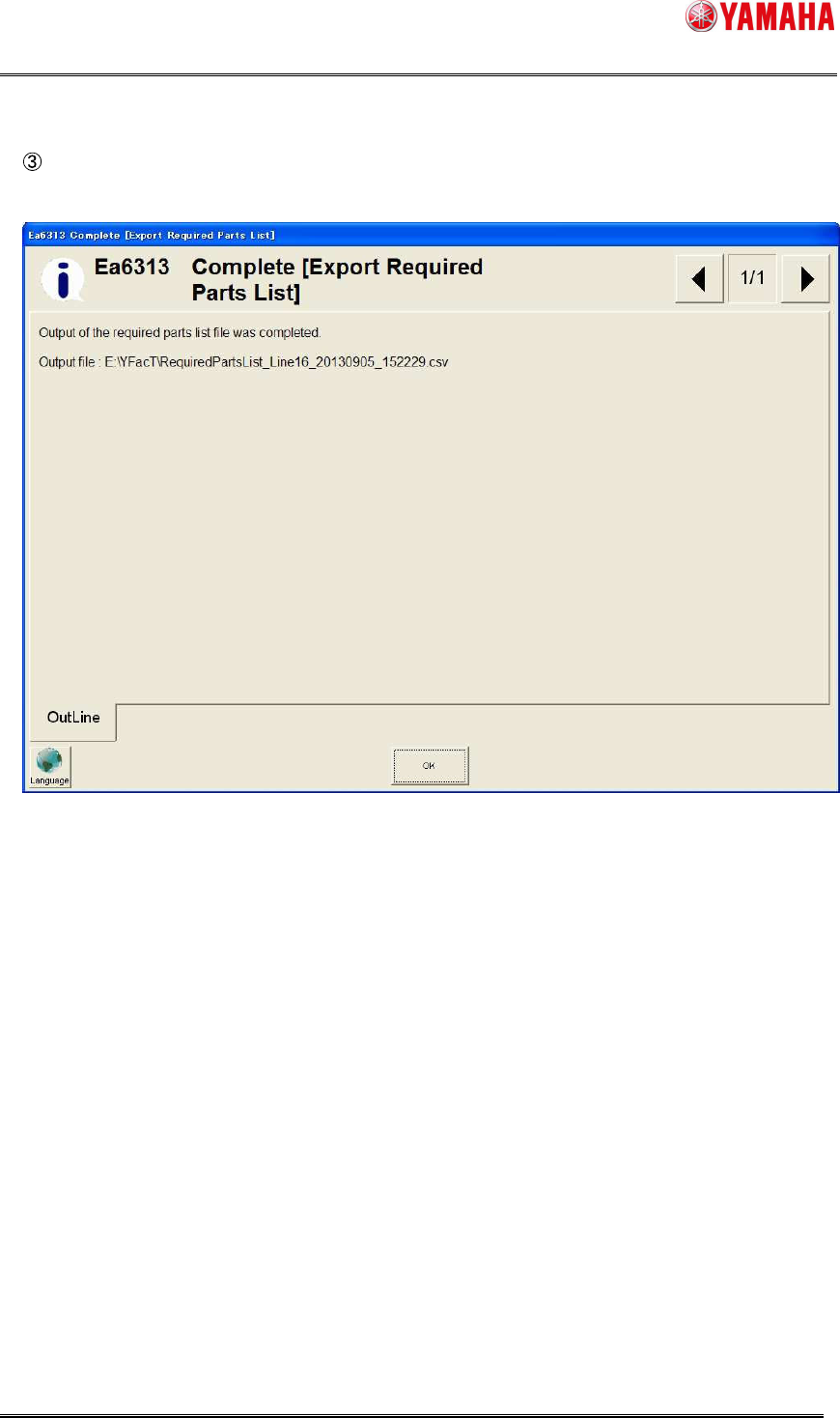
When the file is exported successfully, the “Ea6313 Complete [Export Required Parts List]”
message window will appear.