TP3447.Production Lot Operations_standard.pdf - 第31页
SMT Softw are En gineering Group IM Operations Y AMAHA M OTOR CO., L TD MDOC-SOFT50283 31/62 5. Production: Mounter 5.1 Program selection corre sponding to the production lot As the Production lot selection screen is add…

SMT Software Engineering Group
IM Operations YAMAHA MOTOR CO., LTD
MDOC-SOFT50283
30/62
4.3 Setup corresponding to the production lot
The setup work after loading the program is not changed.
* For details about the setup work, see the “Factory Tools S-Tool User’s Manual”.
SMT Software Engineering Group
IM Operations YAMAHA MOTOR CO., LTD
MDOC-SOFT50283
31/62
5. Production: Mounter
5.1 Program selection corresponding to the production lot
As the Production lot selection screen is added to the Board selection screen, the operation,
such as YAMAHA’s equipment program selection can be instructed using the production lot. This
makes a series of program selections from Setup Navi with the production lot to the production
possible.
5.1.1 Introduction
5.1.1.1 Preparations
To perform the production lot operation, it is necessary to create a program list.
* For details about how to create a program list, see “3. P-Tool: Program List Editor”.
5.1.1.2 Settings
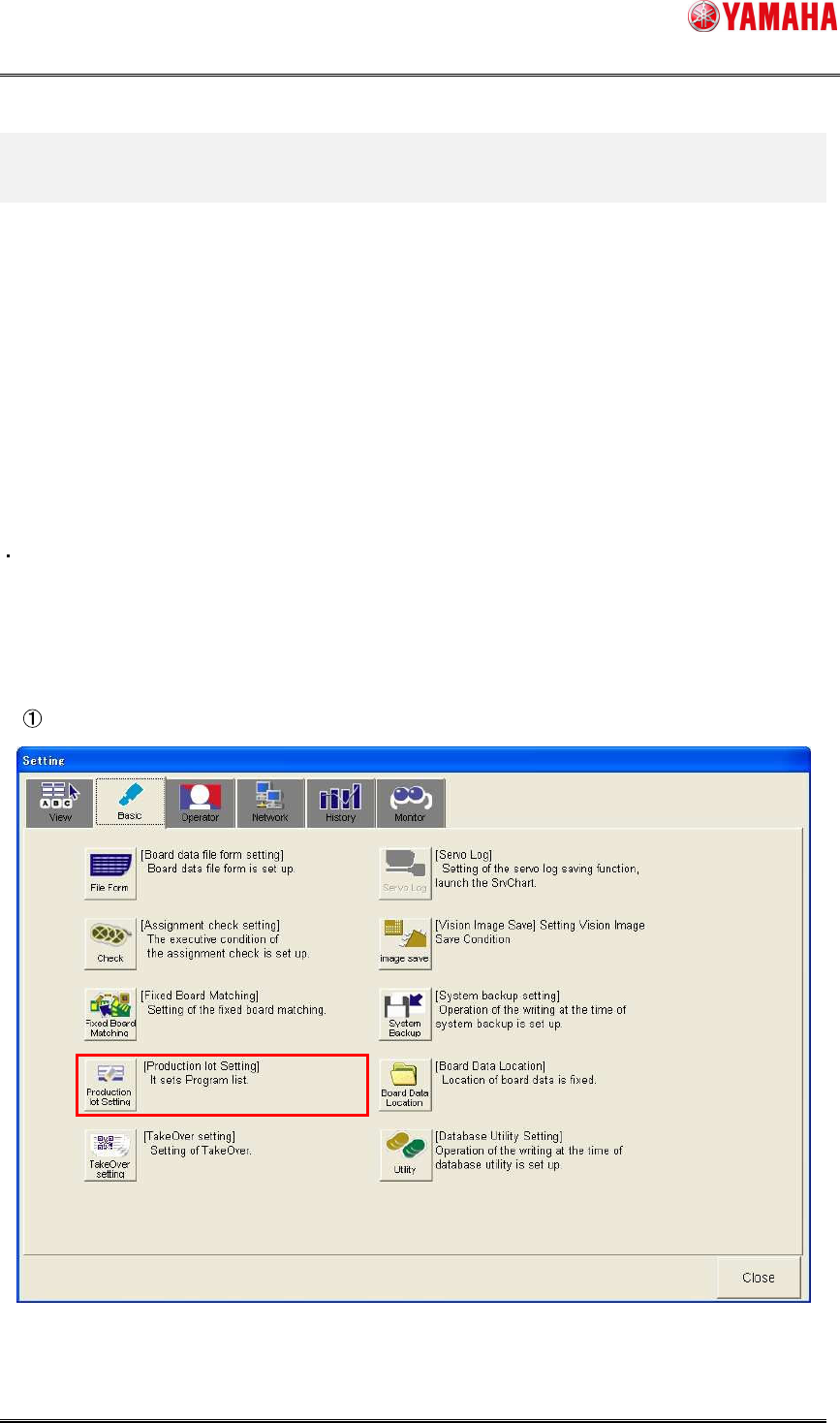
Make the settings for the production lot operation.
Click [Setup]-[Software Setting] button - [Basic] tab - [Production lot Setting] button.
SMT Software Engineering Group
IM Operations YAMAHA MOTOR CO., LTD
MDOC-SOFT50283
32/62
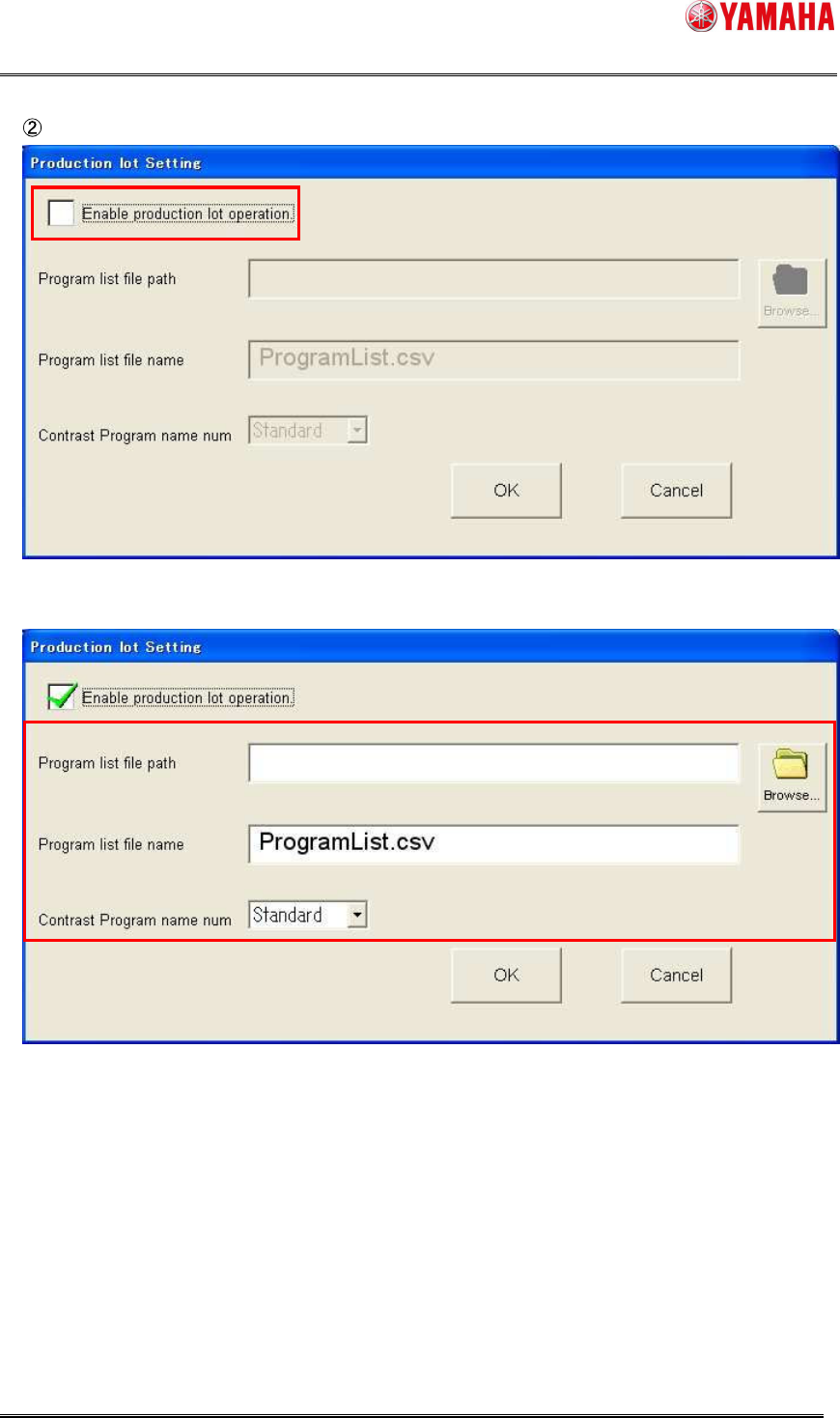
Check on the [Enable production lot operation] check box.
As the check box is checked on, the setting items become valid.