TP3447.Production Lot Operations_standard.pdf - 第52页
SMT Softw are En gineering Group IM Operations Y AMAHA M OTOR CO., L TD MDOC-SOFT50283 52/62 When the p roduction lot operation is e nabled, the l ayout of the [Setup] window cha nges, and production lot and a production…
SMT Software Engineering Group
IM Operations YAMAHA MOTOR CO., LTD
MDOC-SOFT50283
51/62
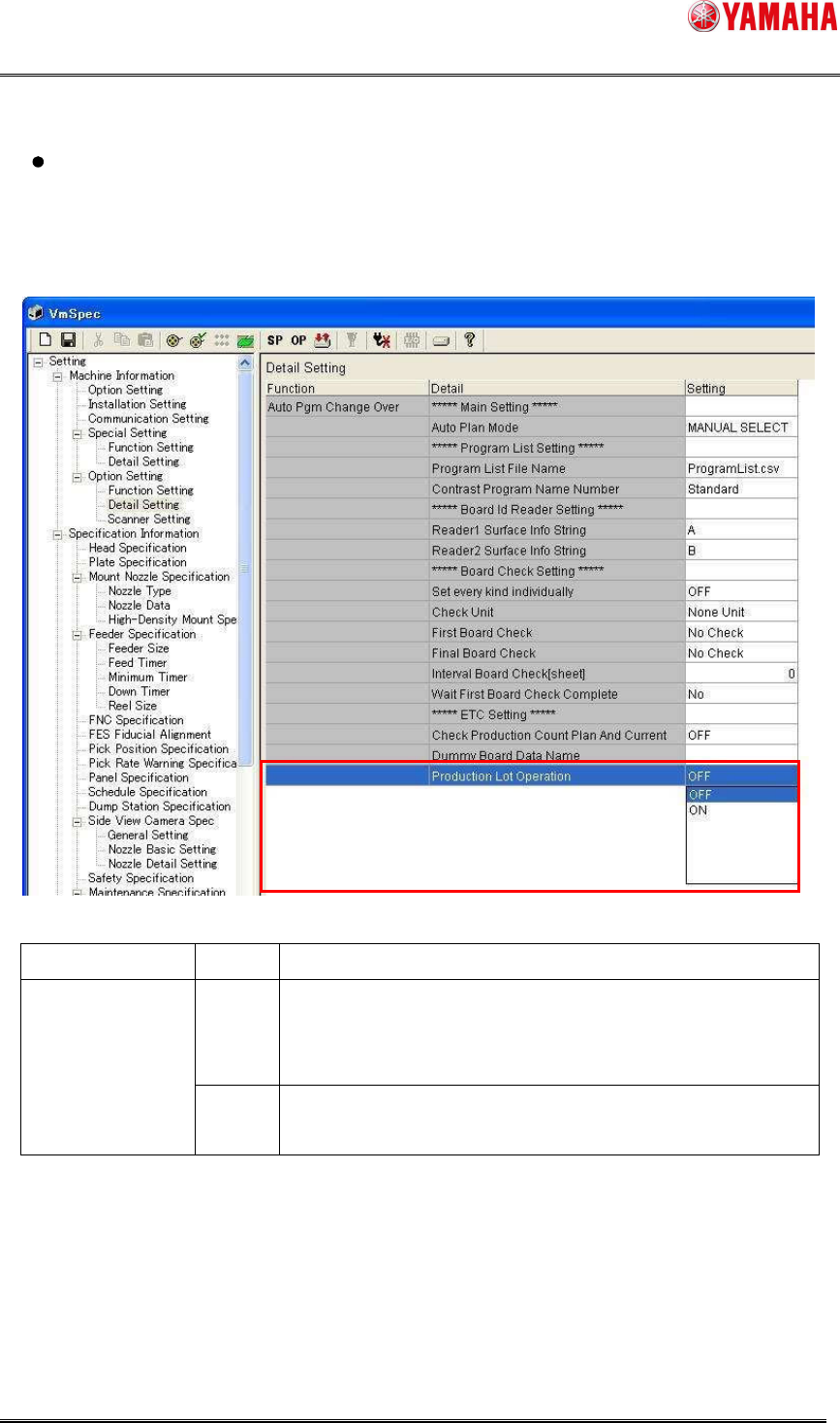
Production lot operation setting
When using the production lot for the program allocation conditions;
Select [Machine Information]-[Option Setting]-[Detail Setting] in [Setting], and then set
[Production Lot Operation] to “ON”.
Item name Setting
Contents
OFF Make the setting so that the production lot cannot be used for
the program allocation conditions.
* Existing operation
Production Lot
Operation
ON Make the setting so that the production lot can be used for
the program allocation conditions.
SMT Software Engineering Group
IM Operations YAMAHA MOTOR CO., LTD
MDOC-SOFT50283
52/62
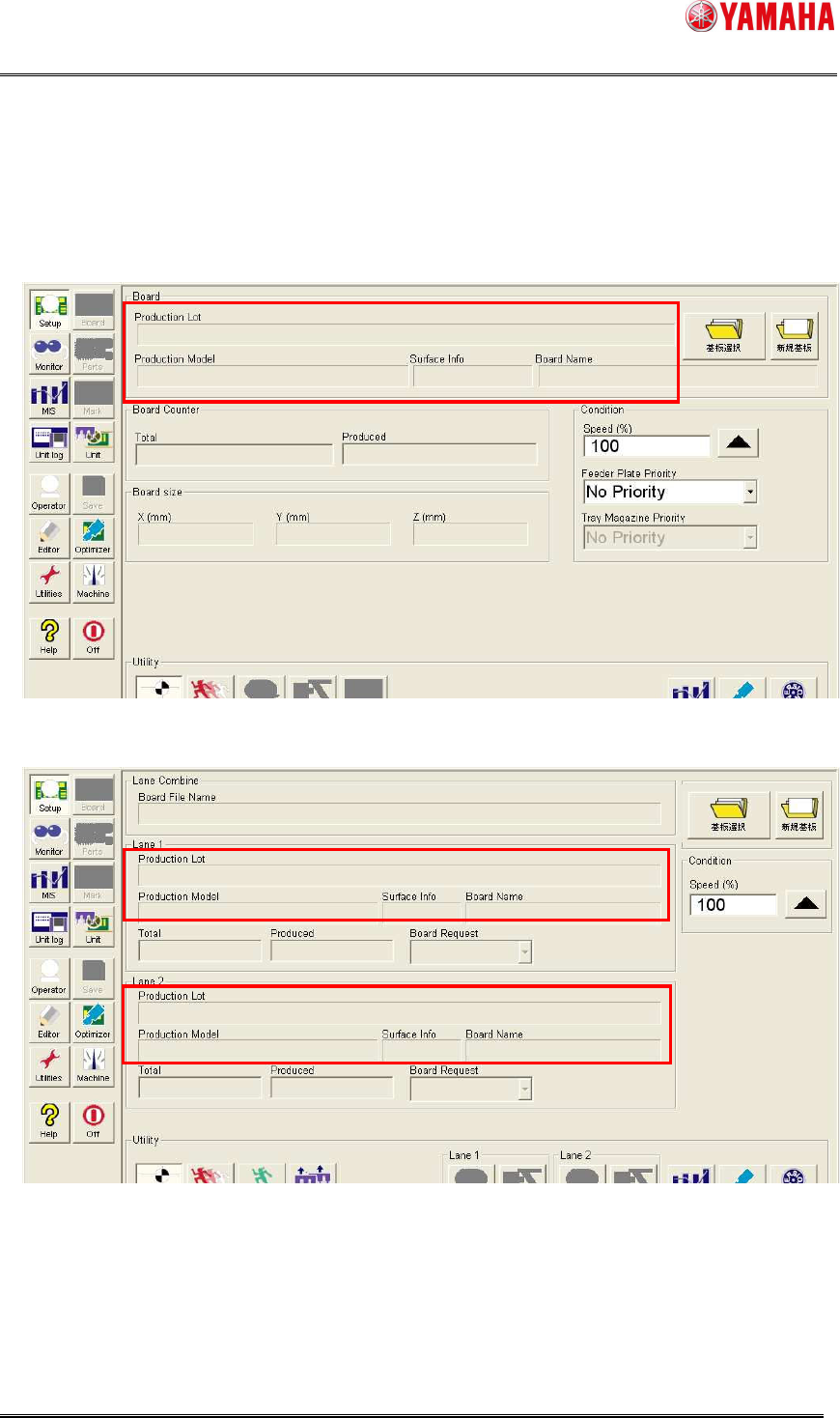
When the production lot operation is enabled, the layout of the [Setup] window changes, and
production lot and a production model and surface info come to be displayed.
Single lane
Dual lane
SMT Software Engineering Group
IM Operations YAMAHA MOTOR CO., LTD
MDOC-SOFT50283
53/62
5.3.2 Operation procedure
5.3.2.1 KANBAN
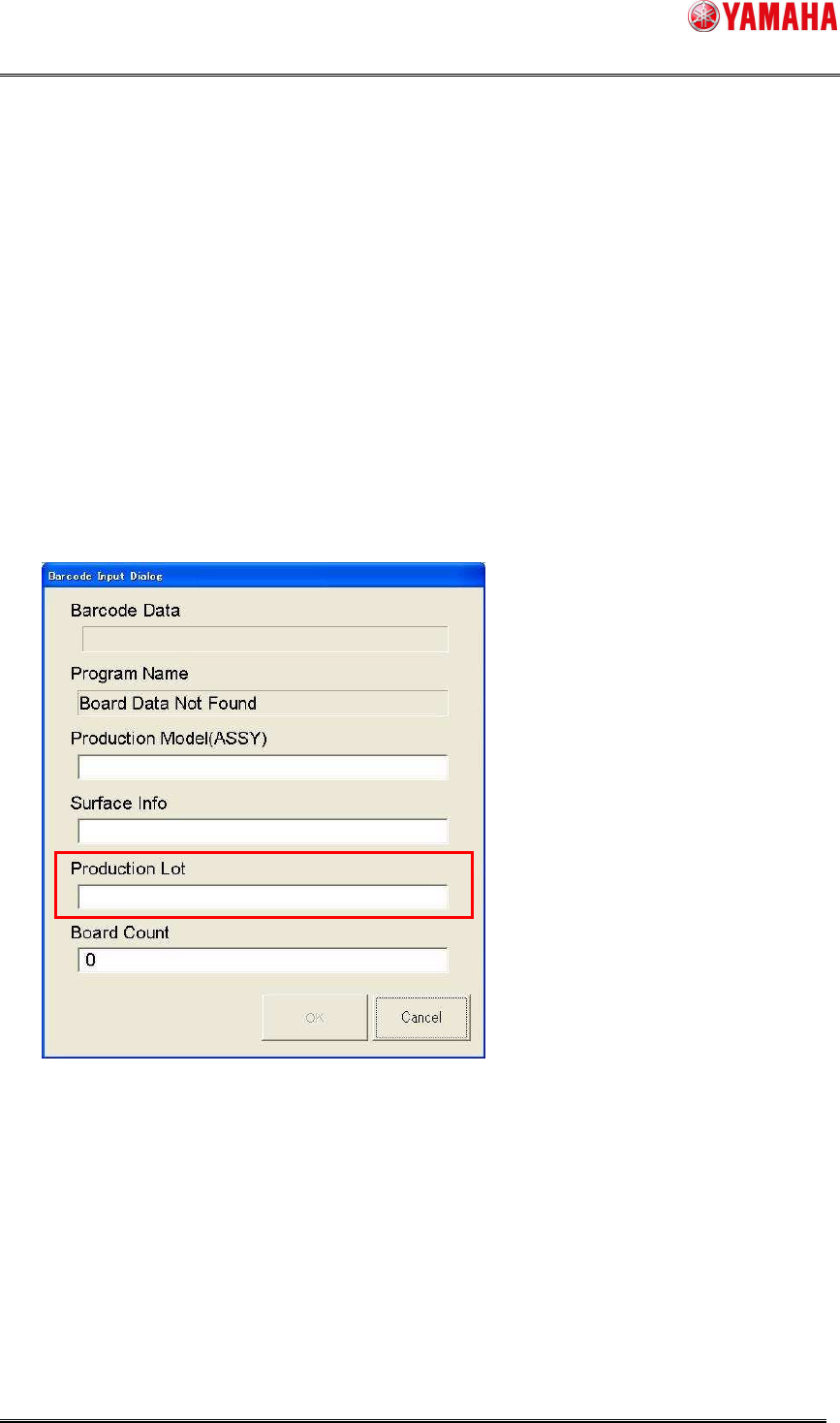
When the production lot is read using the handy type reader (barcode reader or 2D barcode
reader) in the top machine of the line, the machine automatically changes the board program.
Furthermore, when the downstream machine operates in the “take over” mode, the board
program of the overall line is changed as the downstream machine takes over the production lot.
The contents of the read production lot are displayed in the dialog box.
Additionally, the production lot can be edited directly.
Single lane machine