TP3447.Production Lot Operations_standard.pdf - 第12页
SMT Softw are En gineering Group IM Operations Y AMAHA M OTOR CO., L TD MDOC-SOFT50283 12/62 3.1.4 Creating a new program list This section de scribes ho w to create a new program list and register the association betwee…
SMT Software Engineering Group
IM Operations YAMAHA MOTOR CO., LTD
MDOC-SOFT50283
11/62
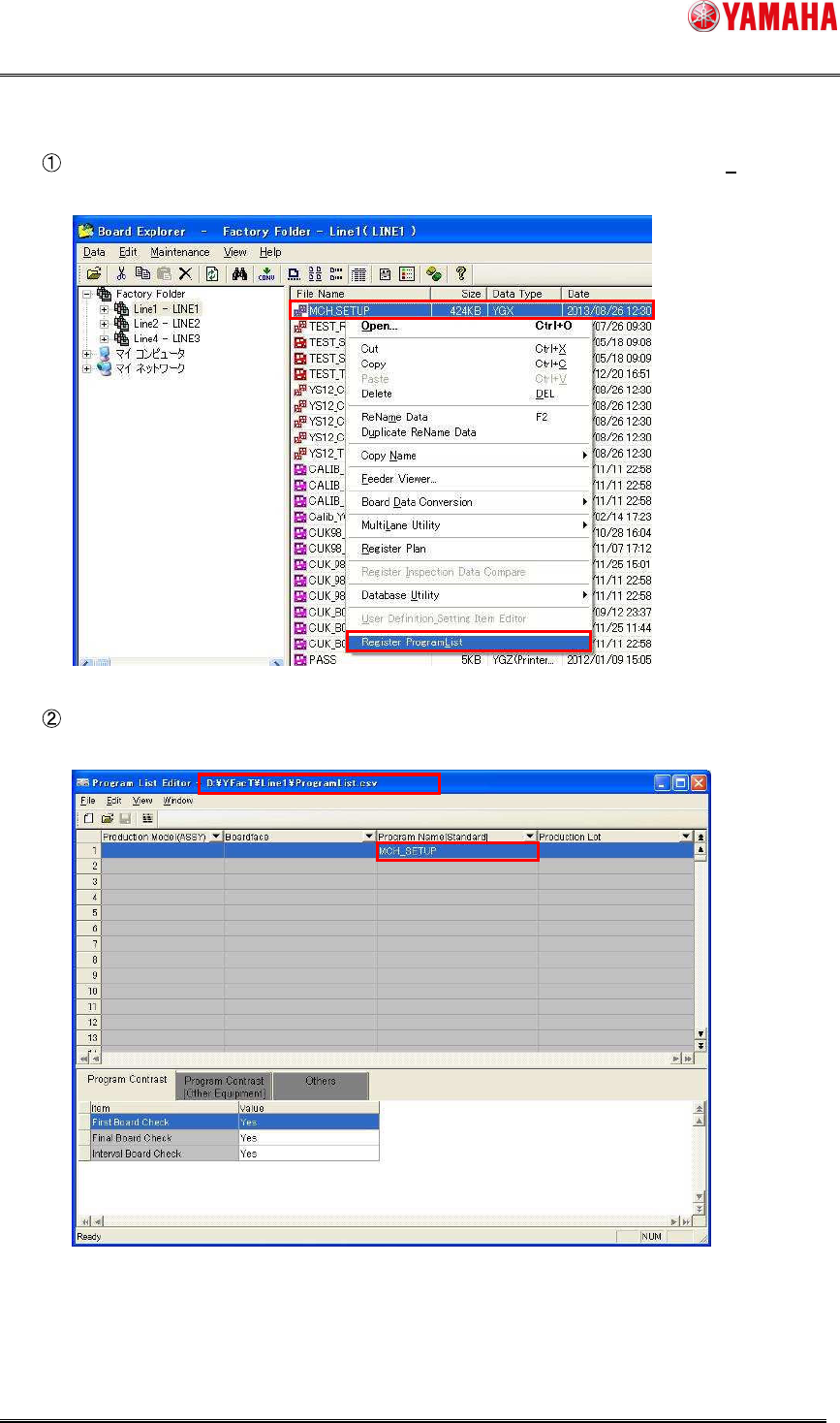
3. “Program name registration startup”
Select desired board data in the list, and then select [Register Program List (L)] from the
right-click menu.
Program List Editor loads the program list at the specified line and starts up with the file
name of the selected board data registered into the “Program Name” field.
SMT Software Engineering Group
IM Operations YAMAHA MOTOR CO., LTD
MDOC-SOFT50283
12/62
3.1.4 Creating a new program list
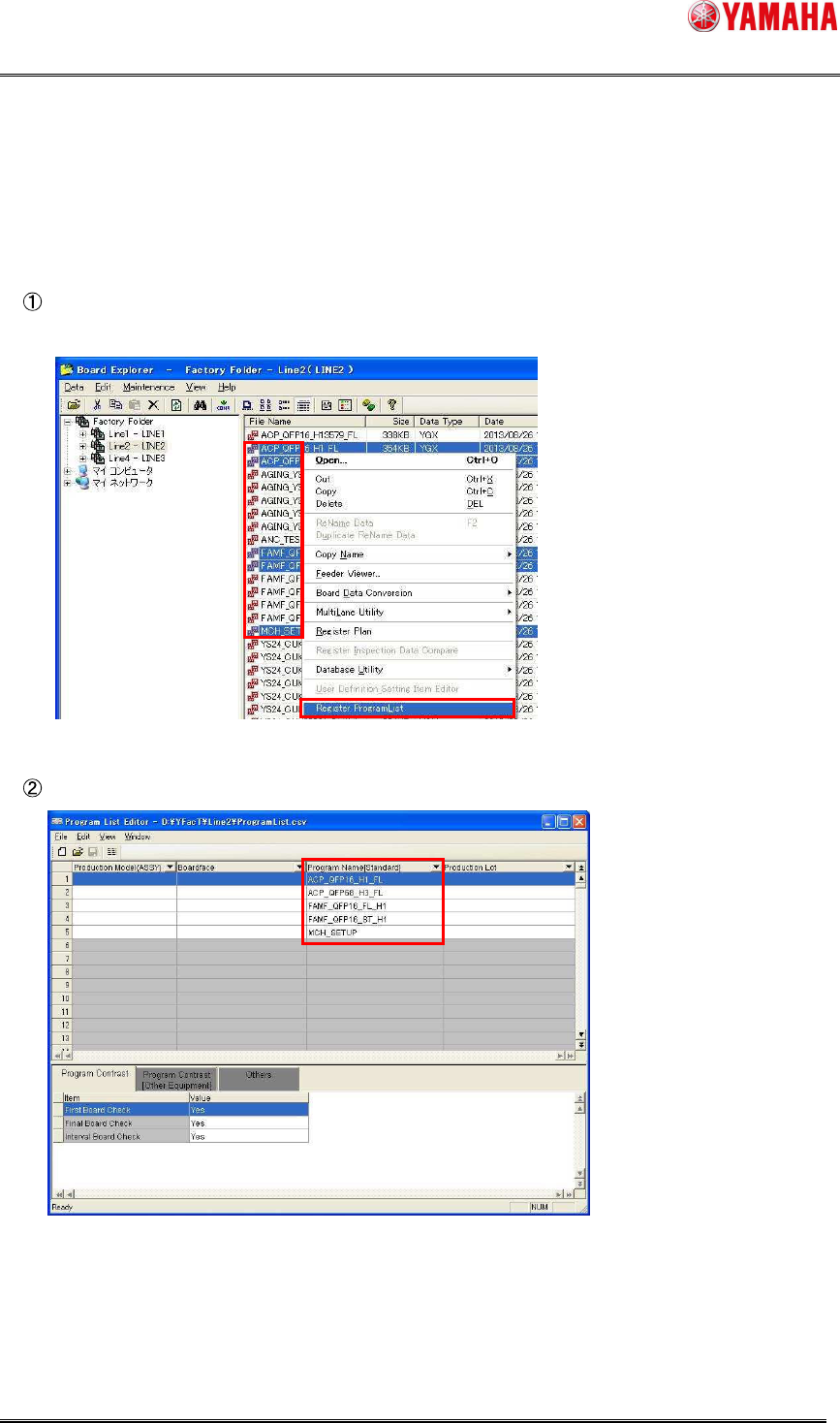
This section describes how to create a new program list and register the association
between the production lot and board program name.
Select board data you want to register and start up Program List Editor in the “program
name registration startup” mode.
Program List Editor starts up with the program names registered into the program list file.
SMT Software Engineering Group
IM Operations YAMAHA MOTOR CO., LTD
MDOC-SOFT50283
13/62
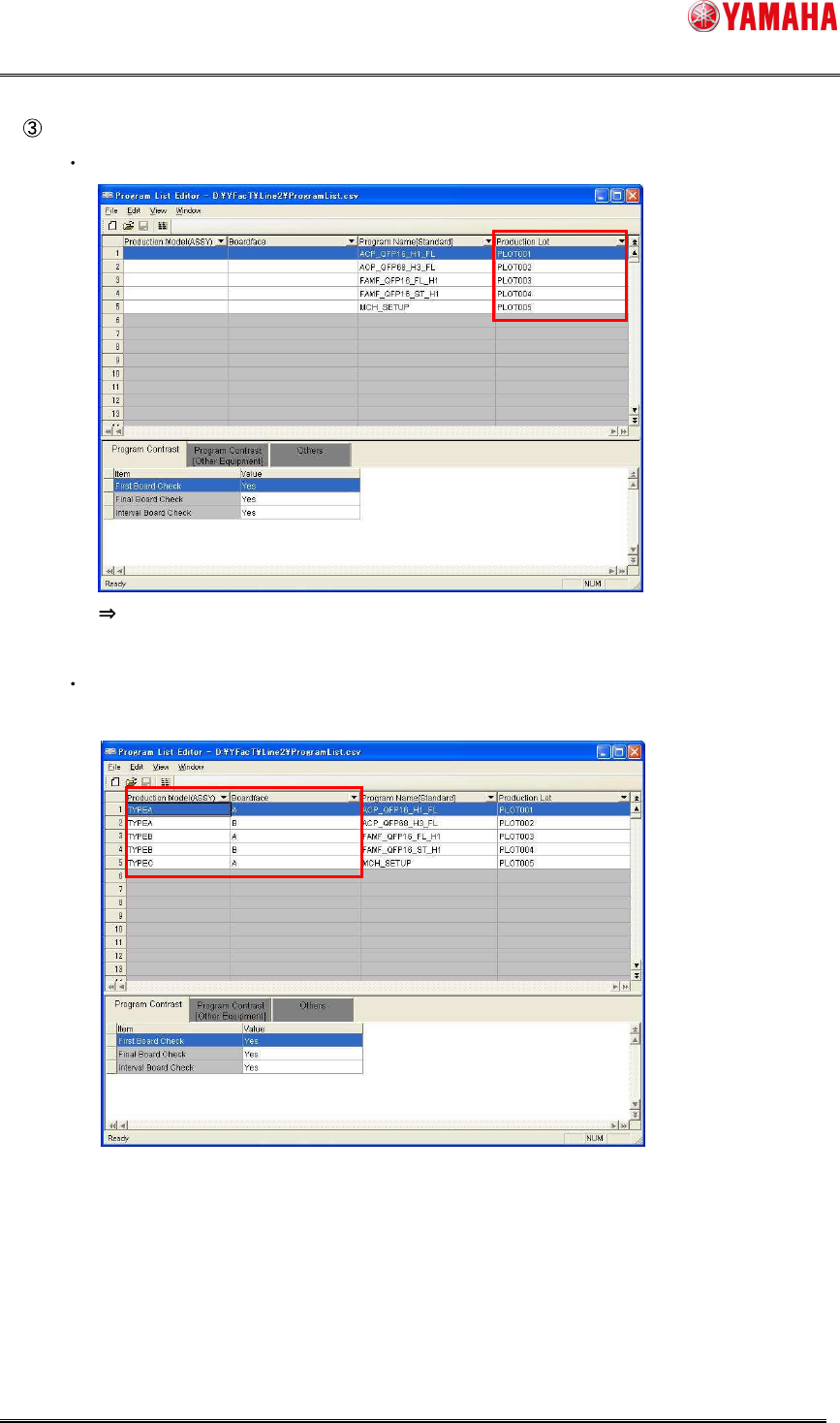
Edit the contents you want to associate with the program.
Set the production lot names in the “Production Lot” field.
As the production lot name is specified, the associated program can be selected.
When necessary, set the production model information in the “Production Model
(ASSY)” and “Board face” fields.