TP3447.Production Lot Operations_standard.pdf - 第15页
SMT Softw are En gineering Group IM Operations Y AMAHA M OTOR CO., L TD MDOC-SOFT50283 15/62 3.1.5 D el eting the program list This section describes how to delete th e unnecessary production lot from the program list. S…
SMT Software Engineering Group
IM Operations YAMAHA MOTOR CO., LTD
MDOC-SOFT50283
14/62
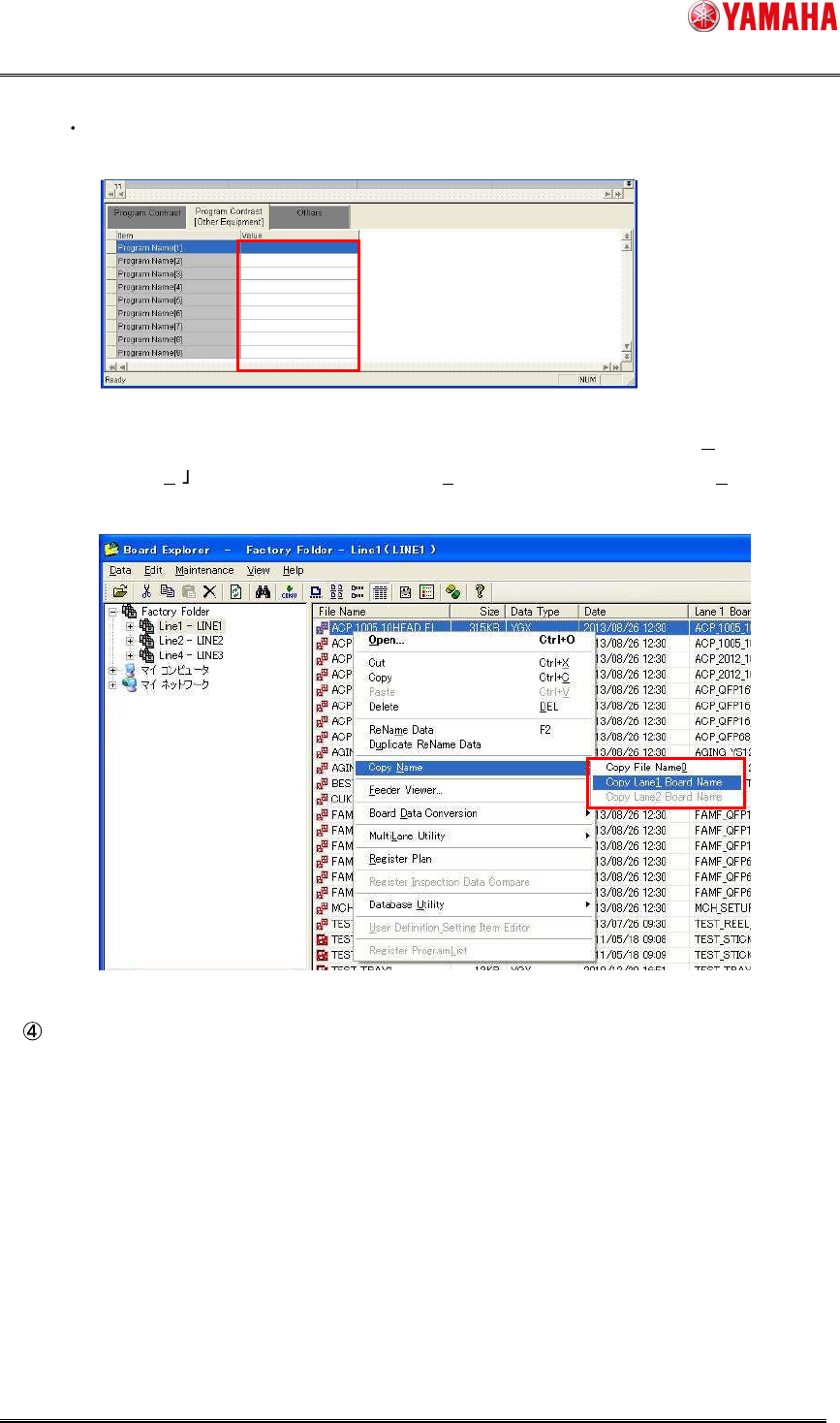
When necessary, set the program name for each machine in the “Program Name [1]”
to “Program Name [9]” fields in the [Program Contrast [Other Equipment]] tab window.
* The program name can be copied to Clipboard using the procedures shown below.
Select a board with Board Explorer, and then select [Copy Name (N)]-[Copy File
Name (0) ([Copy Lane 1 Board Name (1)]/[Copy Lane 2 Board Name (2)]) from the
right-click menu.
From the [File] menu, select [Save Program List].
SMT Software Engineering Group
IM Operations YAMAHA MOTOR CO., LTD
MDOC-SOFT50283
15/62
3.1.5 Deleting the program list
This section describes how to delete the unnecessary production lot from the program list.
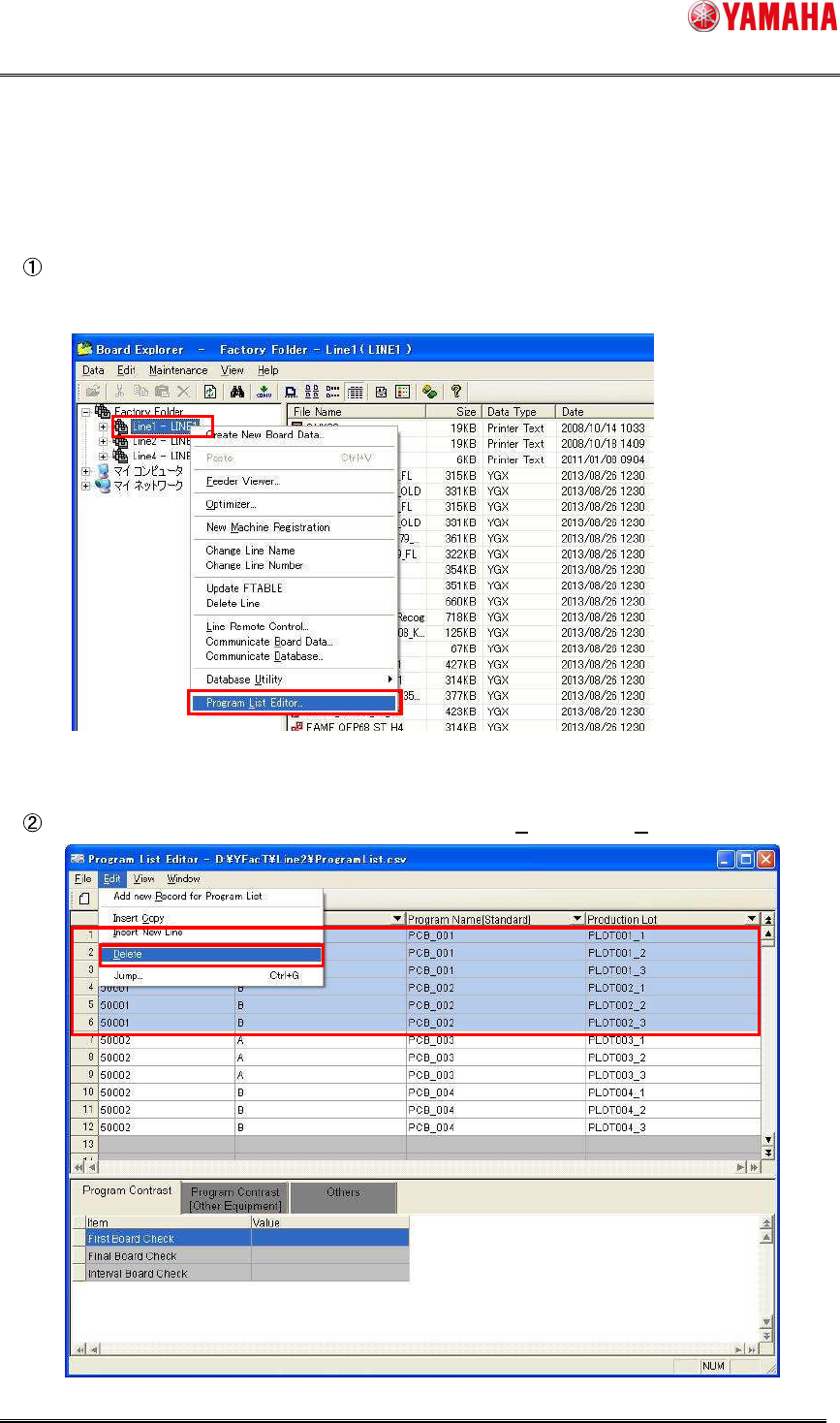
Select the line where the production lot you want to delete exists and start up Program List
Editor in the “line designation startup” mode.
Select lines you want to delete, and then select [Edit (E)] – [Delete (D)].
SMT Software Engineering Group
IM Operations YAMAHA MOTOR CO., LTD
MDOC-SOFT50283
16/62
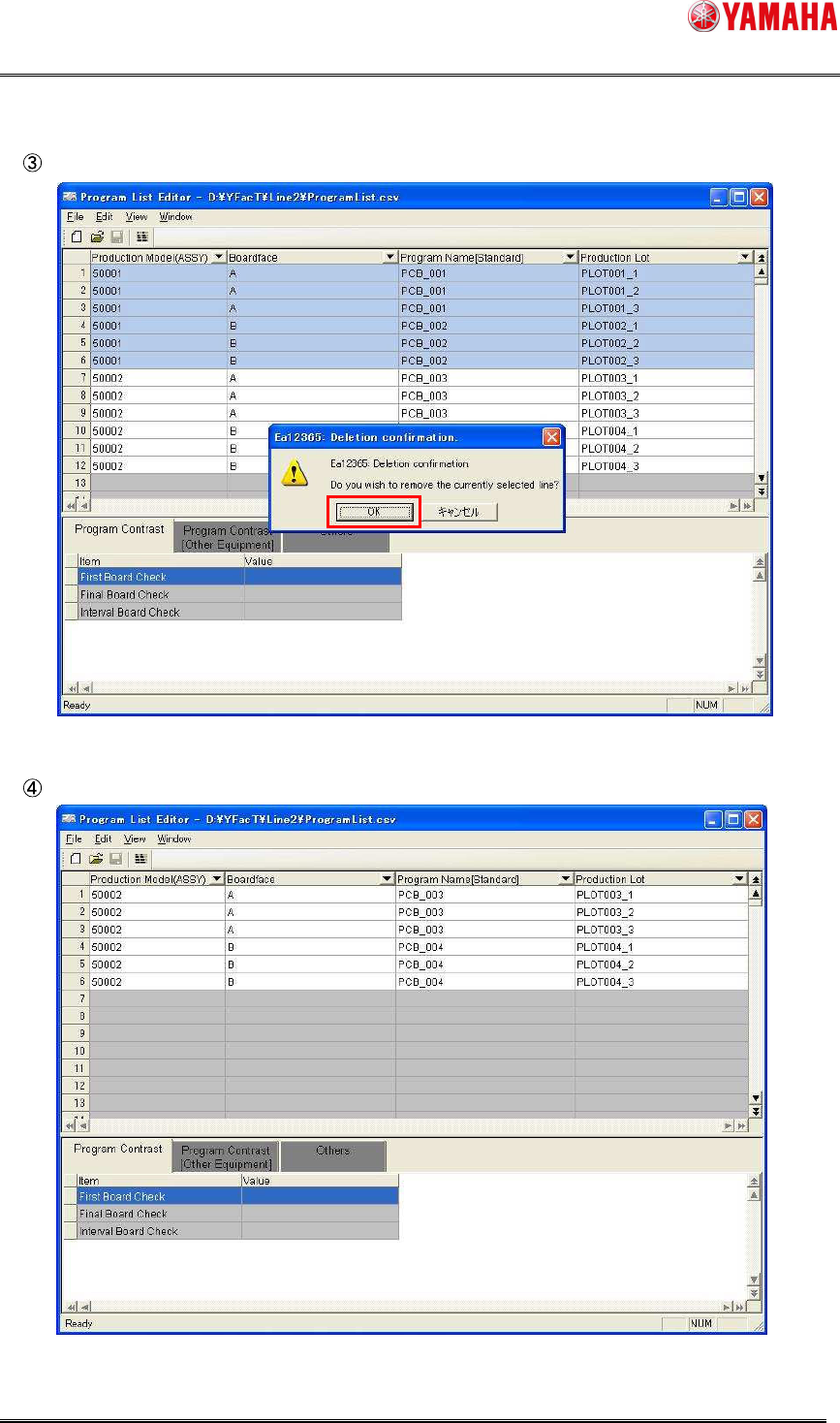
The confirmation message will appear. Click the [OK] button.
The selected lines are then deleted.