TP3447.Production Lot Operations_standard.pdf - 第35页
SMT Softw are En gineering Group IM Operations Y AMAHA M OTOR CO., L TD MDOC-SOFT50283 35/62 When the p roduction lot operation is e nabled, the l ayout of the [Setup] window cha nges, and production lot and a production…
SMT Software Engineering Group
IM Operations YAMAHA MOTOR CO., LTD
MDOC-SOFT50283
34/62
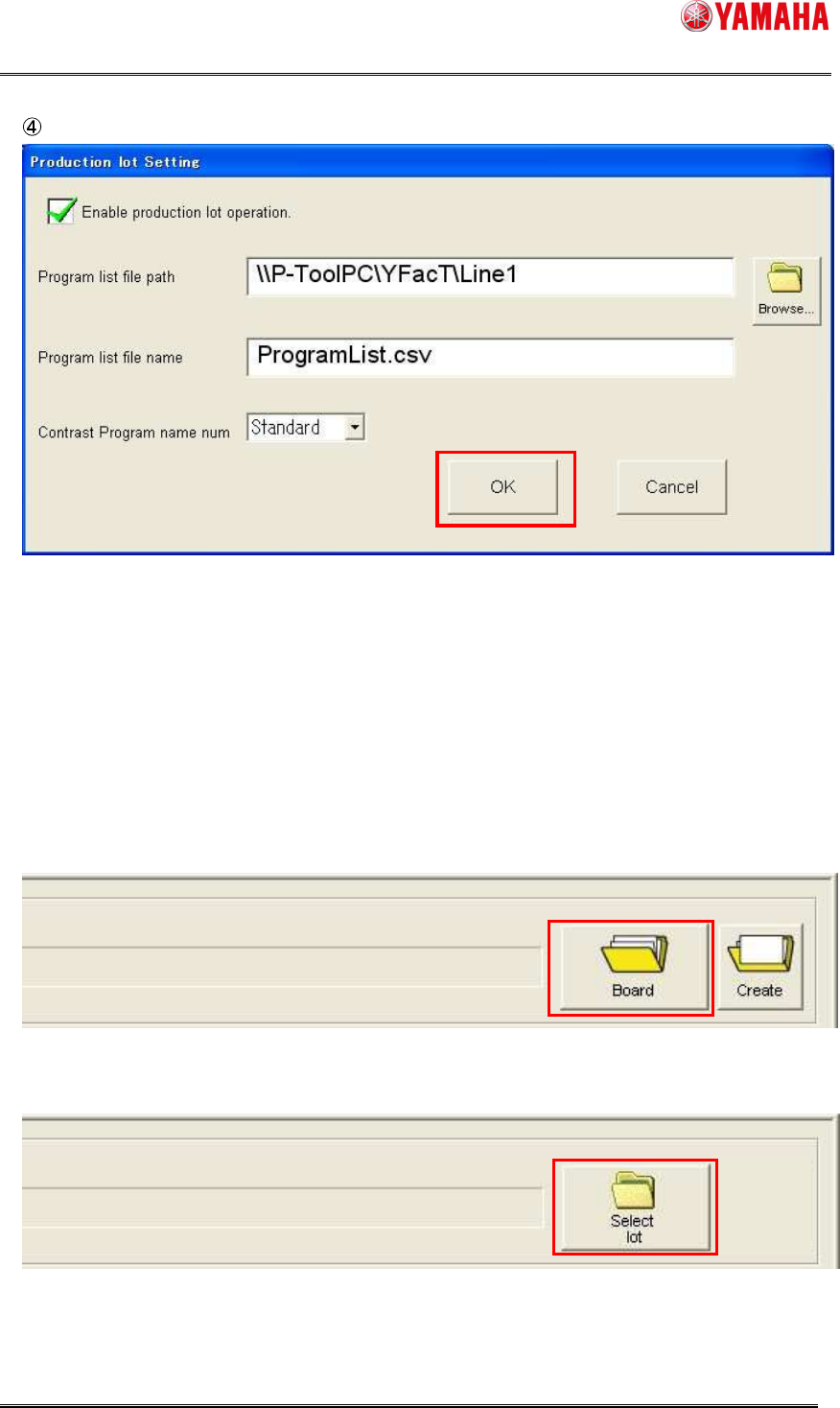
Click the [OK] button to exit the Setting screen.
When the production lot operation is enabled, the [Board] button changes to the [Select lot]
button.
In addition, the [Create] button will be hidden.
* The display conditions for the changed [Select lot] button are the same as those for the
[Board] button.
When the production lot operation is disabled;
When the production lot operation is enabled;
SMT Software Engineering Group
IM Operations YAMAHA MOTOR CO., LTD
MDOC-SOFT50283
35/62
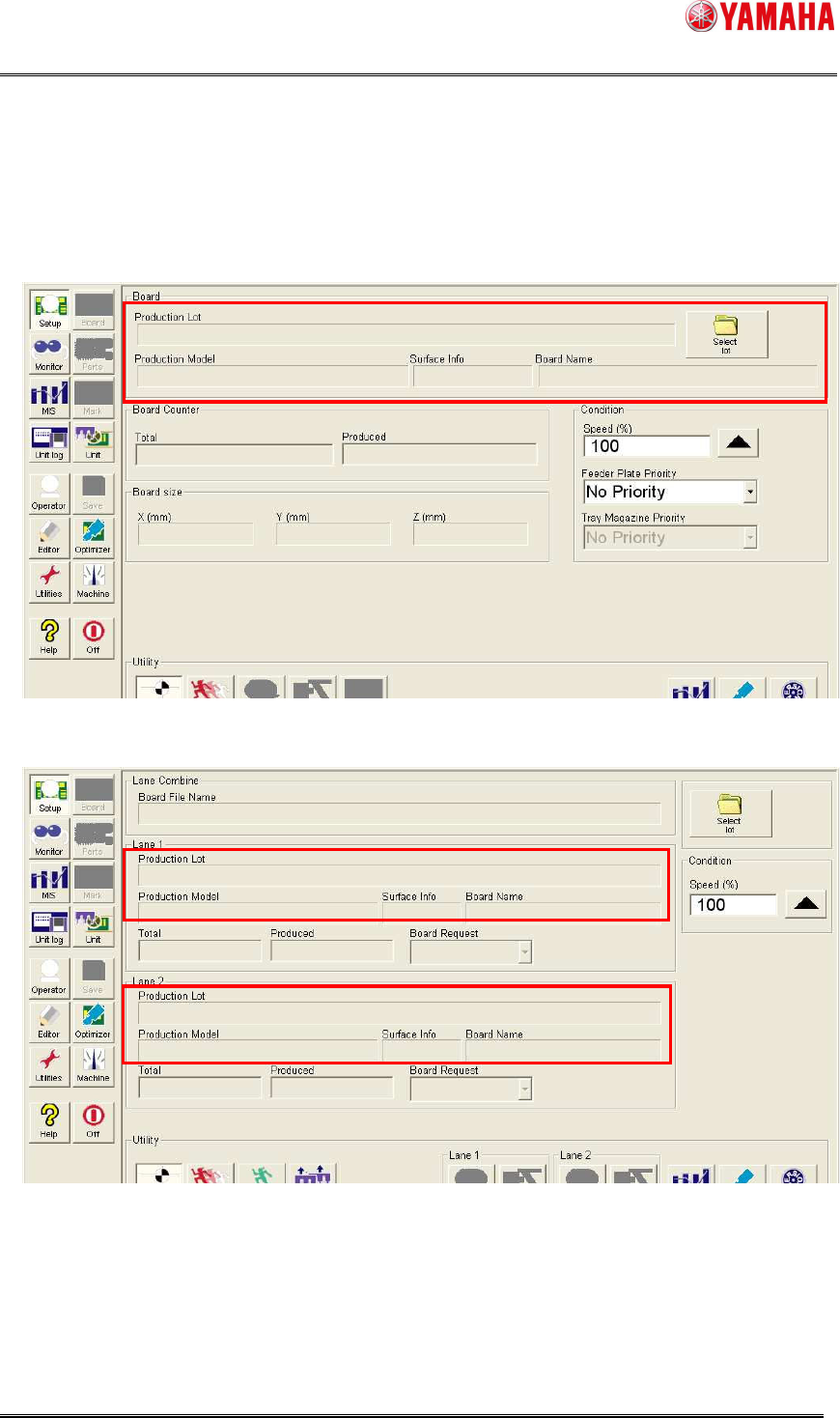
When the production lot operation is enabled, the layout of the [Setup] window changes, and
production lot and a production model and surface info come to be displayed.
Single lane
Dual lane
SMT Software Engineering Group
IM Operations YAMAHA MOTOR CO., LTD
MDOC-SOFT50283
36/62
5.1.2 Operation procedure
5.1.2.1 Production lot selection
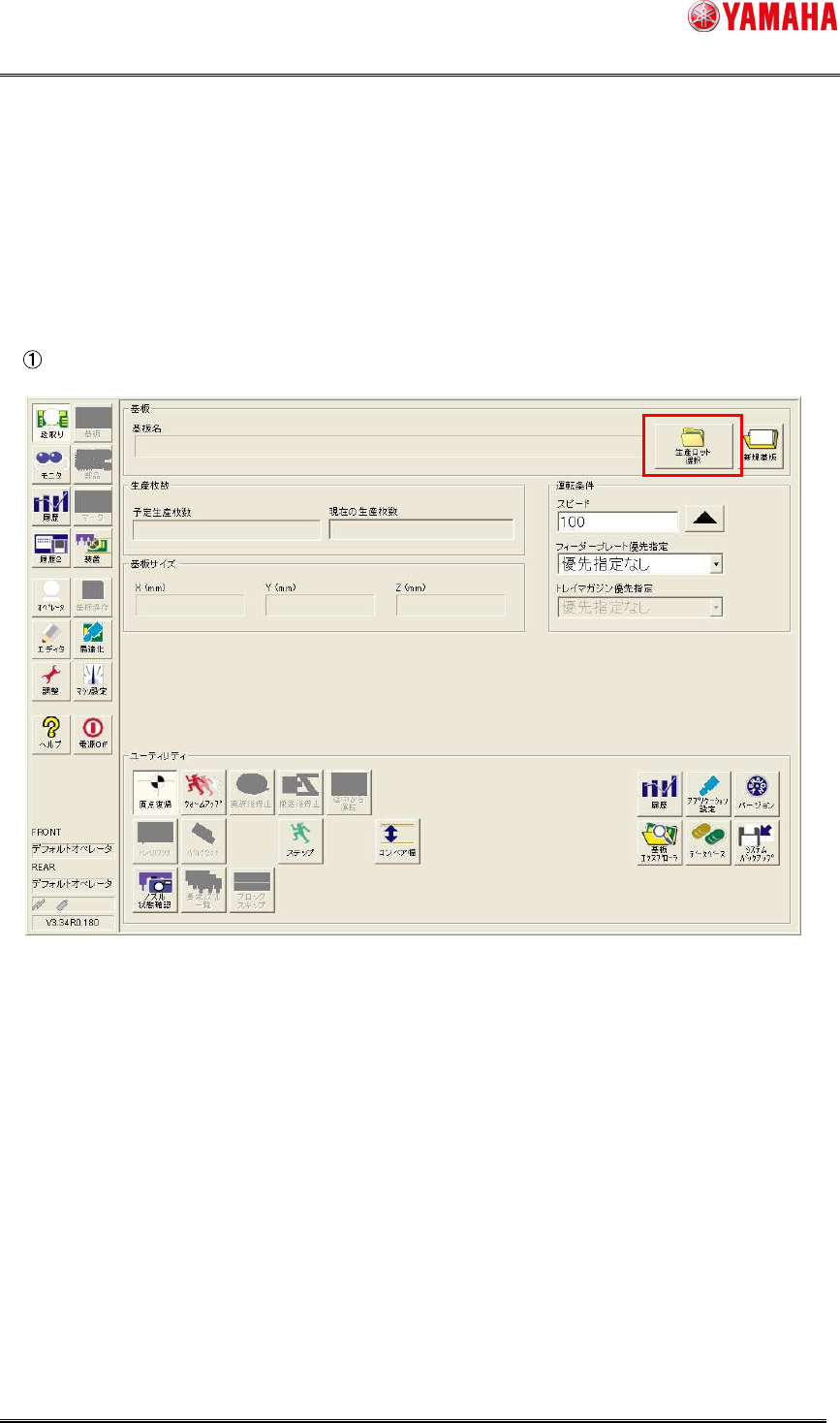
To instruct the operation in units of production lots, specify a target production lot from the
program list.
Click [Setup] - [Select lot] button.
The “Board data select” dialog box will appear. Then, the “Select production lot” dialog box
automatically appears above it.