TP3447.Production Lot Operations_standard.pdf - 第39页
SMT Softw are En gineering Group IM Operations Y AMAHA M OTOR CO., L TD MDOC-SOFT50283 39/62 For the dual lane ( TYPE-N), the “Se lect production lot” dialog box to be displayed may vary depending on the st ate of the “l…
SMT Software Engineering Group
IM Operations YAMAHA MOTOR CO., LTD
MDOC-SOFT50283
38/62
For the dual lane (TYPE-1/TYPE-2), the board program is loaded to the lane that is selected
by clicking the “lane selection” button in the “Board data select” dialog box.
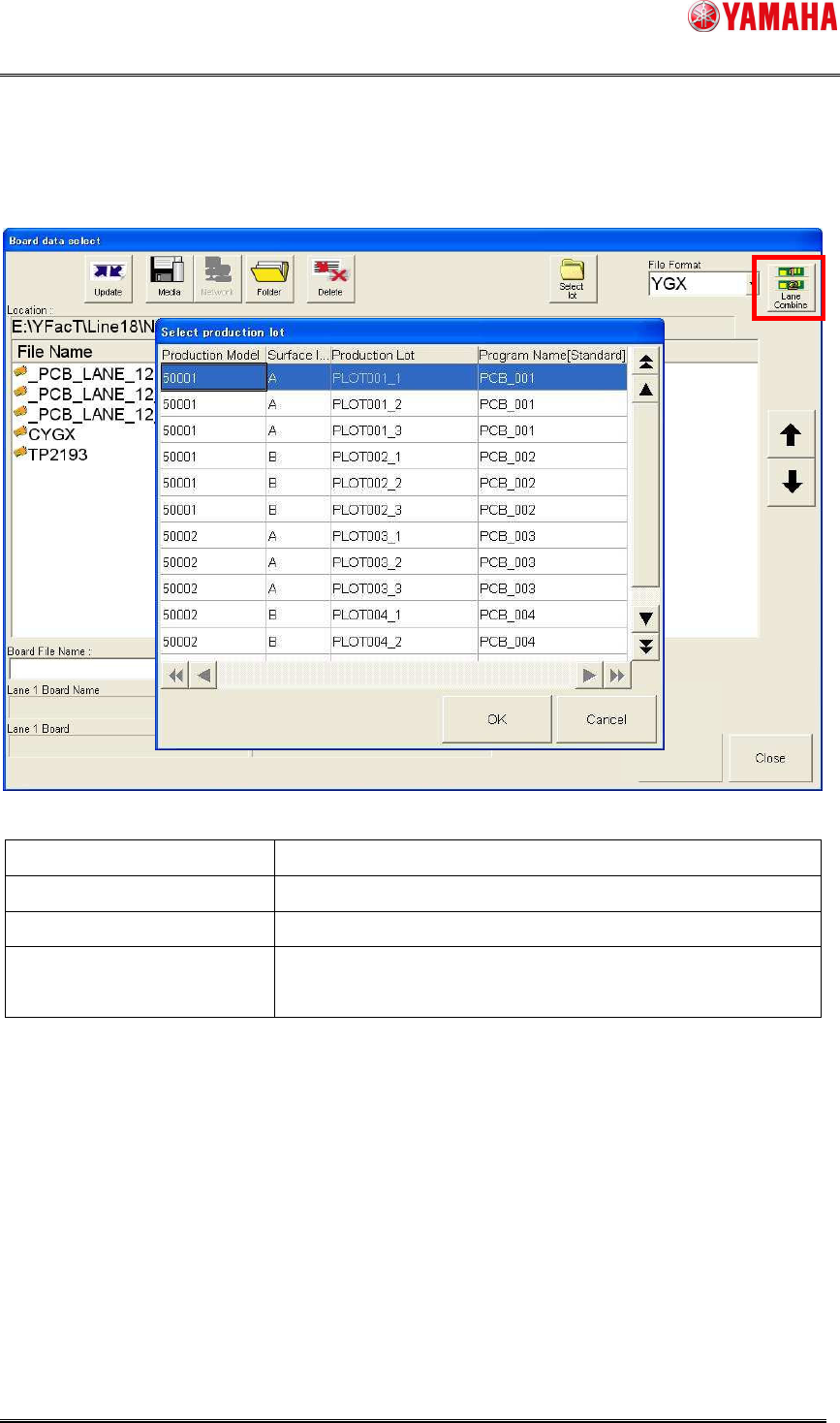
Button state Contents
Lane 1 Board program is loaded to the lane 1.
Lane 2 Board program is loaded to the lane 2.
Lane Combine Combined board (CYGX) with the file name that matches to
the program name of the program list is loaded.
SMT Software Engineering Group
IM Operations YAMAHA MOTOR CO., LTD
MDOC-SOFT50283
39/62
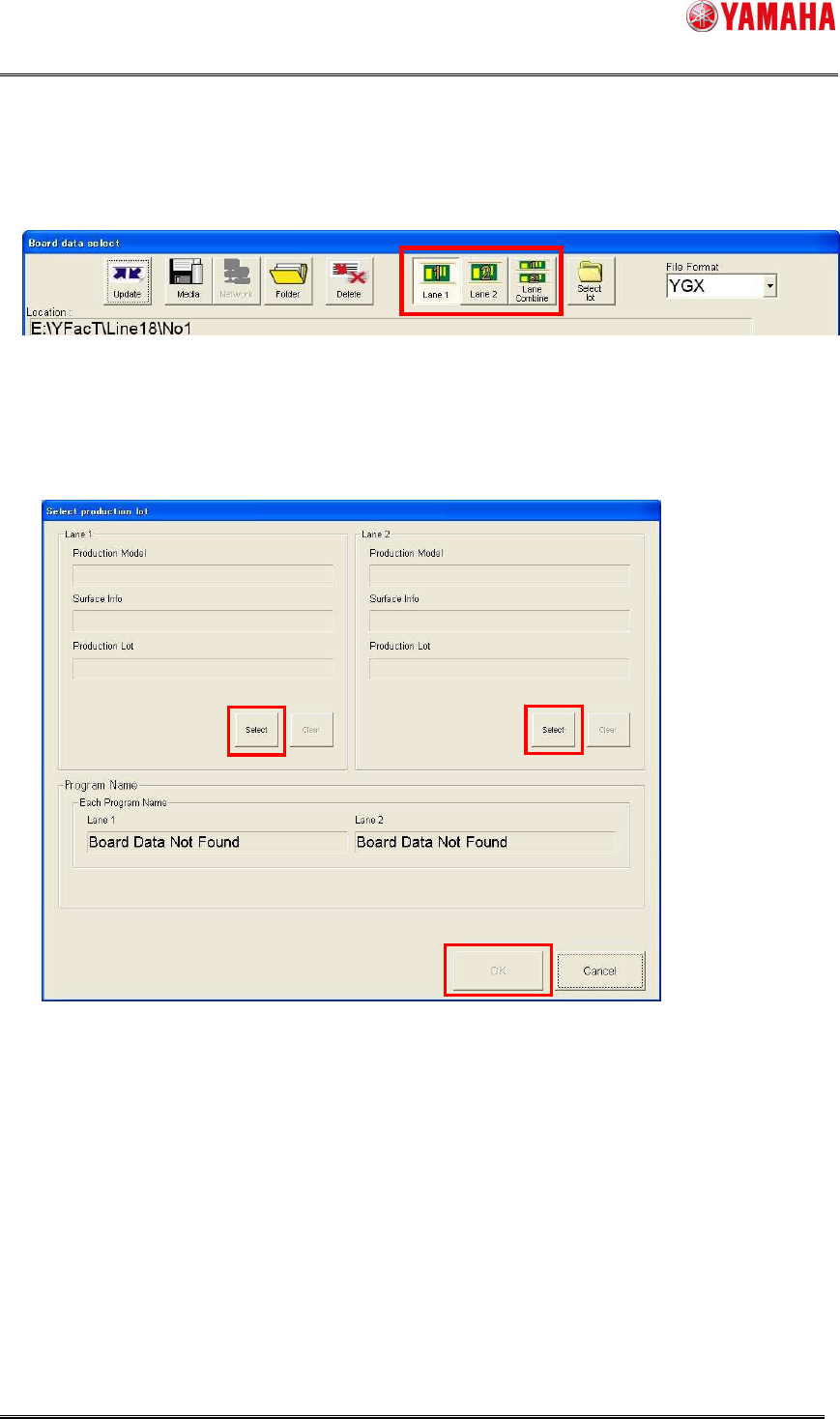
For the dual lane (TYPE-N), the “Select production lot” dialog box to be displayed may vary
depending on the state of the “lane selection” button.
When the [Lane 1] button/[Lane 2] button is selected;
The dialog box that displays both lanes will appear. When clicking the [Select] button, the
normal “Select production lot” dialog box will appear, allowing you to select a production lot.
When clicking the [OK] button without selecting the production lot under the conditions that
the production lot can be specified for both lanes, the loaded board is canceled in the
unselected lane. When you want to load both lanes, be sure to specify both lanes. When
either lane can select the board in the nonstop operation, the production lot can also be
selected. The [Select] button becomes valid only in the selectable lane.
SMT Software Engineering Group
IM Operations YAMAHA MOTOR CO., LTD
MDOC-SOFT50283
40/62
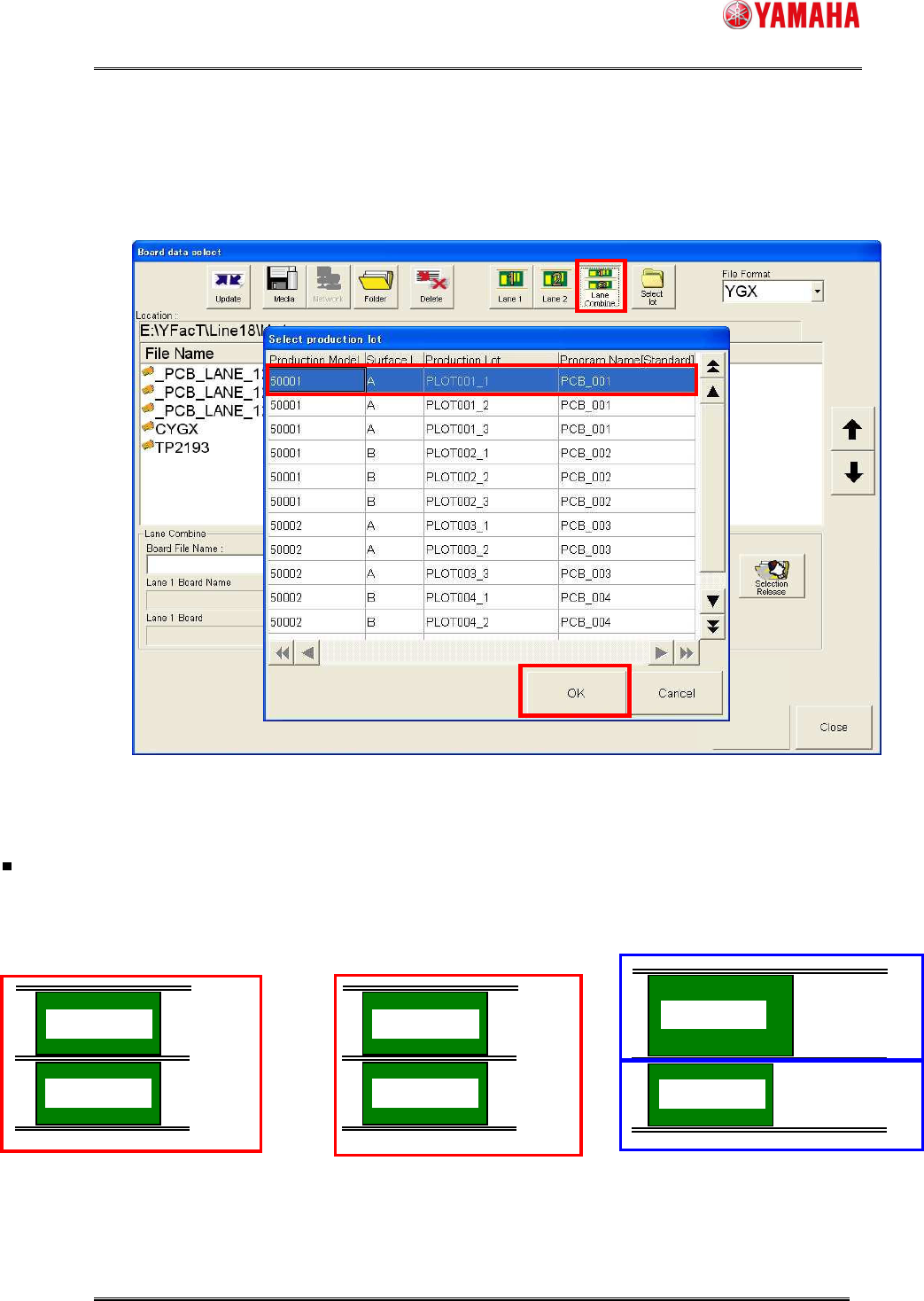
When the [Lane Combine] button is selected;
The normal [Select production lot] dialog box will appear.
Select a production lot and click the [OK] button. The combine board (CYGX) is then loaded.
The combine board (CYGX) with the file name that matches to the program name of the
program list is then loaded.
Applicable to one production lot pattern by combined board
* Combine board data with the file name that matches to
the program
name of the selected production lot is loaded.
TYPE-1
Same board
* Same production model and same surface
TYPE-N
Different production model
TYPE-2
Same width and different production model
* Mainly, same production model and A/B surfaces
Board 1-A surface
Board 1-A surface
Board 1-B surface
Board 1-A surface
Board 1-A surface
Board 2-A surface
Not applicable to individual
production lot pattern in board units.
Production lot B
Production lot A
Production lot A
Production lot A
* This pattern is made applicable by
loading individual board.
Relationship between production lot and combine board (CYGX)