TP3447.Production Lot Operations_standard.pdf - 第5页
SMT Softw are En gineering Group IM Operations Y AMAHA M OTOR CO., L TD MDOC-SOFT50283 5/62 2. Production lot operation 2.1 Overview This function can instruct an operation, such as Y AMAHA ’s equipmen t program selectio…
SMT Software Engineering Group
IM Operations YAMAHA MOTOR CO., LTD
MDOC-SOFT50283
4/62
1. Introduction
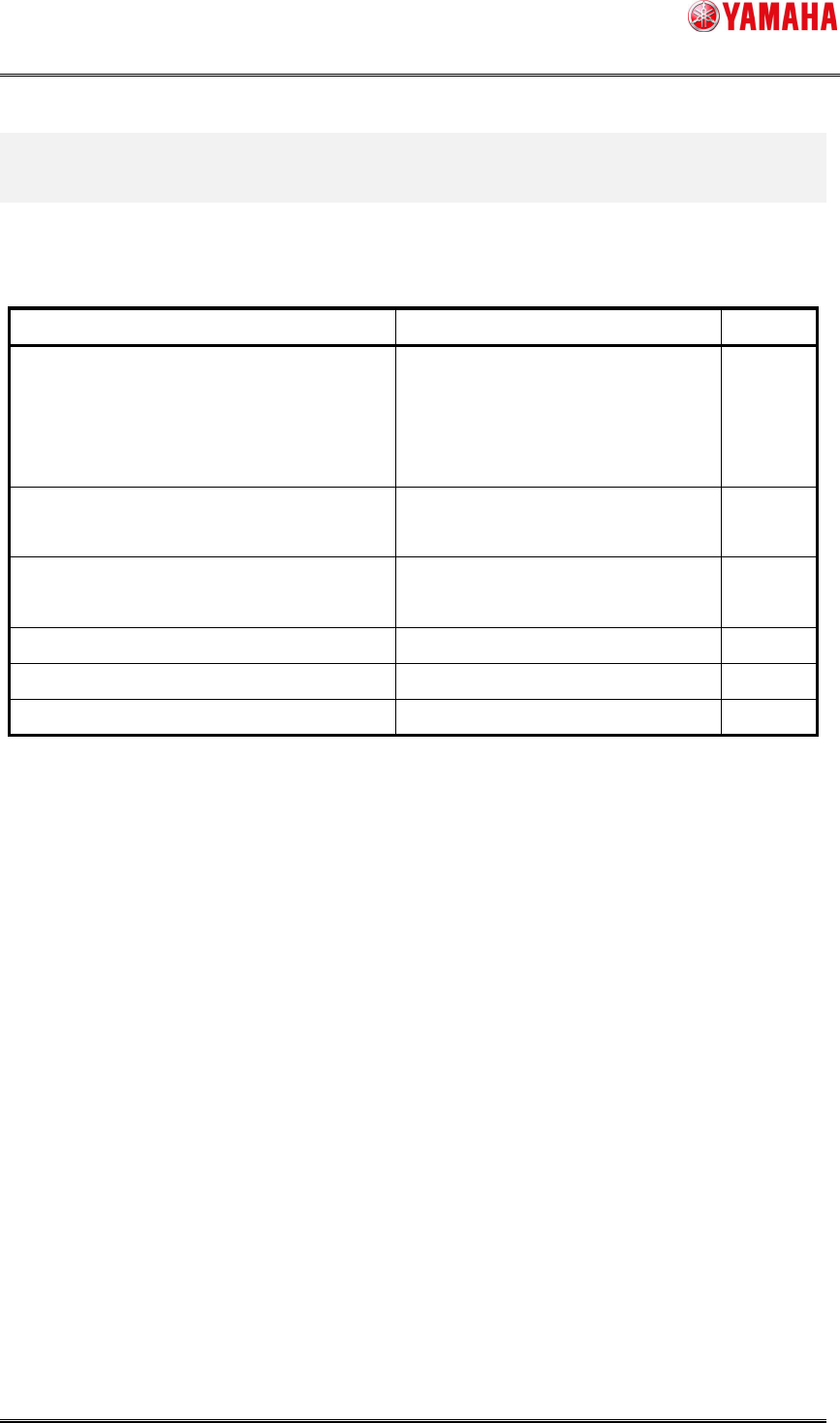
The following describes the models and versions applicable to this function.
Models and versions applicable to this function
Model Version Remarks
YS series mounter
YS series printer
YSD
YSH20
V3.42STD R1.000 or later
V4.42STD R1.000 or later
Xg series machine
* File compatibility of program list only
V1.42STD R1.000 or later
YG series machine
* File compatibility of program list only
V2.51STD R1.000 or later
IT-System Server Utility V1.42STD R1.000 or later
Y.FacT V1.42STD R1.000 or later
SMT Software Engineering Group
IM Operations YAMAHA MOTOR CO., LTD
MDOC-SOFT50283
5/62
2. Production lot operation
2.1 Overview
This function can instruct an operation, such as YAMAHA’s equipment program selection
according to an arbitrary production lot. Conventionally, the operator converted the production
model written in the instruction sheet into YAMAHA’s program name so as to select it. However,
this function can automatically allocate YAMAHA’s program according to the production lot.
Use of this function makes it possible to ensure the consistent program selection by the
production lot from the offline setup to the production. This reduces the risks of incorrect board
selection caused by similar board name and performs the program setting and selection in more
detailed units *.
* For example, parts type differences (rank difference, period difference, lot difference, and
vendor difference, etc) are instructed by classifying them by lot.
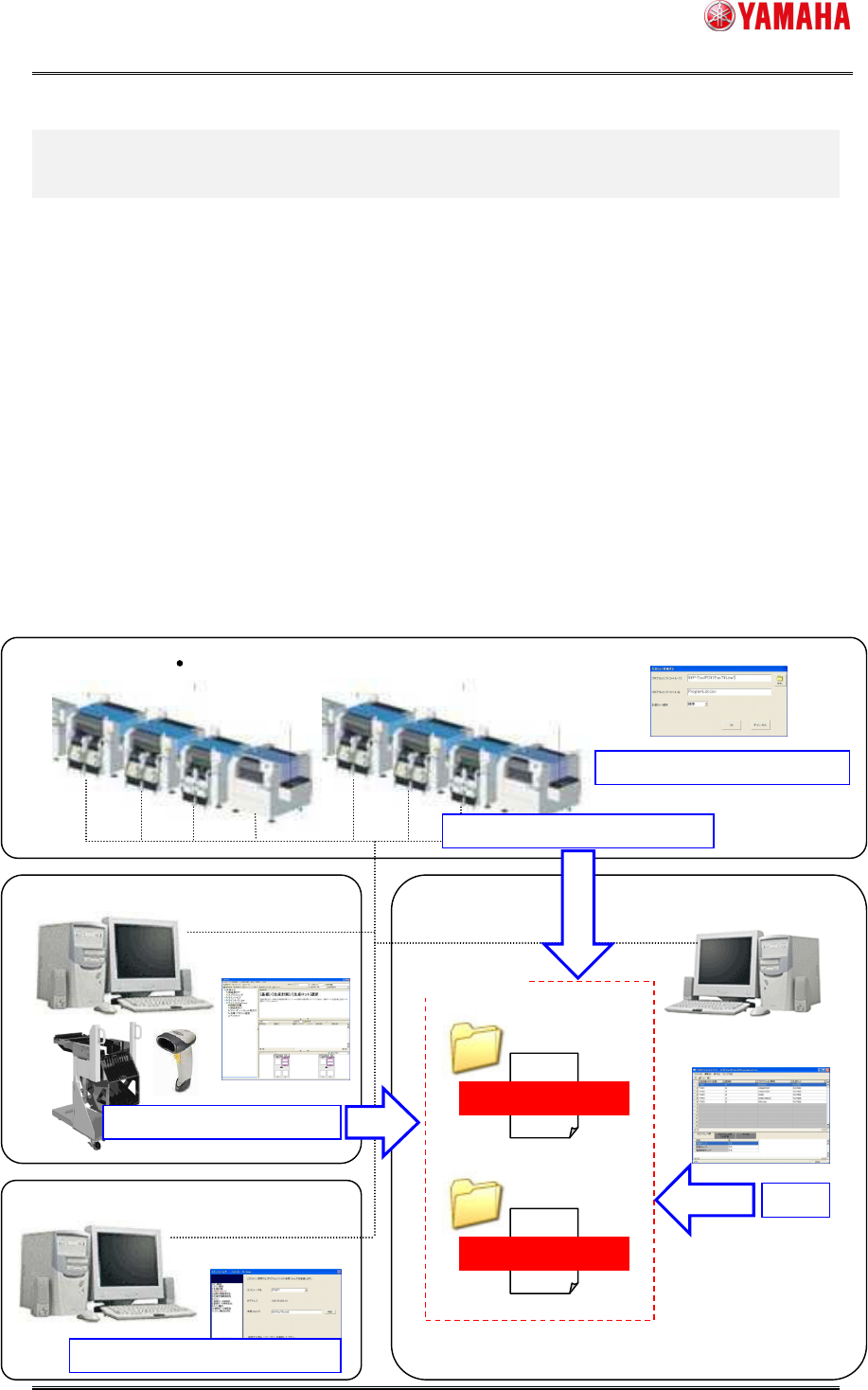
Conceptual diagram
Y.FacT: P
-Tool
IT-System Server
Y.FacT: S
-Tool
Setup Navi
Program List Editor
Line Config
Production lot selection
Reference destination setting
Edit
Production lot selection
Program list
Production lot
Line1
Program list
Production lot
Line2
Path and file name setting
Line (Mounter Printer)
Line folder
SMT Software Engineering Group
IM Operations YAMAHA MOTOR CO., LTD
MDOC-SOFT50283
6/62
2.2 Introduction
Before starting the production lot operation, thoroughly check the contents stated in this
section.
2.2.1 Preparations
Production lot
Issue a lot that becomes the operation unit.
Program
Prepare a program (board data) used for the production beforehand.
Program list
It is necessary to create a list that associates the production lot with the program. For
details about how to create a program list, see “3. P-Tool: Program List Editor”.
P-Tool
To create a program list, use Program List Editor supplied with P-Tool. To start this
operation, it is preconditioned to use Program List Editor supplied with P-Tool.
2.2.2 Settings
Make the settings so that the program list can be referred to through the network.
* When using “S-Tool: Setup Navi” or “OP003: Auto Pgm Change Over”, the setting
procedure is different from the normal procedure. So, see the following sections.
“4. S-Tool: Setup Navi”
“5.3 “OP003: Auto Pgm Change Over” corresponding to the production lot”