SOM-1735-001.pdf - 第39页
(5) Inspection range image Set brightness in the specified inspection range in the text box. "Bright" or "Dark" can be selected. Bright : Select this when the inspection range is brighter than the oth…
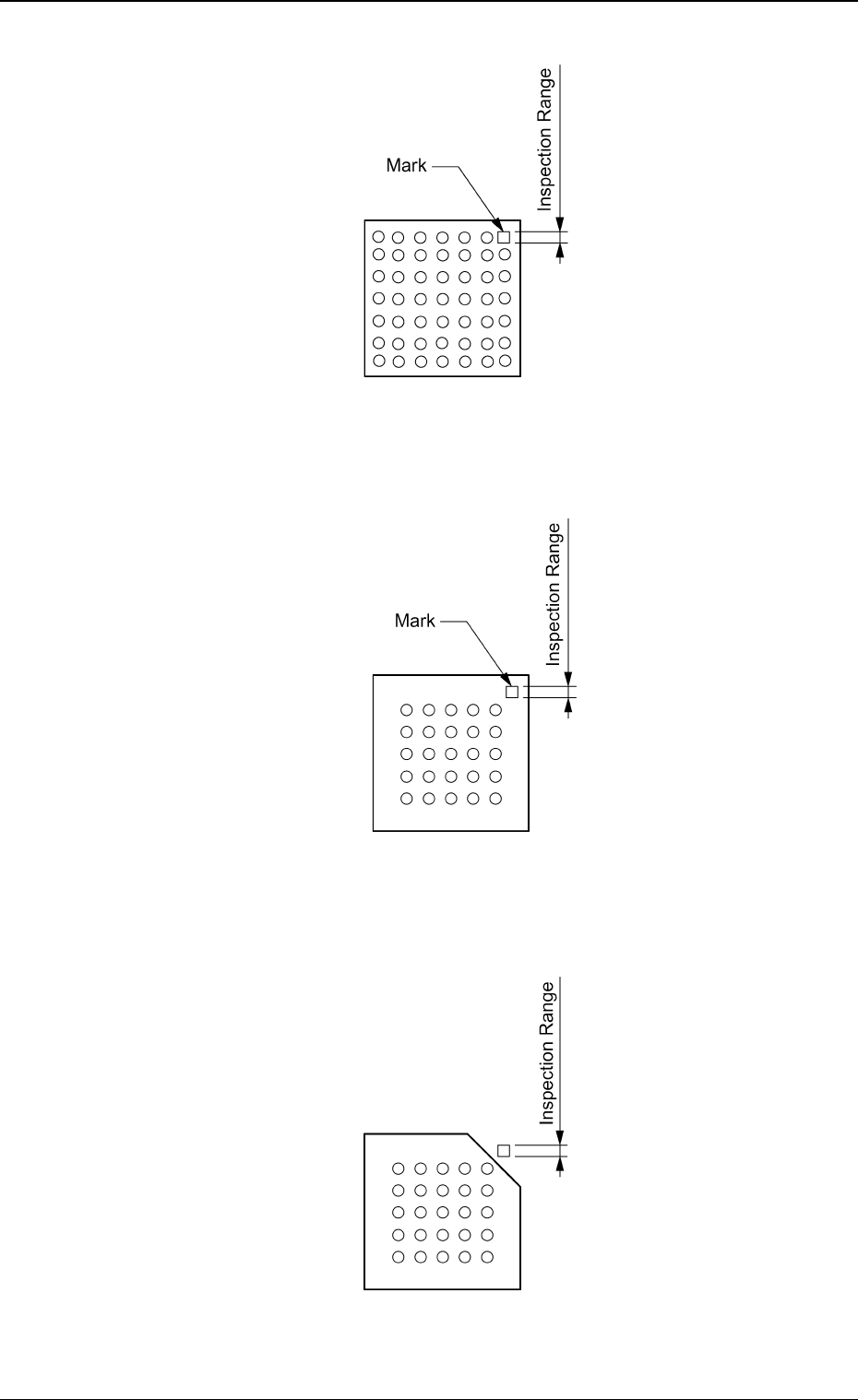
Regarding the missing ball as a polarity
Top View of Component
Fig. 88
Regarding the mark on the mold as a polarity
Top View of Component
Fig. 89
Regarding the cutout of the mold as a polarity
Top View of Component
Fig. 90
5.2 Parameters (B02-14)
0307-001 37 Tg0930-PM-SO
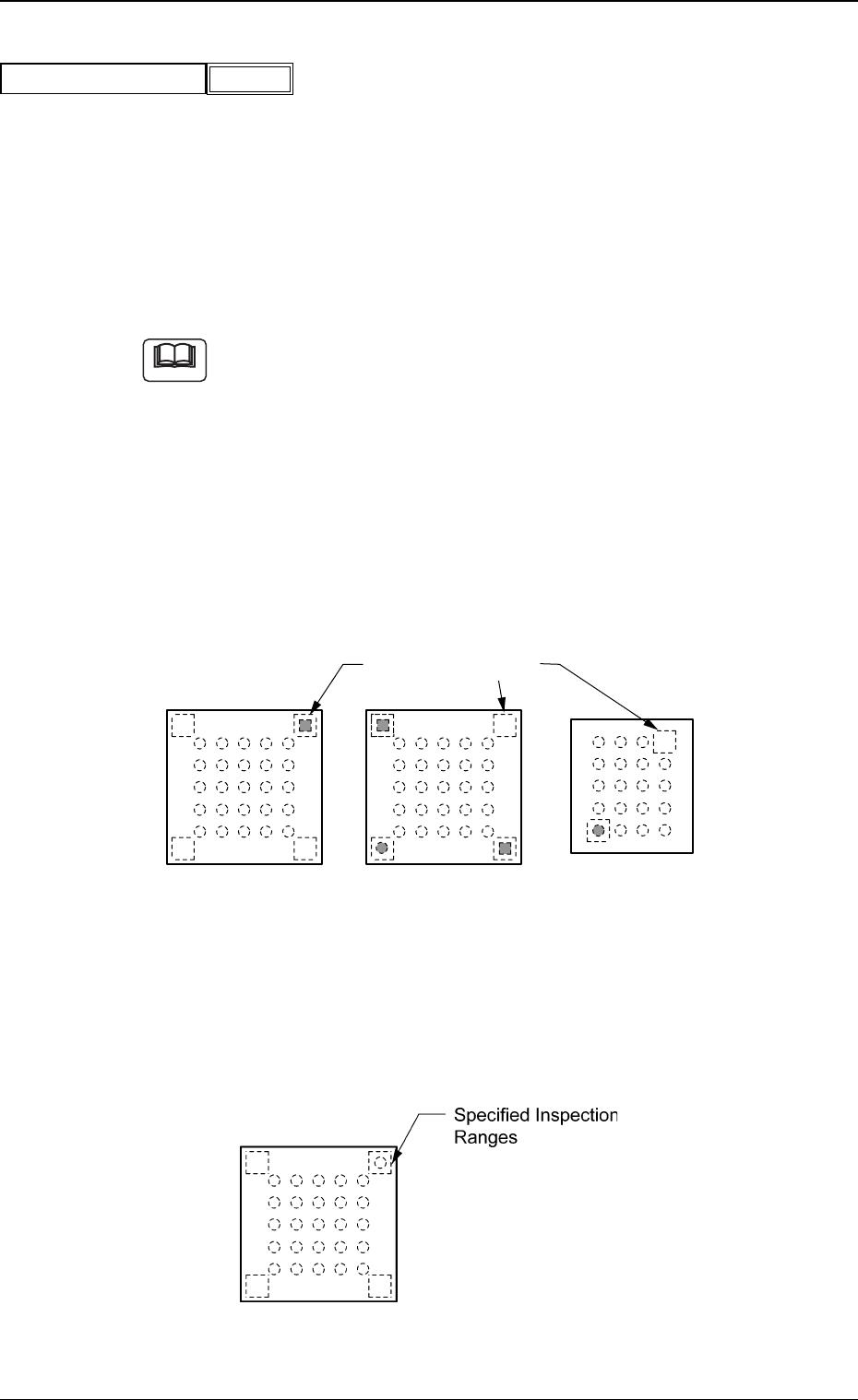
(5) Inspection range image
Set brightness in the specified inspection range in the text box.
"Bright" or "Dark" can be selected.
Bright : Select this when the inspection range is brighter than the
others.
Dark : Select this when the inspection range is darker than the
others.
(a) A parameter can be set only when "Enable (Discard)" or "Enable
(Placement)" is selected in the "Polarity detn" text box.
(b) The system determines whether or not a component has a polarity
according to the brightness in the specified inspection range. There-
fore, it is required to set the range which has a prominent difference
in brightness from the other inspection ranges.
Example of Prominent Difference:
The system can determine whether or not components have a
polarity because the difference in brightness is prominent be-
tween the specified inspection range and the others.
Top View of Component
Fig. 92
Example of No Difference:
The system cannot determine whether or not the component
has a polarity because there is no difference in brightness
between the specified inspection range and the others.
Top View of Component
Fig. 93
5.2 Parameters (B02-14)
Fig.91
Inspection range image
Bright
Note
Specified Inspection
Ranges
0307-001 38 Tg0930-PM-SO
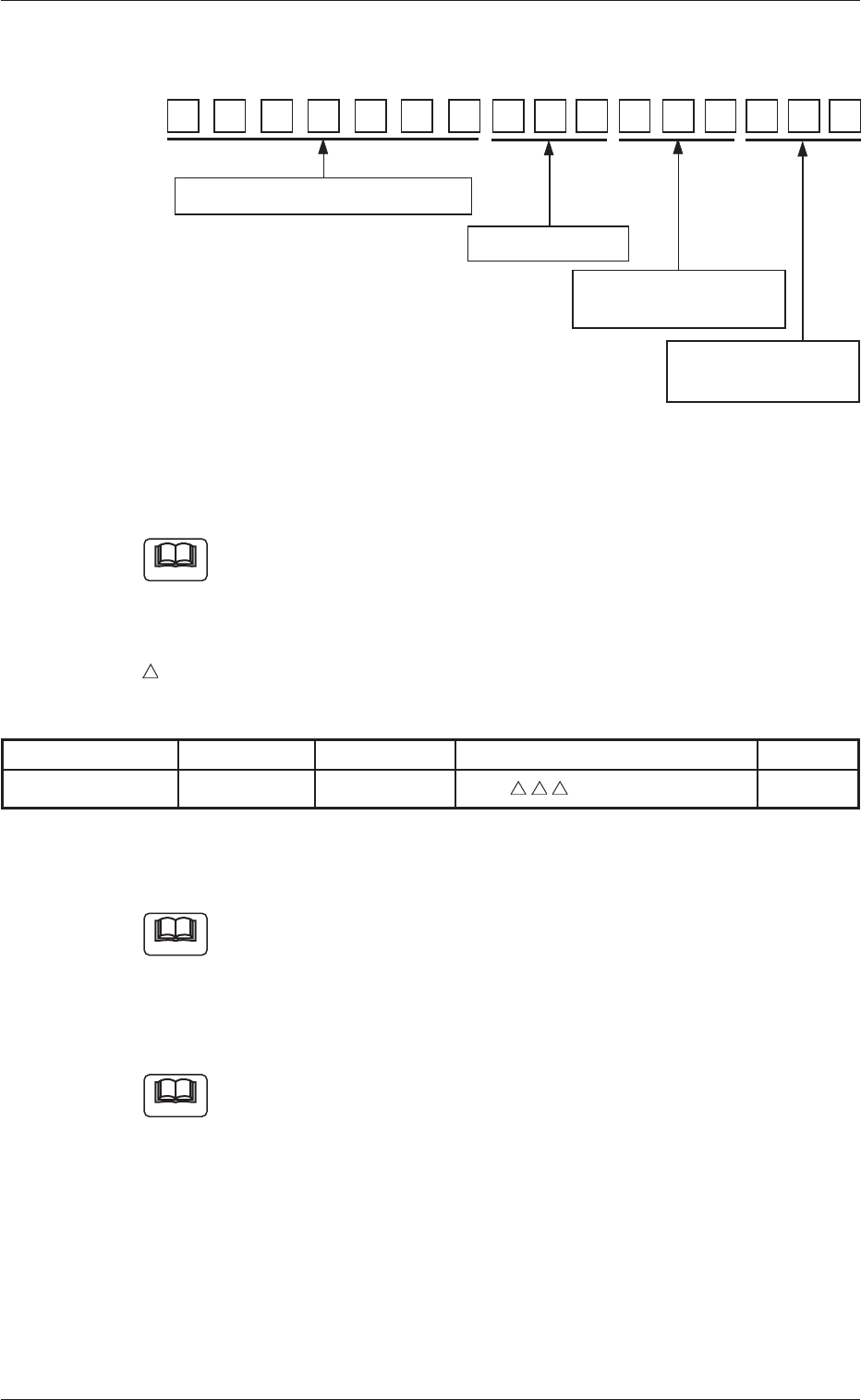
6. Standards of Component Library Naming
Component ID:
Fig. 94
6.1 Component Type, Size, Shape, and Characteristics
Refer to the instruction manual "Component Library for TCM-X
Series" for details.
List of Abbreviated Component Names
……………………………… Number of Electrodes
Table 12
Component Type Abbreviation Part Name Component ID (First 7 Digits) Remarks
IC BGA BGA-Type IC BGA
−
6.2 Serial Nos.
Refer to the instruction manual "Component Library for TCM-X
Series" for details.
6.3 Abbreviation of Component Maker
Refer to the instruction manual "Component Library for TCM-X
Series" for details.
16
6.1 Component Name, Size, etc.
6.2 Serial number
6.3 Abbreviation of
Component Maker
6.4 Specifications of
Packaging
151413121110987654321
Note
Note
Note
6. Standards of Component Library Naming
0307-001 39 Tg0930-PM-SO