SOM-1735-001.pdf - 第52页
10. T roubleshooting af ter Error Window (Recognition Error ID) Assuming "Recog Err ID", "Item (Error Name)", and "Description" in the "ERROR" window as an index, the system retrie…
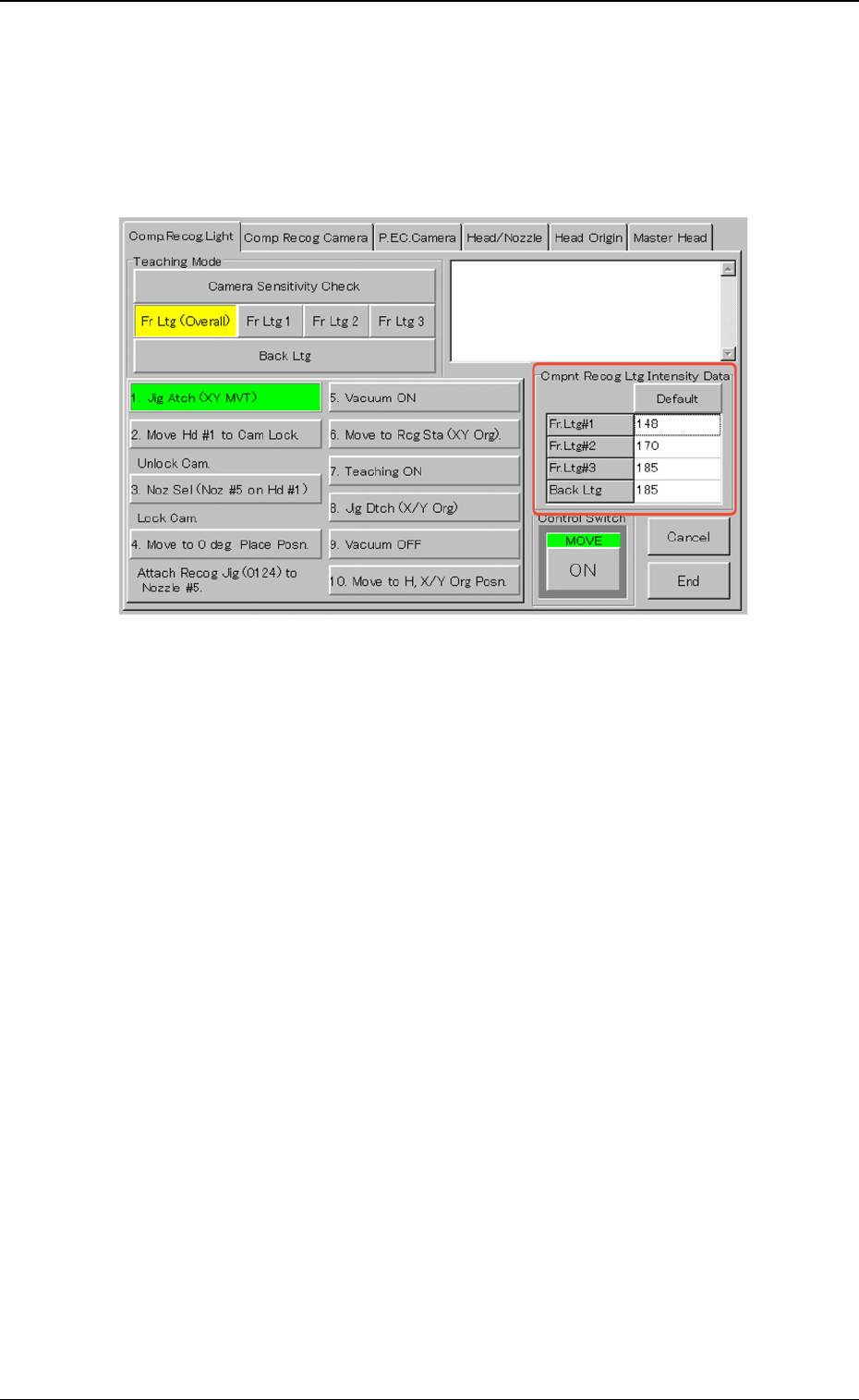
9.1.2 Teaching Operation on Lighting Intensity for Camera
When one of the buttons ([Fr Ltg (Overall)], [Fr Ltg 1], [Fr Ltg 2], [Fr Ltg
3] (Option)], and [Back Ltg] buttons) is pressed, the "Cmpnt Recog Ltg
Intensity Data" group box appears.
Fig. 103
When the [Default] button is pressed, a numerical value in each text
box is changed to the default.
9.1 "Comp. Recog. Light" Tab
0307-001 50 Tg0930-PM-SO
10. Troubleshooting after Error Window
(Recognition Error ID)
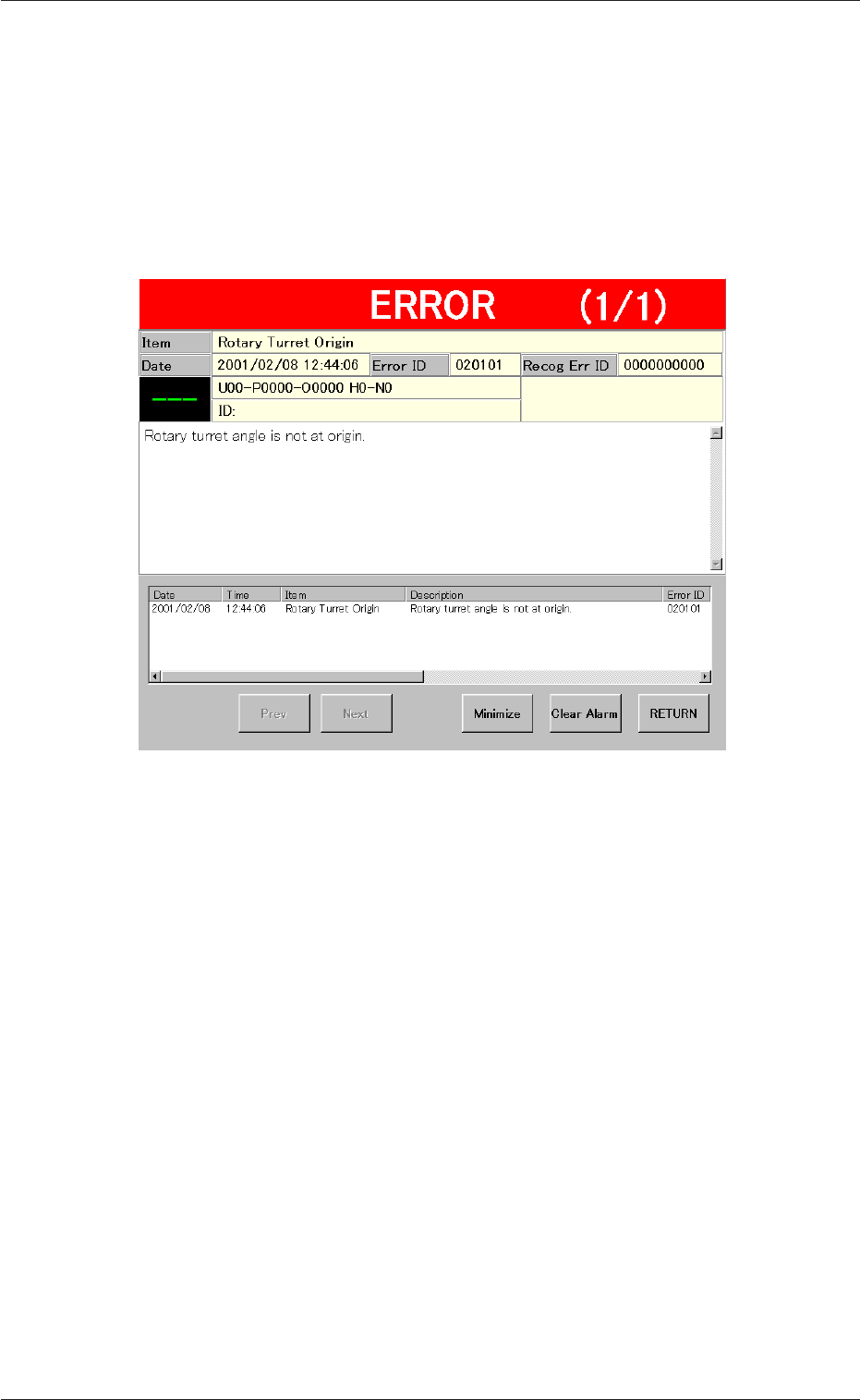
Assuming "Recog Err ID", "Item (Error Name)", and "Description" in the
"ERROR" window as an index, the system retrieves the related page of
the instruction manual.
Refer to "10.2 Typical Description" for the detailed description.
Fig. 104 Example of "ERROR" Window
10. Troubleshooting after Error Window (Recognition Error ID)
0307-001 51 Tg0931-PM-SO
*5
*8
*7
*4
*2
*3 *1
*6
10.1 "ERROR" Windows
••
••
• Window Layout
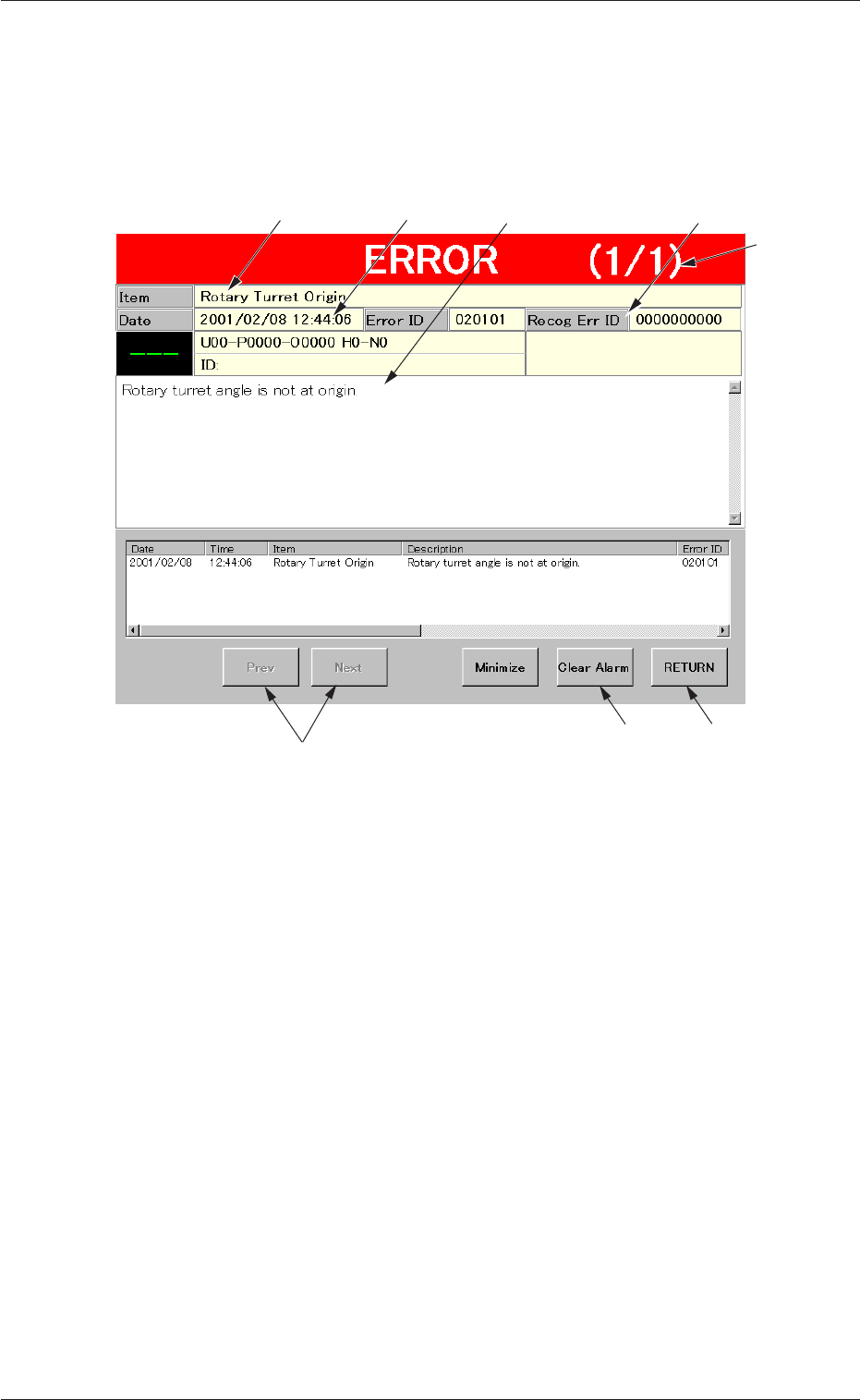
When the machine detects an error, the following "ERROR" window
opens.
Fig. 105 Example of "ERROR" Window
••
••
• Window Composition
*1 Recognition Error ID
Displayed is a string of alphanumeric characters (10 characters)
that identifies an error.
When an error has occurred, use this recognition error ID as an
index and refer to "10.4 Recognition Error IDs and Remedial
Procedures" for details.
*2 Item
Displayed is a name of the classified element that caused an
error.
*3 Description
Displayed are the contents of the error.
*4 Date and Time
Displayed are the date and time of error occurrence.
10.1 "ERROR" Windows
0307-001 52 Tg0930-PM-SO