DECAN_S2_Trouble(Eng_Ver4.2).pdf - 第132页
1-110 Advanced Chip Shooter DECAN S2 T roubleshooting Guide $6572 Head $H nozzle type check error occurr ed. [FREEZE LEVEL] [Problem] An error occurr ed while checking the vision nozzle type afte r replacement of the n…
1-109
System Messages of the MMI and Solutions
[Solution]
Perform [Solution] in $6040.
$6520 Can't put, no nozzle in the Head. [EMER LEVEL]
[Problem]
Same error as $6020 occurred during manual operation.
[Solution]
Please refer to [Problem] and [Solution] in $6020.
$6530 Nozzle in the Head. Couldn't put. [EMER LEVEL]
[Problem]
Same error as $6030 occurred during manual operation.
[Solution]
Please refer to [Problem] and [Solution] in $6030.
$6560 Can't get, nozzle in the Head. [EMER LEVEL]
[Problem]
Same error as $6060 occurred during manual operation.
[Solution]
Please refer to [Problem] and [Solution] in $6060.
$6570 No nozzle in the Head. Couldn't get. [EMER LEVEL]
[Problem]
Same error as $6070 occurred during manual operation.
[Solution]
Please refer to [Problem] and [Solution] in $6070.
$6571 The type of nozzle on the head $H does not correspond to the set nozzle. [FREEZE
LEVEL]
[Problem]
The result of vision nozzle type check after replacement of the head nozzle shows that
the nozzle does not correspond to the set nozzle.
[Solution]
Check that the nozzle in use corresponds to the set nozzle.
Check the internal and external diameters of the nozzle from the ‘Device’ submenu of
the ‘System Setup’ menu.
If the problem occurs continuously, contact our designated C/S or local agent.
1-110
Advanced Chip Shooter DECAN S2 Troubleshooting Guide
$6572 Head $H nozzle type check error occurred. [FREEZE LEVEL]
[Problem]
An error occurred while checking the vision nozzle type after replacement of the
nozzle.
[Solution]
Check the illumination state of the fly camera.
If the problem occurs continuously, contact our designated C/S or local agent.
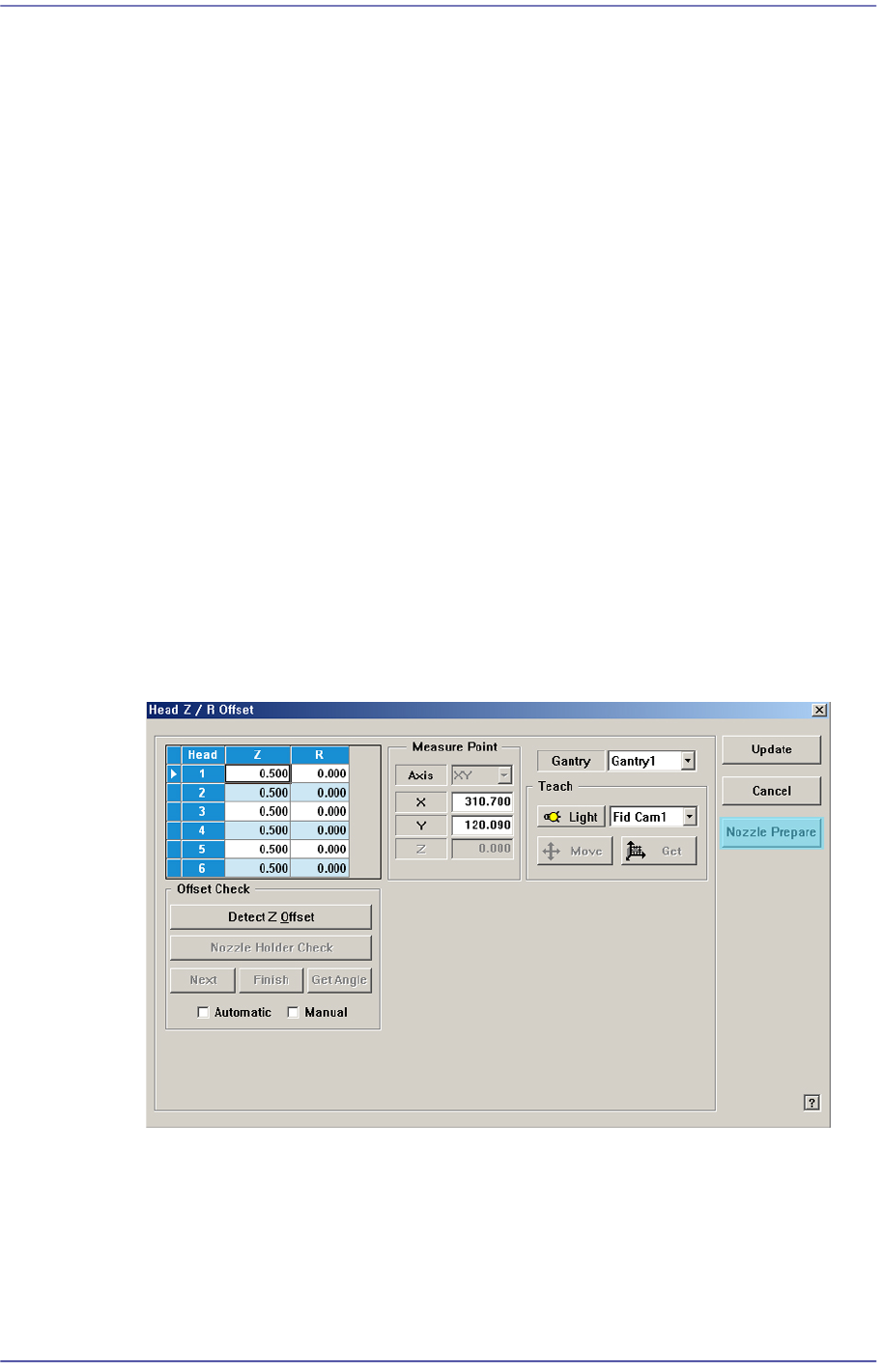
$6609 No nozzle exists on the head. [EMER LEVEL]
[Problem]
Error occurred since the CN040 nozzle is not registered for the No. 3 hole of the ANC
during Z offset calibration.
[Solution]
Turn off the Buzzer by pressing the “STOP” button.
Press the “RESET” button to change the operation mode to “IDLE”.
Clicking the <Nozzle Prepare> button in the Z Offset window will register the CN040
nozzle automatically.
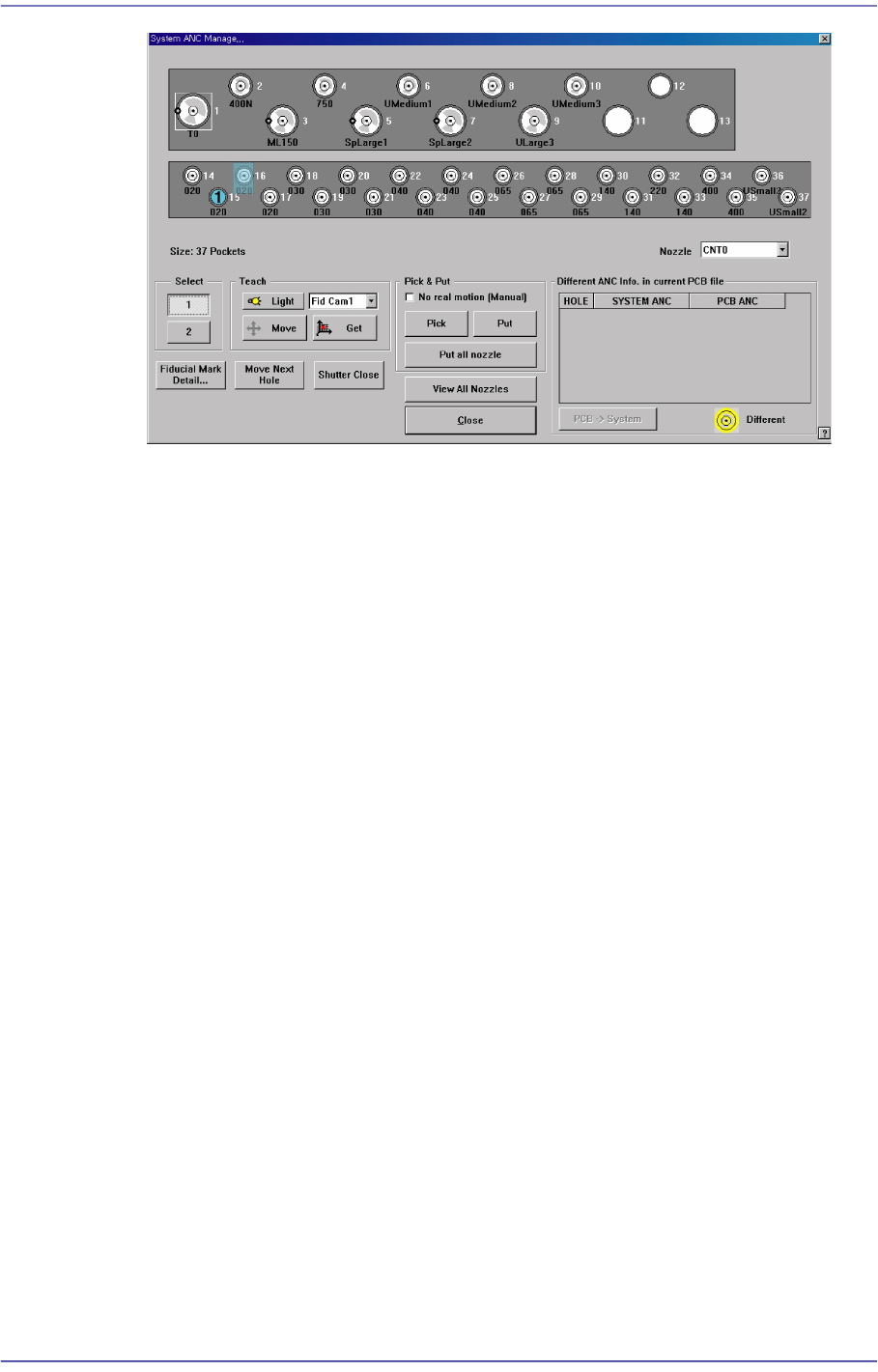
Or execute the ‘ANC Manager’ dialog box to register the CN040 to the No. 2 hole of
the corresponding ANC.
1-111
System Messages of the MMI and Solutions
$660a A pneumatic system error occurred while measuring the Z-axis height of the head.
[EMER LEVEL]
[Problem]
Since the pneumatic system for the head whose Z-axis height is to be measured does
not operate or the pneumatic pressure is lower than the norm (500 mmHg and above),
the calibration cannot be performed.
[Solution]
Turn off the Buzzer by pressing the “STOP” button.
Press the “RESET” button to change the operation mode to “IDLE”.
Check if the supplied pneumatic pressure is as high as the set pressure (0.45 ~ 0.55
MPa) by the air pressure gauge through air panel on the front side of the machine.