DECAN_S2_Trouble(Eng_Ver4.2).pdf - 第144页
1-122 Advanced Chip Shooter DECAN S2 T roubleshooting Guide Failed to recognize the right lead of upper l ead group on the SMV i sion window while recognizing co mponents. [Solution] Perform [Sol ution] in $a610. $a6…
1-121
System Messages of the MMI and Solutions
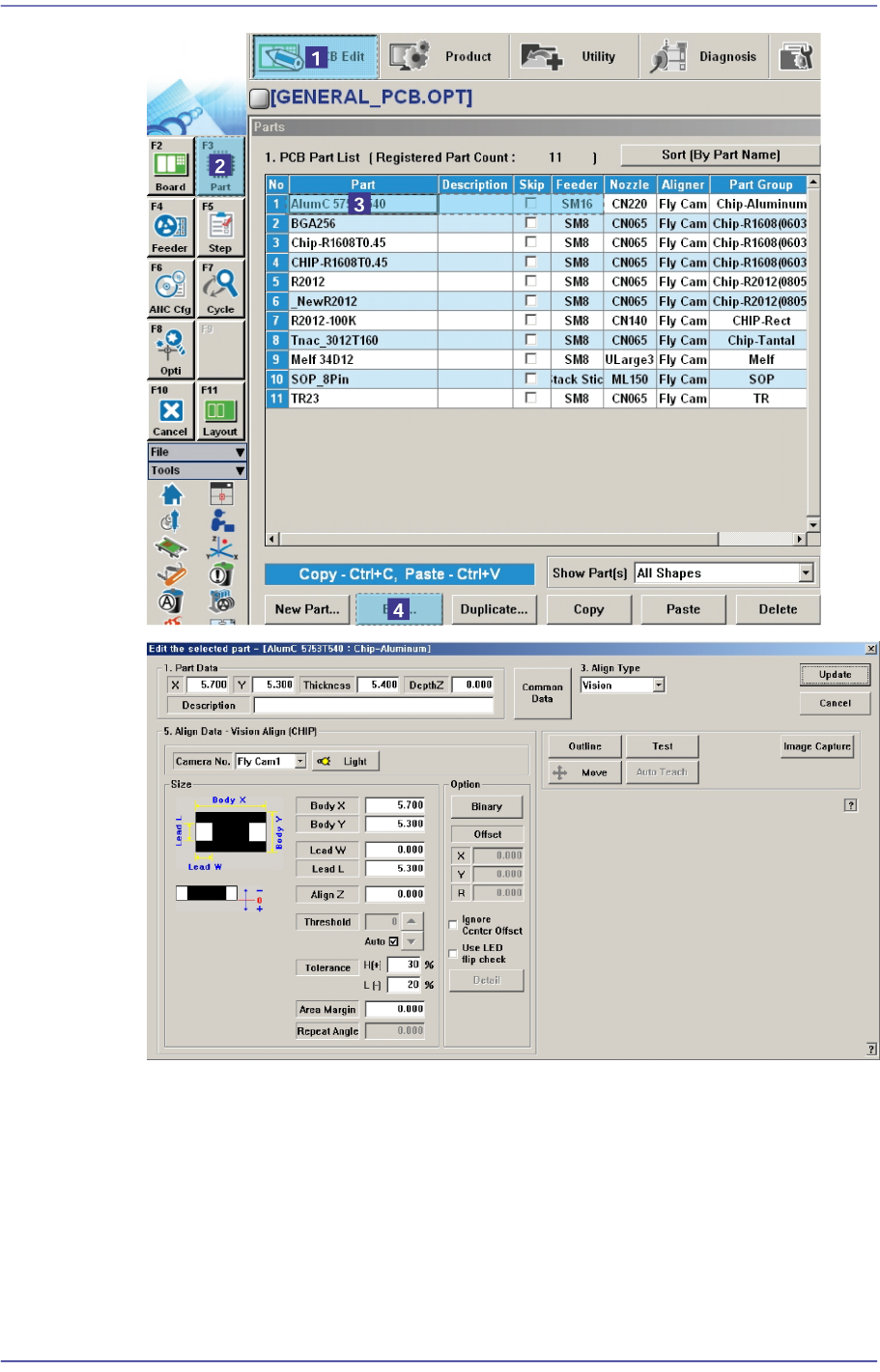
In addition, if the <Light Control> button is clicked to check and reset the illumination
level for the corresponding component, a dialog box for adjusting the illumination
level is displayed. Here, change the illumination level to make the shape and image of
the SMVision appear clear. For more details, please refer to “7.1 New Components
Registration” in the “Administrator’s Guide”
$a611 Can not find the final (right side) lead of upper lead group.
[Problem]

1-122
Advanced Chip Shooter DECAN S2 Troubleshooting Guide
Failed to recognize the right lead of upper lead group on the SMVision window while
recognizing components.
[Solution]
Perform [Solution] in $a610.
$a612 Can not find the first (upper side) lead of left lead group.
[Problem]
Failed to recognize the right lead of upper lead group on the SMVision window while
recognizing components.
[Solution]
Perform [Solution] in $a610.
$a613 Can not find the last (lower side) lead of left lead group.
[Problem]
Failed to recognize the right lead of upper lead group on the SMVision window while
recognizing components.
[Solution]
Perform [Solution] in $a610.
$a614 Can not find the first lead (left side) of lower lead group.
[Problem]
Failed to recognize the right lead of upper lead group on the SMVision window while
recognizing components.
Perform [Solution] in $a610.
$a615 Can not find the last (right side) lead of the lower lead group.
[Problem]
Failed to recognize the right lead of upper lead group on the SMVision window while
recognizing components.
[Solution]
Perform [Solution] in $a610.
$a616 Can not find the first (upper side) lead of right lead group.-+
[Problem]
Failed to recognize the right lead of upper lead group on the SMVision window while
recognizing components.
[Solution]
Perform [Solution] in $a610.

1-123
System Messages of the MMI and Solutions
$a617 Can not find the last (lower side) lead of the right lead group.
[Problem]
Failed to recognize the right lead of upper lead group on the SMVision window while
recognizing components.
[Solution]
Perform [Solution] in $a610.
$a620 Recognized pitch(%d) in the lead group(%d) is larger than registered pitch(%d).
[Problem]
The pitch recognized by the vision is larger than the registered pitch.
Lead of component is bent.
Input the pitch of component is incorrect.
Setup of lighting level is inadequate.
[Solution]
Check if the lead of component is bent.
Perform [Solution] in $a610.
$a621 Pitch(%d) recognized by lead group(%d) is smaller than the registered pitch(%d).
[Problem]
The pitch recognized in the vision is smaller than the registered pitch.
The component lead is bent.
Input the pitch of component is incorrect.
Lighting level setup is inadequate.
[Solution]
Check if the lead of component is bent.
Perform [Solution] in $a610.
$a631 There is not a bright(%d) pixel on the first(left side)lead of upper lead group.
[Problem]
The lead was not recognized when recognizing the component lead.
Can not actually pickup the component.
Lighting level was setup too dark.
The component size is inputted incorrectly.
[Solution]
Check if the component was actually picked up.
Perform [Solution] in $a610.