DECAN_S2_Trouble(Eng_Ver4.2).pdf - 第89页
1-67 System Messages of the MMI and Solutions Warning Please check the movement of the se nsor and cylinder in the ‘Diagnosis I/O’ of MMI. As it is dangerous to check the sensor during the operation of the equipment, be …
1-66
Advanced Chip Shooter DECAN S2 Troubleshooting Guide
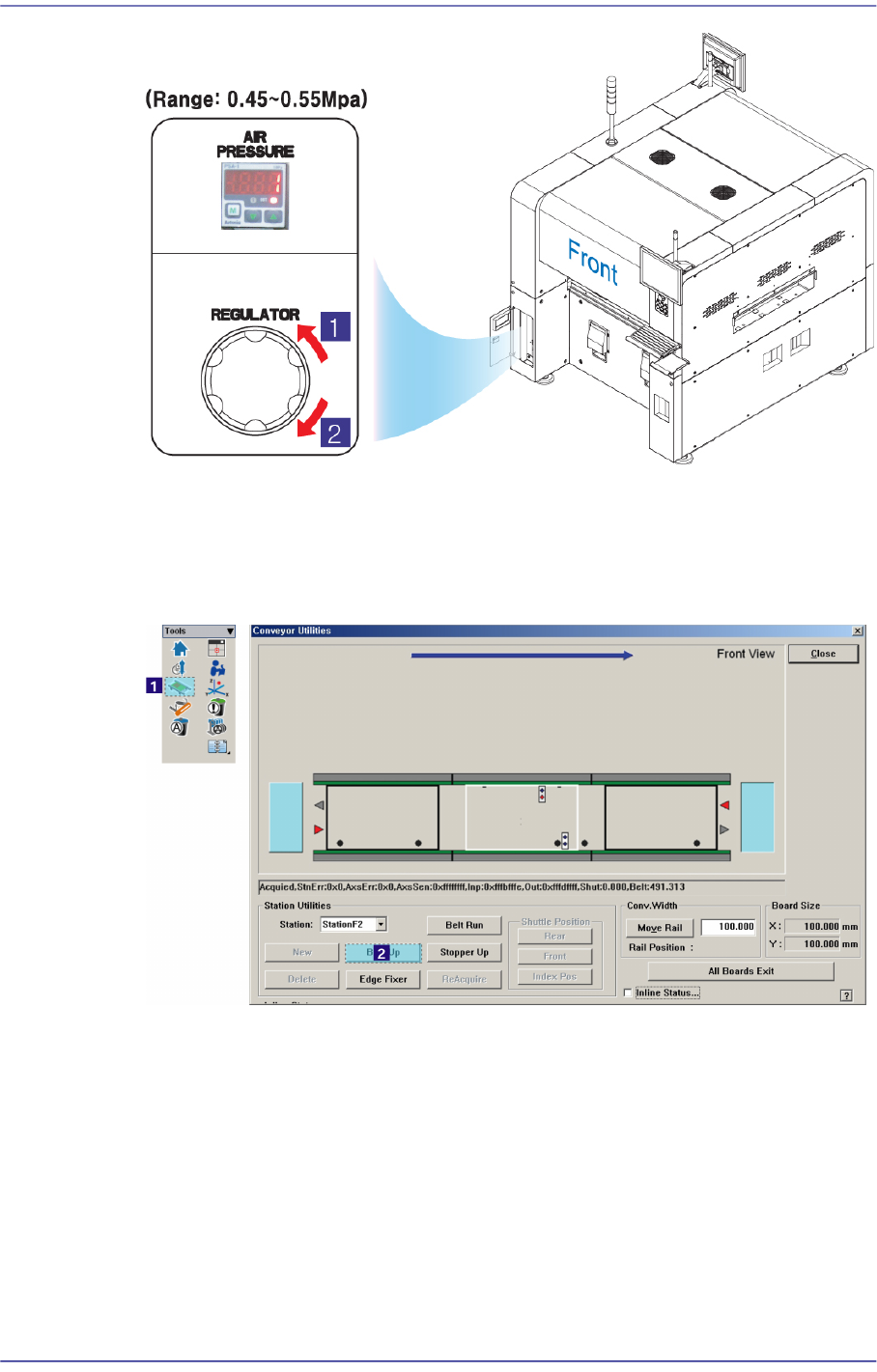
1: Pressure Decrease (Counterclockwise)
2: Pressure increase (Clockwise)
Check if the sensor related to the upward movement of the backup table operates
normally. If it is thought to have a problem, adjust the sensor position.
Check the wiring related to the upward movement of the backup table.
For further details, refer to section “Conveyor Board Interface (2/5)” in the Technical
Reference.
1-67
System Messages of the MMI and Solutions
Warning Please check the movement of the sensor and cylinder in
the ‘Diagnosis I/O’ of MMI.
As it is dangerous to check the sensor during the operation
of the equipment, be sure to check the equipment in stop
status (idle mode) after releasing “Ready”.
$3043 Check the sensor for upward movement of the backup table. [EMER LEVEL]
[Problem]
When the upward movement sensor failed to detect the upward movement of the
backup table.
[Solution]
Take measures same as those against the error code “$3042”.
$3044 Check the backup table downward movement sensor. [EMER LEVEL]
[Problem]
When the backup table downward movement sensor failed to detect the downward
movement of the backup table.
[Solution]
Take measures same as those against the error code “$3042”.
$3045 Check the state of the stopper. [EMER LEVEL]
[Problem]
When the corresponding stopper cannot move up/down due to mechanical
interference.
When pneumatic pressure is not supplied to the cylinder of the corresponding stopper
properly.
A problem occurred in the position and wiring of the sensor related to the upward or
downward movement of the corresponding stopper.
[Solution]
Turn off the Buzzer by pressing the “STOP” button.
Switch the machine to “IDLE” mode by pressing the “RESET” button.
If there is mechanical interference related to the upward/downward movement of the
corresponding stopper, remove it.
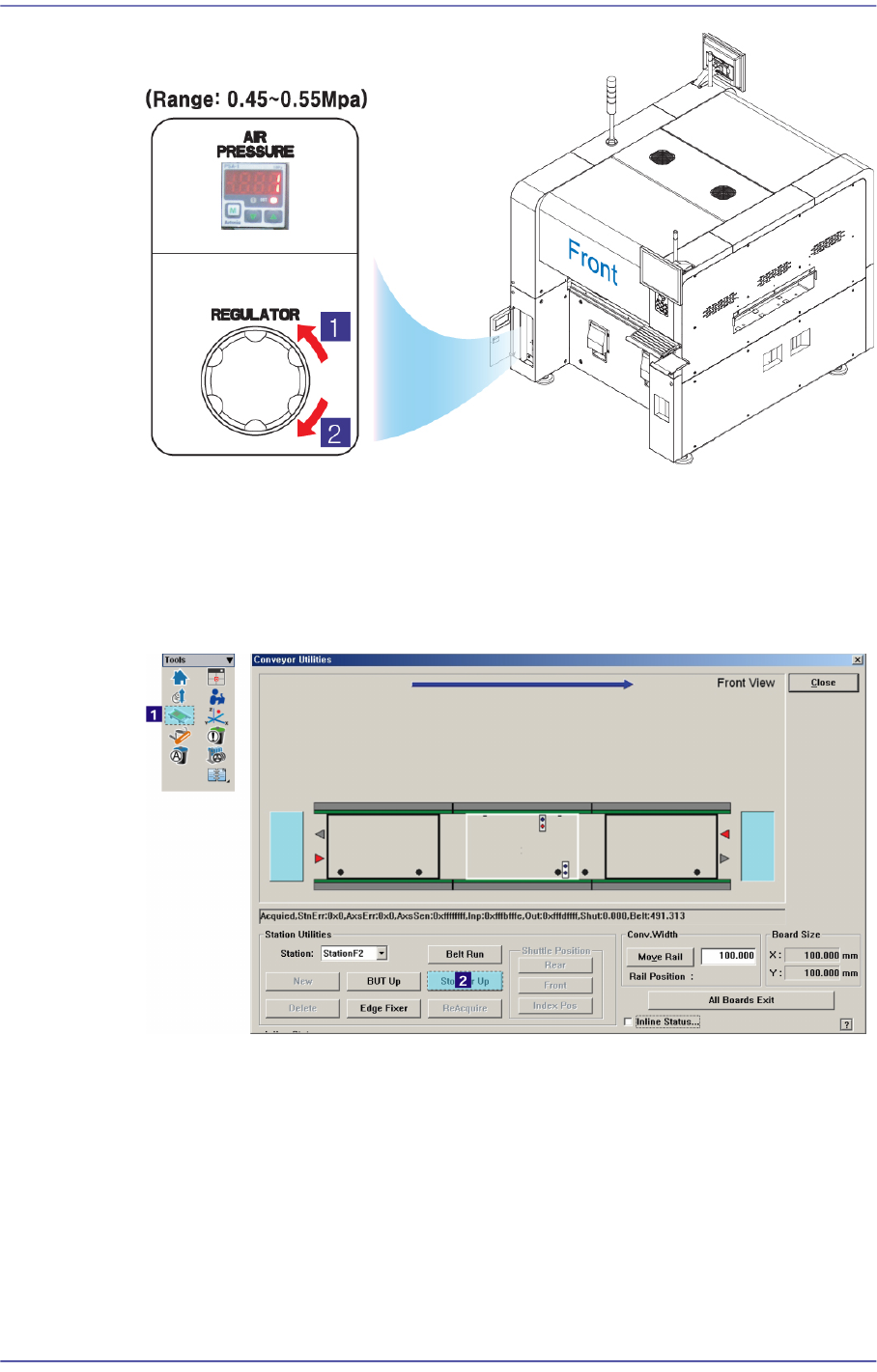
Check if the supplied pneumatic pressure is as high as the set pressure (0.45 ~ 0.55
MPa) by the air pressure gauge through air panel on the front side of the machine.
1-68
Advanced Chip Shooter DECAN S2 Troubleshooting Guide
1: Pressure Decrease (Counterclockwise)
2: Pressure increase (Clockwise)
If there is mechanical interference related to the upward/downward movement of the
corresponding stopper, and adjust the sensor position if the sensor is experiencing a
problem.
Check the wiring of the sensor related to the upward or downward movement of the
corresponding stopper.
For further details, refer to section “Conveyor Board Interface (2/5)” in the Technical
Reference.