DECAN_S2_Trouble(Eng_Ver4.2).pdf - 第181页
1-159 System Messages of the MMI and Solutions T urn of f power to the machine in the usual way . W ait 5 seconds, turn back on and reboot the system. $bc00 Equipment is not ready. [FREEZE LEVEL ] [Problem] This erro…

1-158
Advanced Chip Shooter DECAN S2 Troubleshooting Guide
$ad32 Difference between the recognized pitch(%d, %d) of lead groups(%d, %d) during
‘Auto Teach’ is big.(Allowable value: %d)
[Problem]
The difference in the recognized lead pitch between two lead groups is big.
The lead group of the components is asymmetrical.
Lighting setup is inadequate.
[Solution]
In the case of the asymmetrical component, register it manually.
Select the error occurred part from ‘Part’ of the PCB Edit menu and set the
illumination so that all lead groups are evenly illuminated.
$ad33 The difference in the recognized foot value(%d, %d) between the lead groups(%d,
%d) when performing ‘Auto Teach’ is big.(Allowable value: %d)
[Problem]
The difference in the recognized lead foot between two lead groups is big.
The lead group of the components is asymmetrical.
Lighting setup is inadequate.
[Solution]
In the case of the asymmetrical component, register it manually.
Select the error occurred part from ‘Part’ of the PCB Edit menu and set the
illumination so that all lead groups are evenly illuminated.
$ae03 Failed in recognizing the fiducial mark.
[Problem]
The fiducial mark was not recognized.
The fiducial mark is not within the range of recognition, or defective.
The fiducial data or lighting setup is inadequate.
[Solution]
Check fiducial data and lighting setup, and readjust them. Please refer to section “6.3
Fiducial Mark Setup” of the Administrator’s Guide.
1.4.12. Software debug Related Error [$b000~$bfff]
$bbbb Assert fault has occurred. [MPU_STOP LEVEL]
[Problem]
An assert fault has occurred due to H/W problem or S/W problem.
[Solution]
1-159
System Messages of the MMI and Solutions
Turn off power to the machine in the usual way. Wait 5 seconds, turn back on and
reboot the system.
$bc00 Equipment is not ready. [FREEZE LEVEL]
[Problem]
This error occurs when the equipment is driven without pressing the ready switch.
[Solution]
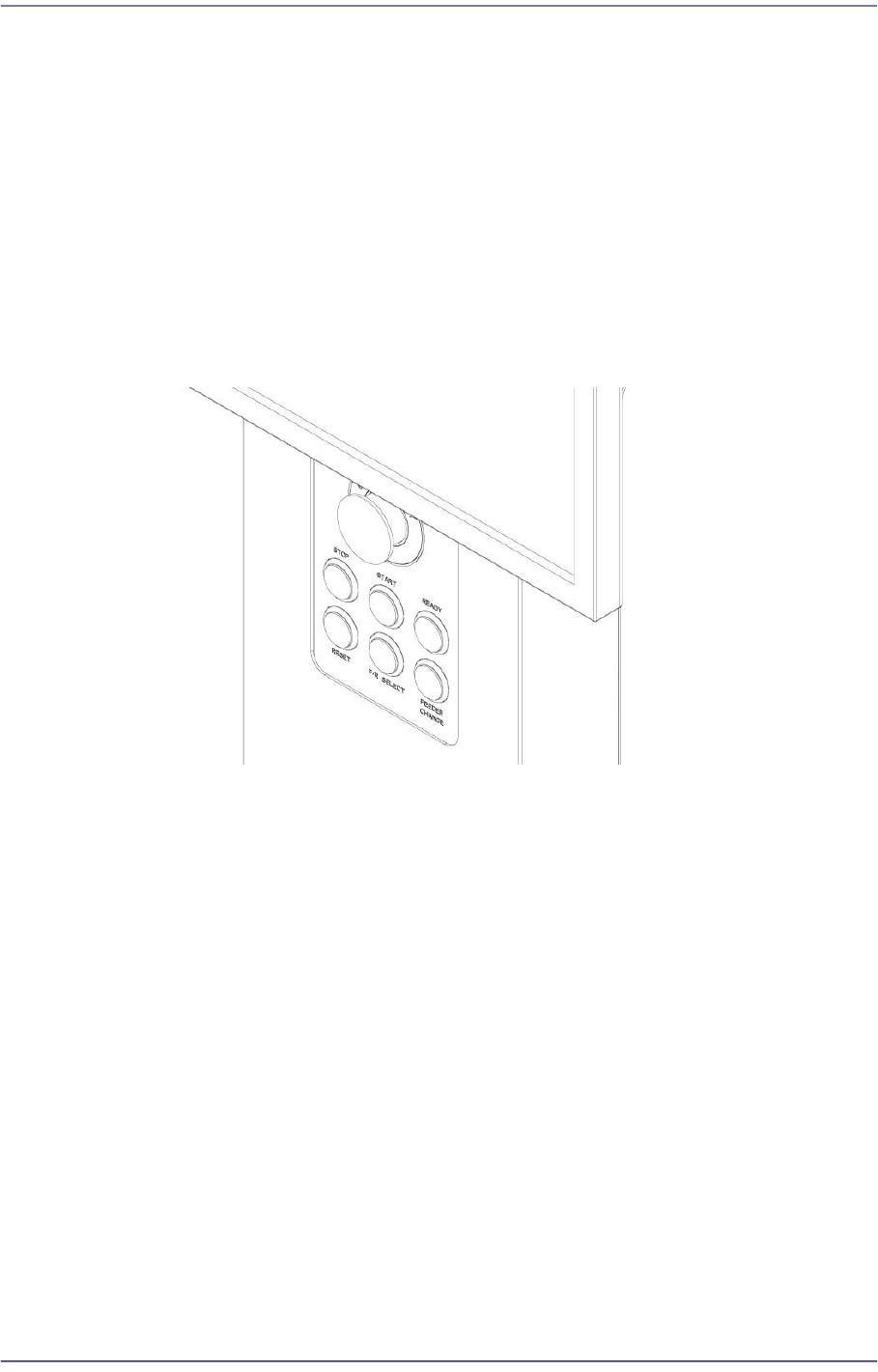
Turn off the Buzzer by pressing the “STOP” button.
Switch the machine to “IDLE” mode by pressing the “RESET” button.
Supply power to the motor of the machine by pressing the “READY” button.
$bc05 Nozzle is blocked. [FREEZE LEVEL]
[Problem]
Nozzle is actually blocked with foreign matter.
The vacuum level was incorrectly measured due to fault of vacuum sensor.
Nozzle data setting error.
[Solution]
Turn off the Buzzer by pressing the “STOP” button.
Switch the machine to “IDLE” mode by pressing the “RESET” button.
Clean the nozzle if there is foreign matter at the nozzle inlet. Please refer to section
“Checking and cleaning the nozzle” of the Maintenance Handbook.
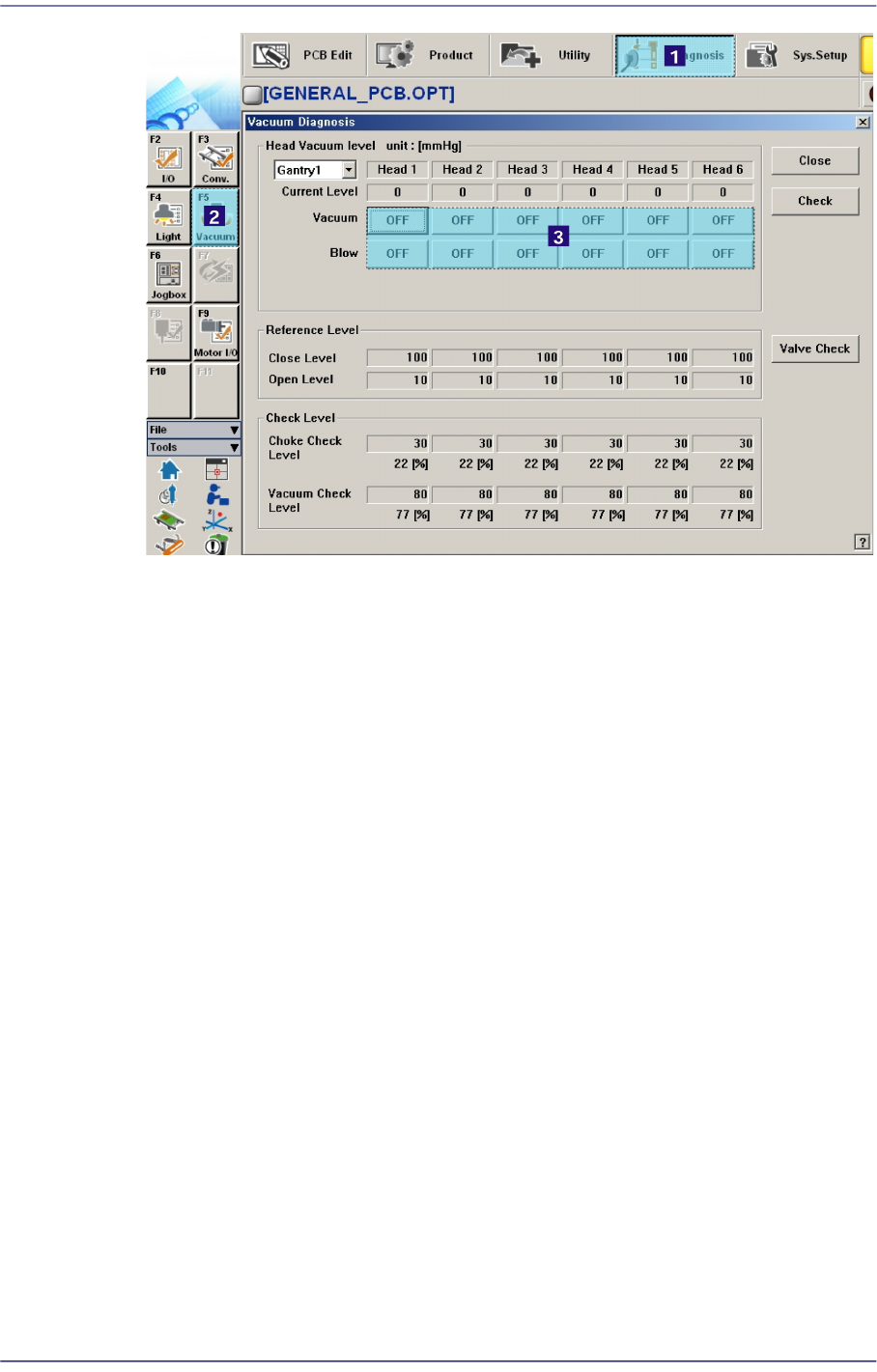
Check the vacuum sensor, and perform a vacuum test on the head showing in
“Vacuum” of the “Diagnosis” menu.
1-160
Advanced Chip Shooter DECAN S2 Troubleshooting Guide
Check the setup related to the nozzle data on the ‘Device’ of the Sys. Setup Menu.
$bc10 Head is not homed. [WARNING LEVEL]
[Problem]
An error occurred when moving other axis using the Teaching Box while the head is
not homed.
[Solution]
Turn off the Buzzer by pressing the “STOP” button.
Move the desired axis after performing the homing of the head or the entire equipment
using Teaching Box.
$bc11 Mir is not homed. [WARNING LEVEL]
[Problem]
An error occurred when moving other axis using the Teaching Box while the ‘Mir’ is
not homed.
[Solution]
Turn off the Buzzer by pressing the “STOP” button.
Move the desired axis after performing the homing of the ‘Mir’ or the entire
equipment using Teaching Box.
$bd30 Trying to place using the skipped head. [MPU_STOP LEVEL]
[Problem]